Congratulations @damalgos and good luck 
So to answer your question, I’ve made progress on a module, here’s what it does currently (all backend):
- install the rhasspy container (which contains all the elements to understand and speak)
- configure the container (still in progress)
- retrieve the voice content and send it to Gladys
- Gladys responds to rhasspy which speaks through the speaker
There’s still a lot to do:
- the entire front end, I haven’t done anything and I’m a bit lazy I don’t like it too much but I’ll have to get to it when the backend is good)
- Proper installation of rhasspy with a good config
- Retrieve Mozilla’s database for understanding which is very comprehensive, downloading a large base can cause technical problems
- Configuration of everything related to languages
That’s it for the news, I’ll try to make some progress on it if possible, at least to have a clear base that’s easy to pick up / help with on this subject.
Thanks for your replies!
Congratulations to you and sorry for your sleepovers 
Okay, I’m not expecting any issues 
@damalgos, in my opinion, we won’t see him again anytime soon, he’s come across something to program that no matter what he does will always be full of bugs!!! I’ve been at it for fifteen years of code and it still bugs out regularly, curiously a lot more in the last 2/3 years, they say it’s the programmed adolescence!! 
Otherwise, for those interested, I came across this, it’s recent and it looks powerful
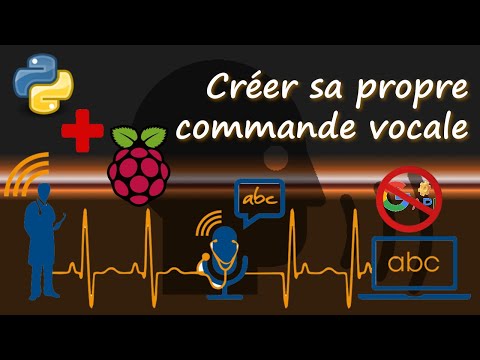
Alright, I’m reviving this thread…
Did you see this? VoiceGPT - Voice Assistant That Uses The ChatGPT Chatbot
Couldn’t we adapt it to Gladys?
Hello. It’s based on Google Cloud Speech-to-Text API so everything you say goes to Google. I don’t think that’s the idea with Gladys Assistant 
I’m well aware of that, but… Compatibility between Google Home and OpenAI means we’re already going through external servers for certain integrations.
Recognition could only occur when a trigger (button) is activated…
That’s the idea of the (rather simple) script I was highlighting here.
@GBoulvin the problem with this kind of solution is the hardware: if you want speech recognition that works well you need dedicated hardware for that (multiple microphones, a speaker for responses + a Raspberry Pi or other), all added up, is it realistic (economically and functionally) to have a setup that is much more expensive and less capable than a Google Home / Amazon Echo Dot?
If you’re going to use Google’s speech-to-text API anyway, why not just buy a Google Home for 29€?