Gladys Assistant 4.18: Zigbee2mqtt backup and native handling of buttons (single click, double click, ...)

Hello everyone!

I came back from vacation this week, cleared out everything that was pending, and there are some little gems :gem:

Not everything is in this release (there were a lot of PRs!), but these two features, in my opinion, were ready to go. The rest will arrive in a future release :slight_smile:

Native handling of buttons with single/double/hold press

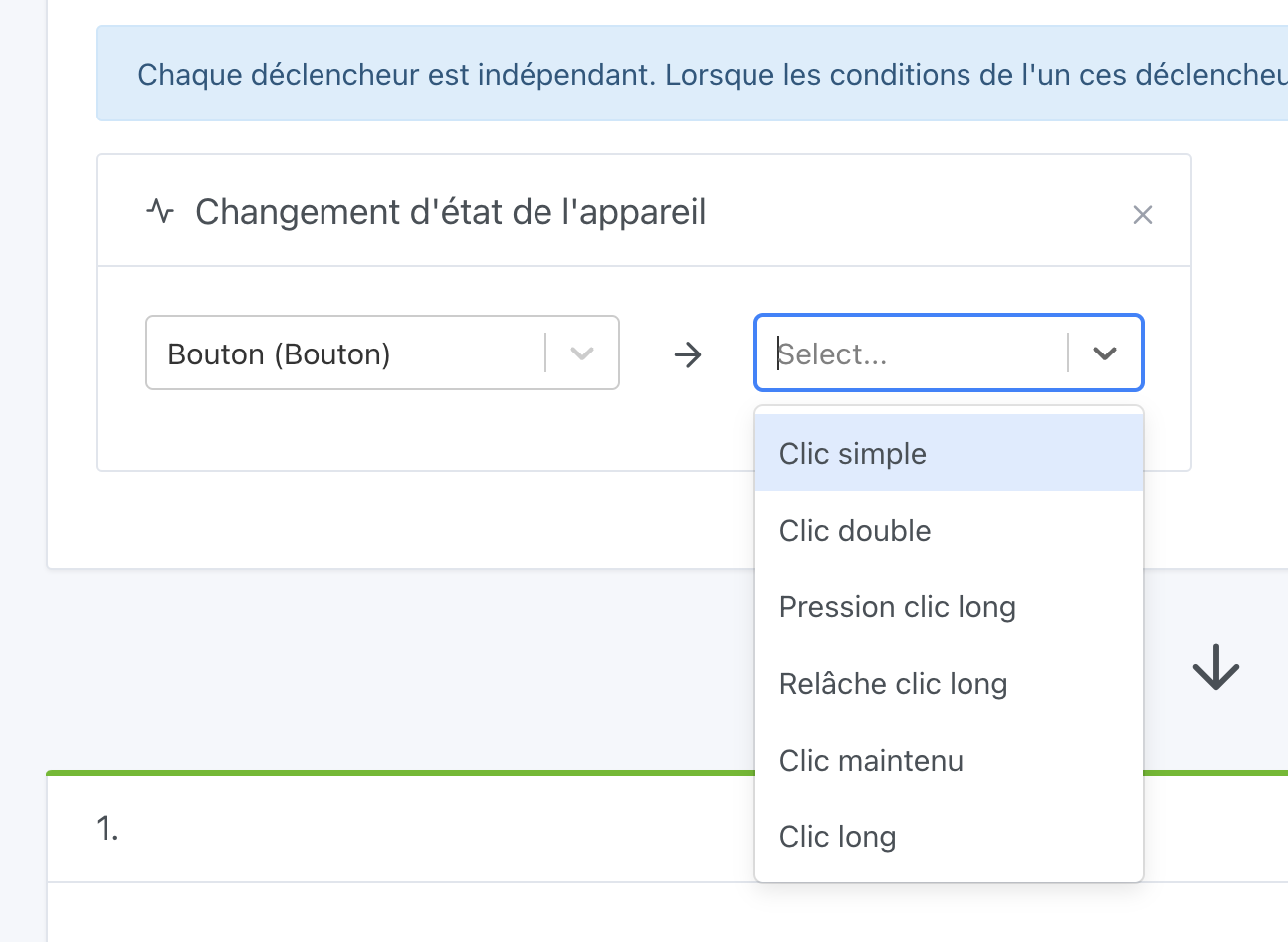
From now on, Gladys natively handles press buttons (Xiaomi-type), which allow triggering actions with single, double presses, etc…

Gladys now displays all available actions:
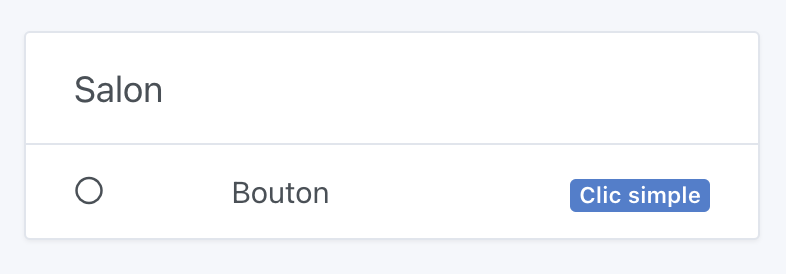
In the interface, actions are shown natively:
Thanks to @AlexTrovato for this development which will greatly improve the Gladys experience :pray:

Zigbee2mqtt backup

Until now, the Zigbee2mqtt integration was not backed up in Gladys, since, I remind you, Zigbee2mqtt is a project separate from Gladys.

But it wasn’t very easy for a user to understand how to restore Zigbee2mqtt on a new instance in case of changing the home automation box!

From now on, Gladys will back up Zigbee2mqtt once a day into the Gladys database, and when restoring on another instance (either by manually moving the Gladys DB, or via a Gladys Plus restore), Zigbee2mqtt can be restored automatically :partying_face:

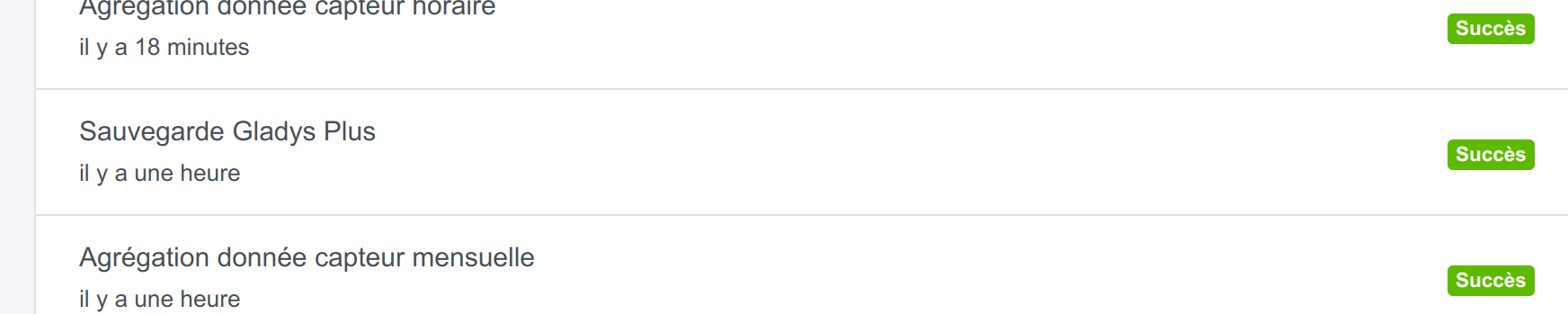
In Gladys, in the « Background tasks » tab, you should find a once-per-day task that should be successful if Gladys managed to back up Zigbee2mqtt.

Thanks to @AlexTrovato for this development!

Ongoing developments

On my side, I’m working on several big topics:

  • Deployment of the Enedis integration in alpha: I am looking for a Gladys Plus user who could give me access to their Enedis account for final tests: Intégration Enedis-Linky - #75 par pierre-gilles
  • Displaying a live camera video stream on the dashboard
  • Switching from the GPT-3 API to the ChatGPT API using the « turbo » model for instant responses, and especially to divide the cost of this API by 10, which will allow me to give many more credits to Gladys users :slight_smile:

I’m looking for help on several topics:

Changelog

The full CHANGELOG is available here.

How to update?

If you installed Gladys with the official Raspberry Pi OS image, your instances will update automatically within the coming hours. This can take up to 24h, don’t panic.

If you installed Gladys with Docker, make sure you are using Watchtower (see the documentation).

5 Likes

Great job again, thanks a lot to all the developers !!! :+1:

I just have a little question that’s been bugging me… since I’ll finally be able to move from my Raspberry Pi (RPi) to my NUC:
I’m surprised because this morning I made sure I was on the latest version of Gladys and I launched a backup. I check, it clearly says it succeeded:

But when I look directly at the backups I see that it’s only slightly larger than yesterday’s backup:

Is it possible that the z2m backup is only 10MB? Given that I have almost 50 devices that surprises me but I may be mistaken. I’d like to be sure everything is fine before attempting the migration! :wink:

@guim31 The Zigbee2mqtt backup is a behavior separate from the Gladys Plus backup.

Every night at 11:00 PM, the Zigbee2mqtt integration in Gladys asks Zigbee2mqtt to export the important information from your setup, and

1 Like

Ahhh ok I didn’t understand how it works.
So I’ll let it run and see how it goes this weekend!
Thanks @pierre-gilles

1 Like

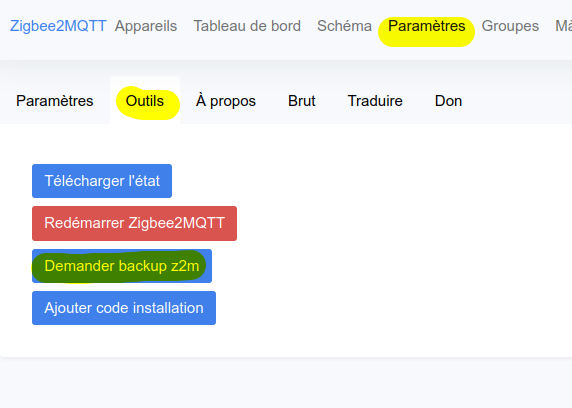
Hi, you can make a manual backup from the Z2M interface, Gladys will capture the file.
There is a « backup » button somewhere in z2m.

2 Likes


Here, I presume?

I’m not yet on version 4.18, so I can’t test it :slight_smile:

Ok, all good!!

Thanks

1 Like

@pierre-gilles it’s good, I got it :slight_smile:

This weekend, migrating to my NUC!!!

4 Likes

Great, it’s moving forward, especially when @pierre-gilles returns from vacation :slight_smile:
J’ai reparamétré un bouton avec la nouvelle version et du coup, j’ai pu ajouté des fonctionnalités pour d’autres devices. Top :+1:

I’ve been using Gladys Plus for several weeks and am now wondering what the procedure is for disconnecting the Raspberry

Good evening @pierre-gilles @AlexTrovato

I have Xiaomi buttons connected via Zigbee2Mqtt — does the change that was made apply (single click instead of 1)? I tried to modify it in a scene and in the Zigbee2Mqtt integration, but I can’t find the new notation. Do I need to delete the button and recreate it to access it?

@pierre-gilles I think I have a little problem ^^

After a thousand adventures, I thought my zigbee2mqtt dongle was dead.
Turns out it wasn’t :wink:

So I’m doing a fresh install of Gladys on my NUC, I restore my backup from yesterday, so far so good.
I see that the z2m service is running, I see all my devices displayed in Gladys… BUT actually none are available in the Discovery tab anymore, nor even in the z2m interface.
Everything is empty :confused:

Any idea what went wrong? How can I help you debug this?

Hi, on your NUC the USB port may have been renamed, have you tried re-selecting the port from Gladys?

Yes, indeed it has changed its name, but it doesn’t make any difference when I select it.

For the record, what was strange is that when I plugged my dongle into the NUC the red LED did not light up.

So I did LOTS (too many) of changes on the z2m side in the configuration.yaml file because my dongle didn’t even show up with an lsusb

After many attempts the dongle appeared but it wasn’t anywhere in /dev/tty*

Several reboots and it showed up as /dev/ttyUSB0

And that’s when my other devices disappeared from z2m, as if I’d switched dongles.

I still have my Zigbee2mqtt backup on my Pi… What would you say is the best way to sort this out? Should I manually edit the backup file to make it match /dev/ttyUSB0?

Even if I have to start from scratch, I’d like to eventually recover my 50 devices and not have to re-pair everything / restore my scenes… :sweat_smile:

If your dongle appears to be properly connected to the NUC, try enabling the « permit join » from Gladys or z2m.

It didn’t work… :confused:

So I removed the Gladys and z2m containers and images and deleted the gladysassistant folder in /var/lib/

I rebooted my NUC; here are the results of the commands:

lsusb
Bus 001 Device 002: ID 8087:8001 Intel Corp. Integrated Hub
Bus 001 Device 001: ID 1d6b:0002 Linux Foundation 2.0 root hub
Bus 003 Device 001: ID 1d6b:0003 Linux Foundation 3.0 root hub
Bus 002 Device 004: ID 8087:0a2a Intel Corp. Bluetooth wireless interface
Bus 002 Device 003: ID 1a86:7523 QinHeng Electronics CH340 serial converter
Bus 002 Device 002: ID 046d:c52b Logitech, Inc. Unifying Receiver
Bus 002 Device 001: ID 1d6b:0002 Linux Foundation 2.0 root hub
/dev/tty*
/dev/tty    /dev/tty2   /dev/tty31  /dev/tty43  /dev/tty55  /dev/ttyprintk  /dev/ttyS2   /dev/ttyS31
/dev/tty0   /dev/tty20  /dev/tty32  /dev/tty44  /dev/tty56  /dev/ttyS0      /dev/ttyS20  /dev/ttyS4
/dev/tty1   /dev/tty21  /dev/tty33  /dev/tty45  /dev/tty57  /dev/ttyS1      /dev/ttyS21  /dev/ttyS5
/dev/tty10  /dev/tty22  /dev/tty34  /dev/tty46  /dev/tty58  /dev/ttyS10     /dev/ttyS22  /dev/ttyS6
/dev/tty11  /dev/tty23  /dev/tty35  /dev/tty47  /dev/tty59  /dev/ttyS11     /dev/ttyS23  /dev/ttyS7
/dev/tty12  /dev/tty24  /dev/tty36  /dev/tty48  /dev/tty6   /dev/ttyS12     /dev/ttyS24  /dev/ttyS8
/dev/tty13  /dev/tty25  /dev/tty37  /dev/tty49  /dev/tty60  /dev/ttyS13     /dev/ttyS25  /dev/ttyS9
/dev/tty14  /dev/tty26  /dev/tty38  /dev/tty5   /dev/tty61  /dev/ttyS14     /dev/ttyS26  /dev/ttyUSB0
/dev/tty15  /dev/tty27  /dev/tty39  /dev/tty50  /dev/tty62  /dev/ttyS15     /dev/ttyS27
/dev/tty16  /dev/tty28  /dev/tty4   /dev/tty51  /dev/tty63  /dev/ttyS16     /dev/ttyS28
/dev/tty17  /dev/tty29  /dev/tty40  /dev/tty52  /dev/tty7   /dev/ttyS17     /dev/ttyS29
/dev/tty18  /dev/tty3   /dev/tty41  /dev/tty53  /dev/tty8   /dev/ttyS18     /dev/ttyS3
/dev/tty19  /dev/tty30  /dev/tty42  /dev/tty54  /dev/tty9   /dev/ttyS19     /dev/ttyS30

So now I’m reinstalling Gladys with the docker command, but I’m afraid that if I directly restore a Gladys Plus backup I’ll have the same issue of a dongle not being recognized (on my RPi it was /dev/ttyACM0).

What do you think I should do and in what order? ^^

I would have restored the Gladys Plus backup, then checked that in the folder /var/lib…/z2m you have files other than the .conf.
If you see a .db file and others, it means the z2m backup is indeed present. Then I would have configured the USB port from Gladys. Normally that restarts the z2m container, but here I’m afraid it will overwrite important information in the .conf file…
You should do a diff of this file before and after.

1 Like

Ok I’ll try this procedure tonight and I’ll keep you informed :+1: thanks Alex