And there are lots of new features in Gladys Assistant 4.28!!
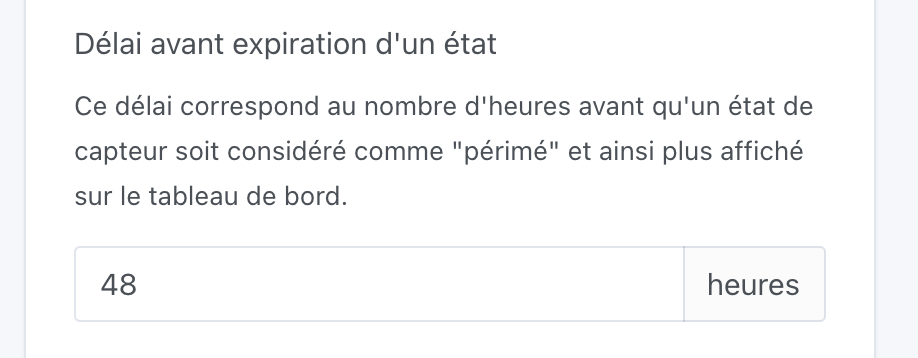
Sensor state expiration
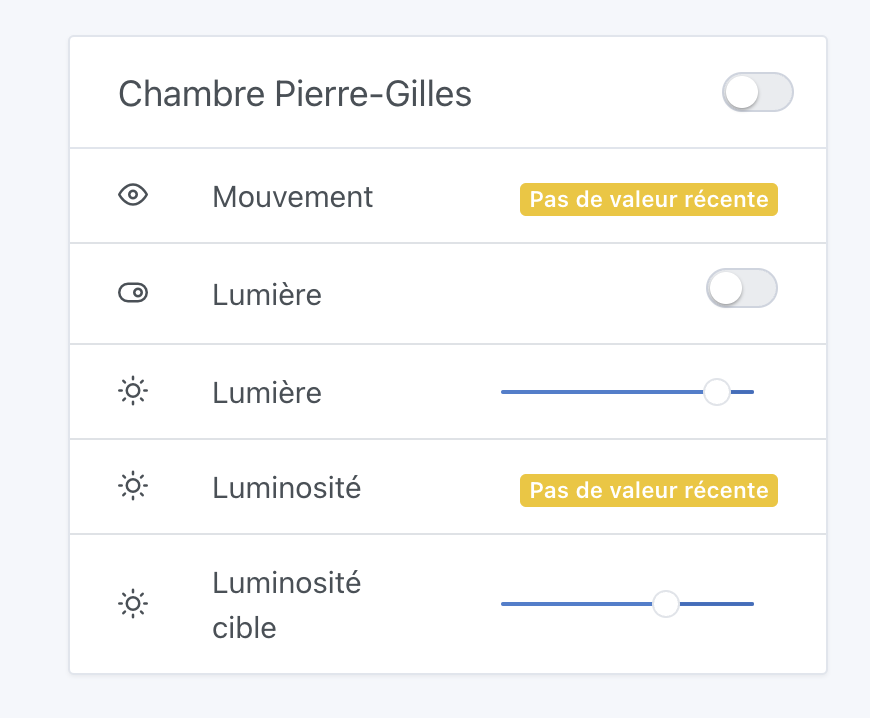
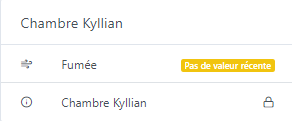
From now on, « old » sensor states will no longer be displayed on the dashboard, and will be replaced by an indication that the state is no longer up to date:
Thanks to everyone who contributed to this release
How to update?
If you installed Gladys with the official Raspberry Pi OS image, your instances will update automatically within the coming hours. This can take up to 24h, don’t panic.
If you installed Gladys with Docker, make sure you are using Watchtower ( See the documentation )
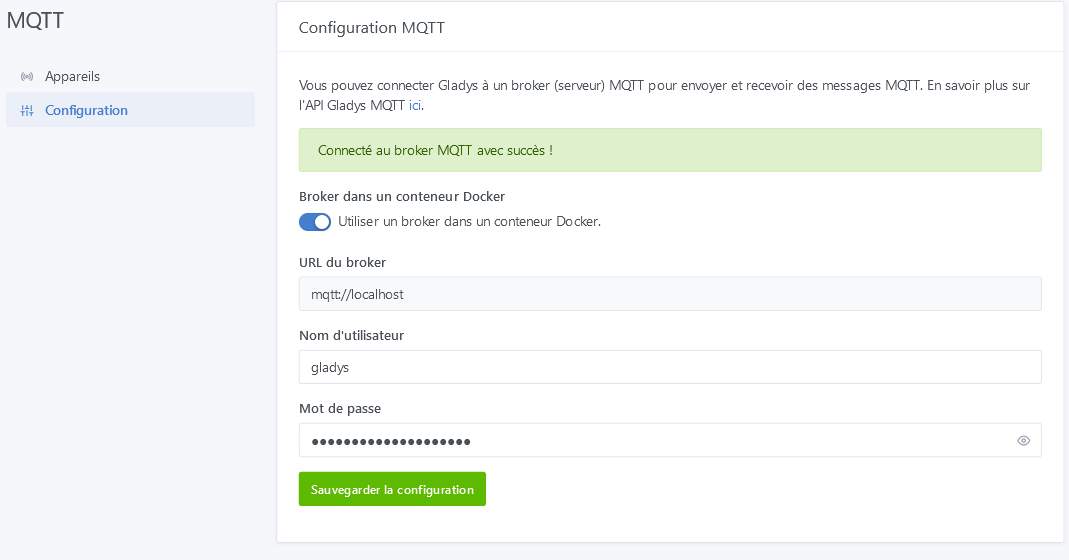
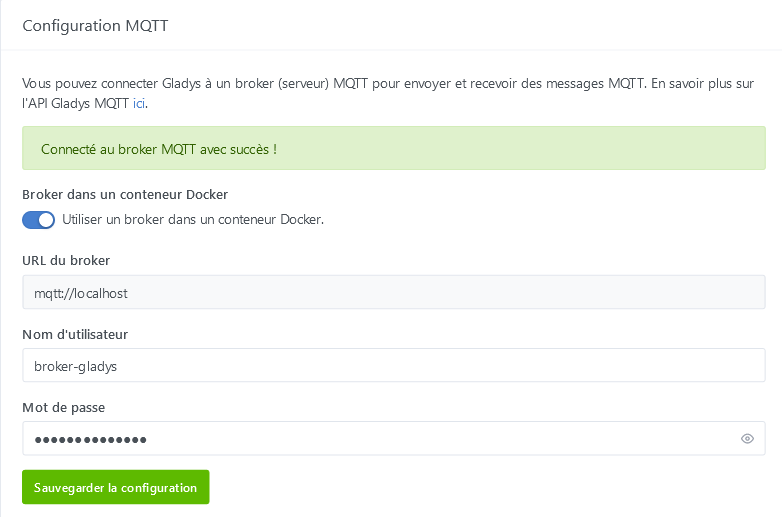
There was recently (previous update?) a problem with MQTT, normally you just need to reconnect by re-entering your login credentials, at worst you just re-enter the password in plain text and there you go, it should work.
After removing these 3 containers, then restarting the Gladys container
1872684d9f7e eclipse-mosquitto:2.0.15 « /docker-entrypoint.… » 32 seconds ago Up 25 seconds eclipse-mosquitto
2755db8cc420 koenkk/zigbee2mqtt:latest « docker-entrypoint.s… » About a minute ago Up About a minute gladys-z2m-zigbee2mqtt
5ff4c4c2dde6 eclipse-mosquitto:2.0.15 « /docker-entrypoint.… » About a minute ago Up About a minute gladys-z2m-mqtt
I can see it fine
But it’s impossible to restore the username and password I had before! No matter how many times I enter the desired username and password and save, it doesn’t work — it re-displays the username, a reboot changes nothing…
And it’s impossible to connect from Node-RED to the broker…
Same after deleting the Gladys container and reinstalling with
docker run -d
–log-driver json-file
–log-opt max-size=10m
–cgroupns=host
–restart=always
–privileged
–network=host
–name gladys
-e NODE_ENV=production
-e SERVER_PORT=80
-e TZ=Europe/Paris
-e SQLITE_FILE_PATH=/var/lib/gladysassistant/gladys-production.db
-v /var/run/docker.sock:/var/run/docker.sock
-v /var/lib/gladysassistant:/var/lib/gladysassistant
-v /dev:/dev
-v /run/udev:/run/udev:ro
gladysassistant/gladys:v4
I’m stuck here and it pisses me off to see that nothing works anymore
Hello !
Since the update I have an « issue ».
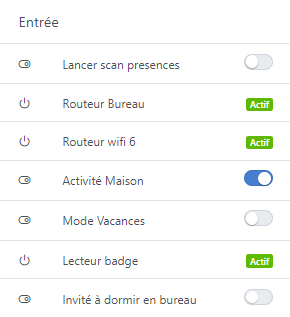
I have a sensor managed manually (schedule or by voice) depending on whether we have guests at our place, we don’t run certain automations.
This variable is of boolean type, but we display it on the dashboard so that at a glance we can see its state.
However with the new feature that
By the way, great update @pierre-gilles
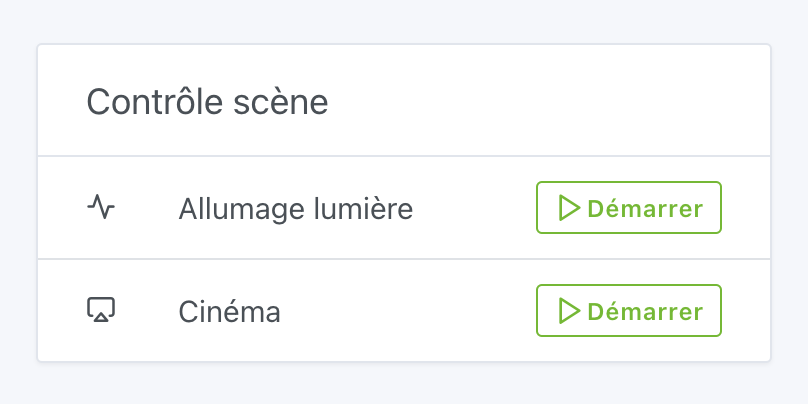
Launching a scene directly from the Dashboard will allow me to remove some that use fake devices (MQTT button that triggers a scene).
Damn cache, the night brings advice even when it’s short!
This morning, I test Gladys’ connection from Edge, I change the broker name and the password and… it works!
I go back to Firefox, I refresh and it’s correctly applied! It’s unbelievable that Firefox forces these entries on its own!
Would it be possible to add a message saying that if the save doesn’t occur you should clear the cache or connect from another browser (in the first line) like « If the save doesn’t happen, consider clearing the browser cache or try saving from another browser »
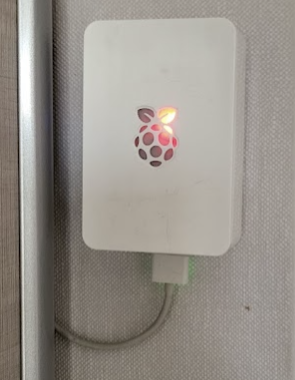
I built myself a badge reader with an ESP8266 and an RFID reader, all housed in an RPI case. Status feedback with red and green LEDs and a buzzer when a badge is presented.
I probably answered « yes » mechanically to a password save prompt for that window and indeed in firefox about:logins I found a login saved in March but not with the « gladys » values/password returned at the start of my post nor the one I wanted to inject, so gladys re-displays the generated username/password during the recreation of the container then firefox replaces them on the fly with the stored ones but without warning that it replaced them! Creepy behavior!
So the warning message should be completed
« If the save does not happen, consider clearing the browser cache or try saving from another browser (in Firefox check by typing about:logins in the address bar to see if there isn’t a username/password saved)
Besides, I suppose the same will apply for the docker node-red module that @Lokkye develops or other places in Gladys where there is this risk of « auto-fill » saving, I’ll try to remember it for next time! »








 Your dashboard is very neat

 »
»