I just have a quick question out of curiosity, is @Romuald_Pochet’s remark being taken into account in this PR or
That wasn’t the purpose of @AlexTrovato’s PR, which just maps the native Gladys thermostat feature (i.e., setting the temperature) to the feature on the Zigbee2mqtt side 
For the heating modes (comfort/eco/frost protection/off), that will be the subject of another development (for anyone who wants to! :D) — knowing that there is a small functional/technical specification step before starting the code. We’ve already talked about it in several threads but nothing concrete yet
I have three MOES 100 heads that I can’t manage and
Gladys Assistant v4.15 now supports Zigbee2mqtt thermostats!
Thanks to @AlexTrovato for the development.
Hello,
I overlooked this thread even though I was extremely interested in it.
So I also have some heads: BRT-100-TRV
However, when I try to integrate them into gladys, they are not recognized as a thermostat:
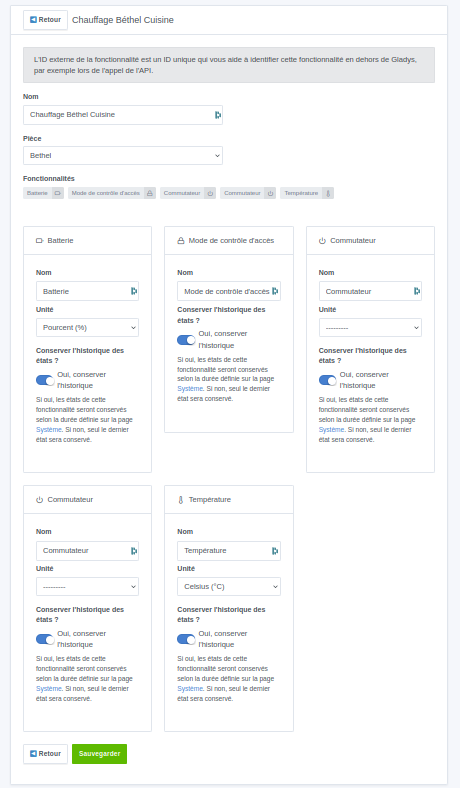
You’re on 4.15, right?
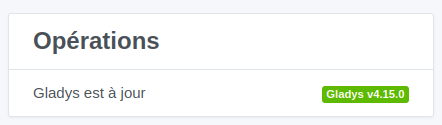
No, it’s independent, can you show us the expose from the zigbee2mqtt page?
Example:
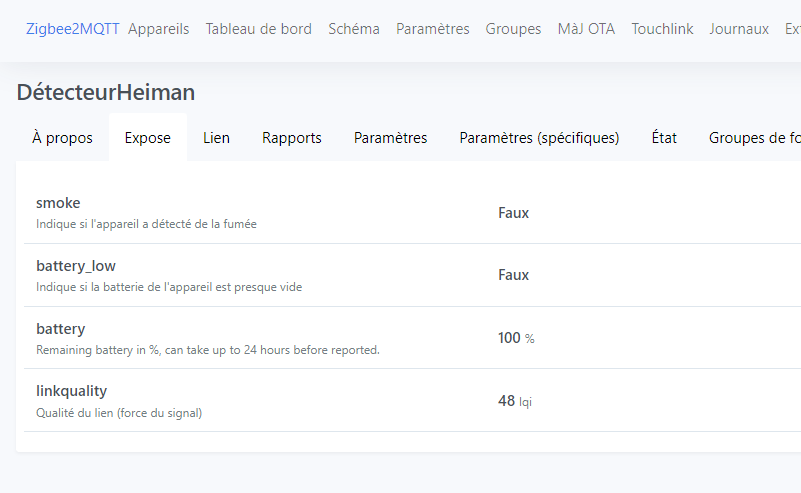
Then the state (state tab):
{
    "ac_status": false,
    "battery": 100,
    "battery_low": false,
    "device": {
        "applicationVersion": 17,
        "dateCode": "2019.8.29",
        "friendlyName": "DétecteurHeiman",
        "hardwareVersion": 16,
        "ieeeAddr": "0x847127fffe13b000",
        "manufacturerID": 4619,
        "manufacturerName": "HEIMAN",
        "model": "HS1SA",
        "networkAddress": 53867,
        "powerSource": "Battery",
        "stackVersion": 2,
        "type": "EndDevice",
        "zclVersion": 2
    },
    "last_seen": "2022-12-08T11:37:38+00:00",
    "linkquality": 48,
    "restore_reports": true,
    "smoke": false,
    "supervision_reports": true,
    "tamper": false,
    "test": false,
    "trouble": false
}
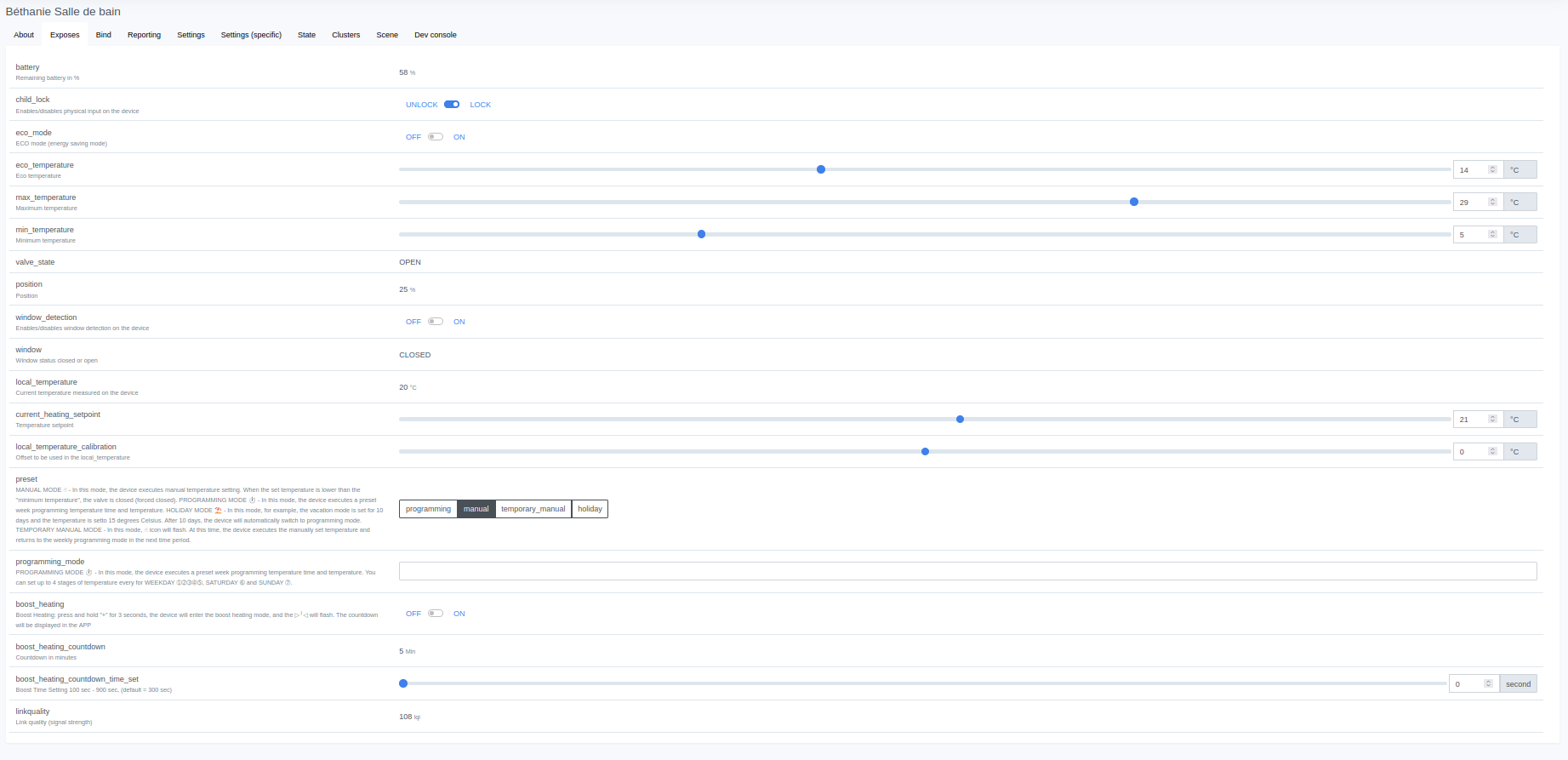
The state :
{
    "battery": 58,
    "boost_heating": "OFF",
    "boost_heating_countdown": 5,
    "child_lock": "LOCK",
    "current_heating_setpoint": 21,
    "eco_mode": "OFF",
    "eco_temperature": 14,
    "linkquality": 108,
    "local_temperature": 20,
    "local_temperature_calibration": 0,
    "max_temperature": 29,
    "min_temperature": 5,
    "position": 25,
    "preset": "manual",
    "valve_state": "OPEN",
    "window": "CLOSED",
    "window_detection": "OFF"
}
and the expose tab :
Great for the thermostatic heads, thanks @pierre-gilles but I can no longer find the path to access the plan :
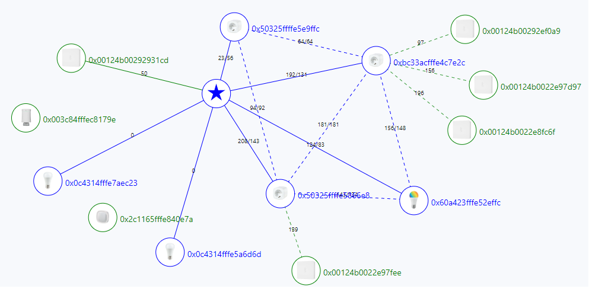
http://192.168.1.11:8080/#/map
`192.168.1
Thanks @cicoub13, I was looking on the homepage.
Good evening,
I’m following up on this topic — would you advise me to disconnect the heads from the network and reintegrate them? To stop the Docker containers, remove the images and update them?
@guim31 did you have to do anything specific to integrate them into your result?
Actually I didn’t take part here so I don’t really know what you mean 
Ah ah I thought that question was probably about me 
On my side I didn’t have any pairing issues, but I noticed several times that I had to use Zigbee2MQTT to specify which relay or router should allow the join.
For example, it doesn’t work via a plug or a switch, but it does via the coordinator (the Zigbee key).
Finally, don’t hesitate to make 3 to 4 attempts.
All good — I restarted the service and it worked! Thanks for this great integration! I’m so happy!
Thank you very much for the work @pierre-gilles et @AlexTrovato !