Añadir bombillas Milight con Node Red en Gladys
Tabla de Contenidos
Aquí tienes un ejemplo de integración, a través de node red en Gladys 4, de una bombilla milight de tipo color « fut017 ».
https://www.amazon.fr/KingLed-Ampoule-Mi-Light-Variables-2700K-6500K/dp/B01MXSK2YO/ref=sr_1_1?dchild=1&keywords=FUT017&qid=1634324731&qsid=257-6578826-3953066&sr=8-1&sres=B01MXSK2YO%2CB077H3YKB5%2CB0725D16KX%2CB01MR9UDU0%2CB0763RSRY7%2CB01NCEY7JA%2CB01M0KU53O%2CB071W1K5Q1&th=1
Por supuesto, el conector deberá cambiarse en función de su bombilla.
Configuración en Gladys
Requisitos previos
- Haber configurado su broker MQTT en Gladys
- Saber desenvolverse un mínimo en la creación de dispositivos virtuales
Paso
- Para empezar, debe crear su bombilla en gladys a través del servicio MQTT de esta manera:


- Proporcione un nombre, un id externo para el servidor mqtt, la habitación y luego guarde:
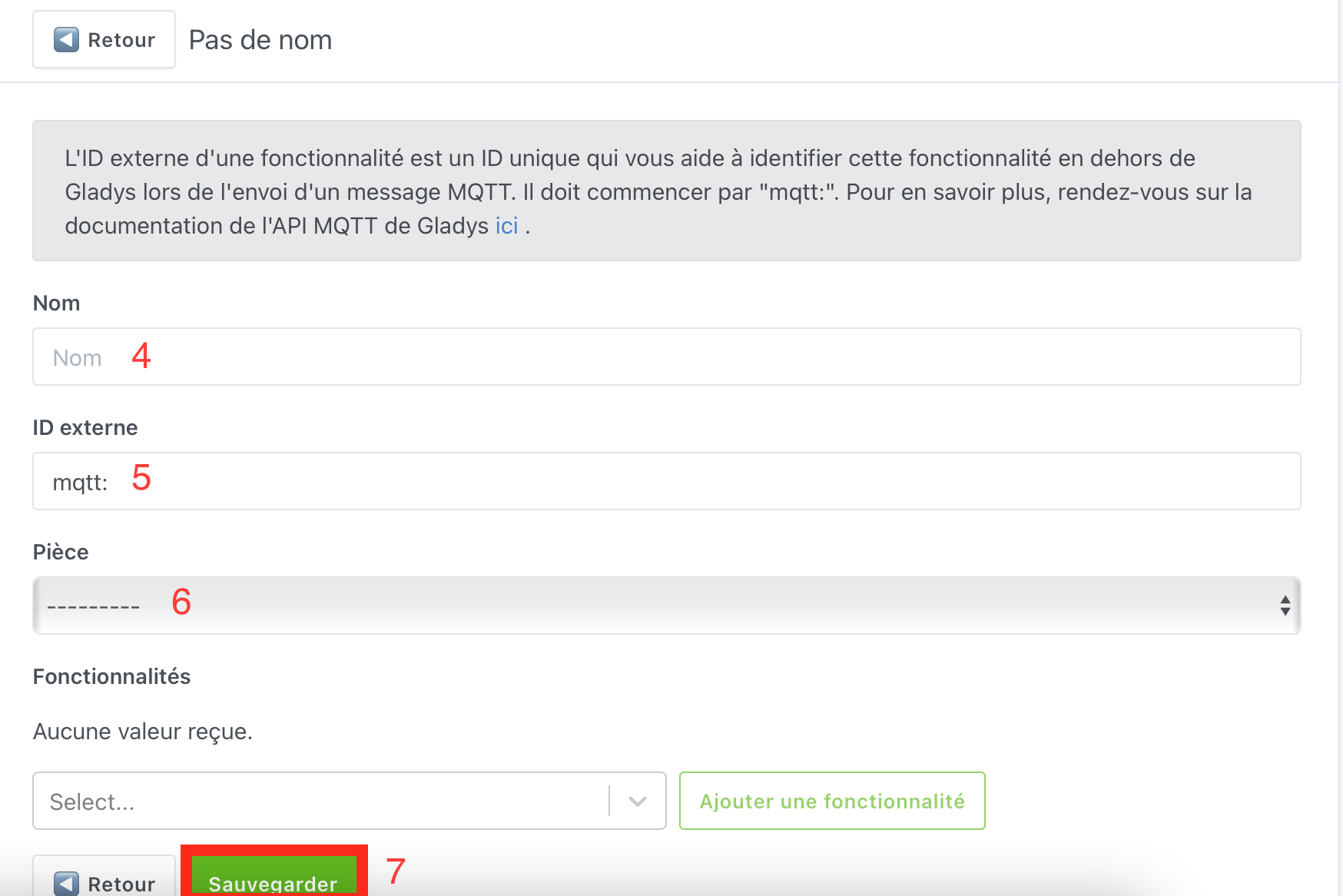
- Una vez hecho esto, no cierre la página, pero añada estas funcionalidades:

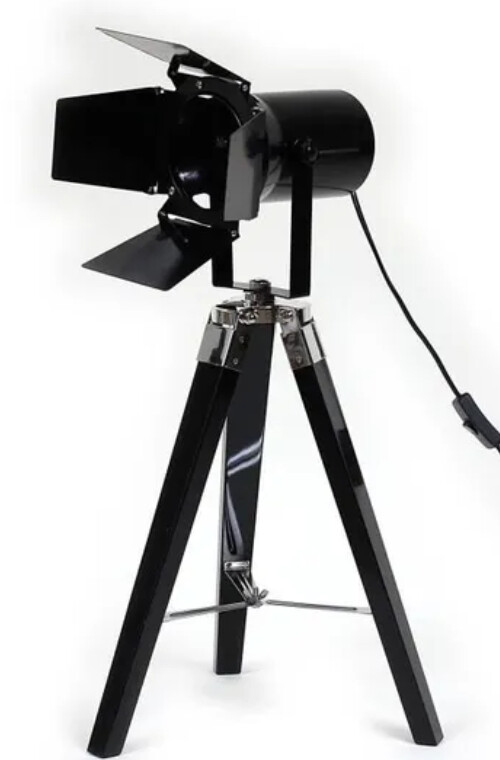
Aquí tienes el ejemplo de mi bombilla que se encuentra en un proyector de cine:
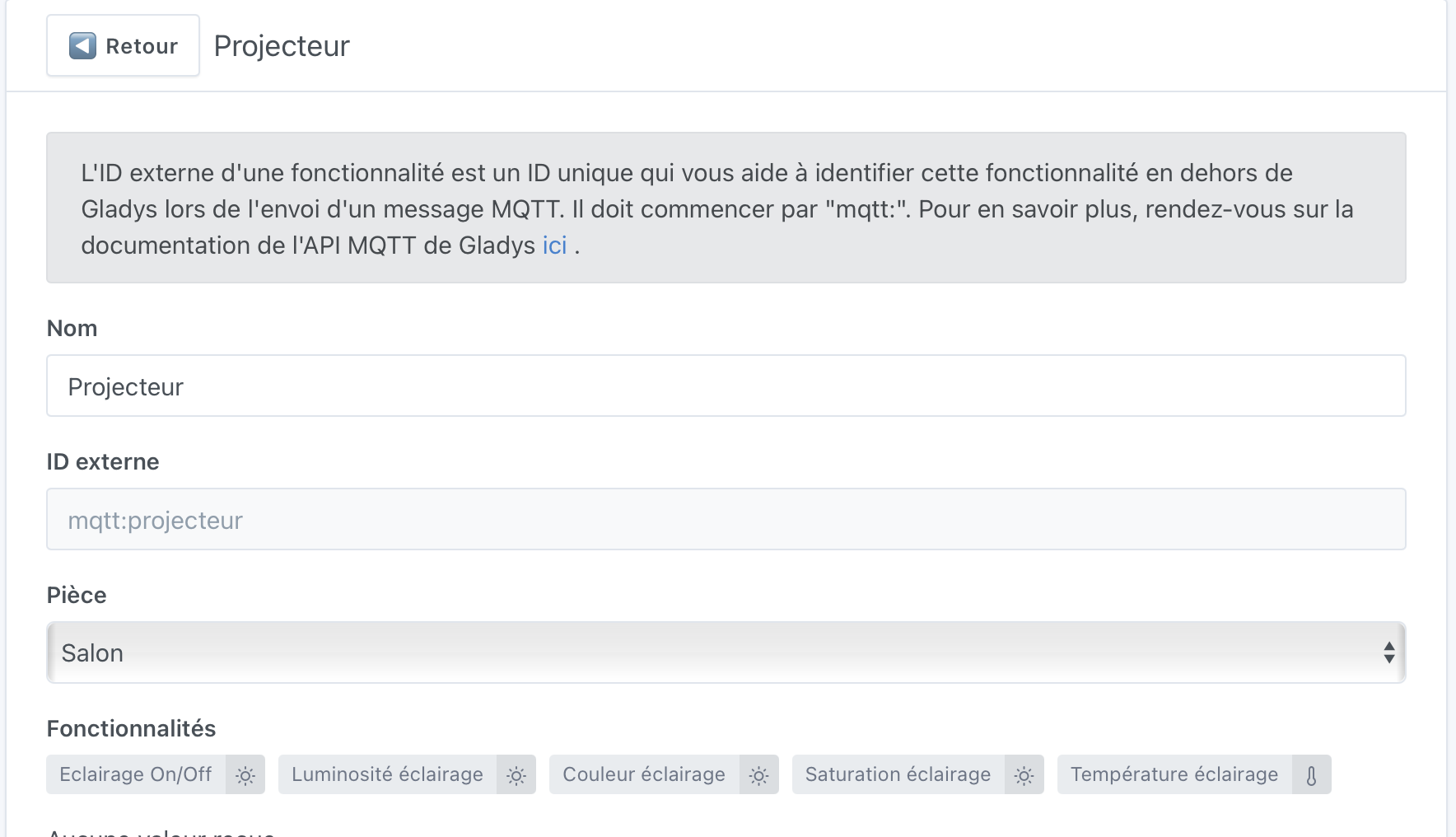
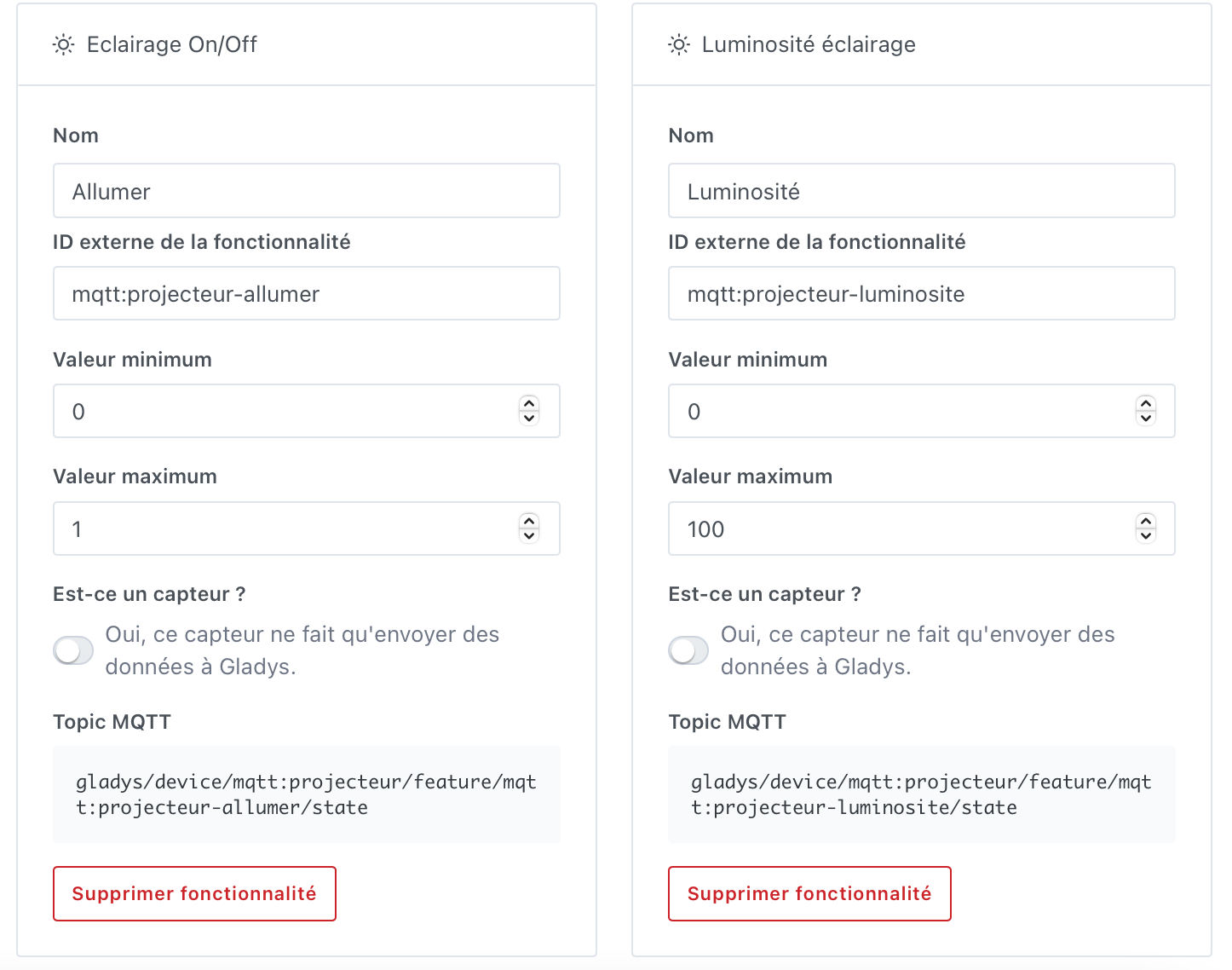
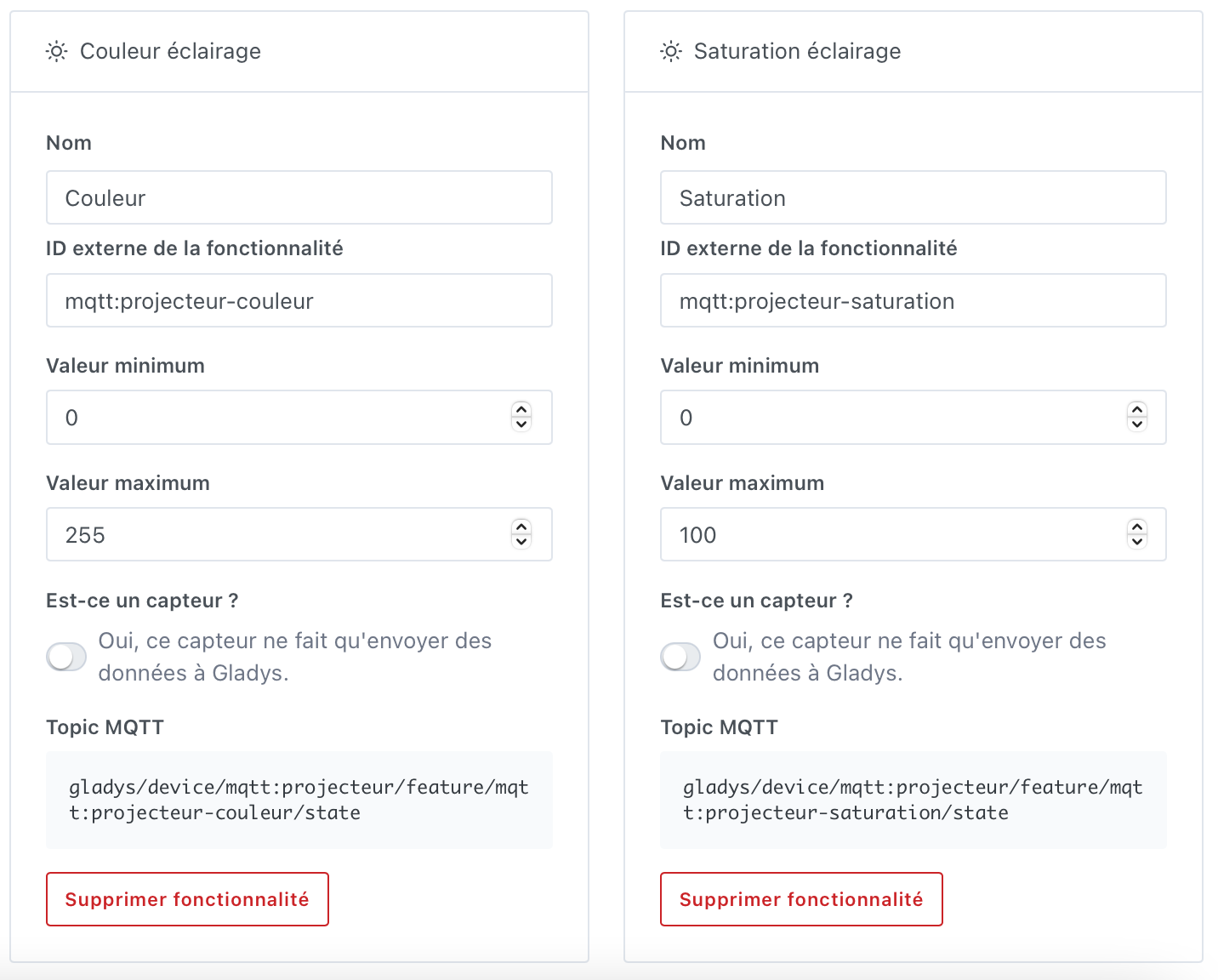
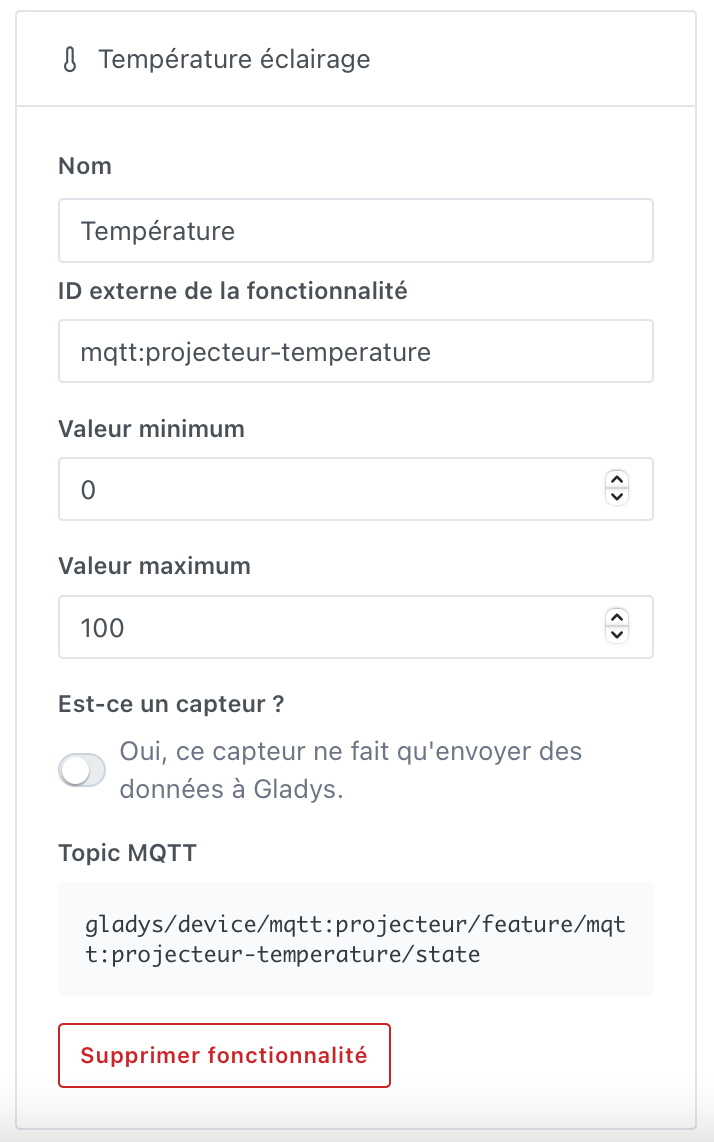
La configuración en Gladys está terminada, vamos a pasar a node red.
Configuración en Node Red
Requisitos previos
- Instalar el paquete node-red-contrib-milight-2 (la versión 3 he tenido problemas de conexión aleatorios)
- Haber configurado la conexión mqtt en node red para la conexión con Gladys
Paso
- Añadir un nodo mqtt in para cada funcionalidad creada anteriormente:
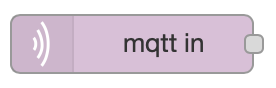
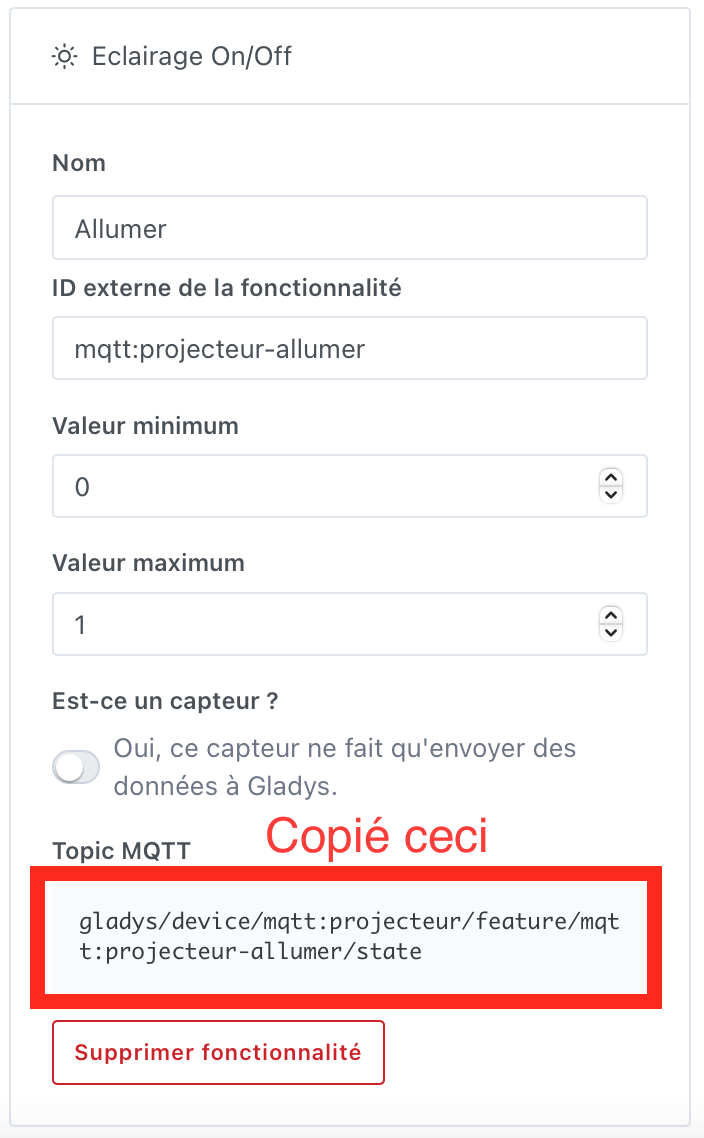
(Encender, Brillo, Color, Saturación, Temperatura) - Para cada uno de los nodos configurar la conexión a Gladys 4, y luego añadir el tema creado automáticamente en gladys:
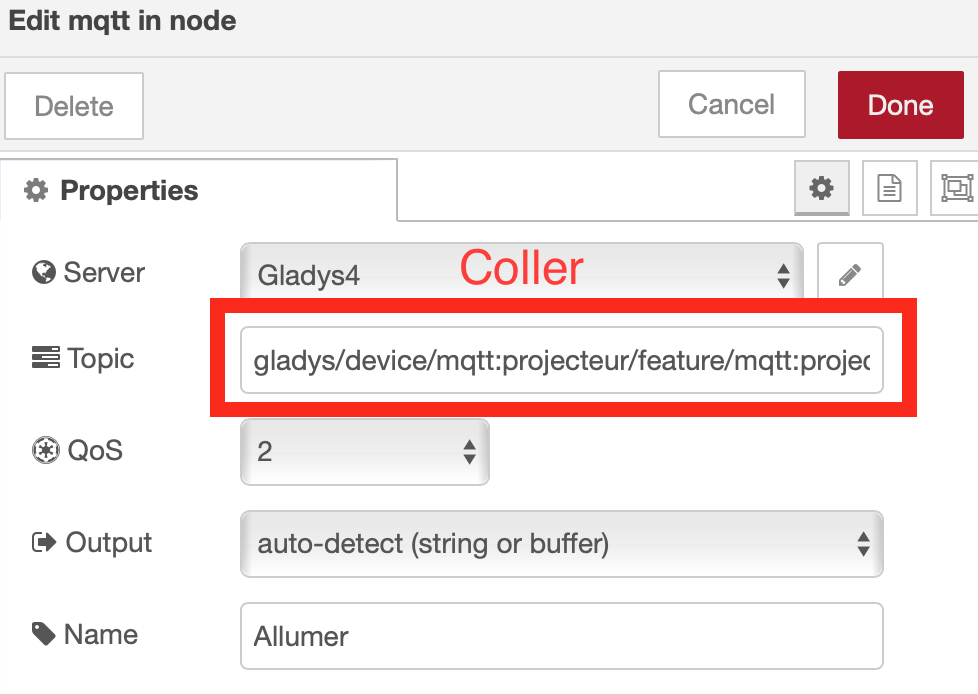
- Añadir un nodo « function » para cada nodo « mqtt in »:
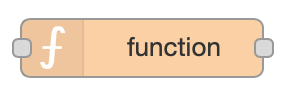
- Editar el nodo « function » según la funcionalidad como sigue:
- Encender
msg.payload = msg.payload === '1' ? 'on' : 'off';
return msg;
- Color
const rgb = intToRgb(msg.payload);
msg.payload = `rgb(${rgb[0]}, ${rgb[1]}, ${rgb[2]})`;
msg.command = 'rgb';
return msg;

function intToRgb(intColor) {
  const red = intColor >> 16;
  const green = (intColor - (red << 16)) >> 8;
  const blue = intColor - (red << 16) - (green << 8);

  return [red, green, blue];
}
- Brillo
msg.command = 'brightness';
return msg;
- Saturación
msg.command = 'saturation';
return msg;
- Temperatura
msg.command = 'temperature';
return msg;
- Añadir un nodo « milight »:
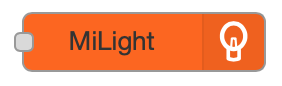
- Añadir la configuración relacionada con su caja milight como en el siguiente ejemplo:
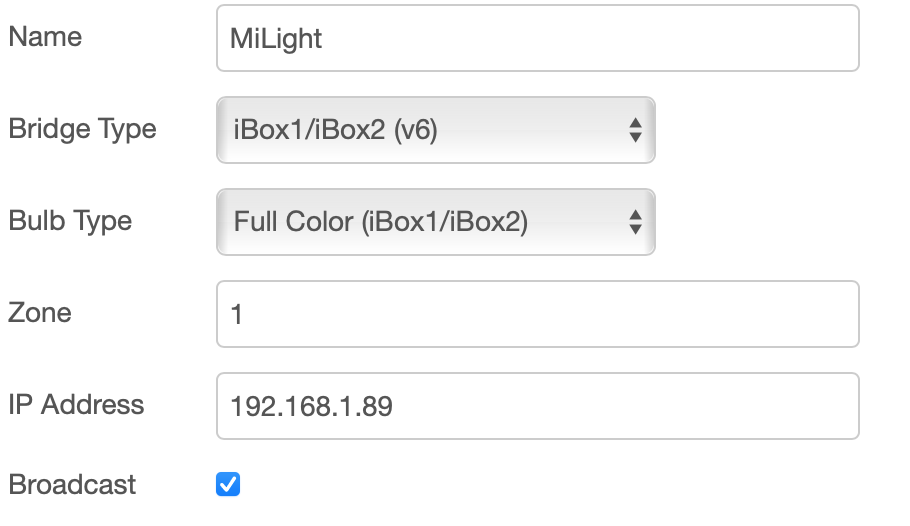
ps: Ajustar el Bridge Type y el Bulb Type según su configuración.
- Solo queda conectar los nodos entre sí y desplegar:
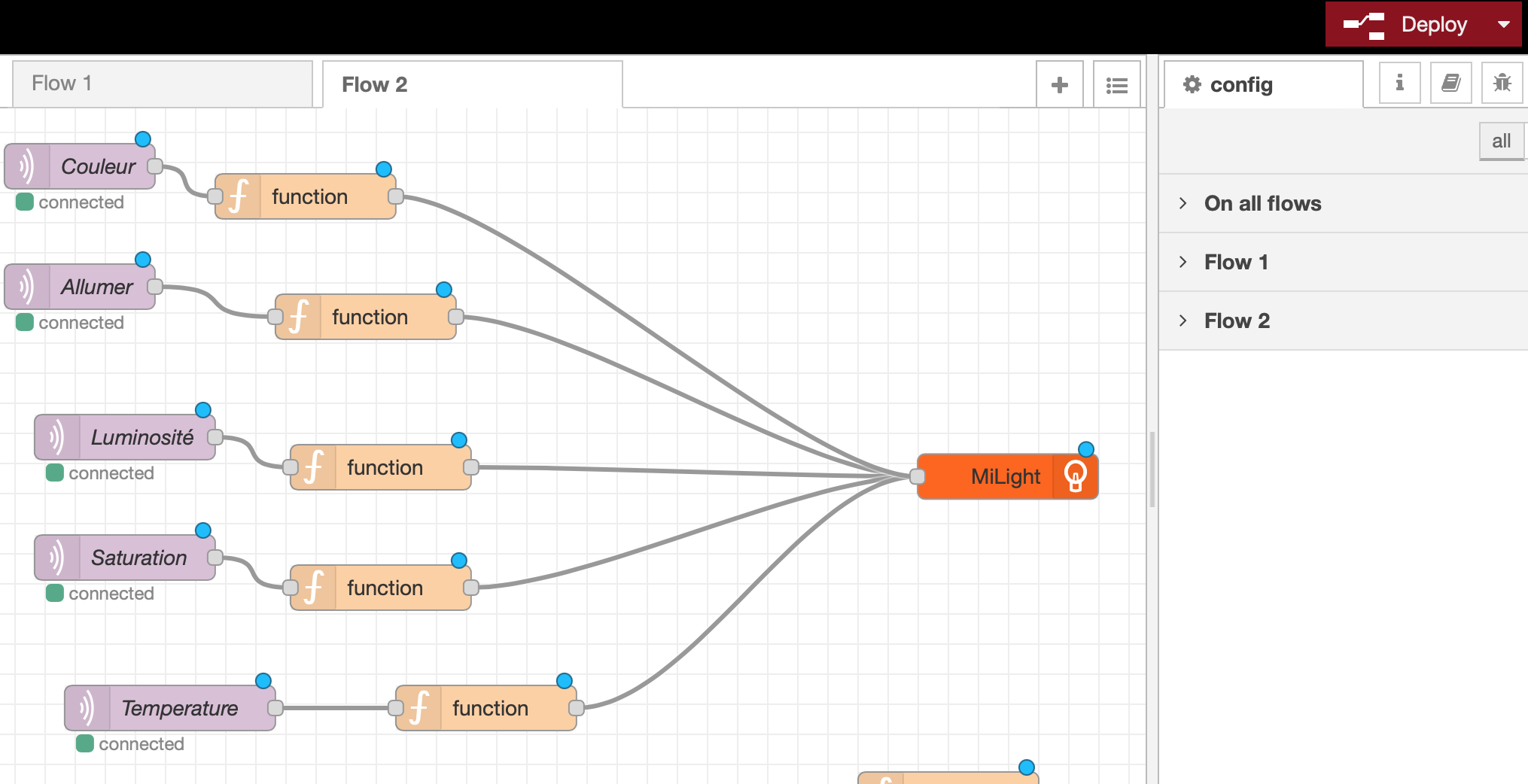
Ahora solo queda copiar este flujo y ajustar sus temas y zonas para controlar sus bombillas una por una.
Extra
Aquí está mi flujo (recuerde modificar los temas, ip, zona, etc.)
[
    {
        "id": "f9f8f221204ee3c0",
        "type": "tab",
        "label": "Flow 3",
        "disabled": false,
        "info": ""
    },
    {
        "id": "ac342eaf54ef2eaa",
        "type": "mqtt in",
        "z": "f9f8f221204ee3c0",
        "name": "Allumer",
        "topic": "gladys/device/mqtt:projecteur/feature/mqtt:projecteur-allumer/state",
        "qos": "2",
        "datatype": "auto",
        "broker": "d4dd08180f860b0e",
        "nl": false,
        "rap": true,
        "rh": 0,
        "x": 70,
        "y": 120,
        "wires": [
            [
                "4f2df4ecbd1f994c"
            ]
        ]
    },
    {
        "id": "d0cc861e9c276a0a",
        "type": "mqtt in",
        "z": "f9f8f221204ee3c0",
        "name": "Luminosité",
        "topic": "gladys/device/mqtt:projecteur/feature/mqtt:projecteur-luminosite/state",
        "qos": "2",
        "datatype": "auto",
        "broker": "d4dd08180f860b0e",
        "nl": false,
        "rap": true,
        "rh": 0,
        "x": 100,
        "y": 220,
        "wires": [
            [
                "052e9712c29fee8f"
            ]
        ]
    },
    {
        "id": "4f2df4ecbd1f994c",
        "type": "function",
        "z": "f9f8f221204ee3c0",
        "name": "",
        "func": "msg.payload = msg.payload === '1' ? 'on' : 'off';\nreturn msg;",
        "outputs": 1,
        "noerr": 0,
        "initialize": "",
        "finalize": "",
        "libs": [],
        "x": 260,
        "y": 140,
        "wires": [
            [
                "f698f083e6fb1c3f"
            ]
        ]
    },
    {
        "id": "052e9712c29fee8f",
        "type": "function",
        "z": "f9f8f221204ee3c0",
        "name": "",
        "func": "msg.command = 'brightness';\nreturn msg;",
        "outputs": 1,
        "noerr": 0,
        "initialize": "",
        "finalize": "",
        "libs": [],
        "x": 270,
        "y": 240,
        "wires": [
            [
                "f698f083e6fb1c3f"
            ]
        ]
    },
    {
        "id": "4be8a6865ec71a53",
        "type": "mqtt in",
        "z": "f9f8f221204ee3c0",
        "name": "Couleur",
        "topic": "gladys/device/mqtt:projecteur/feature/mqtt:projecteur-couleur/state",
        "qos": "2",
        "datatype": "auto",
        "broker": "d4dd08180f860b0e",
        "nl": false,
        "rap": true,
        "rh": 0,
        "x": 70,
        "y": 40,
        "wires": [
            [
                "2953be4d64f19a5a"
            ]
        ]
    },
    {
        "id": "2953be4d64f19a5a",
        "type": "function",
        "z": "f9f8f221204ee3c0",
        "name": "",
        "func": "const rgb = intToRgb(msg.payload);\nmsg.payload = `rgb(${rgb[0]}, ${rgb[1]}, ${rgb[2]})`;\nmsg.command = 'rgb';\nreturn msg;\n\nfunction intToRgb(intColor) {\n  const red = intColor >> 16;\n  const green = (intColor - (red << 16)) >> 8;\n  const blue = intColor - (red << 16) - (green << 8);\n\n  return [red, green, blue];\n}",
        "outputs": 1,
        "noerr": 0,
        "initialize": "",
        "finalize": "",
        "libs": [],
        "x": 220,
        "y": 60,
        "wires": [
            [
                "f698f083e6fb1c3f"
            ]
        ]
    },
    {
        "id": "2b570fa1345f22db",
        "type": "mqtt in",
        "z": "f9f8f221204ee3c0",
        "name": "Saturation",
        "topic": "gladys/device/mqtt:projecteur/feature/mqtt:projecteur-saturation/state",
        "qos": "2",
        "datatype": "auto",
        "broker": "d4dd08180f860b0e",
        "nl": false,
        "rap": true,
        "rh": 0,
        "x": 100,
        "y": 300,
        "wires": [
            [
                "794310d6a6d5169b"
            ]
        ]
    },
    {
        "id": "794310d6a6d5169b",
        "type": "function",
        "z": "f9f8f221204ee3c0",
        "name": "",
        "func": "msg.command = 'saturation';\nreturn msg;",
        "outputs": 1,
        "noerr": 0,
        "initialize": "",
        "finalize": "",
        "libs": [],
        "x": 270,
        "y": 320,
        "wires": [
            [
                "f698f083e6fb1c3f"
            ]
        ]
    },
    {
        "id": "201ddc93bd0ed84c",
        "type": "mqtt in",
        "z": "f9f8f221204ee3c0",
        "name": "Temperature",
        "topic": "gladys/device/mqtt:projecteur/feature/mqtt:projecteur-temperature/state",
        "qos": "2",
        "datatype": "auto",
        "broker": "d4dd08180f860b0e",
        "nl": false,
        "rap": true,
        "rh": 0,
        "x": 130,
        "y": 400,
        "wires": [
            [
                "713b068948cf83fa"
            ]
        ]
    },
    {
        "id": "713b068948cf83fa",
        "type": "function",
        "z": "f9f8f221204ee3c0",
        "name": "",
        "func": "msg.command = 'temperature';\nreturn msg;",
        "outputs": 1,
        "noerr": 0,
        "initialize": "",
        "finalize": "",
        "libs": [],
        "x": 340,
        "y": 400,
        "wires": [
            [
                "f698f083e6fb1c3f"
            ]
        ]
    },
    {
        "id": "f698f083e6fb1c3f",
        "type": "MiLight",
        "z": "f9f8f221204ee3c0",
        "name": "MiLight",
        "bridgetype": "v6",
        "bulbtype": "fullColor",
        "zone": "1",
        "ip": "192.168.1.89",
        "broadcast": true,
        "x": 686.5894470214844,
        "y": 246.19509887695312,
        "wires": []
    },
    {
        "id": "d4dd08180f860b0e",
        "type": "mqtt-broker",
        "name": "Gladys4",
        "broker": "mqtt://192.168.1.59",
        "port": "1883",
        "clientid": "",
        "usetls": false,
        "protocolVersion": "4",
        "keepalive": "60",
        "cleansession": true,
        "birthTopic": "",
        "birthQos": "0",
        "birthRetain": "false",
        "birthPayload": "",
        "birthMsg": {},
        "closeTopic": "",
        "closeQos": "0",
        "closeRetain": "false",
        "closePayload": "",
        "closeMsg": {},
        "willTopic": "",
        "willQos": "0",
        "willRetain": "false",
        "willPayload": "",
        "willMsg": {},
        "sessionExpiry": ""
    }
]
