Hi, it’s me again about a camera video stream 
I set up an RTSP video stream, it works fine. However, the same HTTP stream that I can play in my browser does not work and returns an error.
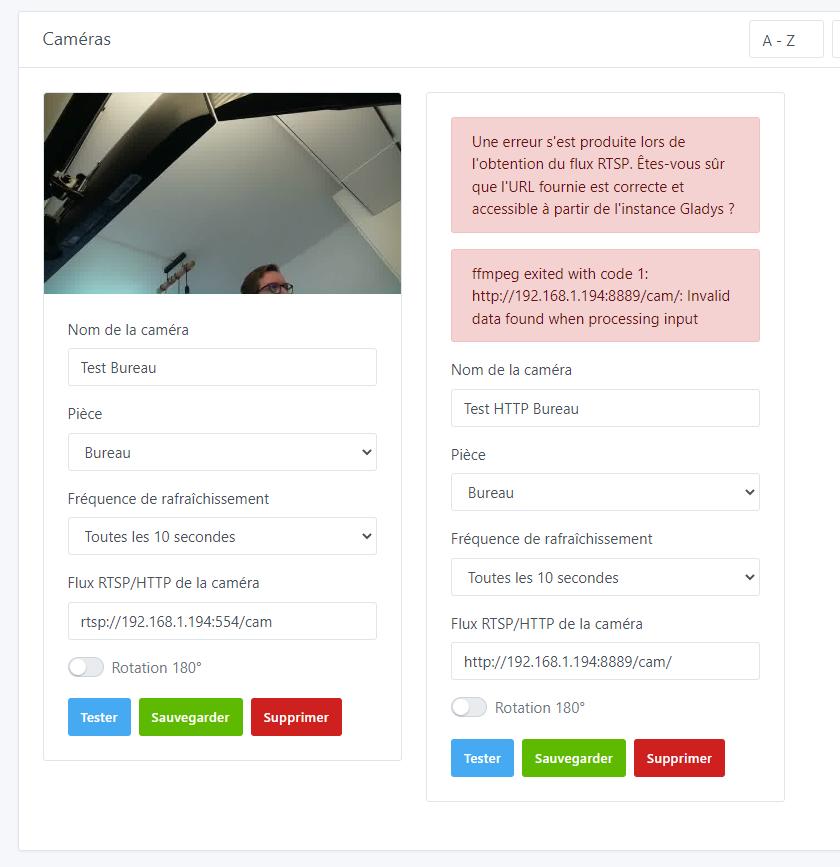
HTTP stream visible though:
What happens if you remove the last slash?
For the Raspberry Pi cameras, I right-clicked on the image in Chrome (http stream) and copied the link. Without that, it’s impossible to access the stream…
http://192.168.1.241/ doesn’t work but http://192.168.1.241/cam_pic.php?time=1674146902851\u0026pDelay=40000 works…
A good test if you want to check that a stream works is to test it with VLC before putting it into Gladys 
I made a tutorial in the documentation:
In my opinion, as @GBoulvin said, there you are accessing a web page, not an HTTP stream. The result of that route must be HTML, not an image
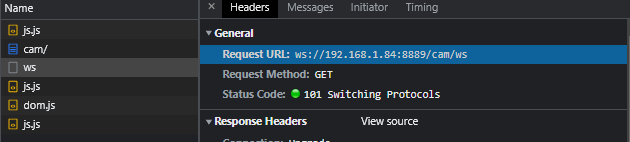
Indeed, looking in the « network » tab I see that it’s a stream over WebSockets.
The video server is GitHub - bluenviron/mediamtx: Ready-to-use SRT / WebRTC / RTSP / RTMP / LL-HLS / MPEG-TS / RTP media server and media proxy that allows to read, publish, proxy, record and playback video and audio streams., I bought the latest Raspberry Pi Camera Module 3 Wide (wide-angle) https://www.raspberrypi.com/products/camera-module-3/?variant=camera-module-3-wide and I turned my old Raspberry Pi 3 into a connected camera.
So I have an RTSP stream and an HTTP stream over WebSockets, which seems smoother, more stable and of better quality. It’s a shame it’s not compatible with Gladys.
I don’t think there’s any quality difference between the RTSP stream and the WebSockets image you receive in the provided interface.
The difference is that the image you see in Gladys is a thumbnail, which is just the size of the image displayed in the UI (640 px max).
To get a good video stream with a higher resolution, it’s the « live camera » feature we talked about and which doesn’t exist yet in Gladys.
If that’s a priority for you, don’t hesitate to cast a vote on @spenceur’s request
To conclude on the subject, I discovered that the server I use also offers an HTTP video stream, without WebSockets, so compatible with Gladys!
I indeed had to look in the browser’s « Network » tab to find the correct URL, which looks like this: http://192.168.1.84:8888/cam/stream.m3u8