I followed the procedure that @VonOx gave me above
but I get this error message:
docker: Got permission denied while trying to connect to the Docker daemon socket at unix:///var/run/docker.sock: Post http://%2Fvar%2Frun%2Fdocker.sock/v1.40/containers/create?name=gladys: dial unix /var/run/docker.sock: connect: permission denied.
Did I forget to do something?
Should I use the image provided on the ReSpeaker website as I did for the V3 of Gladys? To then install Docker? ReSpeaker link
I saw that the beta of Gladys 4 was released and I had some time to test it today.
So, I’m sharing a quick feedback on my experience (I warn you, I put myself in newbie mode):
To start with, a really annoying thing… the need to click the « save » button when modifying the house (its location, its rooms, etc.). I got caught twice and it’s really annoying (without being mean).
The « Calendar », « Maps » and « Scene » tabs currently serve no purpose, so why are they there? Even the scenes tab has a message saying it’s under construction, but the others have nothing. So, I found myself clicking everywhere to see if something worked.
In the integrations tab, everything is sorted by category. That’s good. But when you arrive on this tab for the first time, a filter is already active and you might not notice it. So, you think « Where is Telegram? Where is the weather service? ». It would be better to display all services and let the user filter them later if they want to.
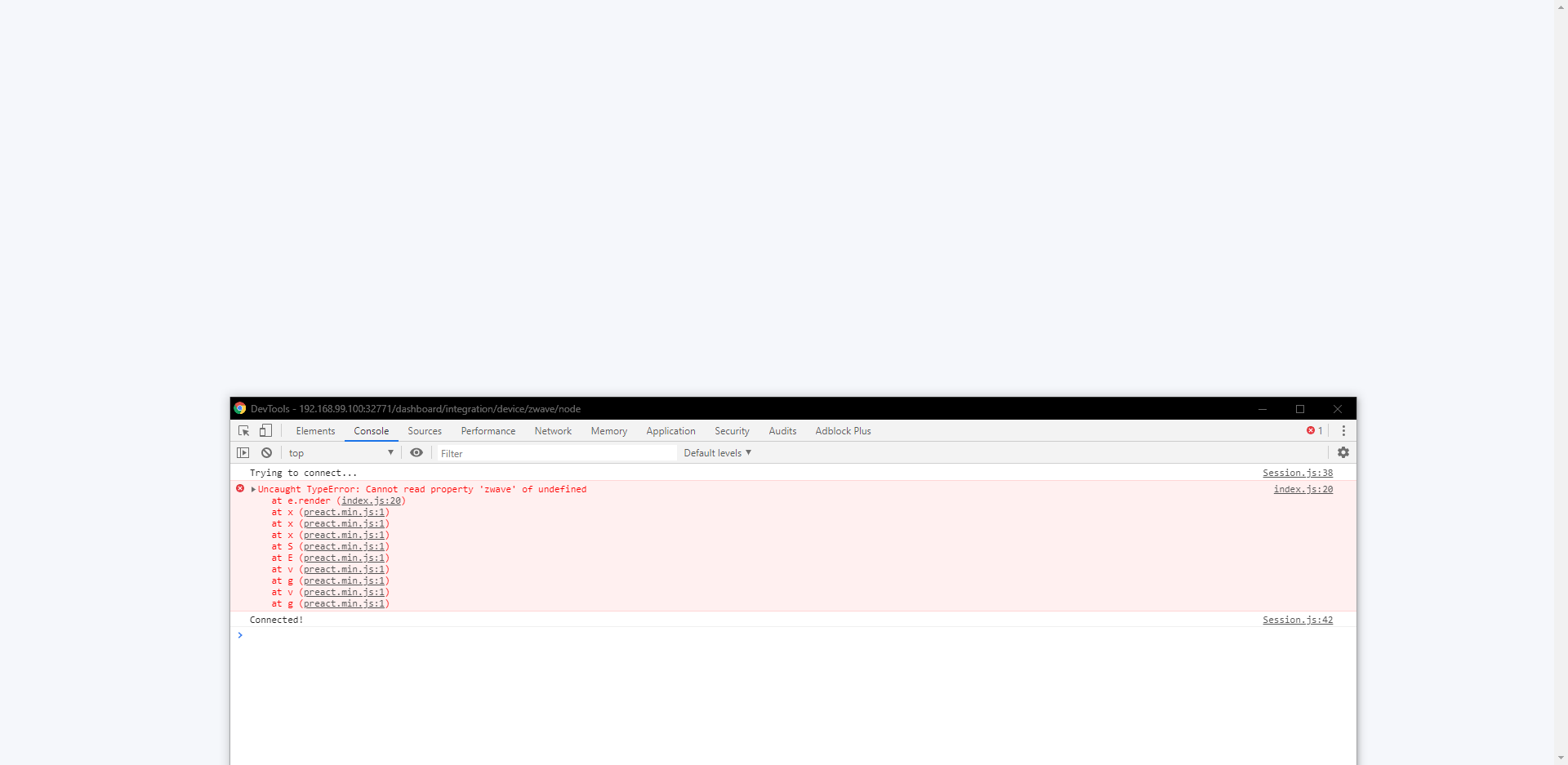
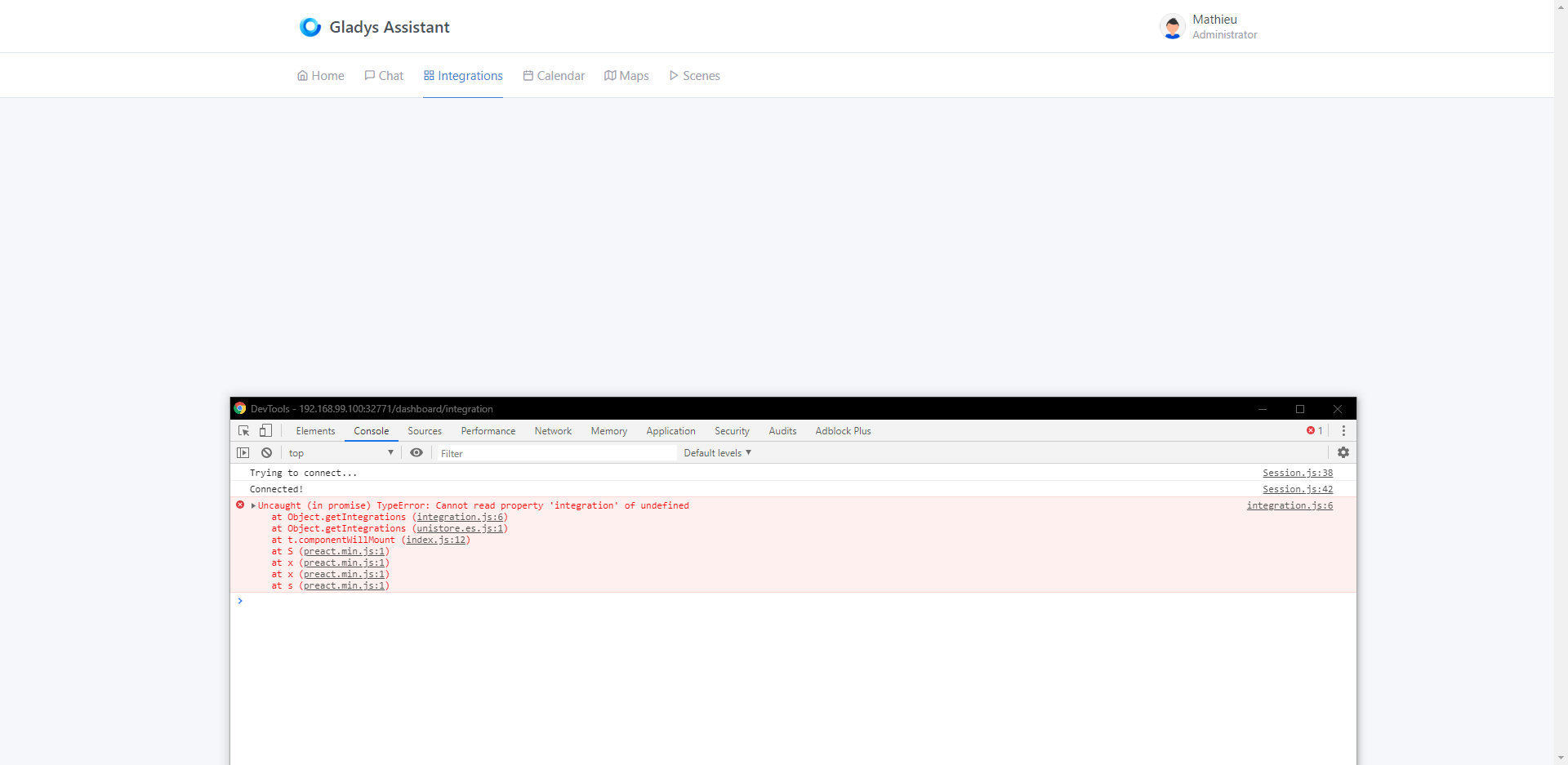
Still in the integrations tab, there is a problem when refreshing the configuration page of some services, the page turns white. Moreover, the problem spreads to the other tabs of the interface if you go back or if you manually change the URL to return to the previous page after this bug.
In the Zwave service, when configuring the USB port of the stick, there is no feedback, you don’t know if the connection failed, if it succeeded, if it’s in progress, etc. It’s not very user-friendly.
In the Xiaomi service, there are no instructions? In the documentation, the only thing explained is how to put the hub in developer mode. So, you find yourself in front of the Xiaomi service configuration page with two empty boxes, a message telling you to check the documentation and nothing else (and then the documentation doesn’t provide any more information) without knowing if you need to launch the scan manually, if it’s done automatically, etc. Same, it’s not very user-friendly.
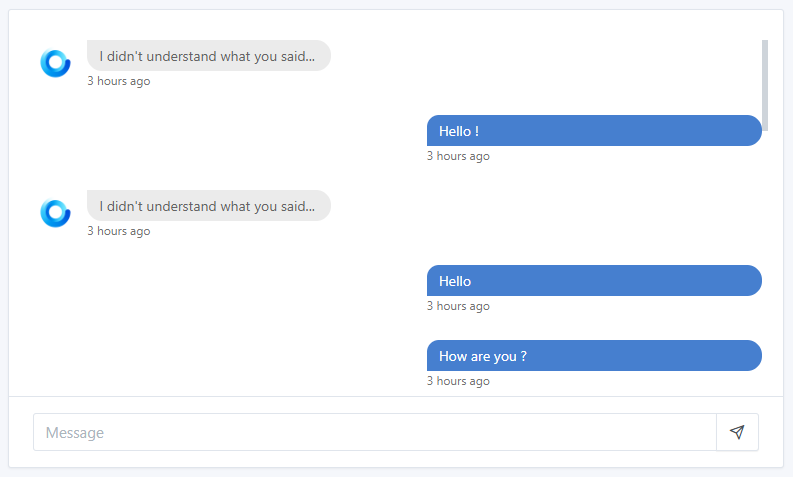
In the chat tab, the order of messages does not respect the order of sending. So sometimes Gladys’s responses end up before my questions. By the way, it seems that only the example phrases work well.
By the way, the very long bubbles for a word are not very nice…
In the settings, the « Restart » button does not work for me.
Still in the settings: the « Backups » tab is present, but I thought backups were linked to the Gladys Plus offer? If so, why show this tab to users who don’t have this offer? And moreover, let them click on the « Backups now » button without any feedback.
That’s it, I think I’ve covered everything, don’t take it badly, it’s only constructive. I know it’s a beta and it’s far from being ready, but apparently, before tackling integrations, there are still things to review.
I don’t know the ReSpeaker platform very well, but I think you need to install the ReSpeaker image, then you install Docker on it, and then you launch the Gladys Docker image (note, depending on your architecture, you need to launch the arm or arm64v8 image)
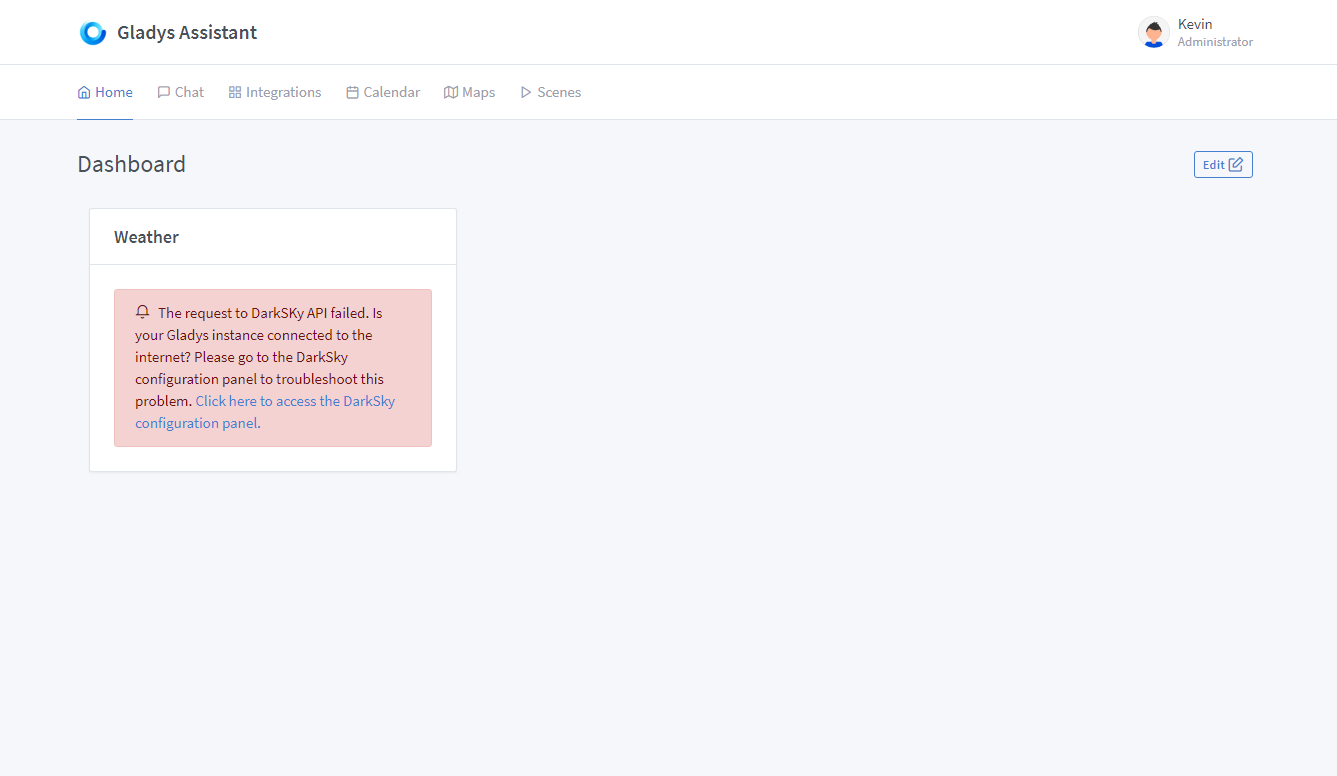
That’s not normal, you shouldn’t have to reboot for the weather to work ^^ It’s a bug, I’ve noted it on Github I’m investigating it:
Ah! Well spotted, it would deserve a little warning when you leave without saving. (I’m not a fan of the auto-save way Gladys v3)
To inspire developers and show what’s coming The Maps tab is already useful for those who use Owntracks. The Calendar tab has given ideas to @bertrandda who is making us a PR Caldav. The Scene tab I agree is 100% useless for now, but I wanted to show that it’s under construction. The scene part actually works, I just hid it 1 hour before the beta release because I wasn’t satisfied with the rendering for now.
A filter is already active? Do you just mean that we are on the « Devices » category by default?
For me it’s not filters: it’s a different page in its own right. I would be interested to have other users’ feedback on this, for me it was rather clear that they were different pages.
Ok small bug that, I’ll check:
yes I know that for the Z-Wave service, no UI feedback has been implemented yet ^^ There is still a lot of work to be done on it
Indeed there is just the link to the documentation, not necessarily very clear, it deserves more explanations:
Well spotted it’s a small bug during live sending that must appear in specific cases. As Gladys responds quickly, it’s possible that the timestamp of the answer is the same as that of the question, well I don’t know I have to investigate:
That’s the case! There are only 3 messages for now. Unlike Gladys 3, I do little but what I do I do well.
Each message I have managed many cases (like if you ask for a camera image and your room has no camera, if you ask for weather without having configured the weather, etc…) it was already a huge job, I did little but well I haven’t yet looked into doing the discussion part in a mode where you chat with Gladys, for now I’ve focused on real use-cases.
If a CSS expert passes by, I implore his help, I haven’t been able to make the box dynamic I am 100% agree, I tore my hair out but it’s really not my thing!
What setup are you on? Manual/Windows, Docker, Raspberry Pi Image?
To show that it’s possible and to encourage you to switch to Gladys Plus You’re right, it would deserve to make the page less « empty » when you arrive on it and you don’t have Gladys Plus. I should add a kind of placeholder, a little message and a link to the Gladys Plus page.
Oops for the « backup now » button, it’s a very recent addition, I forgot to disable it for non-Gladys Plus users:
Thanks for your feedback Mathieu! Don’t hesitate if you have any more I’m working hard to fix all the « UX puffin », so these feedbacks are precious.
Good luck with your projects on the side, I hope the house is moving along
For dummy devices, I don’t know what is planned.
For milight, I have started developing a service.
The scenarios are well advanced from what I understand, but not enough to be presented in this beta. I think the scripts will be part of the scenarios. @pierre-gilles can you confirm?
Indeed, using filters instead of pages might be better, but personally, I don’t mind how it is currently. I quickly found the other « pages ». However, it would be great if the search could search through all pages.
Thanks for your feedback! We need to find a clearer way to do this
I created a GitHub issue to reference:
For now, I have other reported UX bugs that seem more urgent, as they are clearly blocking:
Firefox compatibility bug.
Xiaomi (filtering, IP gateway)
Philips Hue (filtering & others)
Integration page bug
Default language
Darksky UX bug
Backup page
These are my priorities for now.
Next, I think the Z-Wave integration clearly needs my time, as many things are missing from the integration. I saw there are also pending PRs and messages on the forum.
In the meantime, if anyone is motivated to propose a PR for the integration page, it will be greatly appreciated
Small question, is it possible to create a page where we list all devices that are currently compatible and have been tested and validated for the beta?
For example, Xiaomi has temperature sensor, cube, …?
One possibility would be to include it in the integration section. Having an information section for each service at the same level as setup and co. And asking to explain the compatibility, how the service works, etc.
We had a compatibility page in v3, but it was not really integrated into the development process.
In v4, I agree we need to find a way to list this somewhere. Directly in the product would be great, I think, each integration could specify its compatibilities. However, this requires non-negligible specific work for each integration (since each integration UI is different), we need to see if there isn’t a simpler way to ensure it is always done.
Normally, this is already the case, it’s the ambition we have for v4. Each integration must be self-sufficient to be configured: if there is missing information in the interface, then the UI needs to be improved.