You need to make a feature request for it to be integrated. For the moment, switches, lamps and temperatures only (if I haven’t forgotten any).
Indeed, those sensors are not yet supported by the HomeKit integration. I’ll note it for the next release, and don’t hesitate to write a feature request as @GBoulvin suggested so we have a record.
After a few days of use I made changes to improve the integration. This new PR
- adds door/window contact sensors (doors, windows…) at the request of @bouillou7
- fixes the brightness range of bulbs. Today with Philips Hue for example, when you set the brightness to 100% from the Home app, it’s actually only ~40% on the Gladys side
- fixes the reception of new values on the HomeKit side. At the moment, new values from Gladys devices are not directly received by the HomeKit network; the app has to request these new values (when it starts, when you change view in the app…). With this development Gladys emits a « notification » on the HomeKit network for each new value of a compatible device, the display in the Home app becomes truly real-time and this will help improve automations in the Home app that depend on sensors
For those who want to see or test, the PR:
A docker image is available bertrandda/homekit
Great! 
I left you a comment about the frequency of sending new states, sending every state is really too aggressive, I did it a bit differently on the Alexa/Google Home integration
In the case of Google/Alexa it’s because we make API calls to their servers; if it stays local, isn’t that unnecessary?
I looked at the code a bit — can you confirm that I’ve understood how it works please: as soon as we receive an event of a new state for a feature, we start a 5-second timeout; if no new event has arrived for the same feature we send the info, otherwise we restart a timeout with the new value
If that’s correct, two questions:
- what happens if a device sends a new value automatically every 2 seconds (I don’t have an example but I’m trying to imagine extreme cases, for example with Linky’s Zigbee module) — won’t we end up in a loop that never sends the new value?
- can’t we reduce the timeout a bit because, for example, if the user has programmed an alarm/alert in HomeKit automations that triggers on a Gladys contact sensor, it may happen that the window/door was opened then closed in under 5 seconds and the alarm doesn’t trigger. Isn’t that something we want to avoid from a security point of view?
Indeed, when you sent me the bit of code I thought the same thing  It’s a bug, there should be a kind of « max tempo ».
That generates a huge amount of traffic, and as we saw during the development of the InfluxDB integration, it really consumes a lot of CPU on the Gladys side to handle each event individually without any limit.
Even if the limit were 1 event max per 1 second, that’s already great. Some devices are very verbose.
Indeed, in that case we can lower the tempo. Also the tempo can be different for certain types of « critical » and low-verbosity devices (door opening, for example).
But I assure you that on the setups of some users on this forum, sending everything will kill their network and their Gladys instance 
Another question, you only send the states of devices that are « Gladys-Homekit compatible », right? Not everything?
Ok, I’ll try setting twice that as the maximum (if the interval is 5 sec, and we’re in a case with an event every 2 sec, the new value will be sent with the event emitted 10 seconds after the first)
So by default I’ll set 5 sec and in the service mapping I’ll add a field to customize this timing if necessary
Yes, only the new values of devices exposed to HomeKit are sent
I updated the image bertrandda/gladys:homekit with the latest changes to reduce the number of events sent
Great, thanks @bertrandda for the fix
Open to feedback now to check that it works and that it’s not too aggressive. If you test, I’d appreciate a comparison « CPU usage before/after »
A little bump for everyone who can test this thread during the holidays
Otherwise @bertrandda, nothing to do with this but we have a guy on the English forum who’s asking questions about Node-HAP (no relation to Gladys), if you want to give him a hand:
I’ll see what I can do
I’ve updated the image to now use Node 18. As a reminder, the image bertrandda/gladys:homekit lets you test the following changes:
- receiving data in near real time in HomeKit
- fixes bulb brightness
- adds support for contact sensors.
Hello,
I have this error in the logs
2023-01-10T17:45:47+0100 \u003cwarn\u003e functionsWrapper.js:15 (EventEmitter.\u003canonymous\u003e) Error while executing function () { [native code] }
2023-01-10T17:45:47+0100 \u003cwarn\u003e functionsWrapper.js:16 (EventEmitter.\u003canonymous\u003e) TypeError: Cannot read properties of undefined (reading 'notifDelay')
    at HomeKitHandler.notifyChange (/src/server/services/homekit/lib/notifyChange.js:23:71)
    at EventEmitter.\u003canonymous\u003e (/src/server/utils/functionsWrapper.js:13:13)
    at EventEmitter.emit (node:events:525:35)
    at Event.emit (/src/server/lib/event/index.js:18:16)
and this error on iPad when I try to add Gladys (even though I had removed it)
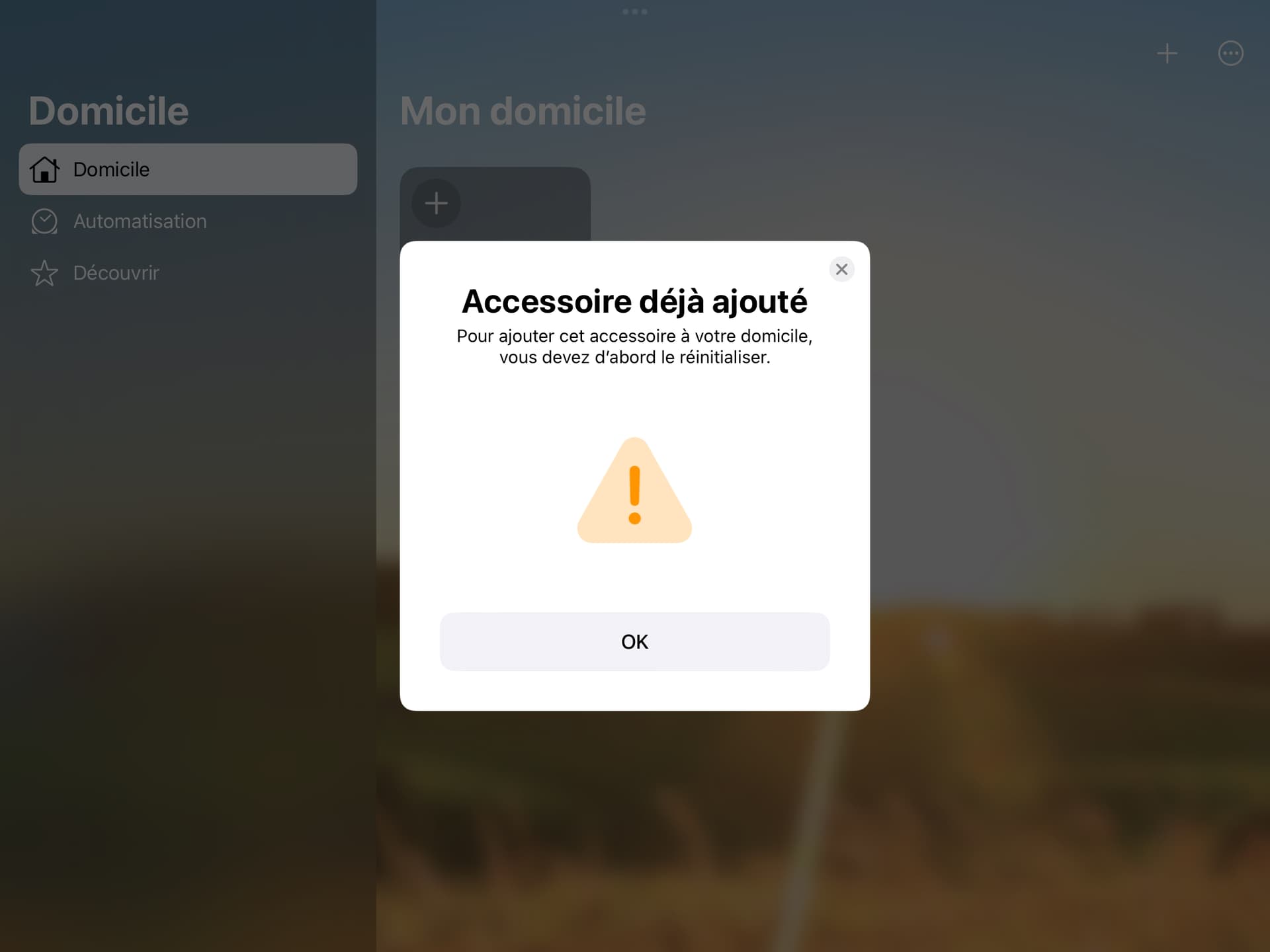
After deleting the variables in t_variables in the database, I was able to re-associate Gladys.
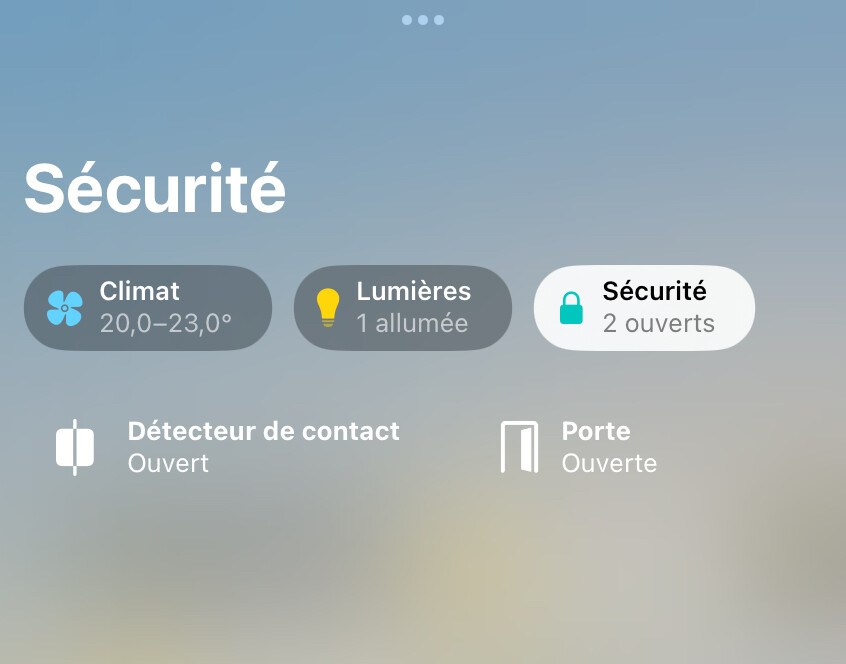
The contact sensors are reported correctly (and can be displayed as doors).
But the same errors remain in Gladys and the state of the contact sensors does not change in HomeKit (it even seems inverted)
Thanks first of all @cicoub13 for your tests. It shows the limitation of the development environment with fake devices.
I think I know what happened, can you give me the reference/model of your door sensor please?
I’ll check that.
On the HomeKit forums I’ve seen quite a few cases like that. I have the impression that the deletion directive doesn’t always propagate up to the device, so the device disappears from your Home app but not from the device’s internal configuration. I will add a réinitialiser button on the integration page to delete the configuration folder; that should make it unnecessary to go into the table if we encounter this message.
This one Aqara MCCGQ11LM control via MQTT | Zigbee2MQTT
[quote=« bertrandda, post:55, topic:7493 »]
Je vais ajouter un bouton réinitialiser dans la page de l’intégration pour supprimer le dossier de configuration
There you go — I created an image for you with the fix for the inverted value and for sending the value live. Can you tell me if it’s good?
All good for me, thanks for the correction
Looks good to me code-wise, just one question before merging, can I deploy this to production without any issues, the user won’t have to re-associate anything, right?
Normally no, Gladys is considered a bridge, new devices are automatically added to HomeKit, you’ll just need to configure the names/rooms of the new devices (they have a default room in the meantime).
The issue we discussed with Cyril is a particular case that I will handle in another PR. We need to handle the case where the user tries to unpair Gladys from HomeKit but it’s not reachable on the network at that time. On the Home app side Gladys is forgotten but on Gladys’s side it doesn’t know that it needs to remove the pairing, so a reset is necessary (see FAQ · homebridge/HAP-NodeJS Wiki · GitHub).
Ok, perfect!
I just saw something in the code — I left you a comment here: