Hello,
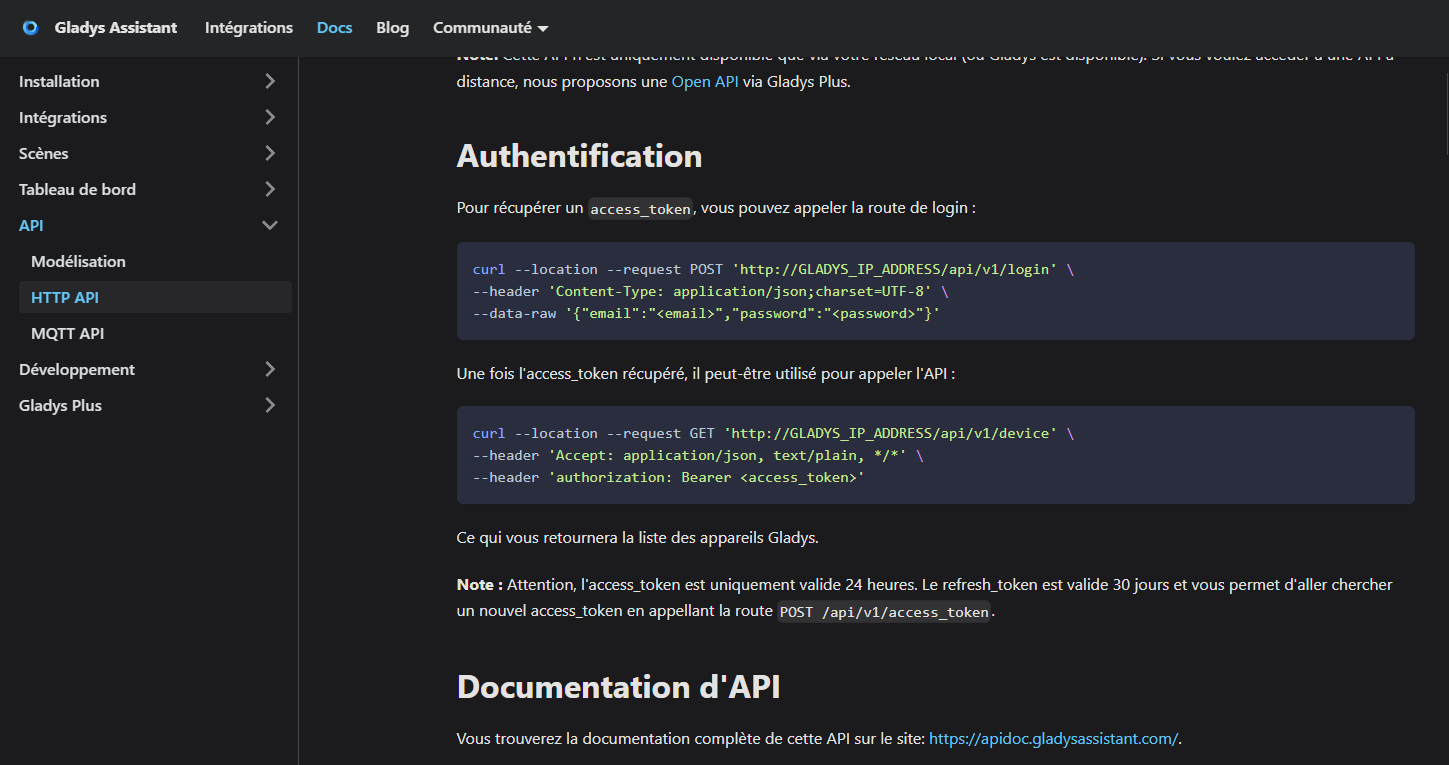
I would like to make requests properly on Node-RED. No problem with authentication and the access_token. But in the docs it says you must use the refresh_token (valid 30 days) to obtain a new access_token (valid 24h) and that you should consult the API doc for more information:
However, the apiDoc is sorely lacking in information, I find:
How do you use the refresh_token here?
Thanks in advance to anyone who can help me.
When you call:
curl --location --request POST 'http://GLADYS_IP_ADDRESS/api/v1/login' \
--header 'Content-Type: application/json;charset=UTF-8' \
--data-raw '{"email":"\u003cemail\u003e","password":"\u003cpassword\u003e"}'
You get 2 tokens (in addition to the user info):
{
"id":"\u003cuuid\u003e",
"firstname":"Cyril",
"lastname":"Beslay",
"email":"\u003cemail\u003e",
"language":"fr",
"birthdate":"1989-04-13",
"role":"admin",
"created_at":"2021-11-21T19:01:37.013Z",
"updated_at":"2023-09-22T18:56:11.389Z",
"refresh_token":"\u003crefresh_token\u003e",
"access_token":"\u003caccess_token\u003e",
"session_id":"\u003cuuid\u003e"
}
You can use the access_token in API calls as indicated in the documentation.
curl --location --request GET 'http://GLADYS_IP_ADDRESS/api/v1/me' \
--header 'Accept: application/json, text/plain, */*' \
--header 'authorization: Bearer \u003caccess_token\u003e'
When the access_token expires, you can use the refresh_token in this way to get a new one:
curl --location --request POST 'http://GLADYS_IP_ADDRESS/api/v1/access_token' \
--header 'Content-Type: application/json;charset=UTF-8' \
--data-raw '{"refresh_token":"\u003crefresh_token\u003e"}'
You get:
{
"access_token":"\u003cnew_access_token\u003e"
}
Bonus https://jwt.io/ to understand the content of a token (access or refresh)
cicoub13:
When the access_token expires, you can use the refresh_token like this to get a new one:
curl --location --request POST 'http://GLADYS_IP_ADDRESS/api/v1/access_token' \
--header 'Content-Type: application/json;charset=UTF-8' \
--data-raw '{"refresh_token":"\u003crefresh_token\u003e"}'
You get:
{
"access_token":"\u003cnew_access_token\u003e"
}
Bonus https://jwt.io/ to understand the contents of a token (access or refresh)
Thank you very much @cicoub13 !! I thought I had done it correctly, but I had a 500 error… maybe it can only be done once the access_token has expired… or maybe I did it wrong ^^
It would still be good to revisit the REST API documentation to add example data-raw and responses. They are for the most part nonexistent.