Good evening
Why, when I run
curl https://api.gladysgateway.com/api/v1/device/TOKEN
with the correct token and the correct subscription as well
do I get this in return
{"status":404,"error_code":"NOT_FOUND","Good evening
Why, when I run
curl https://api.gladysgateway.com/api/v1/device/TOKEN
with the correct token and the correct subscription as well
do I get this in return
{"status":404,"error_code":"NOT_FOUND","This is authentication with a Bearer token, so include it in the headers of your request.
@VonOx not for the Gladys Plus Open API!
@bong101 the route is not correct, « /state » is missing and you must make the API call as a POST:
POST https://api.gladysgateway.com/v1/api/device/state/YOUR_OPEN_API_KEY

Body:
{
    "device_feature_external_id": "mqtt:my-phone-presence",
    "state": 1
}
The documentation:
My bad, I hadn’t noticed, I thought it was the REST API.
Come on !!!???
I want the list of devices, so by following this Gladys Assistant REST API documentation
I was hoping to get a list …
This API documentation corresponds to the Gladys local API, not the Gladys Plus Open API!
The local API can be accessed directly with a bearer token obtained via the login route.
What do you need this for?
As I said in another post here, I find there aren’t enough logs, especially in scenes.
J’utilise Rundeck pour lancer pas mal de jobs de domotique…je voudrais donc faire mes scènes dans Rundeck (et ça ne me dérange pas).
API access is to check the states of devices, mainly read (GET) before or after manipulations in Gladys.
But it seems I didn’t understand, from the documentation, the difference between the APIs, and how to use them. I’ll read through it again
Olivier
For scenes, it’s something I’d like to add to Gladys: the ability to track the execution of scenes in the UI in a simple and clear way.
On that, we talked about it recently here if you’re interested:
Ok I understand better now.
In fact Gladys and Gladys Plus are two different things:
I hope my explanation is clear 
Thank you Pierre-Gilles
Being able to know whether we are in a scene, where we are in a scene, the date and time of the last executions (some may be instantaneous), graphically, visually, that would be nice
I think that to develop this, we should first start with logs/journals… and then do the graphical part, but I understand that the goal is ease of use… The majority here « tinker » a bit, not really Madame Michu, even if she is the target.
Then we entrust Gladys with our electricity or our water (if I start a watering pump, for example), and behind that, it’s  money that is at stake… so we must be able to trace what happens
Regarding the use of the APIs, indeed, I will look into the internal API, but I don’t see in the docs how to proceed, how do we call the internal API?
Thanks again
Olivier
We can close the matter, I was able to make progress… I’ll manage with my gladys-rundeck-Node-red
See you
Ok great, were you able to access the internal API in the end?
Sorry for the late reply — I’ve had a very busy period on my end!
no, because I don’t know how to do it… because, unless I’m mistaken, the page describes very well the info/actions that one can do with the API; however, how to use it, there’s nothing…
Busy start to the year? That’s a good sign
Olivier
Indeed
Rundeck is a scheduler. I use it to create scenes, because I’ve already said it here: not enough logs. I run home automation and operational jobs on my Raspberry Pis. It is installed on a different Raspberry Pi than Gladys.
Ok! On the same network as the Gladys Pi?
If yes, in that case it’s fine you can use this local API 
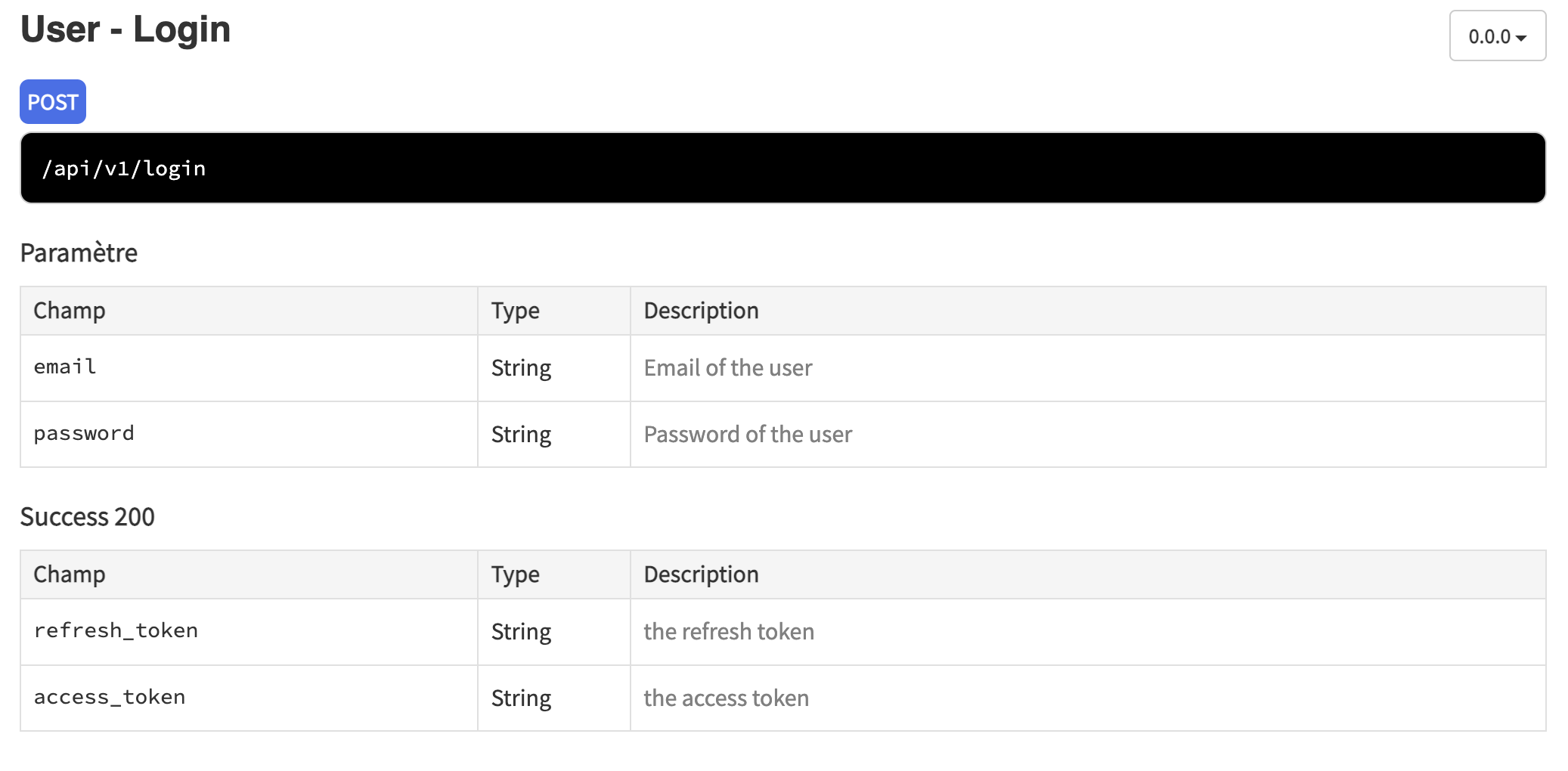
To use this API, you can first use the login route to retrieve an access token (POST /login. The doc: Gladys Assistant REST API documentation ), by hitting the IP of your local Pi
Example, if your Pi is at 192.168.1.12, you do:
POST 192.168.1.12/api/v1/login
With this as the POST body:
Then, all the other routes are accessible by setting a header
Authorization: Bearer YOUR_ACCESS_TOKEN
If you want to get inspiration from what is done on the front-end, open the Network tab while you browse the Gladys frontend and look at the parameters!