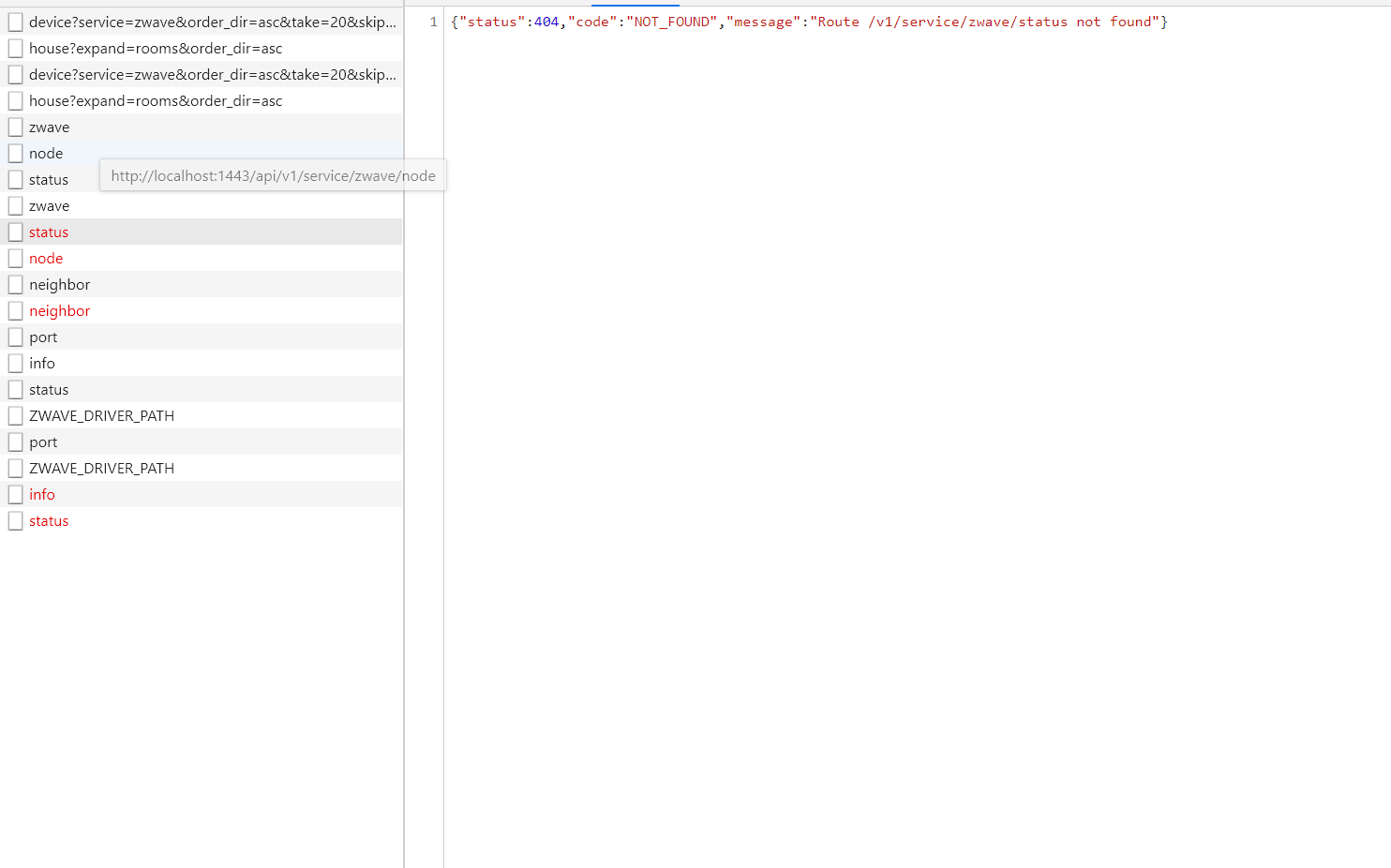
I don’t know where you got that, but that’s not the case for me! The Z-Wave service route works.
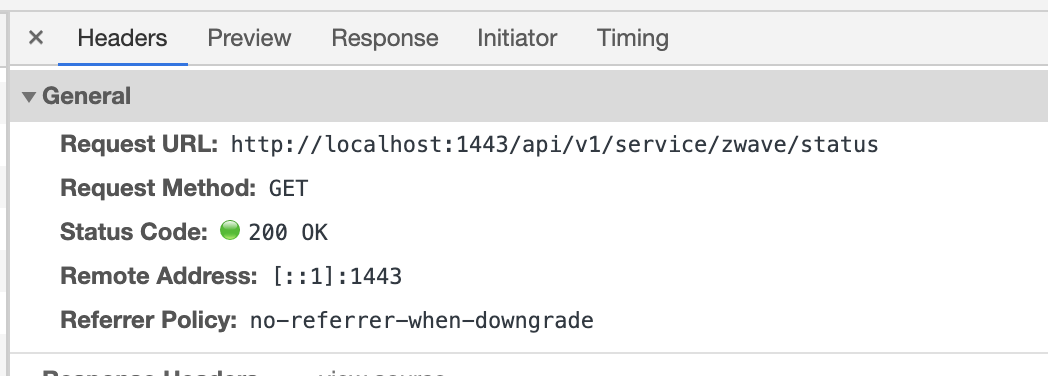
Everything is possible ^^
I just posted a small update on the forum, the release date has been postponed, you still have time 
Finally I rebuilt the entire gladys dev environment and the 404s no longer occur for the Zwave module,
However, I still have some on my way
/api/v1/service/rflink/status
I can’t understand why this request always returns a NOT_FOUND while others work.
If someone has time to look at the code that would be great I could finish my service 
The github : GitHub - mTondenier/Gladys at rflink · GitHub
Your service has never been started, it is not in the list of services here →
It’s fixed
sorry I forgot to upload the index.js on github but it is started
The problem is in the controllers.js or in the actions.js of the front
 Thanks I could have searched for a week
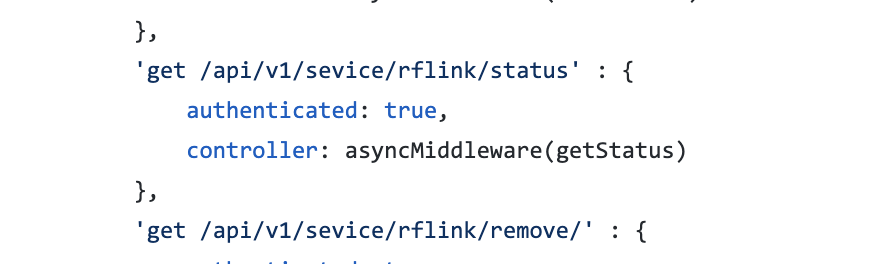
There are 2 errors in the photo! « sevice » instead of « service », and the « / » at the end of « rflink/remove », it shouldn’t be there.
I see that you haven’t written any unit tests, that would have probably helped you here Remember to write them before making your PR
After a week of skiing vacation, I’m resuming development of the service and I’d like to know if people with a development environment can test the service and provide feedback.
I just need to write the tests (I don’t know how to do that) and add the ability to manually create a device
Hello,
@joeypic I made a Docker image of your RFlink integration via my GitLab. The image builds! 
[EDIT] : Hmm.. it seems I was a bit hasty, by merging the master into the rflink branch, I will retest with only your branch… I will update this post once done!
By the way, I have an error launching the serialport module, any ideas?
Error: Cannot find module 'serialport'
Require stack:
- /src/server/services/rflink/lib/commands/rflink.connect.js
- /src/server/services/rflink/lib/index.js
- /src/server/services/rflink/index.js
- /src/server/services/index.js
- /src/server/lib/index.js
- /src/server/index.js
    at Function.Module._resolveFilename (internal/modules/cjs/loader.js:982:15)
    at Function.Module._load (internal/modules/cjs/loader.js:864:27)
    at Module.require (internal/modules/cjs/loader.js:1044:19)
    at require (internal/modules/cjs/helpers.js:77:18)
    at Object.<anonymous> (/src/server/services/rflink/lib/commands/rflink.connect.js:2:20)
    at Module._compile (internal/modules/cjs/loader.js:1158:30)
    at Object.Module._extensions..js (internal/modules/cjs/loader.js:1178:10)
    at Module.load (internal/modules/cjs/loader.js:1002:32)
    at Function.Module._load (internal/modules/cjs/loader.js:901:14)
    at Module.require (internal/modules/cjs/loader.js:1044:19)
    at require (internal/modules/cjs/helpers.js:77:18)
    at Object.<anonymous> (/src/server/services/rflink/lib/index.js:12:21)
    at Module._compile (internal/modules/cjs/loader.js:1158:30)
    at Object.Module._extensions..js (internal/modules/cjs/loader.js:1178:10)
    at Module.load (internal/modules/cjs/loader.js:1002:32)
    at Function.Module._load (internal/modules/cjs/loader.js:901:14)
    at Module.require (internal/modules/cjs/loader.js:1044:19)
    at require (internal/modules/cjs/helpers.js:77:18)
    at Object.<anonymous> (/src/server/services/rflink/index.js:2:23)
    at Module._compile (internal/modules/cjs/loader.js:1158:30)
    at Object.Module._extensions..js (internal/modules/cjs/loader.js:1178:10)
    at Module.load (internal/modules/cjs/loader.js:1002:32)
    at Function.Module._load (internal/modules/cjs/loader.js:901:14)
    at Module.require (internal/modules/cjs/loader.js:1044:19)
    at require (internal/modules/cjs/helpers.js:77:18)
    at Object.<anonymous> (/src/server/services/index.js:11:25)
    at Module._compile (internal/modules/cjs/loader.js:1158:30)
    at Object.Module._extensions..js (internal/modules/cjs/loader.js:1178:10) {
  code: 'MODULE_NOT_FOUND',
  requireStack: [
    '/src/server/services/rflink/lib/commands/rflink.connect.js',
    '/src/server/services/rflink/lib/index.js',
    '/src/server/services/rflink/index.js',
    '/src/server/services/index.js',
    '/src/server/lib/index.js',
    '/src/server/index.js'
  ]
}
Thanks in advance for the help! 
Good evening,
npm install serialport
maybe?
Oh, I forgot to add the serialport installation when building the Docker image! Thanks!
Well, it loads, but now I get a 404 on the RFLink integration page (dashboard/integration/device/rflink)
I will update, so wait 15 minutes and download again
For the service, it’s almost done, just the color management for the lamps is missing, I have the impression that the color and brightness features do not have a UI for now in gladys, is that normal?
I’m still looking for testers with an Rflink installation, the module is finished but I would like to have feedback on the 433mhz and the pairing of Milights
That’s normal, no one has coded it yet For now, only the on/off of the bulbs works.
I finally have a Docker image running 
 I access the RFlink integration
The Arduino is well recognized
Now, when I’m adding a device, how does it work?  (I’m quite new with RFlink
  )
)
Which field does « The feature external ID » correspond to? The Name? Or is it auto-generated?
If I want to add an On/Off outlet « Zap », what choice should I make in the dropdown below room?
I imagine the associated feature will be « Switch »
Currently, the link to the RFLink API redirects to the MQTT API, but since the documentation is not yet online, it’s probably normal
That’s it, it’s moving forward!
Thanks in advance for your help!
To add a device, you need to use the Tristate type and for the id:
rflink:« Id of your outlet »:switch:« number of your outlet on the remote control »
Yes, the link is normal
@joeypic couldn’t the service do something simpler for the user?
For example, add 2 fields « socket id » and « remote control socket number »?
And then the front end can automatically compose the external_id?
In v4 we try to avoid exposing internal mechanisms, everything must be done to simplify the user’s life!
To do that, I would need to modify the devices features block, but it’s a good idea, I’ll check it out.
Why isn’t it per device? (simple question!)