Hello everyone!
Some of you have asked for Twitch live streams, and the first one is today at 9 a.m. (Monday, May 24)! 
The Gladys Assistant Twitch channel is available here
See you later on Twitch!
Hello everyone!
Some of you have asked for Twitch live streams, and the first one is today at 9 a.m. (Monday, May 24)!
The Gladys Assistant Twitch channel is available here
See you later on Twitch!
Just a reminder, the live stream starts in 10 minutes!! See you soon!
I see you offline on Twitch
Science and Technology
Thanks @cicoub13, I’m starting the live stream with this
Some feedback:

Thanks @cicoub13 for the feedback!
Indeed, 20 viewers for a first live was great, thanks to everyone who talked about it on the internet 
Oh dear  Yet I was in a coworking space in a special call room connected via ethernet, normally I was on top in terms of network. I think it’s more the CPU of my machine that was lacking.
I know but on that I’m not sure I can do better ^^
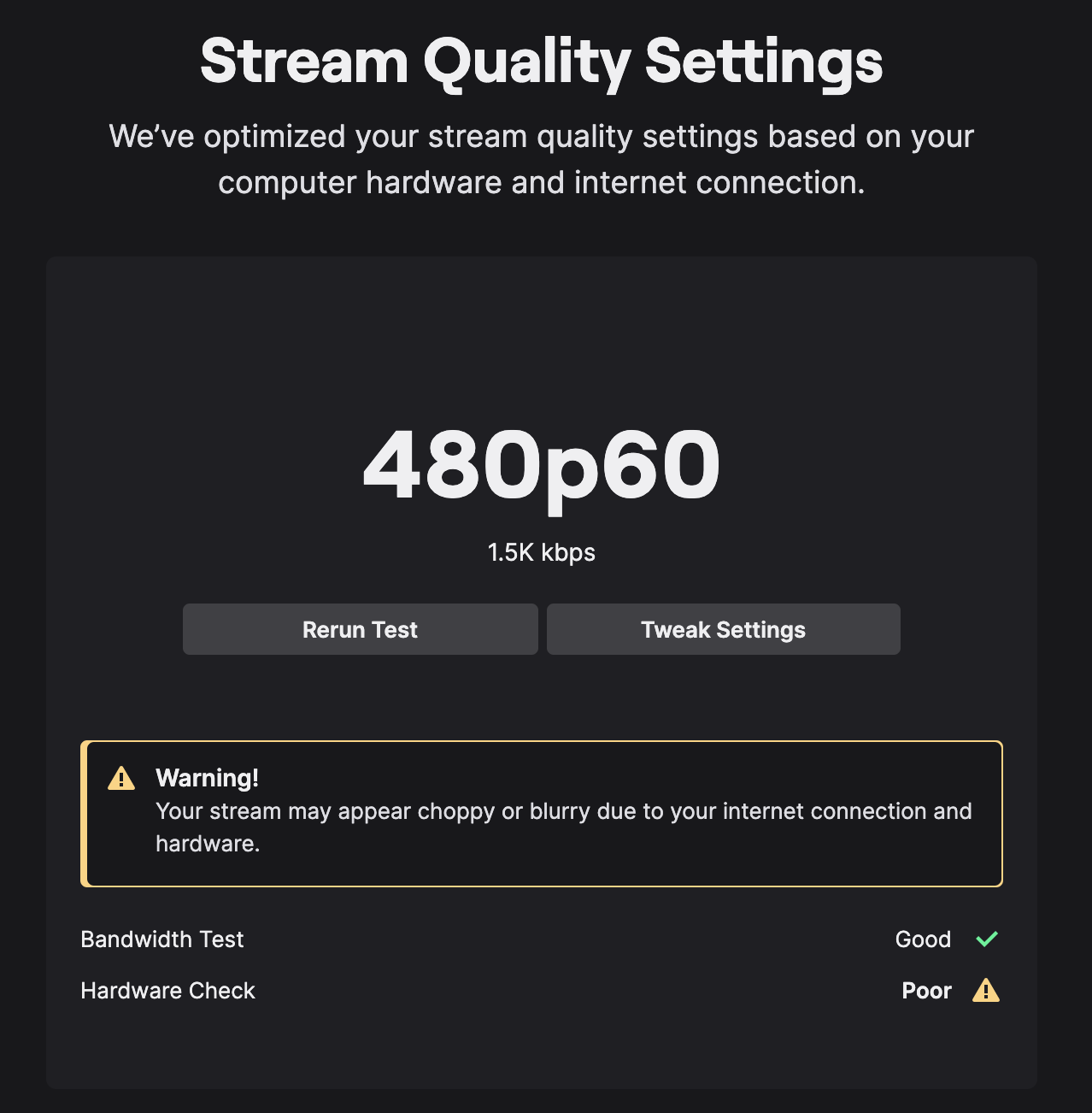
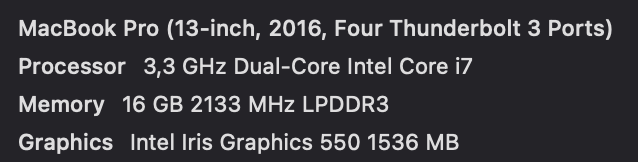
Here’s what Twitch Studio says about my machine:
People are used to setups costing €20k, computers made for streaming, multi-screen and all, I’m on a 2016 MacBook (not bad for dev), but with no graphics card 
If there are more subscribers to Gladys Plus maybe one day I can do better 
Absolutely! But I also want to find the right balance. Most of the streamers you follow do nothing else, but if I dedicate too much time to streaming I won’t be able to dev anymore, respond to messages, or merge PRs. It’s a balance to find
Hello,
It’s been a while since I last visited here, but I watched the live stream and I wanted to reply to @cicoub13 regarding their return:
A regular appointment would be great, but always with a small objective to achieve live, I think, to attract more people.
For Twitch experts, is it possible to rewatch the live stream (like on YouTube)?
I can’t find it, maybe it’s still being processed, I don’t know
Normally you go to the video studio, you look for the previous broadcast and you click on the three small dots and → export or download
There are no « Previous Broadcasts » tabs for me.
I searched the internet, apparently there is an option deep in the settings that is unchecked by default and needs to be checked for the stream to be recorded, I think the stream is lost ^^ It’s a shame!
I wonder, why Twitch and not YouTube Live? I had done YouTube lives in the past, and on an even older Mac I was able to stream in 720p without problems. And the advantage is that on YouTube the project already has over 2000 followers
Twitch and YouTube Live offer more interaction with viewers compared to videos. From my perspective, Twitch doesn’t have a major advantage, especially if there’s already a community on YouTube.
Ok! Next time I’ll limit it, so I can test YouTube Live, and we’ll compare in terms of stream quality/general experience
In a perfect world, I know some streamers stream on both platforms at the same time, but well, my computer is already struggling with one stream, so two streams is impossible
So I’m going to do a YouTube live stream tomorrow to test, same topic since the other live stream was lost, I’m sure other people would have wanted to attend the live stream but couldn’t And this time there will be a replay!
I don’t know if you know Restream.io, it’s a service that allows you to stream to several other platforms simultaneously while only having one outgoing stream from your computer.
Cool! I’ll check it out