Feature description
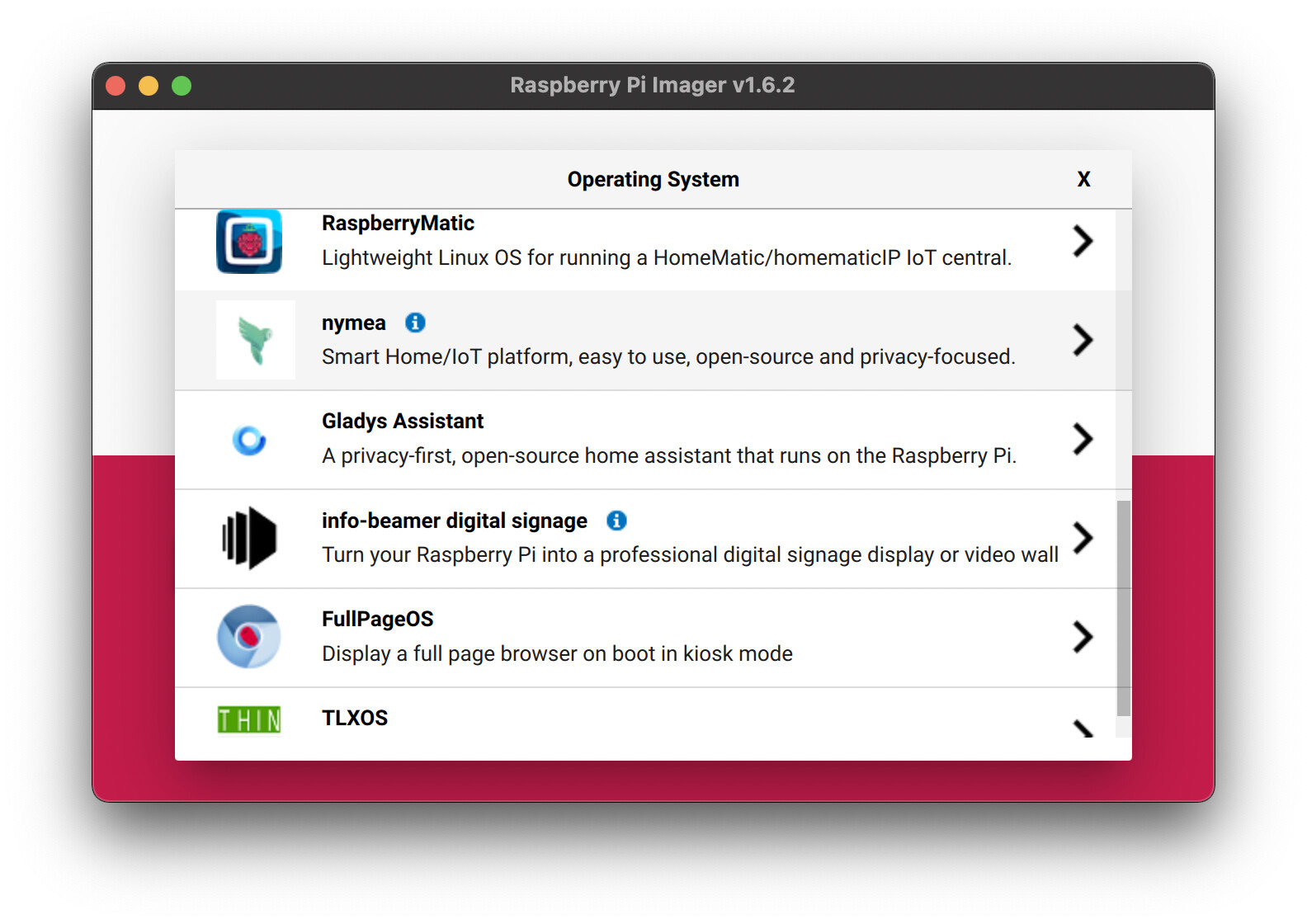
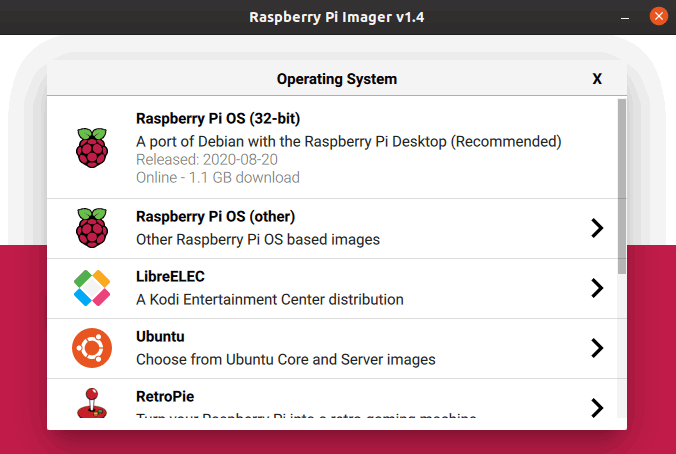
By asking in an issue like this one https://github.com/raspberrypi/rpi-imager/issues/330, you could ask to add Gladys in possible options in RPI Imager.
It could expand Gladys visibility and ease user installation process.
Feature description
By asking in an issue like this one https://github.com/raspberrypi/rpi-imager/issues/330, you could ask to add Gladys in possible options in RPI Imager.
It could expand Gladys visibility and ease user installation process.
Great idea! I’ll check it out!
@cicoub13 Done! 
Right now, my focus is really on the « growth » part of the project, so this kind of thing is exactly what I want to do, and it can really give the project a boost 
Effective. Everyone go put a  on the issue to show the community behind the project.
Great idea, thanks @cicoub13!
Balena etcher does the same thing I think
That’s awesome!! 
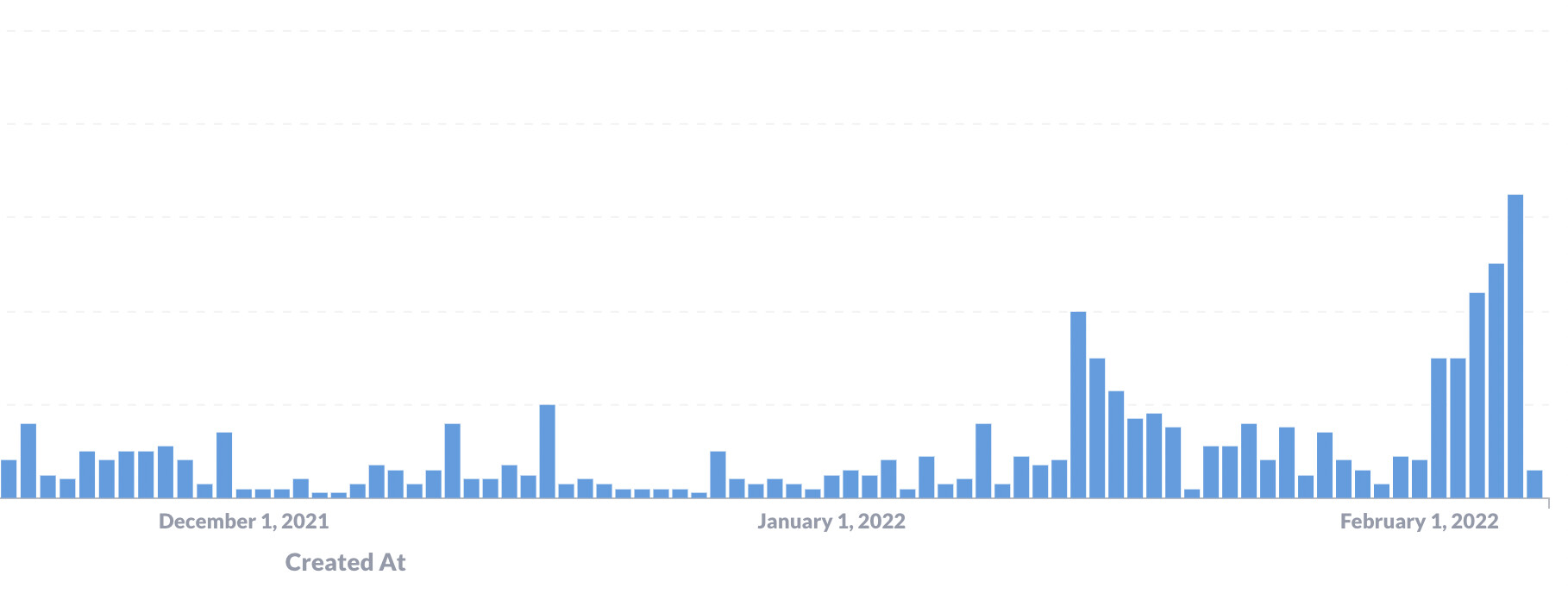
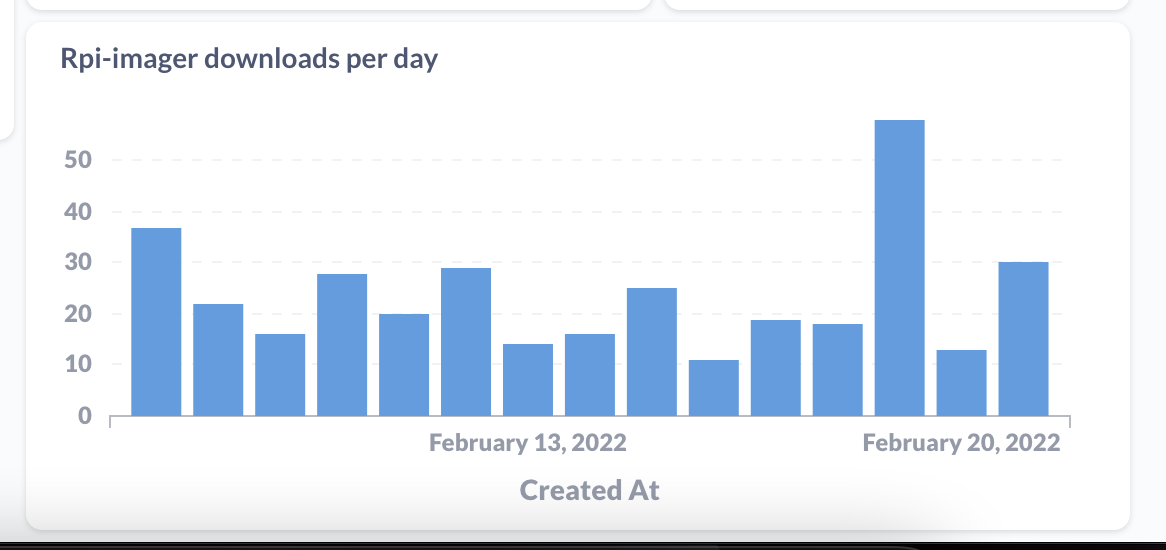
Significant increase in downloads following this 
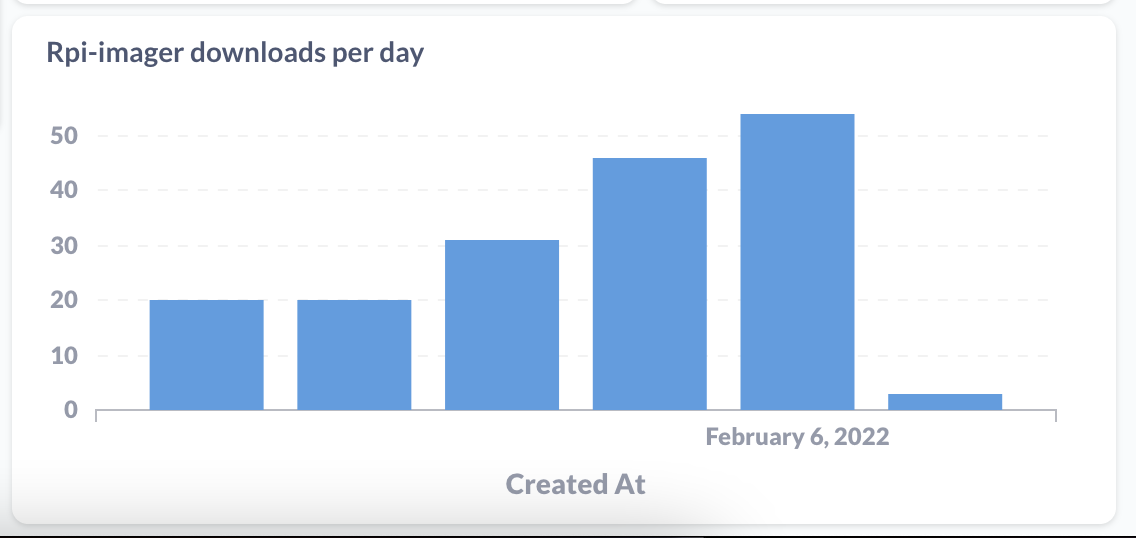
RPI-Imager adds a specific header to download requests so I can filter:
50 downloads per day this weekend!!
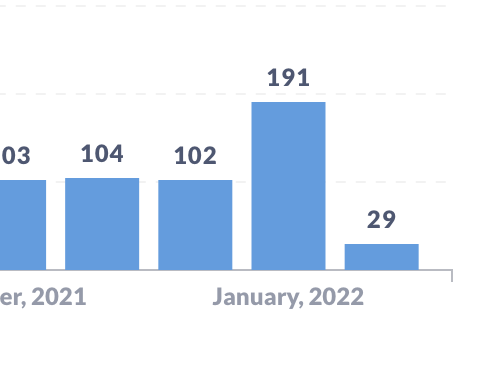
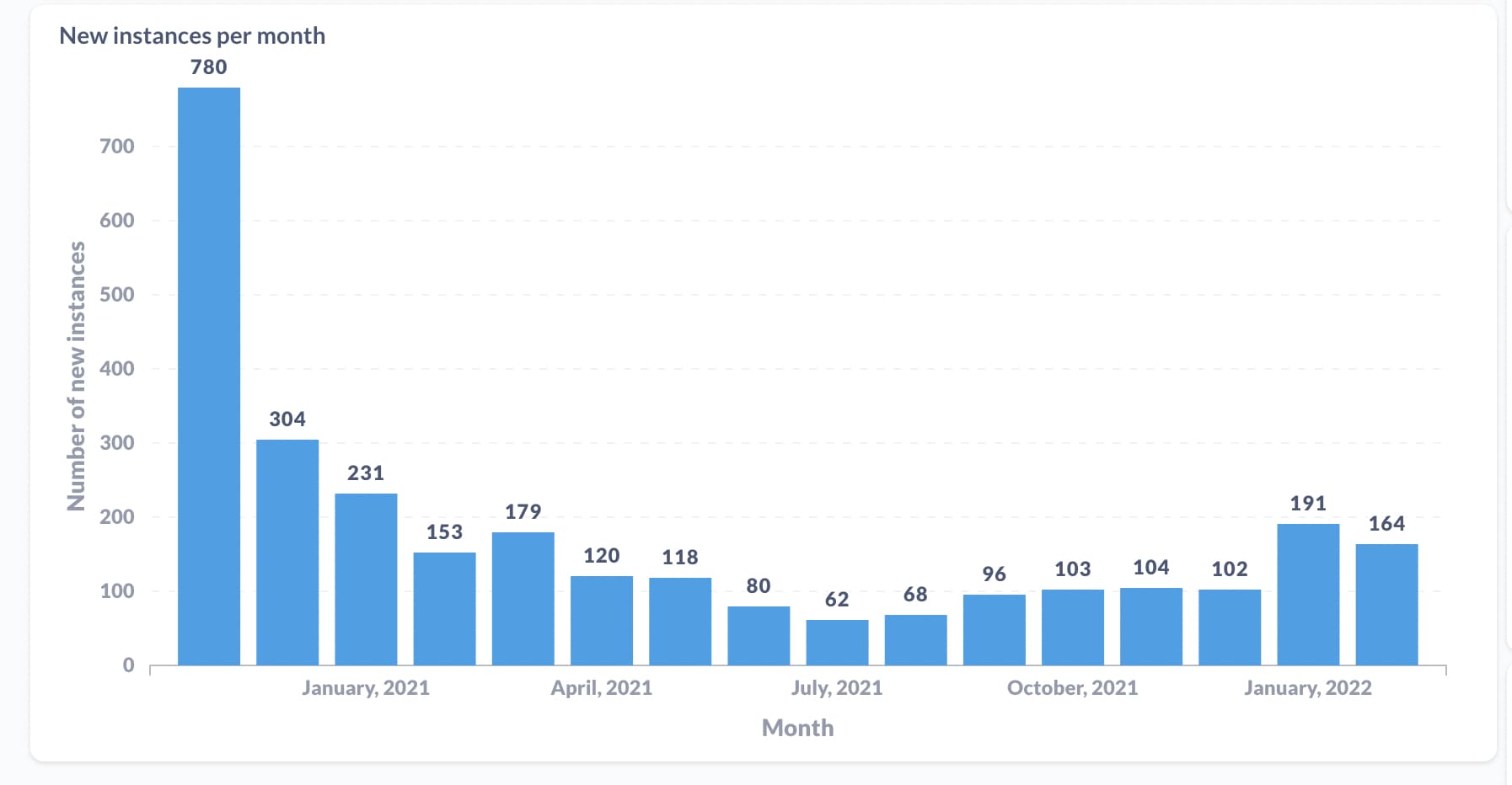
However, something I don’t understand is that there is no impact on the number of « active » Gladys installations, only 29 new instances in February so far (a figure that’s not impressive considering there have been several hundred downloads of the image…)
This makes me wonder if the direct clone via RPI-Imager works well  to be tested!
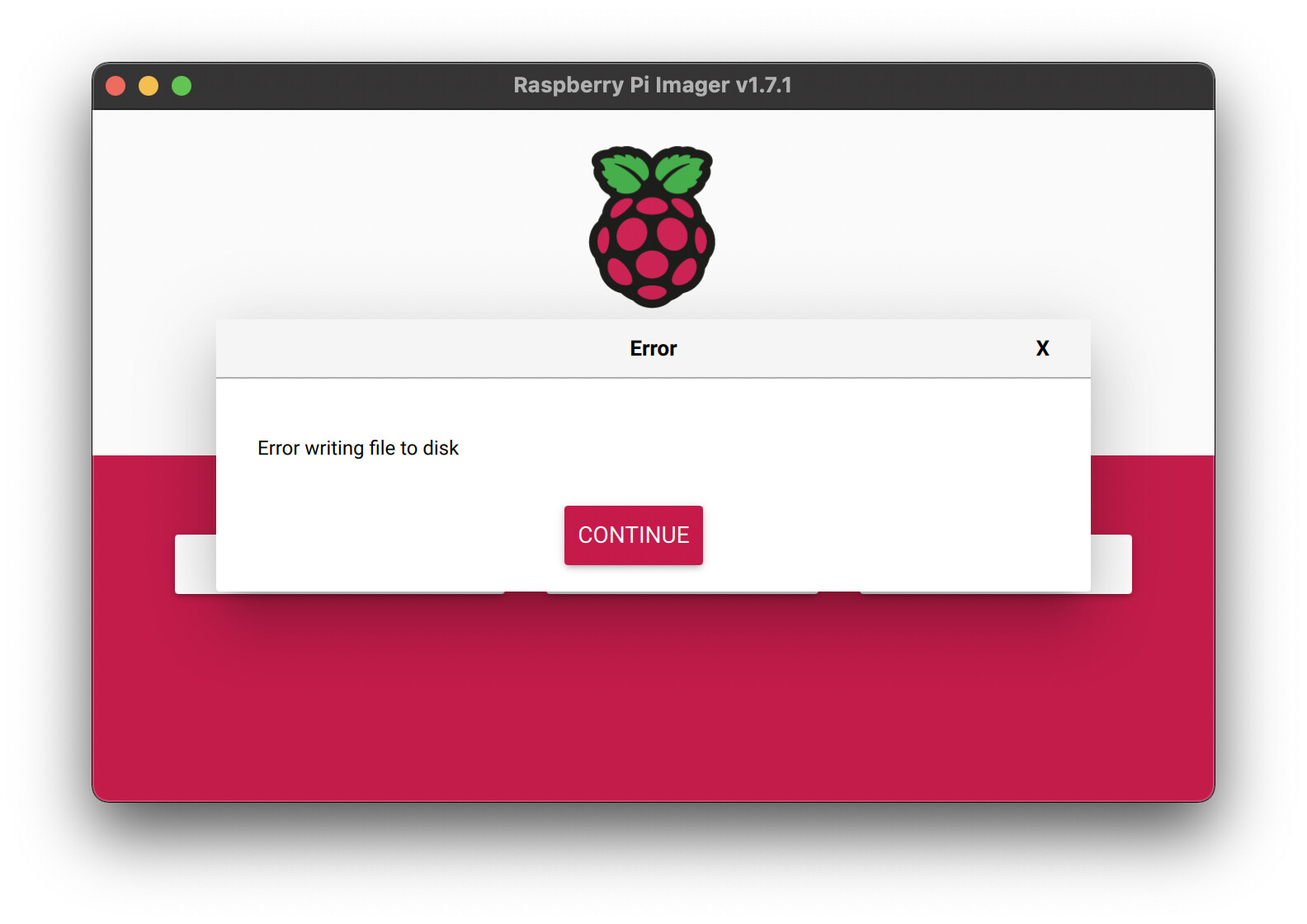
I created a GitHub issue:
If anyone has some C++ knowledge (mine is quite old!!), I suspect that the Rpi-imager software does not support redirects on the download link
I found this file that manages the download:
Edit: It looks good in terms of redirection, they use curl for the download, and they set a parameter to allow 10 redirects
In the hope that the curve of the DLs will now be identical to that of the deployed Gladys.
No, it’s broken.
Well, I spent the morning on it, we discussed quite a bit with the maintainers of rpi-imager and it’s good we finally found it!!
Actually, rpi-imager extracts the extension from the URL to determine if the file is compressed or not (.zip or .img)
However, the Gladys download URL was https://gladysassistant.com/download/latest (without extension)
So I created a new URL specifically for rpi-imager, https://gladysassistant.com/download/latest.zip
And now it works
Now let’s see if this boosts usage!
One thing is certain, we rarely use a product we don’t know! 
Marketing, marketing, marketing! Word of mouth does the rest when the product is good! 
However, I took a look at the code…the lack of comments is astonishing, hello maintenance! 
Exactly! That’s the whole point of all the work I’ve been trying to do since the beginning of the year: spend a lot more time on communications (and consequently less on development), because unfortunately the project has not yet reached a critical size to be viable.
Exactly, no!
It’s true that it depends on the number of mouths and the number of ears!
Are the numbers (downloads AND installations) better since the fix?
The download count is good, but there’s a small issue with the counting. Basically, I think rpi-imager downloads the image in multiple parts and re-calls the first URL (there’s a redirect), so one actual download counts as 5-15 entries (that’s a lot, so the stats are fake :p)
I’m trying to deduplicate the entries manually, but it’s time-consuming and not very fun, so I don’t do it all the time. It would need to be automated, but it’s not trivial
Here’s the number of downloads I see, but take it with a big pinch of salt:
Regarding installations, the last two months have seen a significant increase, but I don’t think it’s thanks to rpi-imager, but more due to my recent communication efforts (Reddit launch, articles/videos/podcasts)