Sonos device support
Hi everyone 
This feature is quite requested (in the top 5 most requested), but it’s clear that nobody is getting started on it 
My personal opinion is that we may have been too greedy and ambitious about the various features requested in this thread.
When I read the different requests, basically we have to recode the Sonos application entirely in Gladys (full music player, playlist management, source management) and on top of that add ancillary features (Music in scenes, TTS, etc..)
Except that Sonos did 1.7 billion in revenue in 2022 
… And we expect some stranger to pick up this thread and recode that better 
Let’s come back down to earth
I propose we start from scratch on this topic (even if that means deleting all the old messages), and describe what a minimal Sonos integration would be.
Basically, make a short list of the different basic features that would be useful in Gladys, and that would take only a few days/weeks to develop.
Let’s forget everything related to the music player, etc…
Those who already use Sonos with Gladys via Node-RED, what do you use it for?
Looking forward to your feedback!
My usage :
TTS and radio
My Sonos devices have built-in voice assistants to play music.
My future usage (as
Ok! For TTS, which API are you using right now?
That one is easily doable
Any other feedback?
Yes TTS,
We had made this tutorial with @spenceur about audio broadcasting at one point via scenes.
- Be able to upload a sound (siren, barking, …)
- My wife doesn’t use the Sonos app at all so having the ability to put the music on the wall tablet would be a good thing for her.
Yes, I had seen it, but I couldn’t find which API you use — it’s not mentioned in the tutorial. When I read the documentation for ultimate-tts, they mention many different APIs (AWS Polly, Google, etc…)
That, however, I don’t think is possible, sorry but re-coding the Sonos app is just unrealistic as I said in my message
Hi everyone!!
Following today’s live stream (live coding of the Sonos integration), replay here:
A Docker image is available to test this integration.
I’d appreciate any feedback before publishing this integration
In particular, I couldn’t test the multi-speaker setup because I only have one Sonos speaker!
The Docker image:
gladysassistant/gladys:sonos-integration
How to run a test image? → Tutoriel: Lancer une image Docker de test
Unfortunately I don’t have a Sonos speaker to test.
Notice to a generous donor  , for debugging purposes ONLY !!!
Great livestream, I followed it in small chunks but it’s super interesting and it energizes the community
I bought mine
I can’t wait to test it; I’ll see if I have time on Sunday to do something.
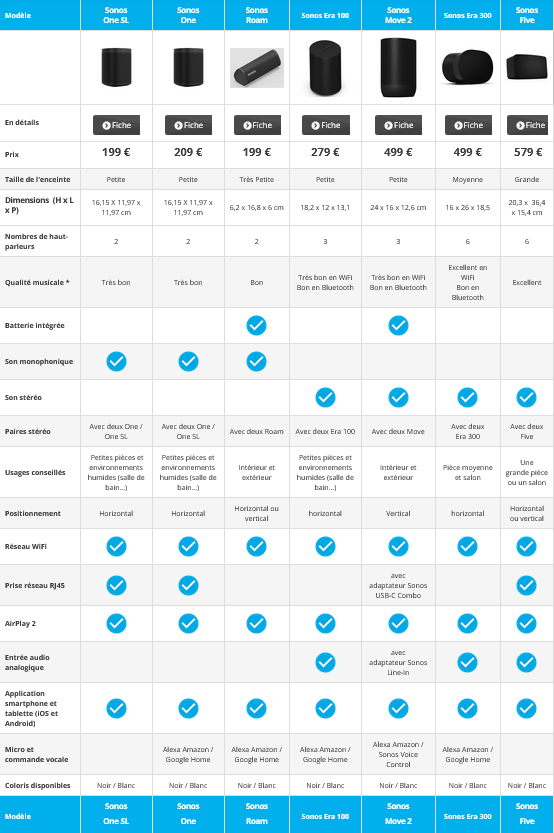

- In the discovery tab there is the room selector but you can’t select anything, is it really useful?
- Gladys retrieves the « room name » from the Sonos app and puts it in the « device name ». In the app the product is properly mentioned, can we retrieve that information?
- When you change pages and return to the dashboard where the music widget is, the volume selector always returns to 50% (not always — I haven’t been able to reproduce the bug consistently).
- When you pause, the play button doesn’t appear to resume playback.
- Regarding device detection, it detects your configuration in the app. I have a grouping of 2 play 1, a playbar and a sub in the app and the same in Gladys. It even discovered my Sonos Port from my vinyl turntable.
Everything works for me.
Here’s the order:
System:
- Products (dining room and living room)
-
- dining room
-
-
- product (port)
-
-
- living room
-
-
- product (play 1, play 1, playbar, sub)
-
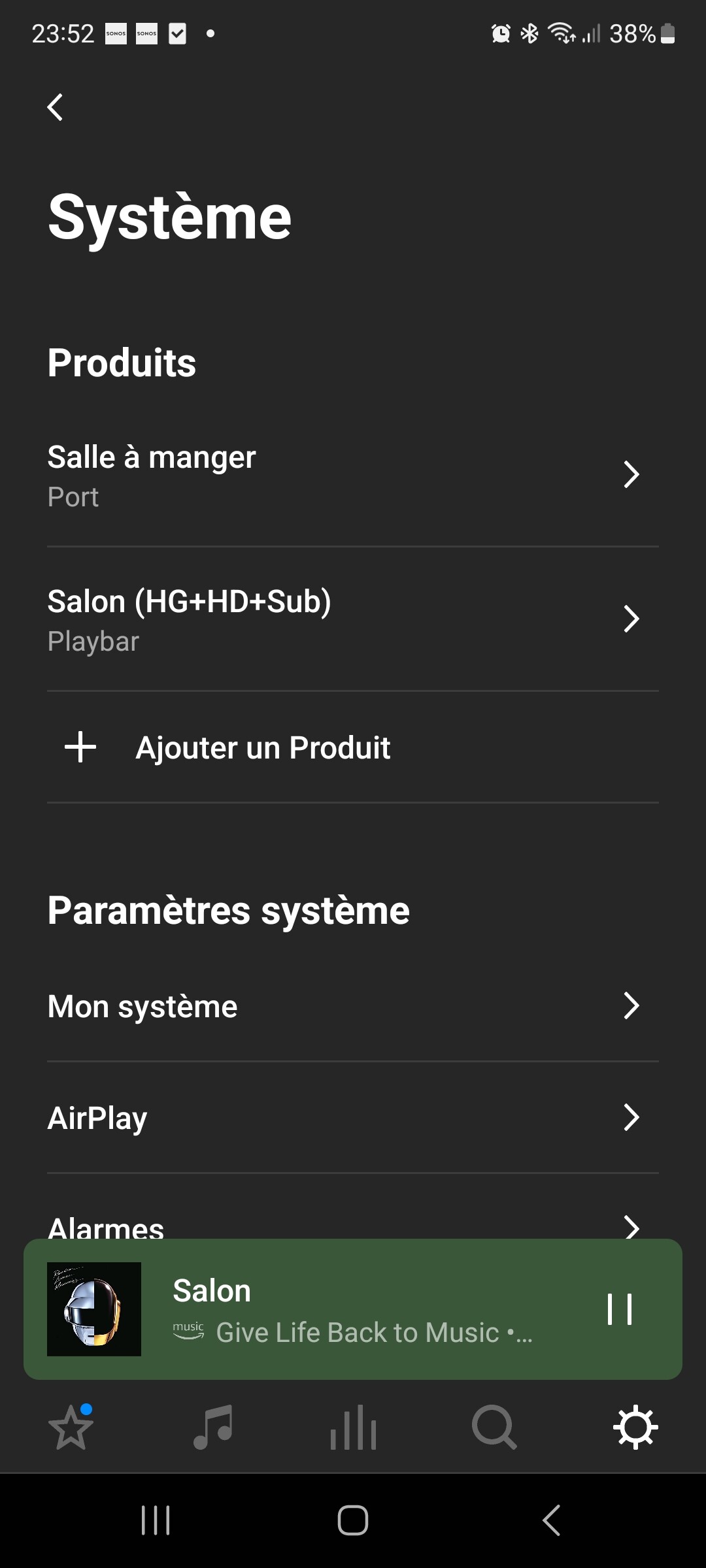
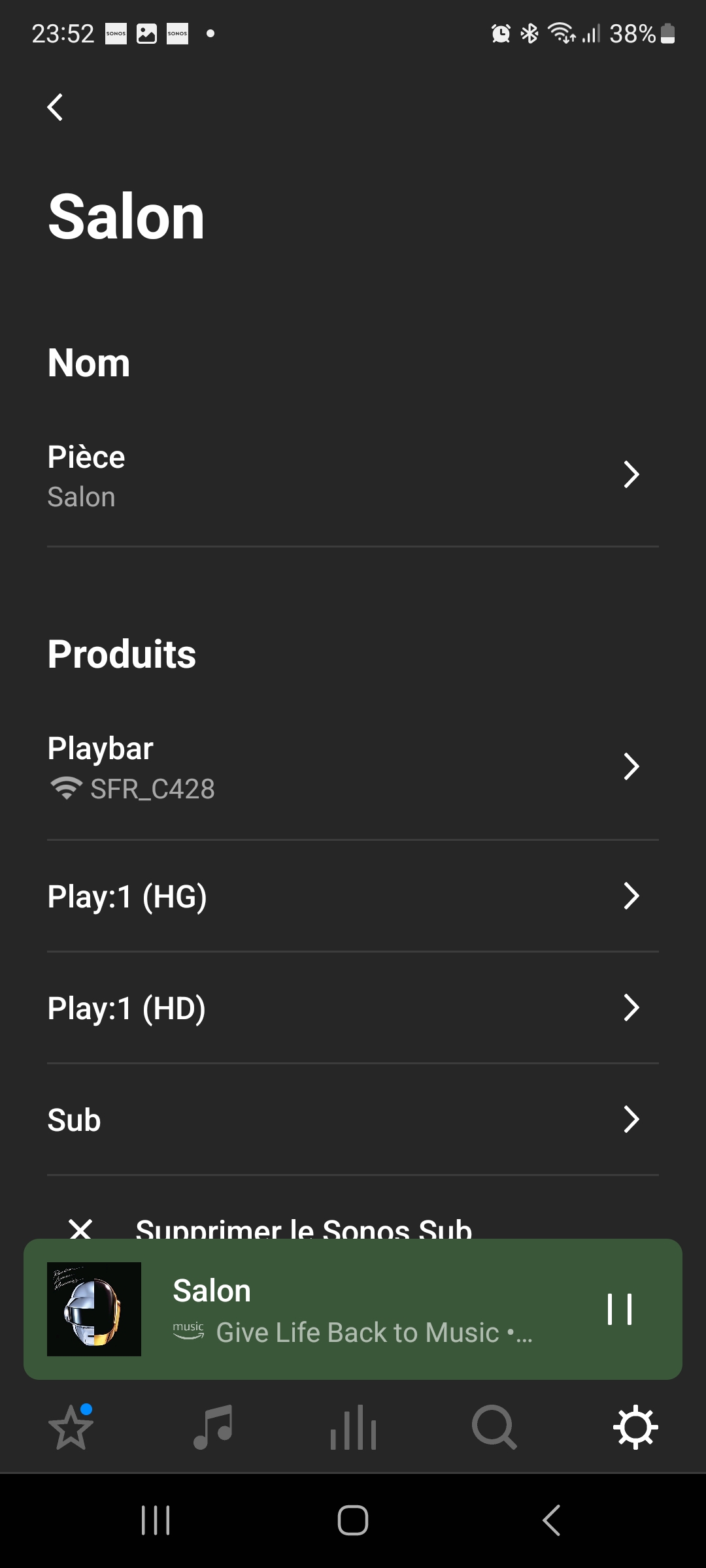
I’d also like to see just the title and the artist in the music widget.
Ok thanks for the feedback @Tlse-vins!
Indeed, it should be removed!
As seen in the live stream, I don’t think we have that information in the JSON unfortunately!
These states come from Sonos’s state feedback. Maybe this state feedback isn’t reliable, in which case I can force the state in Gladys when you control it which would avoid these bugs.
Excellent 
Maybe for a next release!
The idea of this POC was to get some people motivated around this integration, now I’d like to pass the torch of this integration to someone, because if I dedicate myself to the Sonos integration, who will take care of Gladys?!
I just built a Docker image with feedback from @Tlse-vins!
gladysassistant/gladys:sonos-integration
If I stop and restart the container, is that enough?
No! Follow this tutorial → Tutoriel: Lancer une image Docker de test
Le bouton play / pause fonctionne maintenant.
- Il y a un délai d’affichage du bouton pause après avoir cliqué sur play qui est assez long, j’ai eu jusqu’à 10 secondes.
- Dans l’onglet découverte il y a le sélecteur de pièce mais on ne peut rien sélectionner. Toujours en place.
Je peux commencer la documentation pour l’intégration, je peux utiliser https://www.notion.so/ aussi ?
So you’re still running the old version then; these two issues are fixed in the new one! (they were actually the only two fixes)
Yes you can! Will you then be able to make a PR from Notion or will you need help?
Can you send me your Notion email in a DM?
I did:
docker stop gladys
docker pull gladysassistant/gladys:sonos-integration
docker start Gladys
Is that not good?
On the first version, the stop button didn’t show at all, now it’s fine, but I
find the responsiveness quite slow.
For the PR we’ll see.
docker stop gladys
docker rm gladys
docker pull gladysassistant/gladys:sonos-integration
docker run -d --log-driver json-file --log-opt max-size=10m --cgroupns=host --restart=always --privileged --network=host --name gladys -e NODE_ENV=production -e SERVER_PORT=80 -e TZ=Europe/Paris -e SQLITE_FILE_PATH=/var/lib/gladysassistant/gladys-production.db -v /var/run/docker.sock:/var/run/docker.sock -v /var/lib/gladysassistant:/var/lib/gladysassistant -v /dev:/dev -v /run/udev:/run/udev:ro gladysassistant/gladys:sonos-integration
 Be careful to adapt the last command if you want a test database, a different port, or a different container name