I can confirm, I had the same issue initially, as it seemed logical to query Gladys on port 443. But when launching Gladys, I noticed the process was configured on 8080. And using 8080 in the app everything worked fine.
@LepetitGeek upon closer inspection you noted earlier that you only display devices that are assigned to a room I think you should handle the condition with an OR to display the device when it is associated with a user.
Because for example, Nuts key fobs do not have a specific room assignment.
I still had fun assigning them rooms and surprise!! They have a configuration slider ^^’
Which is not at all relevant for a Bluetooth key fob 
So then you will certainly say « what’s the point of seeing your Nuts in the devices?! »
Euh… For the moment none I admit ^^’ but well you never know 
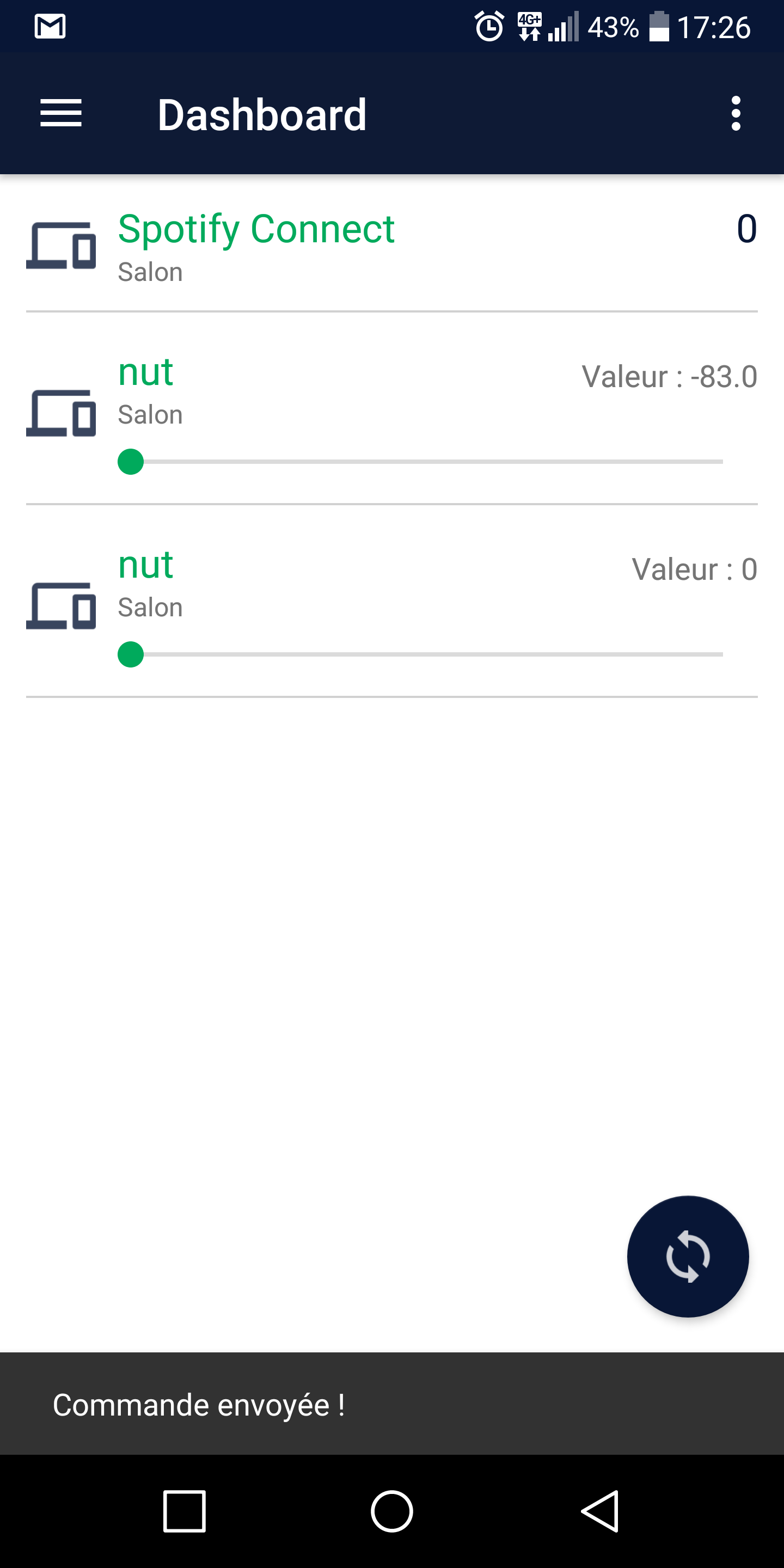
Oh yes indeed… the app should handle this kind of case 
But normally if you hadn’t assigned it a room it shouldn’t appear in the app… 
And the problem doesn’t necessarily come from the app but rather from the request used. This request only returns devices assigned to a room, so either you would need to check with @pierre-gilles to add this condition to the request or you would need to make two different requests in the app but I would avoid doing that anyway as performance will suffer…
As for the fact that it ends up with a seekbar, it’s due to the type you assigned to it!
I would say two requests, that doesn’t shock me  the GET request for device that you use is not intended to return the parts exhaustively, it’s better that you go through a GET /room
I’m not sure, it seems like too many requests to handle
But I’ll note it down and I’ll try it out, you never know I might be wrong
For now, I’m in the brainstorming phase and I’ve made a lot of progress! I just have to implement the modification functions and I have a few things to fix here and there, so I’ll take advantage of that to test it ^^
Yes, exactly!
So it’s better to create a specific route 
Thanks!
I don’t understand what you mean by that?
The deviceType displayed on the app are those you display on Gladys.
Oh no! That’s coming from the app!
Actually, it categorizes the deviceType according to their type, the problem is that I can’t predict what type the modules (or even users) will put, so basically the app categorizes your deviceType as a sensor because it doesn’t know the type « saturation » so it deduces that it’s a sensor and displays it that way
I’ll fix that in the next update! Which, by the way, will probably arrive next week ^^
Awesome! I’m glad you like it so much! 
@aiaalm… You have already posted the same message and I have already answered you about that… 
https://community.gladysassistant.com/t/beta-app-android/1791/85?u=lepetitgeek
However, I have no idea about the « null »
Can you post your JSON so I can take a look?
For the sync button, if you swipe down it is supposed to disappear!
I had the same problem, it comes from the miflora module.
I just fixed it
The button indeed does not disappear if the view does not go down, which is strange because the function is supposed to be called with every swipe
I’ll check that out!
@Pti_Nico that’s what I was thinking too ^^
But then I was also wondering if it wasn’t the app that was mishandling the info ^^
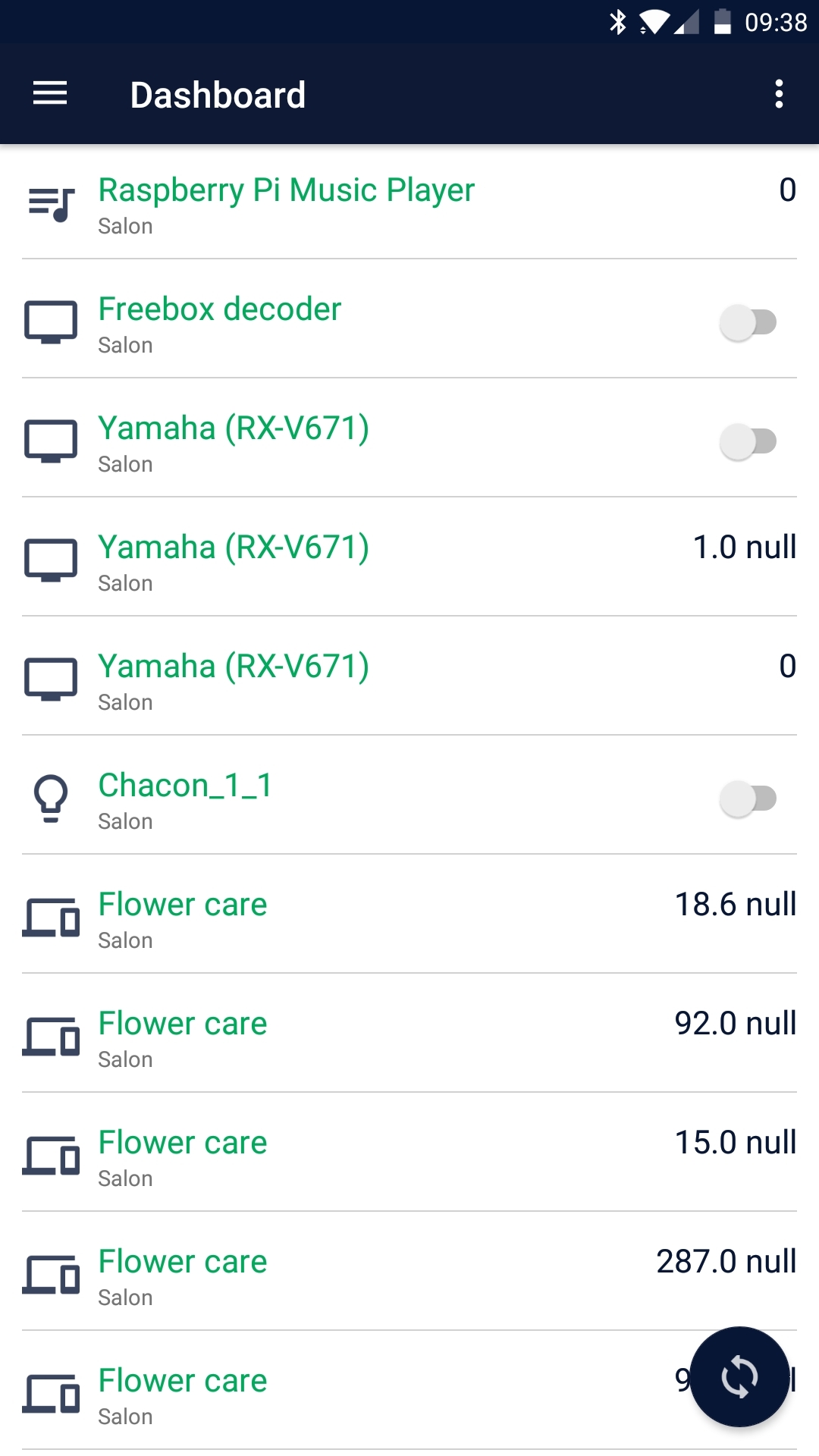
Yes, I just saw that too.
How come the values are not the same? Did you synchronize? Because the view only synchronizes at startup and then only if you ask it to!
For information, when I make a call with the miflora id on « /device/:id/devicetype », I get this:
[
	{
		"name": "rssi",
		"type": "multilevel",
		"category": null,
		"identifier": "rssi",
		"tag": null,
		"sensor": 1,
		"unit": null,
		"min": -9999,
		"max": 9999,
		"display": 0,
		"device": 11,
		"id": 44,
		"createdAt": "2017-09-26T18:02:57.000Z",
		"updatedAt": "2017-10-28T15:23:48.000Z",
		"lastChanged": "2017-10-28T15:23:48.000Z",
		"lastValue": -84,
		"lastValueId": 7617
	},
	{
		"name": "Temperature",
		"type": "temperature",
		"category": null,
		"identifier": "temperature",
		"tag": null,
		"sensor": 1,
		"unit": "°C",
		"min": -30,
		"max": 50,
		"display": 1,
		"device": 11,
		"id": 192,
		"createdAt": "2017-10-28T12:18:32.000Z",
		"updatedAt": "2017-11-02T08:54:33.000Z",
		"lastChanged": "2017-11-02T08:29:26.000Z",
		"lastValue": 18.6,
		"lastValueId": 8242
	},
	{
		"name": "Lux",
		"type": "lux",
		"category": null,
		"identifier": "lux",
		"tag": null,
		"sensor": 1,
		"unit": "lux",
		"min": 0,
		"max": 100000,
		"display": 1,
		"device": 11,
		"id": 193,
		"createdAt": "2017-10-28T12:18:32.000Z",
		"updatedAt": "2017-11-02T08:54:33.000Z",
		"lastChanged": "2017-11-02T08:29:26.000Z",
		"lastValue": 92,
		"lastValueId": 8240
	},
	{
		"name": "Moisture",
		"type": "moisture",
		"category": null,
		"identifier": "moisture",
		"tag": null,
		"sensor": 1,
		"unit": "%",
		"min": 0,
		"max": 100,
		"display": 1,
		"device": 11,
		"id": 194,
		"createdAt": "2017-10-28T12:18:32.000Z",
		"updatedAt": "2017-11-02T08:54:33.000Z",
		"lastChanged": "2017-11-02T08:29:26.000Z",
		"lastValue": 15,
		"lastValueId": 8241
	},
	{
		"name": "Fertility",
		"type": "fertility",
		"category": null,
		"identifier": "fertility",
		"tag": null,
		"sensor": 1,
		"unit": "µS/cm",
		"min": 0,
		"max": 1000,
		"display": 1,
		"device": 11,
		"id": 195,
		"createdAt": "2017-10-28T12:18:32.000Z",
		"updatedAt": "2017-11-02T08:54:33.000Z",
		"lastChanged": "2017-11-02T08:29:26.000Z",
		"lastValue": 287,
		"lastValueId": 8243
	},
	{
		"name": "Battery Level",
		"type": "batteryLevel",
		"category": null,
		"identifier": "batteryLevel",
		"tag": null,
		"sensor": 1,
		"unit": "%",
		"min": 0,
		"max": 100,
		"display": 1,
		"device": 11,
		"id": 197,
		"createdAt": "2017-10-28T18:17:21.000Z",
		"updatedAt": "2017-11-02T08:54:33.000Z",
		"lastChanged": "2017-11-01T22:10:02.000Z",
		"lastValue": 99,
		"lastValueId": 8231
	}
]
Yes, I restarted the app several times and even did refreshes, but there was a lag.
Now it’s fine…
@Pti_Nico the values displayed in the app are the same as those returned in your JSON!
How odd indeed
Hello Gladynautes!
The app has been updated to version 0.4.1 ^^
Update your app 
I updated the link to point to the correct folder ^^
@aiaalm I don’t have this problem on my end. Have you tried other views?
@scoob79 Have you tried uninstalling the app and reinstalling it with the latest version? Can you give me your configuration so I can try to reproduce it?