[BETA] App Android

Hello Gladynauts!

I teased it and here it is!
The first Beta of the Gladys app is finally available!

On the menu

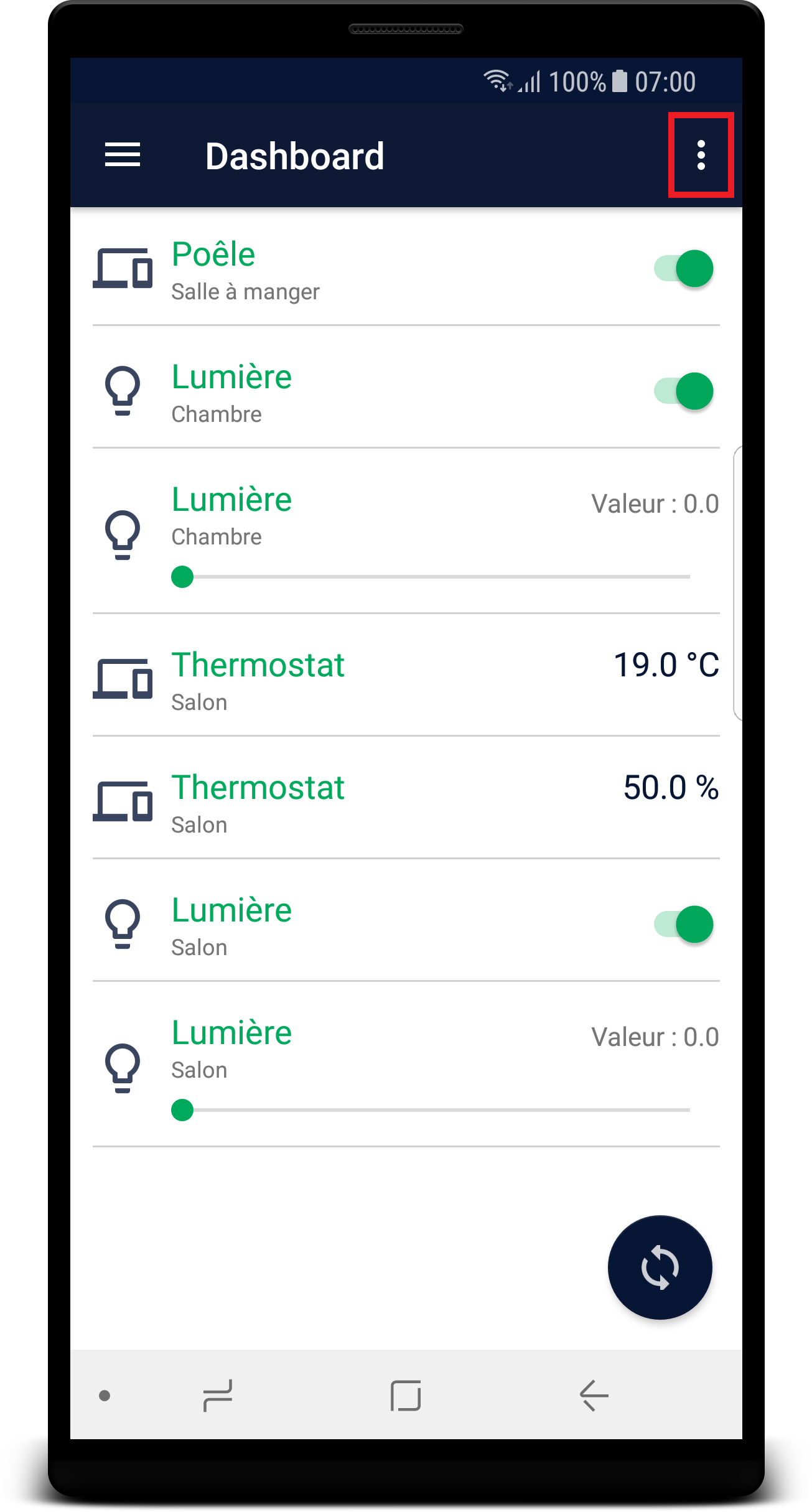
  • A Dashboard where you can control your devicetype.
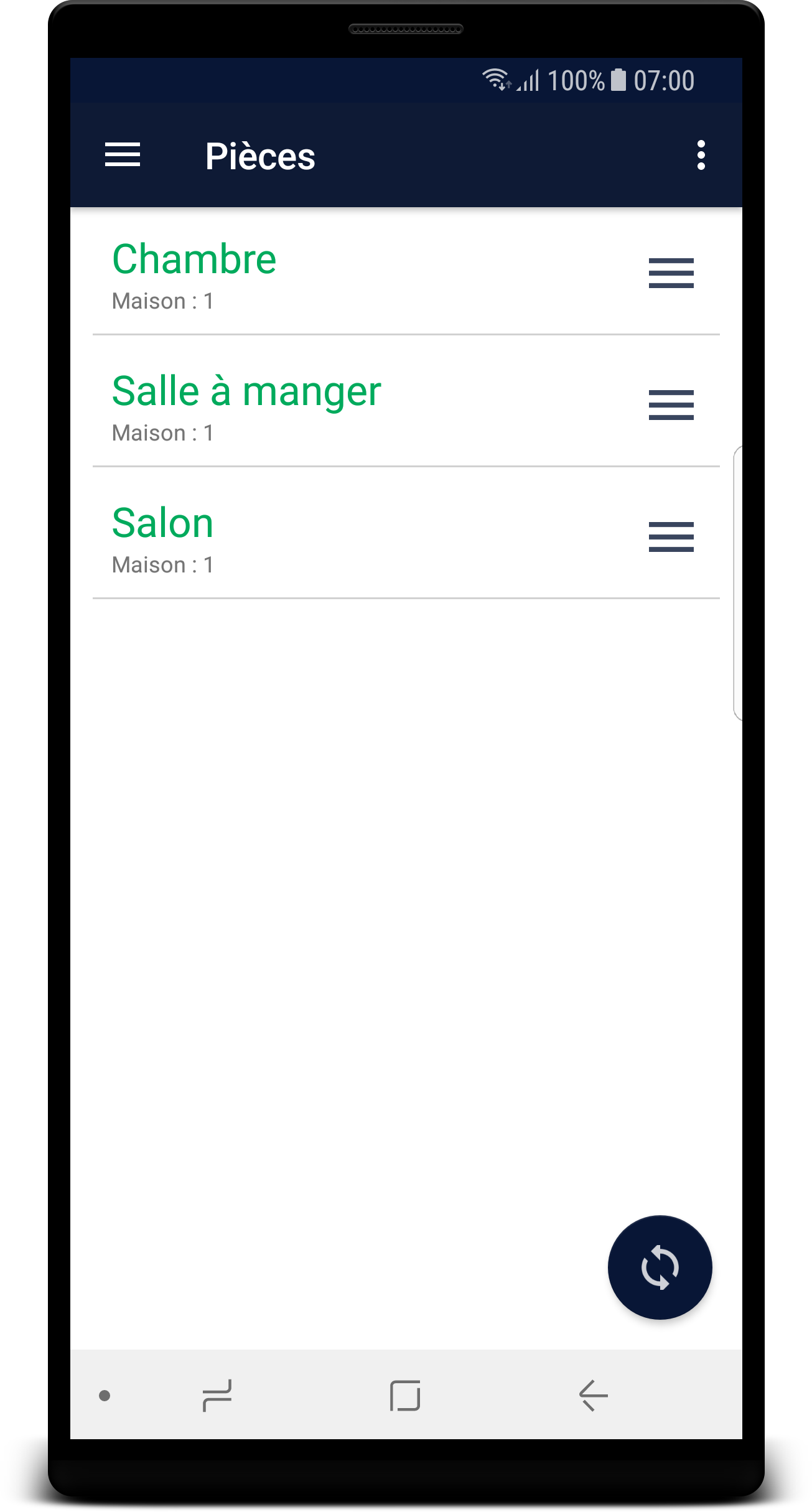
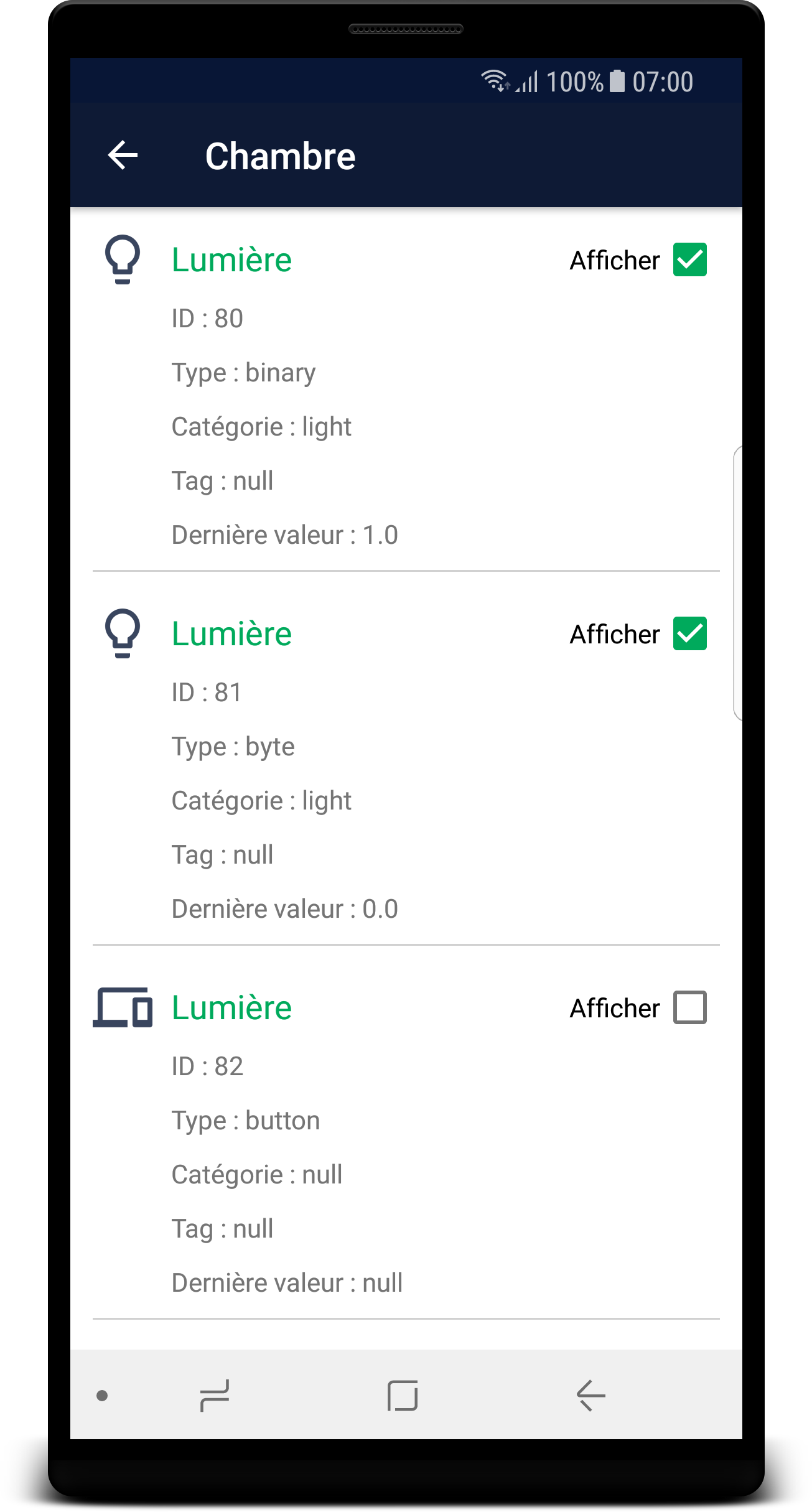
  • A view that allows you to see the devicetype classified by rooms with all their details and choose whether or not you want one of them to be visible on the dashboard.
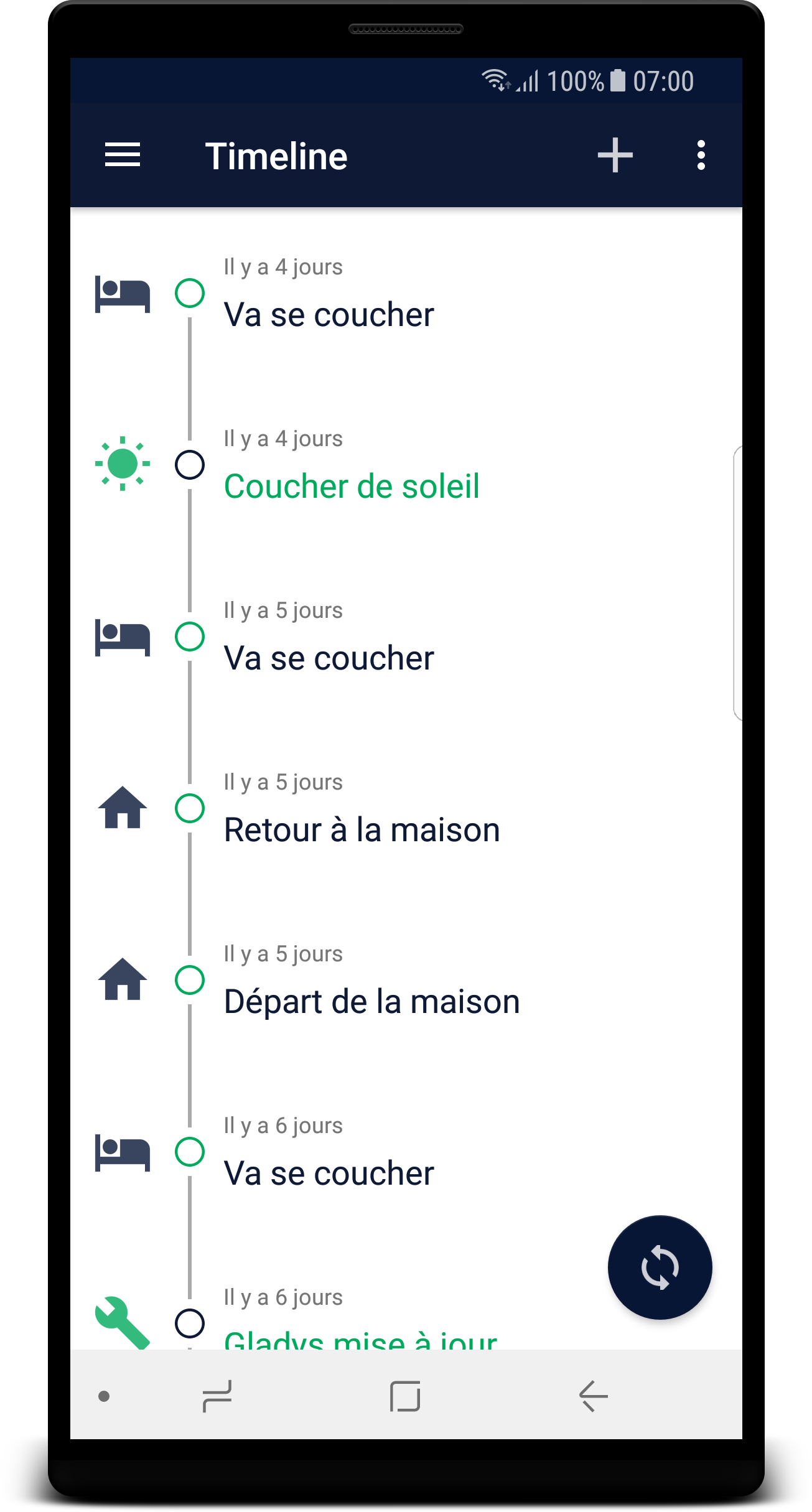
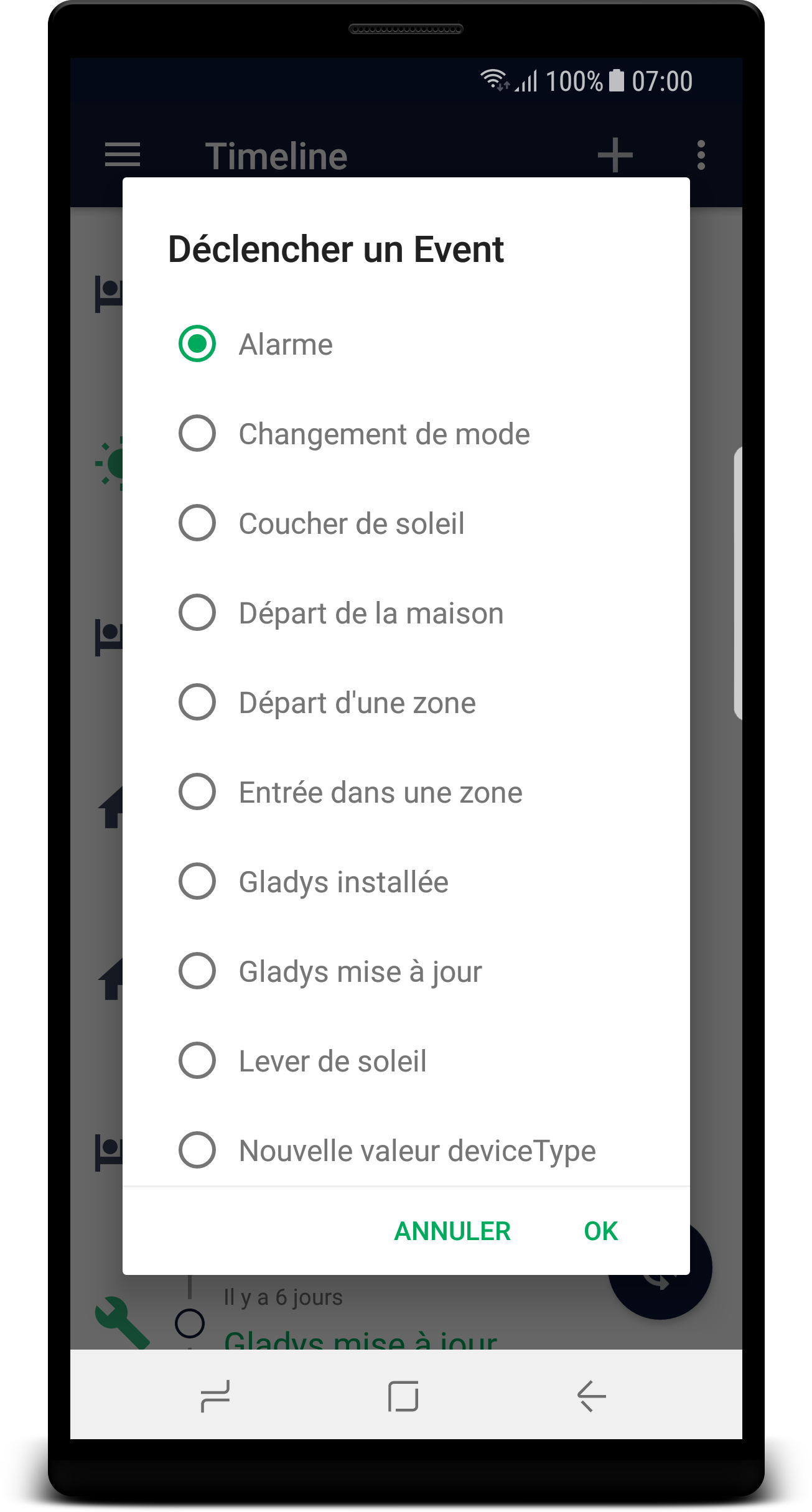
  • A Timeline where you can create events.
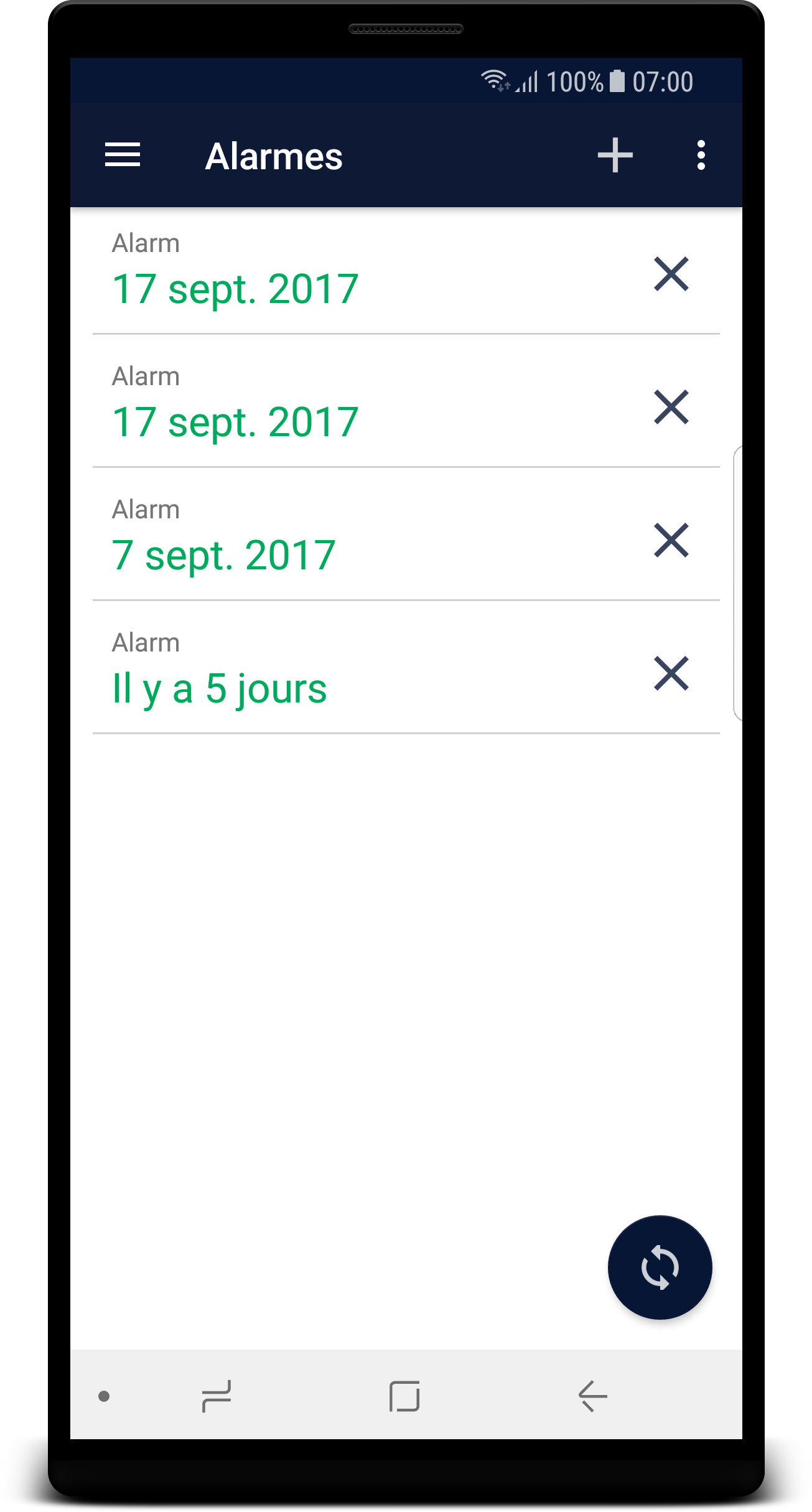
  • An Alarm view that allows you to see all the alarms as well as create one or even delete one.
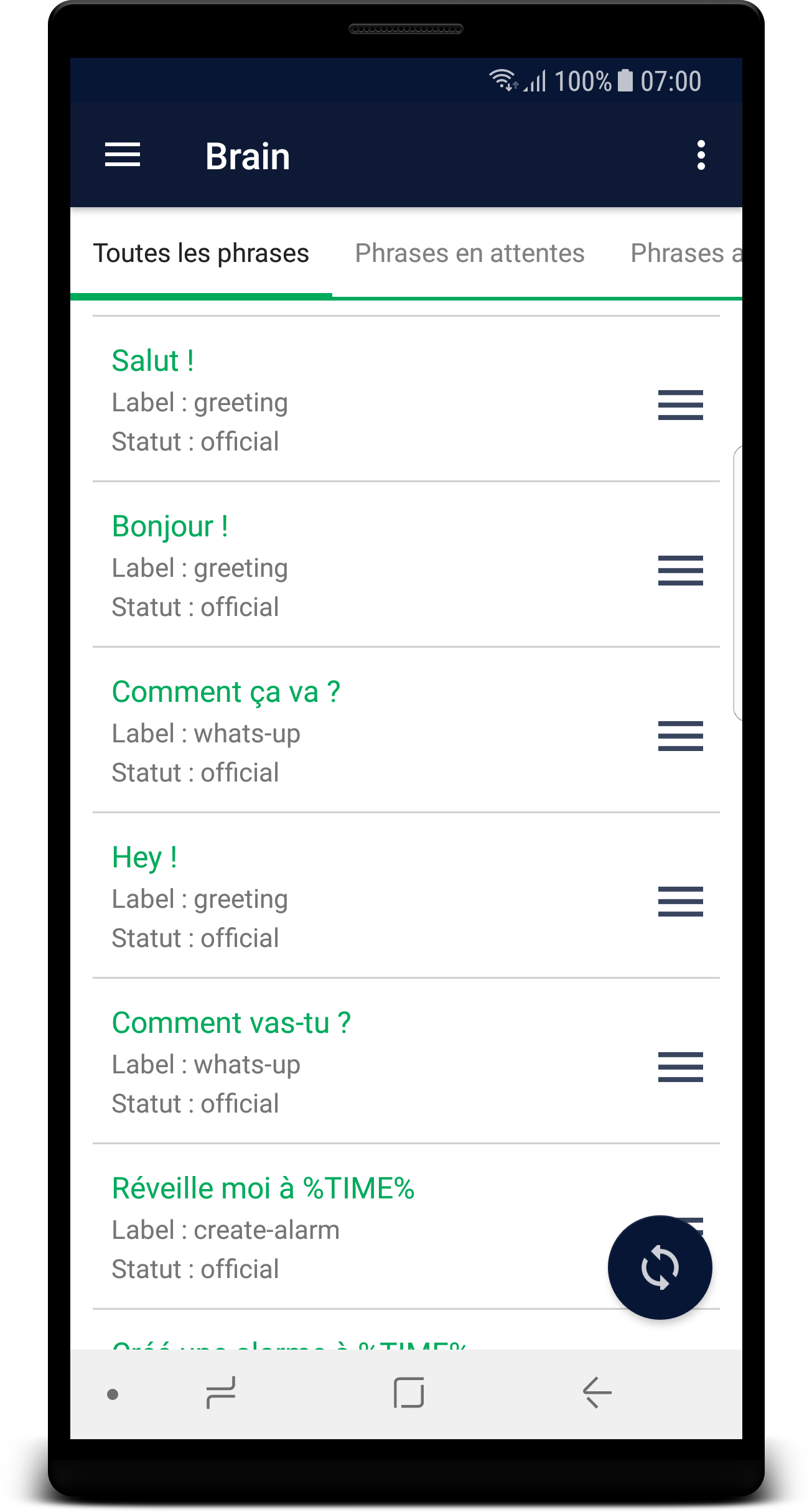
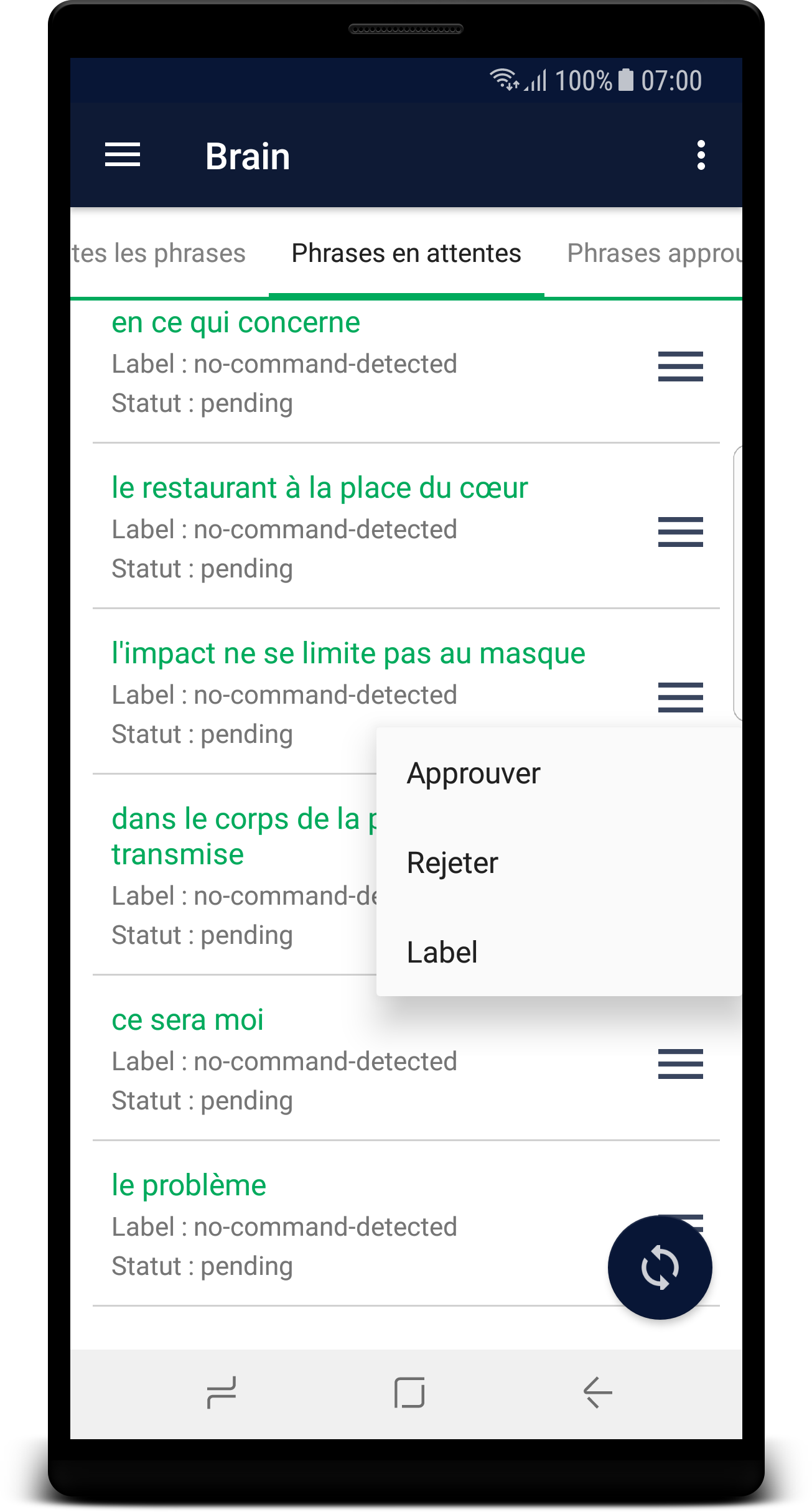
  • Update 0.4.1: A view to manage the phrases of Gladys’ Brain

Application Installation

First of all, you must enable the installation of applications from unknown sources!
Since the app does not come from the Play Store, your phone will be suspicious and may not let you install it. So to enable unknown sources, go to your phone settings then security and check the « Unknown sources » box.

Then download the APK file at the following address Gladys.apk and install it.
For more security, I invite you to disable unknown sources after that!

To use it, nothing could be simpler

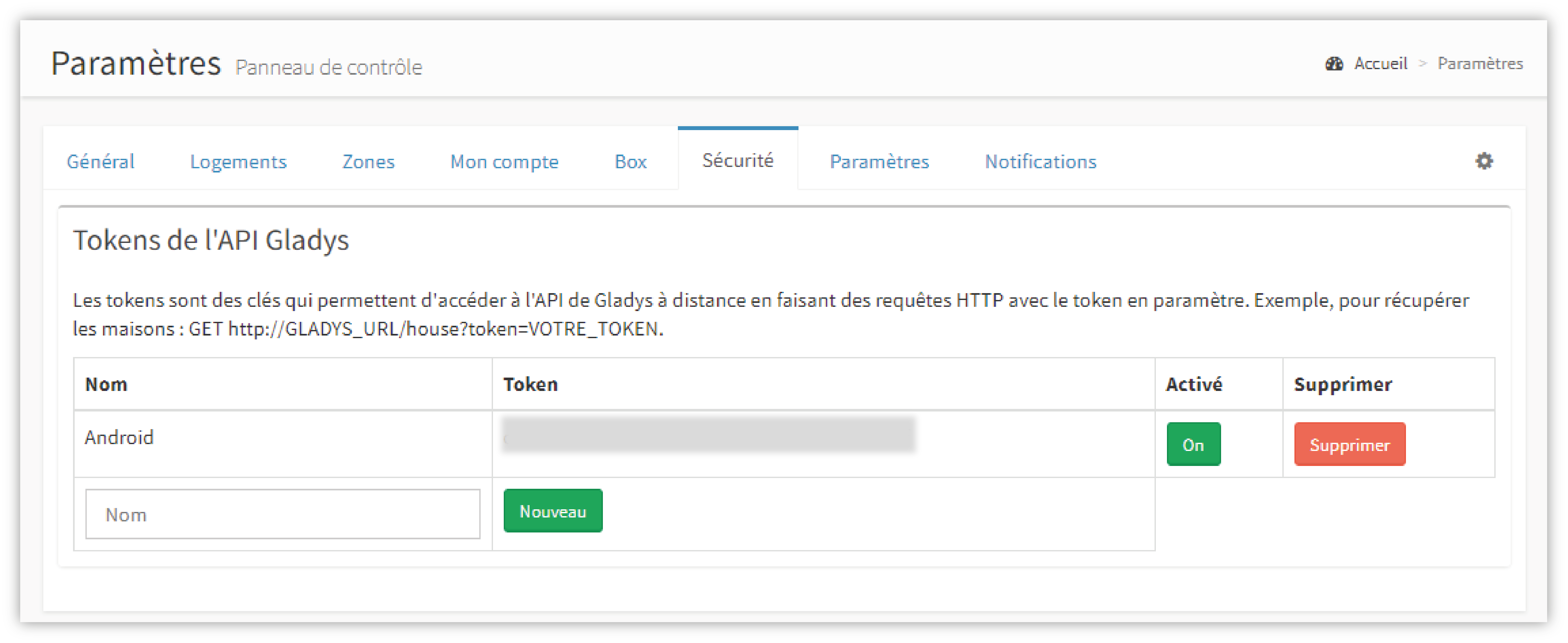
Go to the Gladys web interface, go to the settings view then security and create a token (give it the name you like)
Then go back to your mobile and go to « settings » (the three little dots at the top right of the screen)
Fill in the « IP Address », « Port » and « Token » fields with your information!
Note that « User ID » and « Home ID » are by default set to 1. (the first and last name are optional)

Once all the fields are filled in, go back and click on the synchronization button at the bottom right of the screen, you will then see the synchronization start.
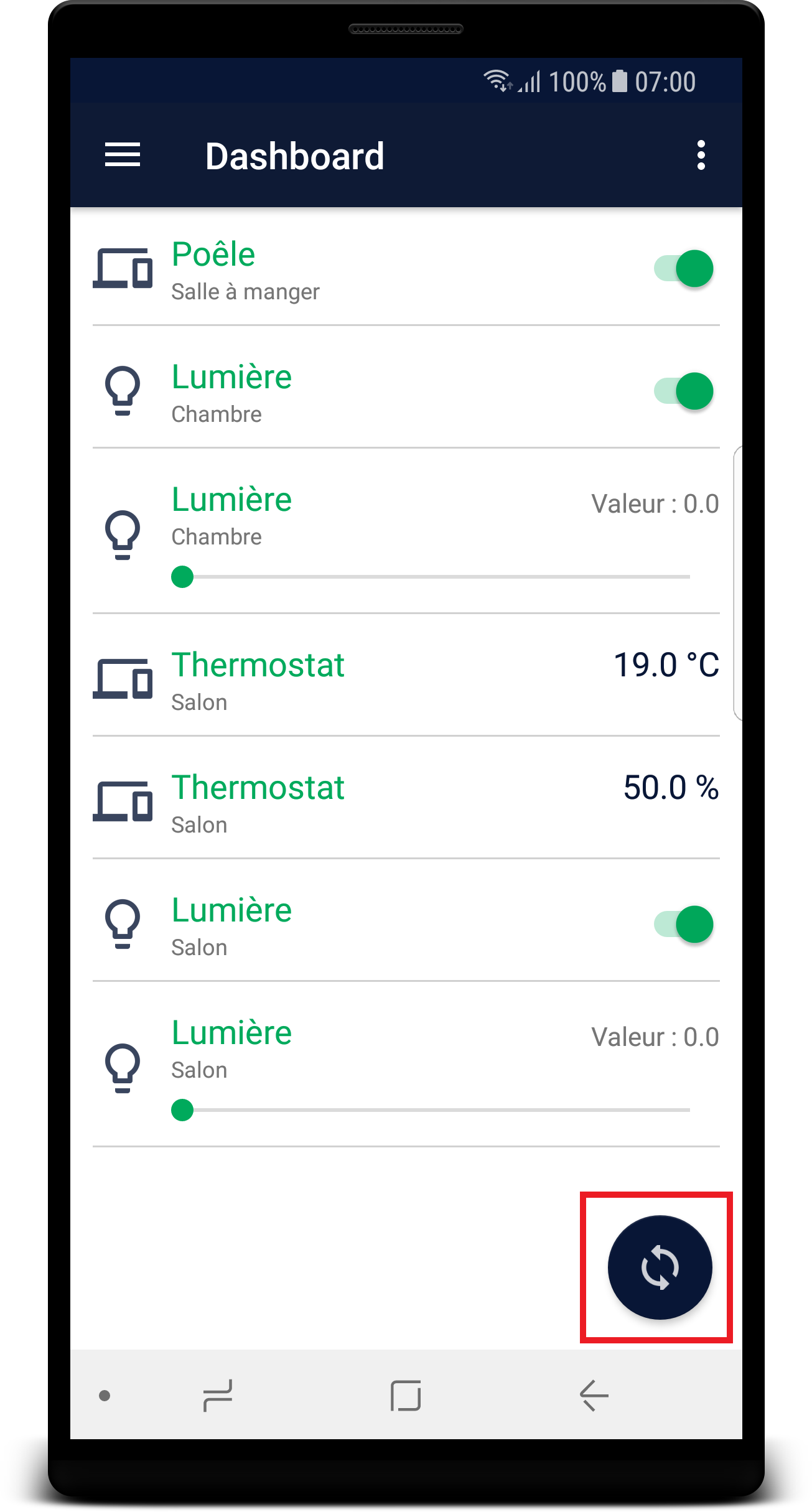
Warning on the « Dashboard » and « Rooms » view, the synchronization is relatively long (between 10 and 20 seconds) due to the amount of data that Gladys must transmit so do not worry.

I leave you to explore all this right now ^^
And keep in mind that it’s a Beta version so it can crash at any time!

Note: Error codes are available in the « Info » view.

Here are some screenshots to give you a taste :wink:


Changelog V0.2.1

Bug Fix: Pickers that did not work below API 21
Bug Fix: LastValue null

Changelog V0.3

Bug Fix: Scroll that superimposed items
Added a confirmation box to delete an alarm
Optimization of the dashboard when changing the value of a deviceType
Blocking the « Time » and « Date » fields when creating alarms to avoid errors
Correction of spelling mistakes
Modification of the names of the fields in the settings
Added examples in the settings fields to guide the user
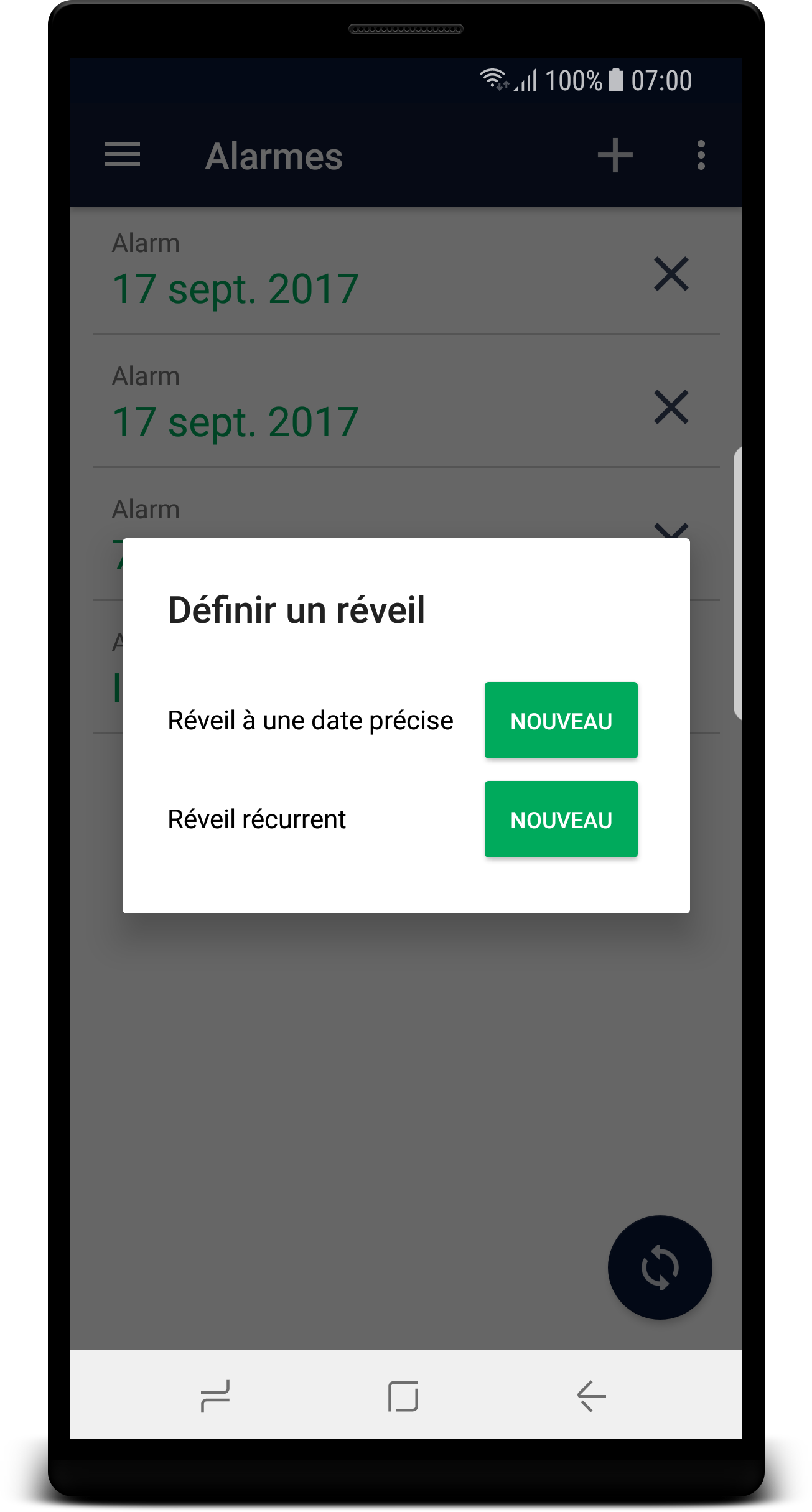
Added a view to create a Cron type alarm
Changelog V0.4.1

Library update
Multiple bug fixes
Added a view to manage the Brain’s phrases

Changelog V1.4.5

Multiple bug fixes

Changelog V1.5.2

Bug fix
UI improvements

Wow! That’s a great job! :slight_smile:

I’ll try to find such an Android to test, because it clearly looks awesome!

Shared on Twitter →

https://twitter.com/gladysproject/status/921724725352718336

Yes I saw that, you didn’t waste any time :sunglasses:

What excellent news!

Well, as soon as I read it, I installed it to test it out!

Cool!
Looking forward to your feedback :slight_smile:

Hi,
First Feedback!
I installed the app, configured it, and I have a sync error… I double-checked the address, port, and token, but they are correct…
Any idea where this could be coming from?

Hum :thinking:
Do you have something in your Gladys logs?
Can you share your configuration with me?

I’m on a Oneplus X running LineageOS (the latest build)
The logs from Gladys only show one error:

0|gladys | (node:1587) Warning: Possible EventEmitter memory leak detected. 11 finish listeners added. Use emitter.setMaxListeners() to increase limit

EDIT

More logs:

0|gladys | (node:1587) Warning: Possible EventEmitter memory leak detected. 11 finish listeners added. Use emitter.setMaxListeners() to increase limit
0|gladys | Access with token to user Victor
0|gladys | (node:1587) Warning: Possible EventEmitter memory leak detected. 11 finish listeners added. Use emitter.setMaxListeners() to increase limit
0|gladys | Access with token to user Victor
0|gladys | Event : create : new Event with code : devicetype-new-value
0|gladys | Scenario : Trigger : New event : devicetype-new-value
0|gladys | Scenario : Trigger : Found 2 launchers with code devicetype-new-value.
0|gladys | Scenario : Trigger : Condition not verified.
0|gladys | (node:1587) Warning: Possible EventEmitter memory leak detected. 11 finish listeners added. Use emitter.setMaxListeners() to increase limit
0|gladys | Access with token to user Victor
0|gladys | (node:1587) Warning: Possible EventEmitter memory leak detected. 11 finish listeners added. Use emitter.setMaxListeners() to increase limit
0|gladys | Access with token to user Victor
0|gladys | Event : create : new Event with code : devicetype-new-value
0|gladys | Scenario : Trigger : New event : devicetype-new-value
0|gladys | Scenario : Trigger : Found 2 launchers with code devicetype-new-value.
0|gladys | Scenario : Trigger : Condition not verified.
0|gladys | (node:1587) Warning: Possible EventEmitter memory leak detected. 11 finish listeners added. Use emitter.setMaxListeners() to increase limit
0|gladys | Access with token to user Victor

Weird this error, I wonder if it’s due to the app’s request…

Can you test the request with Postman to see what it returns? (in GET)

IPGladys:8080/devicetype/room?token=yourToken

Do you get this error on a specific view or on all views?

@Retlaw do you have the issue too?

@LepetitGeek top top top that, Kom’rade!! Da Voï!

It’s installed, but I can’t test it right now :sob:

Why is that @C4rlit0? :joy:

No issues on my end during installation.

Whether it’s over Wi-Fi or mobile data via my DNS address, I can interact with Gladys!

Edit: I have a OnePlus 3T running LineageOS :wink:

Super :+1:
Glad to hear it!

The request works with Postman, it returns a JSON array with my devices

I think it’s in all the views…

Because my install is messed up :sob:
So I can’t even test remotely ^^

But I installed the app and hats off, my guy! Great job!

I just noticed something.

If I create alarms, either in the app or on my PC, everything is immediately synchronized without any issues.

On the other hand, I had never done this before, but for testing, I just created rooms in my house in Gladys on my PC (settings/housing/rooms/add), but they don’t appear in the app… Is this normal?

@WolfVic
Can you post your JSON table for me? And the time Gladys took to respond to you?
By the way, when you open a view, does the sync start properly? And do you stay on it long enough for the data to display?

Haha hence the usefulness of having two installations like me :joy:

Yes, that’s normal!
Actually, the JSON returned by the request only returns the rooms in which there is a device. So if you don’t put a device, the room is not present in the JSON and therefore not in the app either :wink:

Here is my table:

[
{
« name »: « Dining Room »,
« house »: 1,
« permission »: null,
« id »: 1,
« createdAt »: « 2017-08-14T16:58:20.000Z »,
« updatedAt »: « 2017-08-14T16:58:20.000Z »,
« deviceTypes »: [
{
« name »: « Outdoor Temperature »,
« id »: 2,
« type »: « multilevel »,
« category »: null,
« tag »: null,
« unit »: « °C »,
« min »: -20,
« max »: 50,
« display »: 0,
« sensor »: 1,
« identifier »: null,
« device »: 16,
« service »: « temperature »,
« lastChanged »: « 2017-10-21T14:00:01.000Z »,
« lastValue »: 16.32,
« lastValueId »: 40532
}
]
},
{
« name »: « Victor’s Room »,
« house »: 1,
« permission »: null,
« id »: 13,
« createdAt »: « 2017-08-14T17:00:13.000Z »,
« updatedAt »: « 2017-08-14T17:00:13.000Z »,
« deviceTypes »: [
{
« name »: « WebCam »,
« id »: 3,
« type »: « binary »,
« category »: null,
« tag »: null,
« unit »: null,
« min »: 0,
« max »: 1,
« display »: 1,
« sensor »: 1,
« identifier »: null,
« device »: 22,
« service »: « motion »,
« lastChanged »: « 2017-10-19T18:03:34.000Z »,
« lastValue »: 1,
« lastValueId »: 38428
}
]
}
]

(I don’t know how to make the indentation visible)
It took 4 seconds to complete the query.
I stay until the error message appears or until the green loading circle disappears (I don’t necessarily look at my screen at the time of the error)

OK!

Since everything else was working, I preferred to be sure! :wink: