mikael
9. September 2021 um 18:36
1
Hallo,
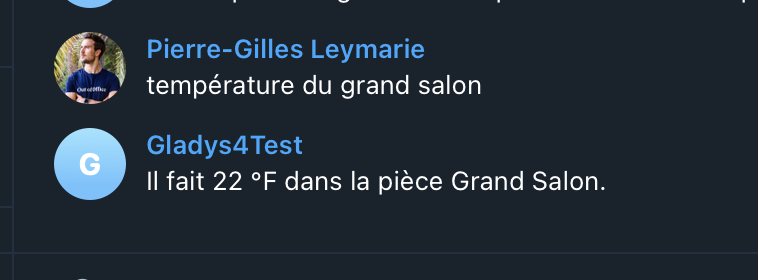
wie kann man die °F in °C umrechnen, wenn Gladys auf Telegram antwortet?
Vielen Dank im Voraus,
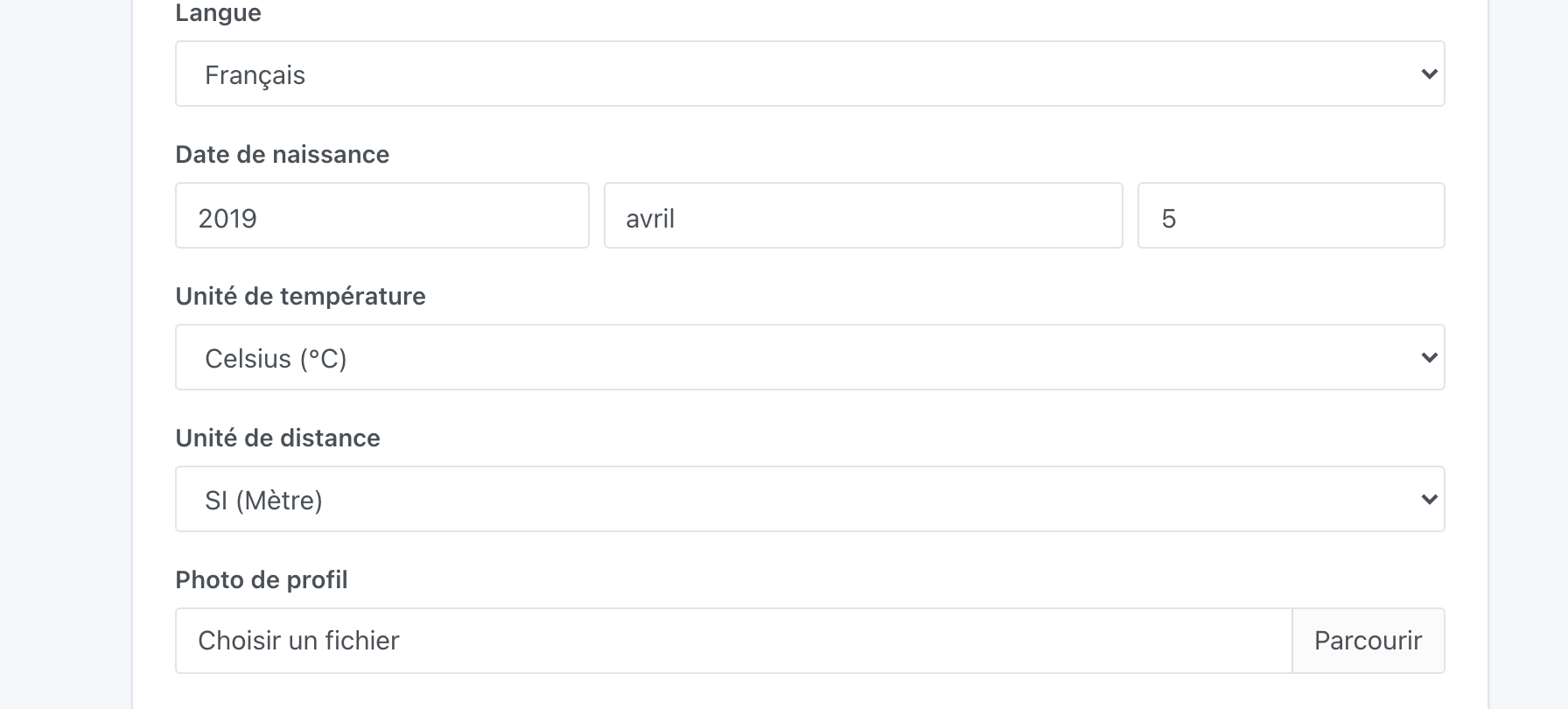
Du gehst zu « Einstellungen » => « Benutzer » und kannst dann deinen Benutzer bearbeiten und die gewünschte Temperatureinheit festlegen
Hinweis: Ich weiß, dass wir in einigen Gladys-Versionen einen Fehler hatten (Fahrenheit wurde statt Celsius verwendet), überprüfe, ob du die neueste Version von Gladys (v4.5.1) verwendest, du kannst das in « Einstellungen » => « System » überprüfen.
mikael
10. September 2021 um 11:40
3
Der Benutzer ist tatsächlich in Celsius und ich bin tatsächlich in 4.5.1.
Welche Sätze funktionieren und welche geben dir °F zurück?
Ich möchte den genauen Satz, das muss ein Bug sein
mikael
10. September 2021 um 12:11
5
wie ist die temperatur im wohnzimmer?
welche temperatur herrscht im ?
das stimmt, und wenn ich "la? " schreibe, bekomme ich die aussentemperatur angezeigt
Alles klar, verstanden!
Ich habe einen Bug-Report auf GitHub erstellt, ich schaue mir das an und melde mich wieder bei dir
ouvert 07:15AM - 11 Sep 21 UTC
fermé 10:53AM - 12 Nov 21 UTC
https://community.gladysassistant.com/t/configuration-unite-de-temperature-via-t… elegram/6512/5
@mikael Nur zur Info, ich habe versucht, an diesem Bug zu arbeiten, aber ich kann ihn nicht reproduzieren, bei mir funktioniert alles:
Bestätigst du, dass du in deinem Profil dein Konto auf „Celsius“ eingestellt hast?
Zögere nicht, es zu ändern und wieder auf Celsius zu stellen, um sicherzugehen.
mikael
12. November 2021 um 08:26
8
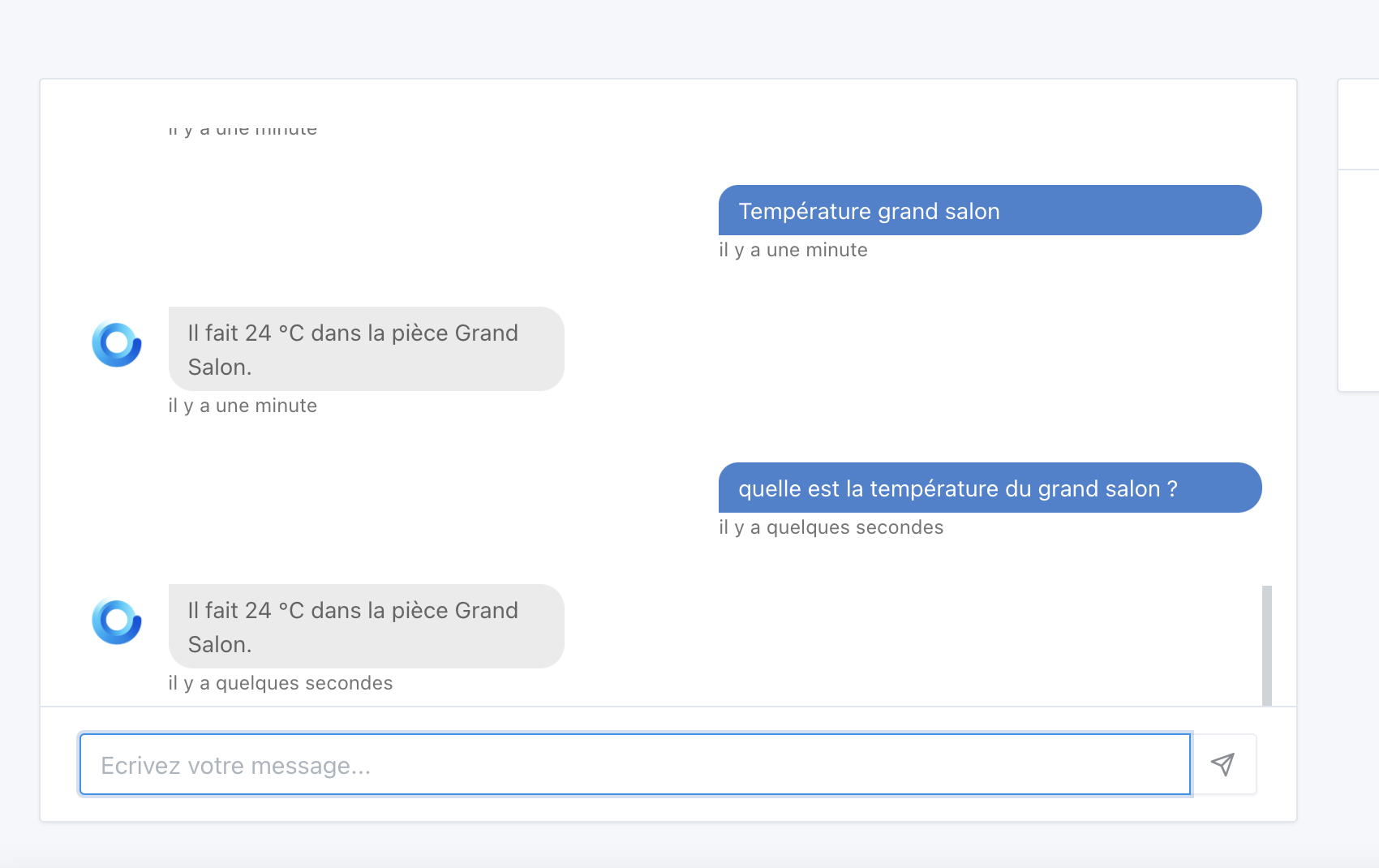
Im Chatfenster zeigt es die Temperatur in Celsius an, wenn ich nach der Raumtemperatur frage, aber wenn ich über Telegram frage, zeigt es Fahrenheit an.
Ich hatte die Änderung bereits im Profil vorgenommen.
Ich habe gerade den Bug hier behoben:
master ← fix-telegram-temperature-unit-bug
ouvert 08:51AM - 12 Nov 21 UTC
### Pull Request check-list
To ensure your Pull Request can be accepted as fa… st as possible, make sure to review and check all of these items:
- [ ] If your changes affects code, did your write the tests?
- [ ] Are tests passing? (`npm test` on both front/server)
- [ ] Is the linter passing? (`npm run eslint` on both front/server)
- [ ] Did you run prettier? (`npm run prettier` on both front/server)
- [ ] If you are adding a new features/services, did you run integration comparator? (`npm run compare-translations` on front)
- [ ] Did you test this pull request in real life? With real devices? If this development is a big feature or a new service, we recommend that you provide a Docker image to [the community](https://community.gladysassistant.com/) for testing before merging.
- [ ] If your changes modify the API (REST or Node.js), did you modify the API documentation? (Documentation is based on comments in code)
- [ ] If you are adding a new features/services which needs explanation, did you modify the user documentation? See [the GitHub repo](https://github.com/GladysAssistant/v4-website) and the [website](https://gladysassistant.com).
- [ ] Did you add fake requests data for the demo mode (`front/src/config/demo.js`) so that the demo website is working without a backend? (if needed) See [https://demo.gladysassistant.com](https://demo.gladysassistant.com).
NOTE: these things are not required to open a PR and can be done afterwards / while the PR is open.
### Description of change
Please provide a description of the change here. It's always best with screenshots, so don't hesitate to add some!