Hello everyone,
I’m sharing my setup to retrieve the TEMPO color (EDF option) in Node-RED.

- The « Timestamp » node initiates a flow at 00:10
- The function « generateDate » node generates today’s date in the correct format (this will be the parameter of the http request:
const date = new Date();

let day = date.getDate();
let month = date.getMonth() + 1;
let year = date.getFullYear();

let currentDate = `${year}-${month}-${day}`;

msg.query = currentDate;
return msg;
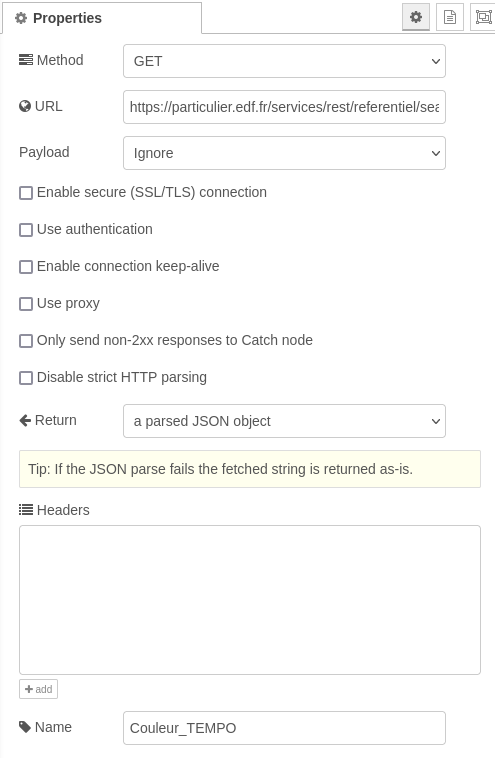
- The http request « Couleur_TEMPO » node performs the request with EDF’s REST API:
https://particulier.edf.fr/services/rest/referentiel/searchTempoStore?dateRelevant={{{query}}}
- The function « convert2msg » node extracts the useful info
var tempo=msg.payload.couleurJourJ;
msg.payload=tempo;
msg.topic="couleur_tempo";

if(tempo==="TEMPO_BLEU")
{
    node.status({ fill: "blue", shape: "ring", text: tempo });
}
if (tempo === "TEMPO_BLANC") {
    node.status({ fill: "white", shape: "ring", text: tempo });
}
if (tempo === "TEMPO_ROUGE") {
    node.status({ fill: "red", shape: "ring", text: tempo });
}

return msg;
At the output of the flow you get a result TEMPO_BLEU, TEMPO_BLANC or TEMPO_ROUGE to use as you wish.
