Day 1 Report
- The first plates:
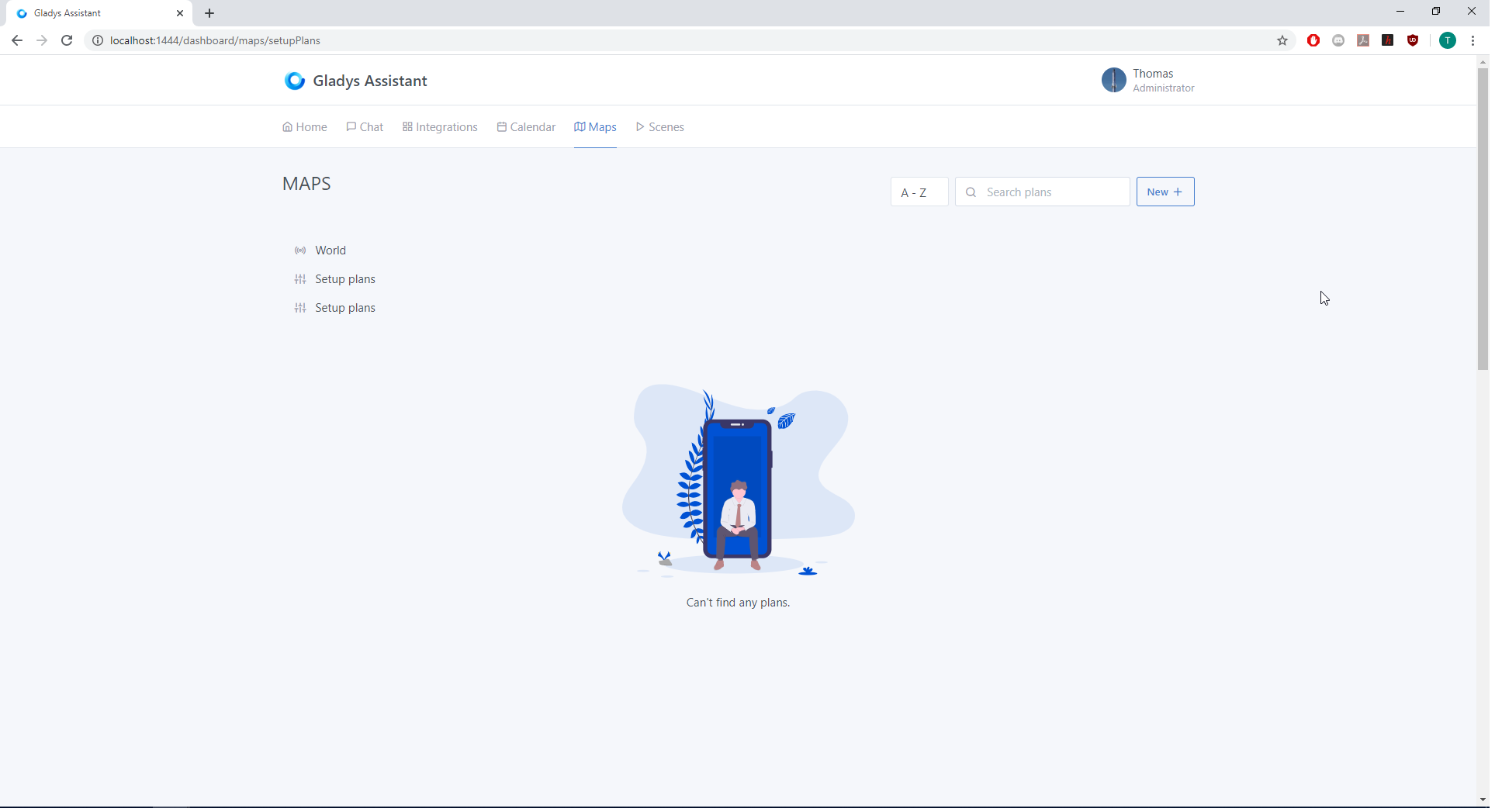
[details=« Main View: after clicking on the "Maps" tab of the Dashboard - you arrive at the "setup Plans" view: »]
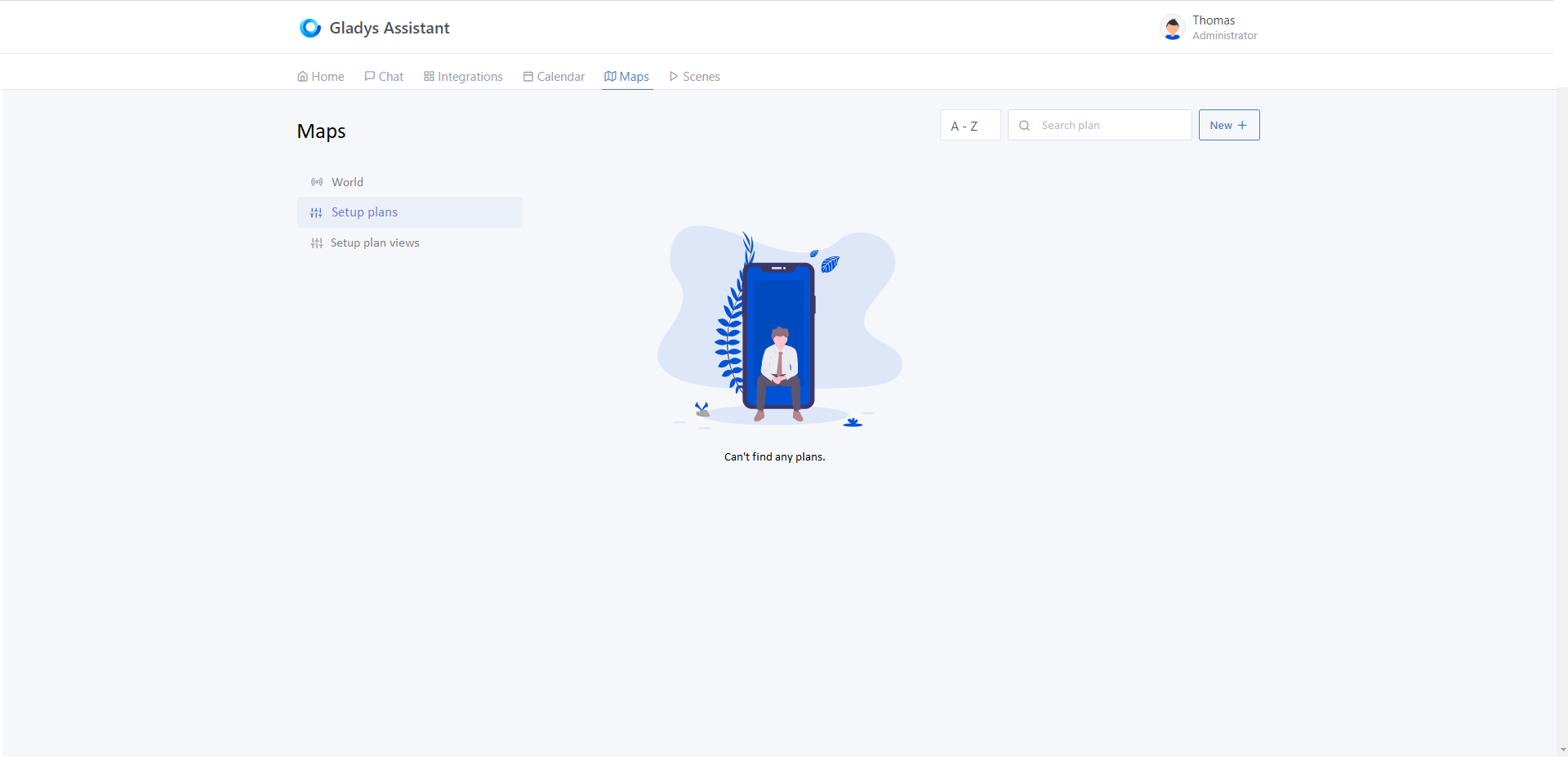
[/details]
[details=« After clicking on "World" - you arrive at the old "Map" view. To return to the previous menu, and as on all the views of the Services in "Integrations", you need to click again on the "Maps" tab of the Dashboard (You already know ^^) »]
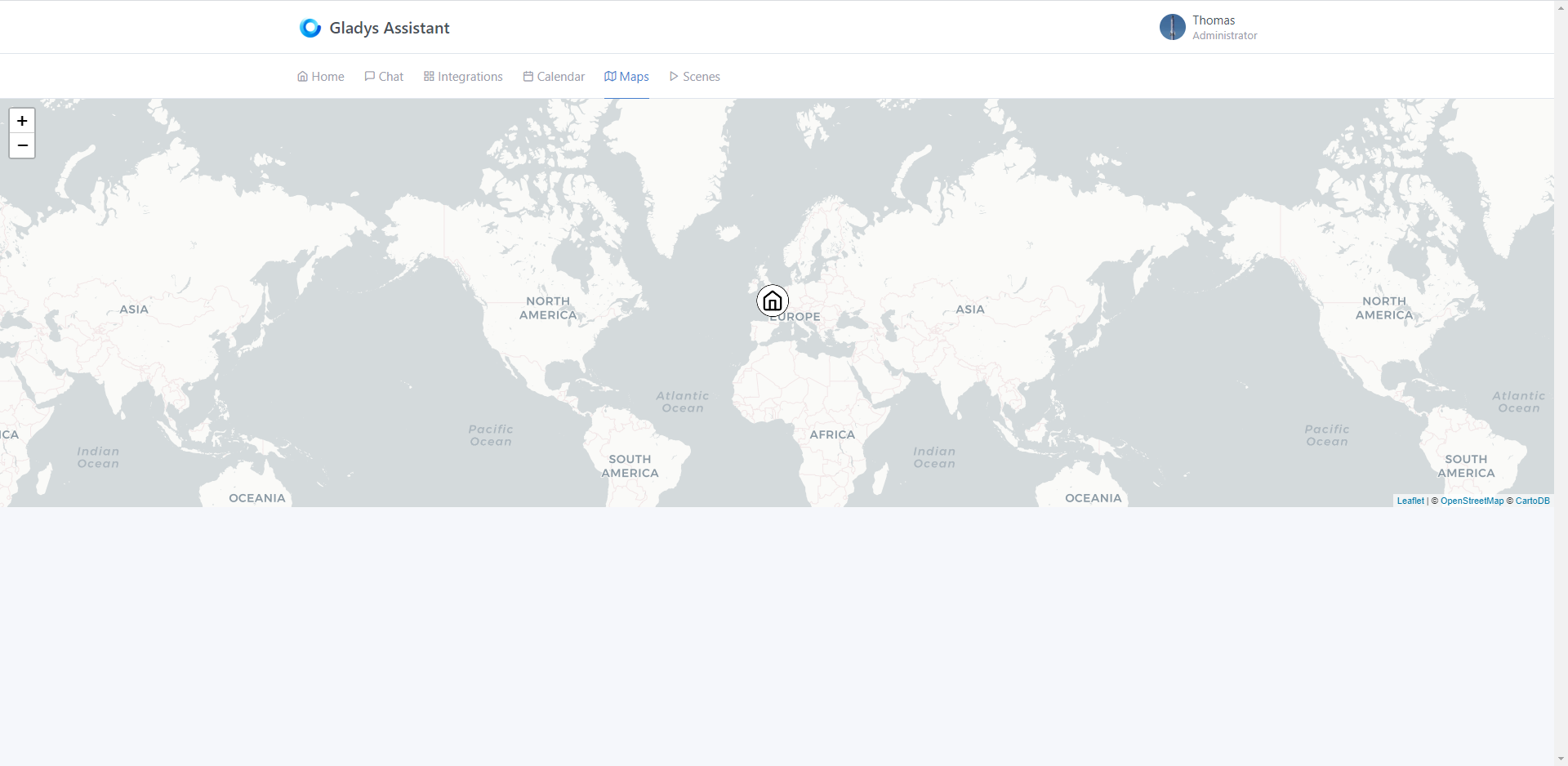
[/details]
[details=« After clicking on "New +" at the top right of the "Setup Plan" view - you arrive at the "new Plan" view allowing you to give a name and select the main image that will be displayed first on the Dashboard (Reprise on the new Scene view): »]
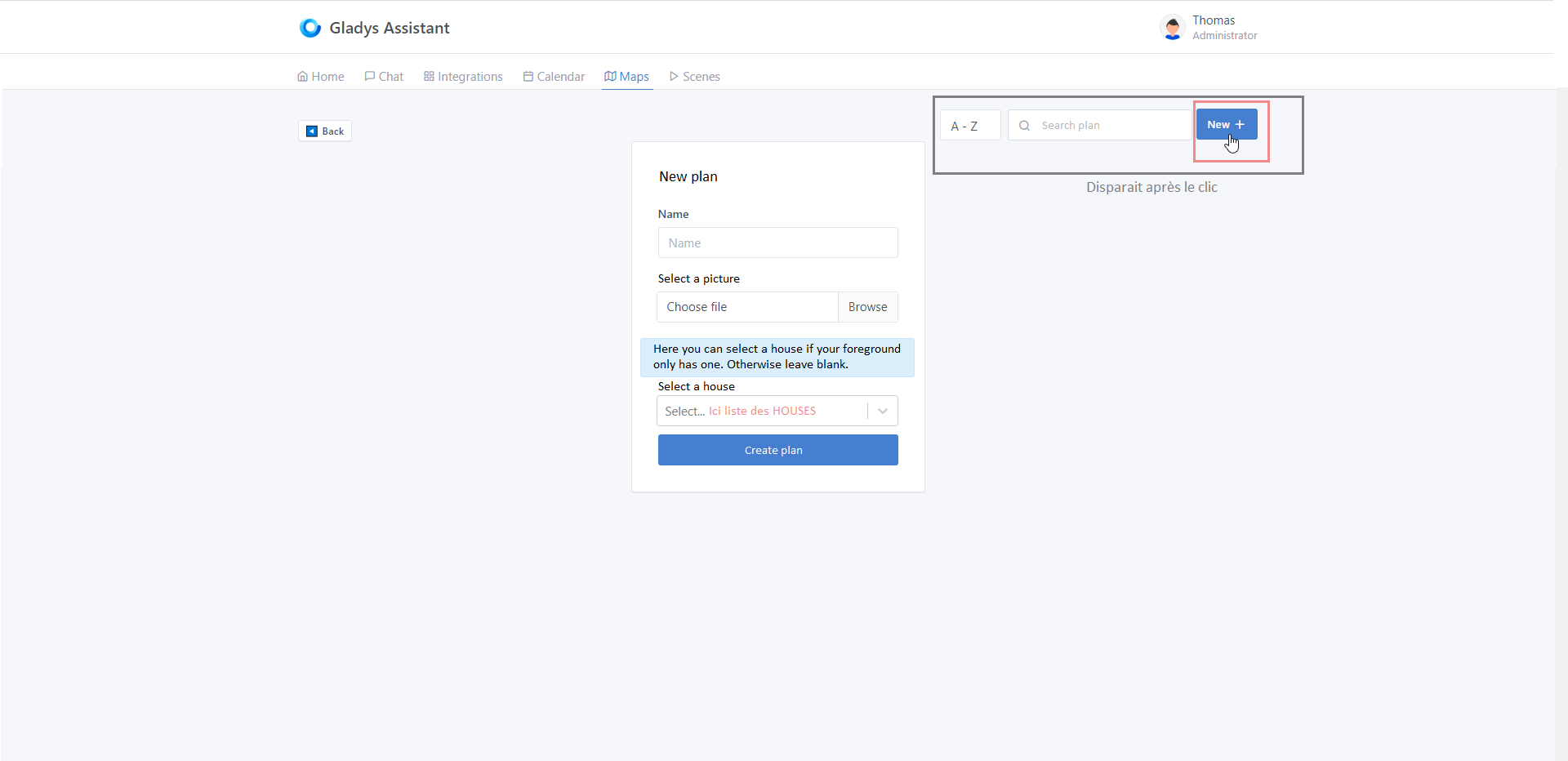
[/details]
[details=« After validating the plan name - you arrive at the "edit Plan" view - here a concrete example of my use if possible: »]
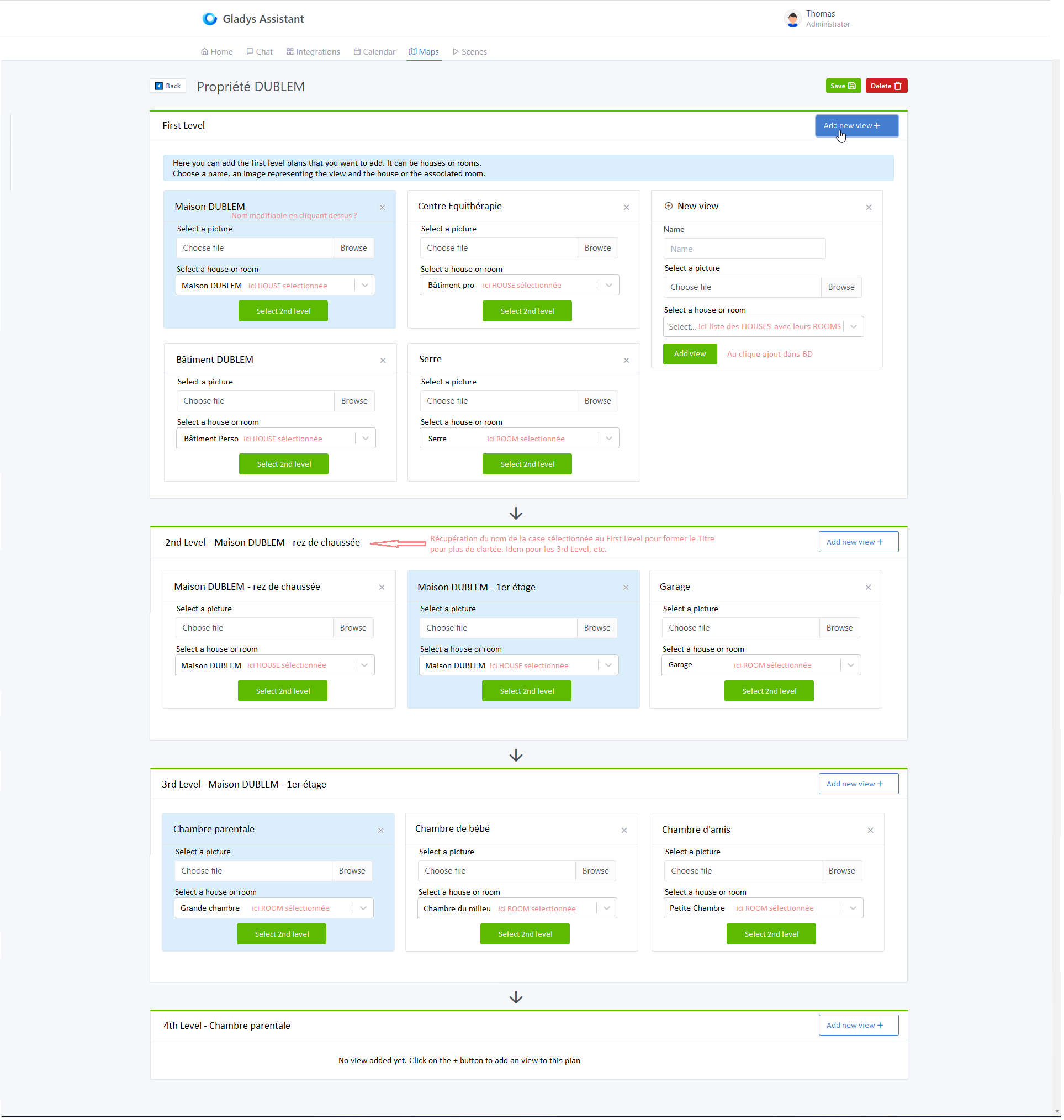
[/details]
That’s it for the boards at this hour. You will notice that it is almost entirely taken from the view of the Scenes of @pierre-gilles as well as the view Integrations for the left menus.
- The development:
-
Front-end - Starting from the « scene » view, we integrated it into the « Maps » view by shifting the Map view (representing the world map) when clicking on the « World » tab of the new view. Finally, we started structuring the folders/files of the map view as well as modifying the en.json file containing the text variables and the app.jsx file containing the routes.
[details=« Current "Maps" view: »]
[/details] -
Server-side - for the moment we have created 2 additional tables t_plan and t_view. We also retrieved the structure of the « Scenes » and modified accordingly to match the idea. We are far from testing at the moment.
Feel free to bounce back ^^