The idea has already been mentioned on the forum, but a dedicated topic seems more appropriate.
A quick recap: I haven’t even started with home automation in my current place, but I’m interested in it for my future home. I really like the Gladys project and its philosophy, so here I am trying to help / give ideas.
I think we can find a more intuitive way to manage the different modules of the house than in the current dashboard (as clear and sober as it may be!!!). And why not in the form of a floor plan. This already exists elsewhere: Home Assistant Demo … but let’s face it: it’s not very nice / not very design.
So I’m going to start thinking about ways to use a dashboard like this, knowing that I currently have no skills that would allow me to make a functional version… that’s where you come in ^^
I like it for my part It’s nice to have it divided into 3 parts to manage room by room or on an entire level.
However, the user experience on a tablet mounted on a wall, for example, is not optimal, I think? Maybe we should think about making something directly clickable on the rooms.
The idea is to also be able to click on the parts and a few other elements directly on the plan (but not too many, otherwise it becomes visually messy)
I did this in 30 minutes, I will try to do something more precise with a few ideas about the expected behavior coming soon
So if this works out, it would be great to have 2 views for Gladys.
Off-topic: What software do you use for this? I, who run projects « in my spare time, » more or less large in building and green spaces, do everything on paper to present to people, and what you just did is very clean.
what would be the interest of the magic mirror, apart from an aesthetic point of view?
Moreover, magic mirrors are often tinkered with from classic, non-tactile tiles, which would become a problem in this case, right?
The idea of having a plan view also appeals to me, of course, it must remain complementary to the more « admin » view.
To create beautiful 2D and even 3D plans, there is a great free software called Sweet Home 3D. http://www.sweethome3d.com/fr/
It is easy to get started with and you can add the decor of the different rooms for the 3D.
I had tried it several months ago to create a 3D plan in Domoticz and I was amazed.
I find the concept great, and perhaps easier to create, I don’t know.
The issue is more about the design, which is not very adaptable to different screen resolutions. And personally, I find Gladys very minimalist in terms of design, and this adds a bit to the overall look.
The version 4 will allow having multiple Dashboards, so we can display a different dashboard on a tablet, smartphone, or PC. (if I understood correctly)
For me, therefore, I do not see the point of making it mandatory to be responsive.
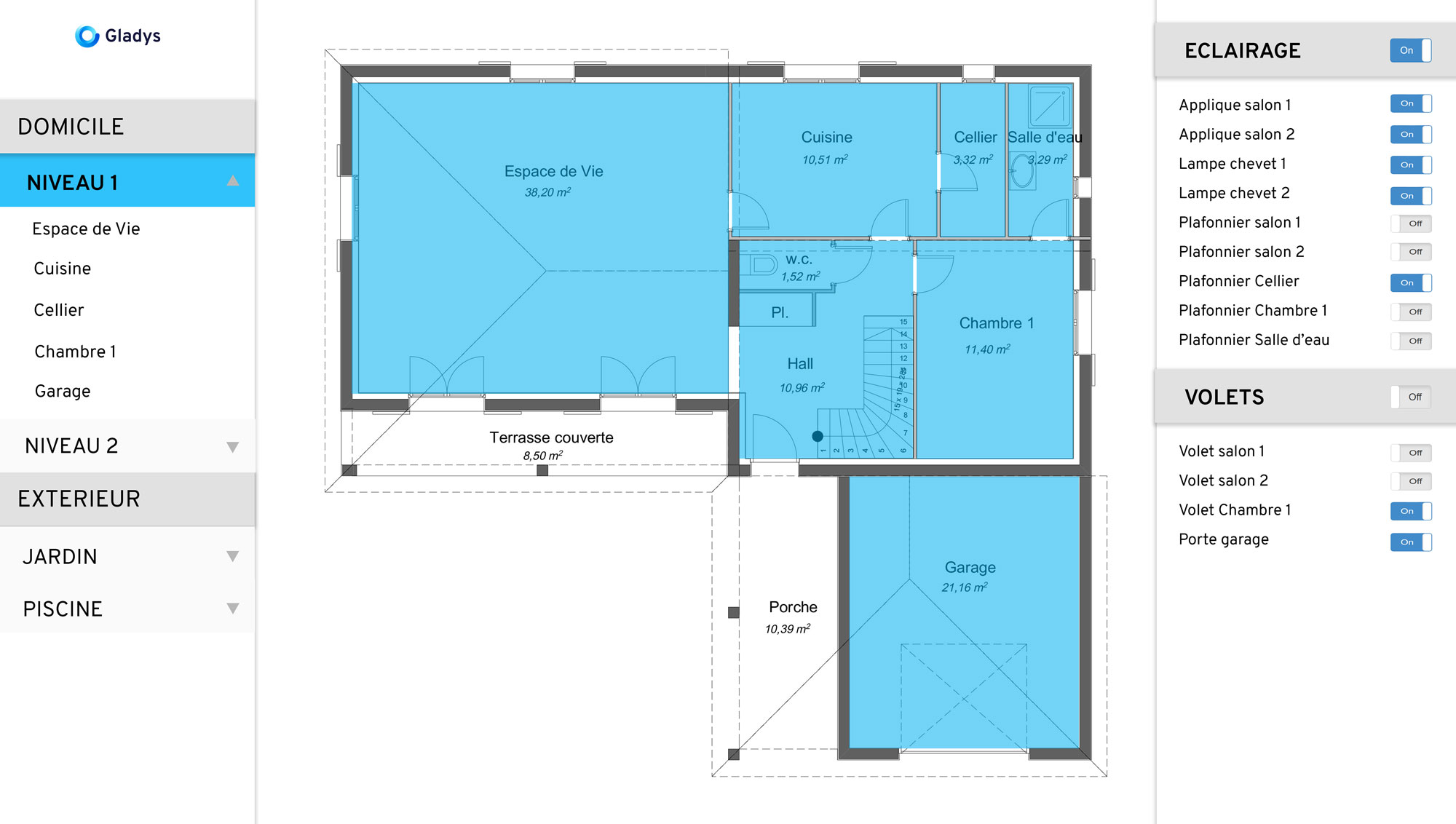
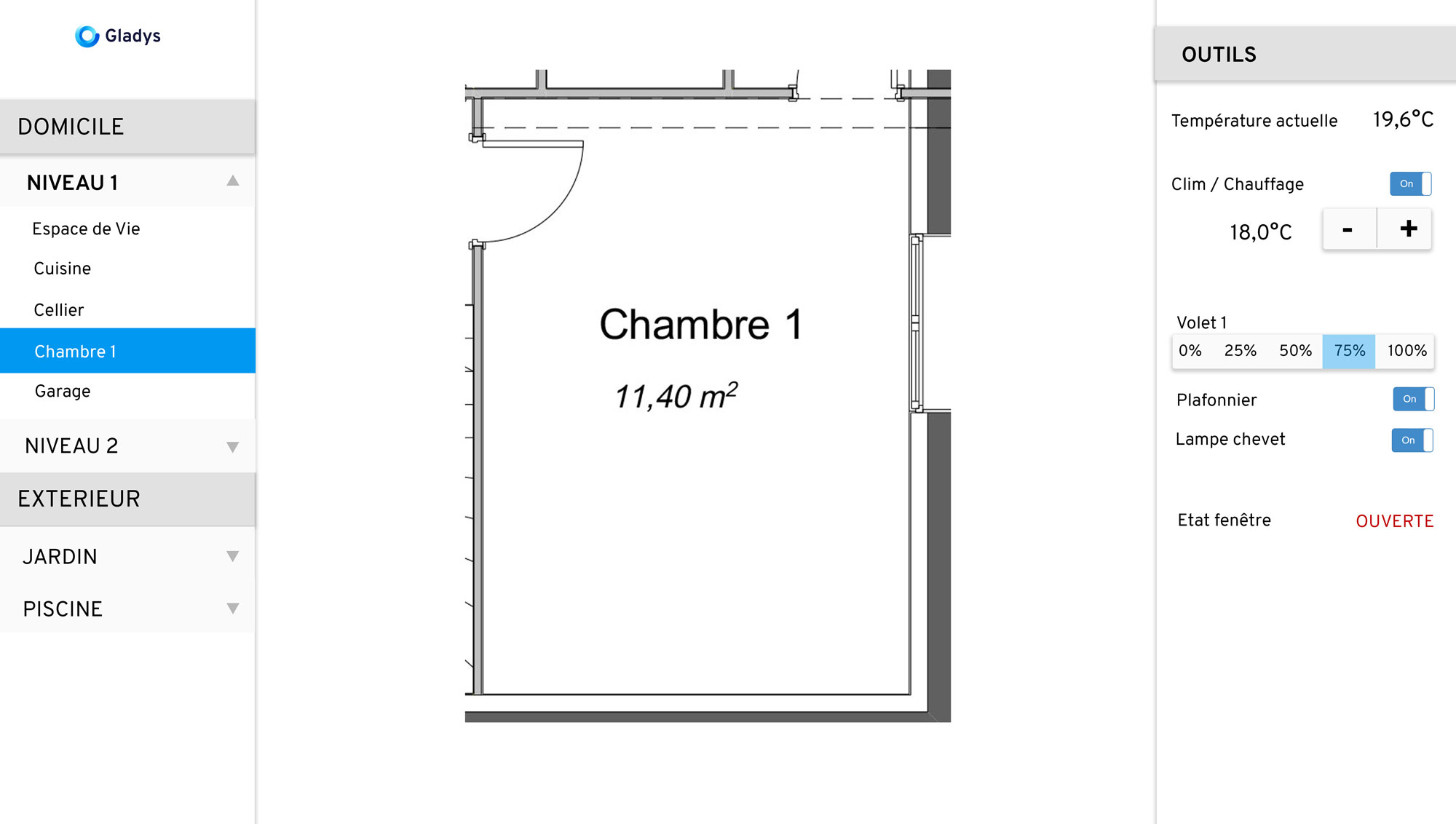
 It’s nice to have it divided into 3 parts to manage room by room or on an entire level.

