Hello
I find this project interesting because I went through this and I scratched my head for a moment to find a viable and easy-to-use system.
I used the Tasker application to control Gladys devices from the phone I make a pop UP appear with the phone’s accelerometer which displays the house plan with the devices. And I used kozikaza a free online site rather easy to use to make the plans
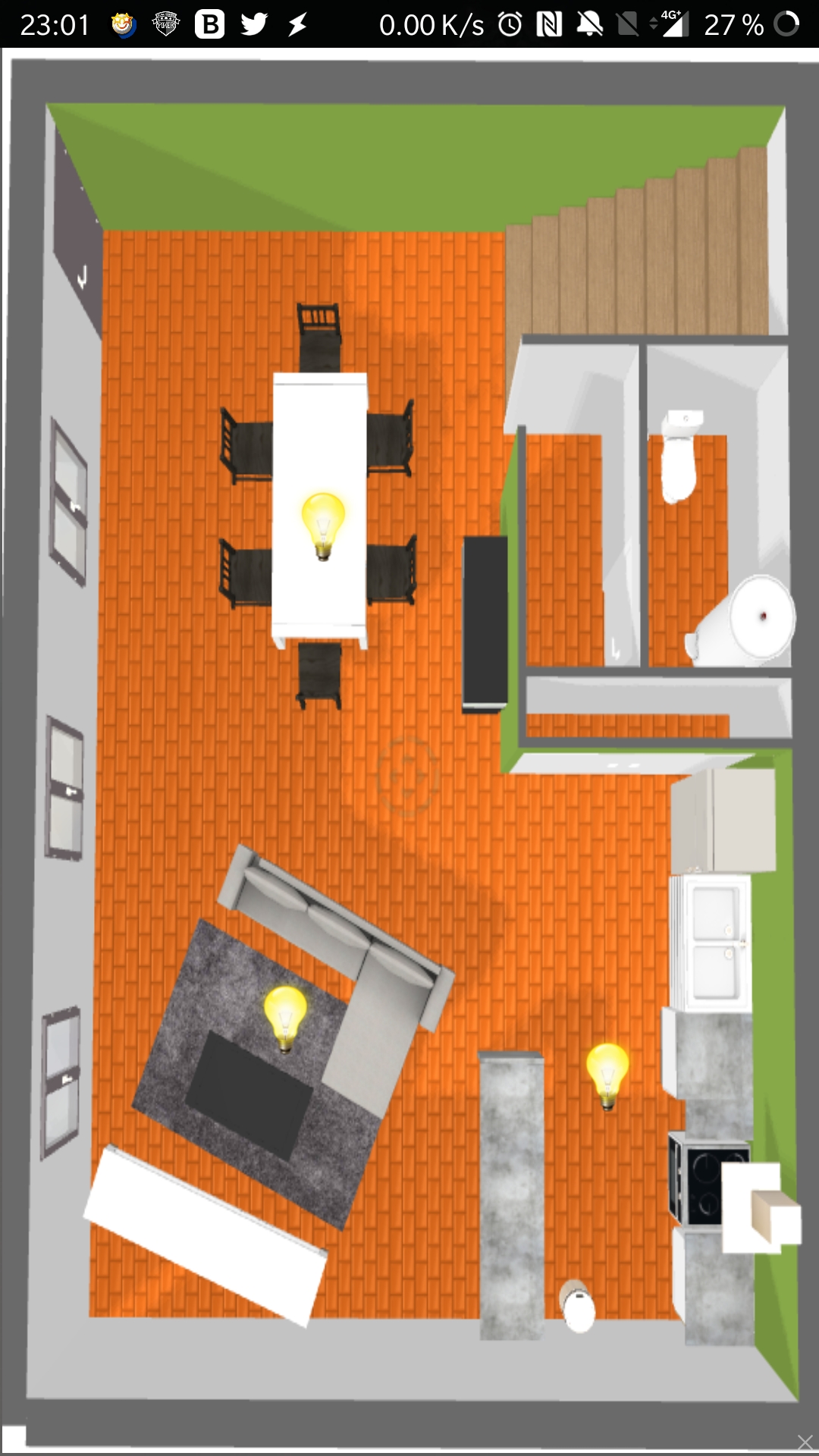
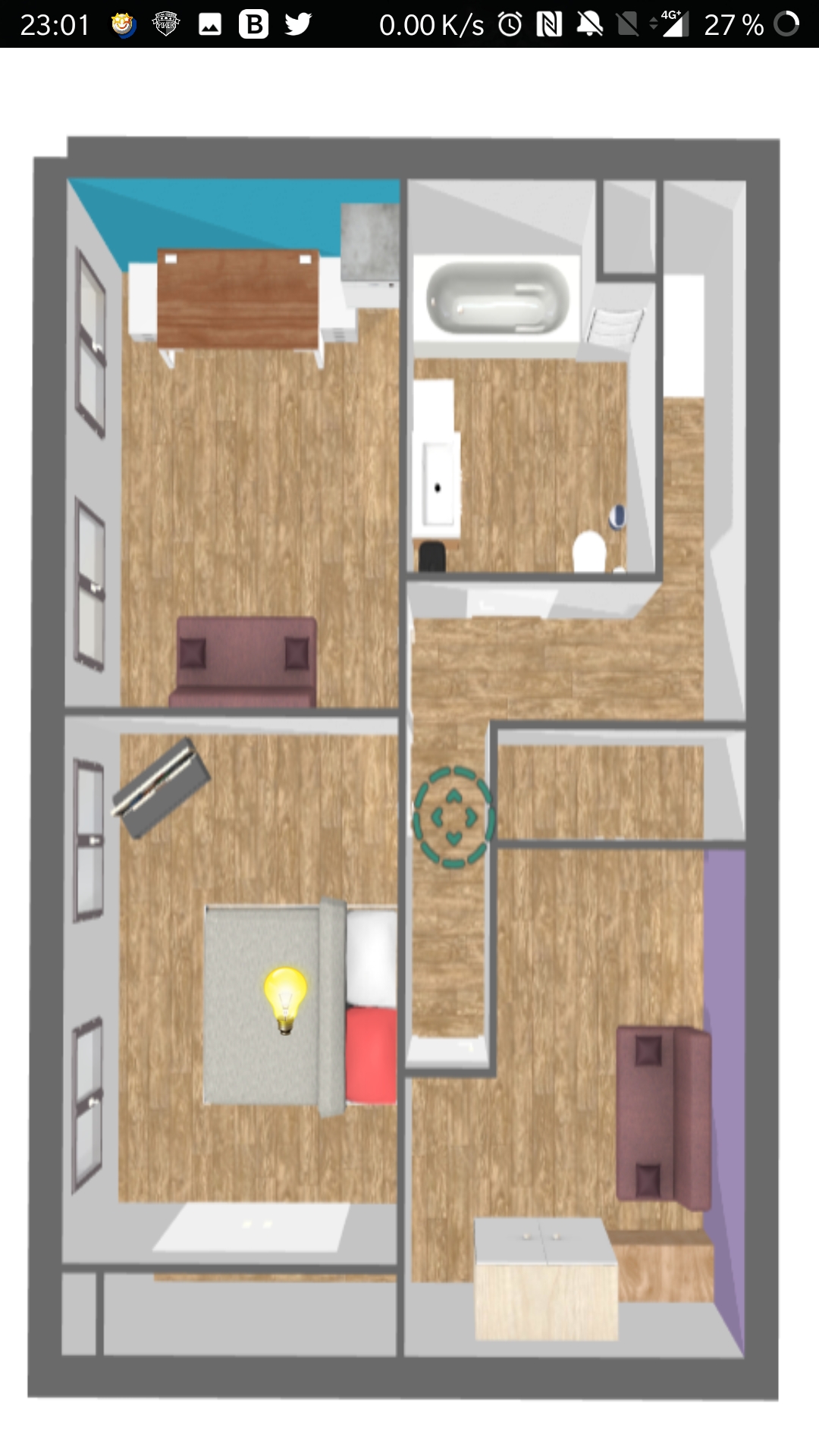
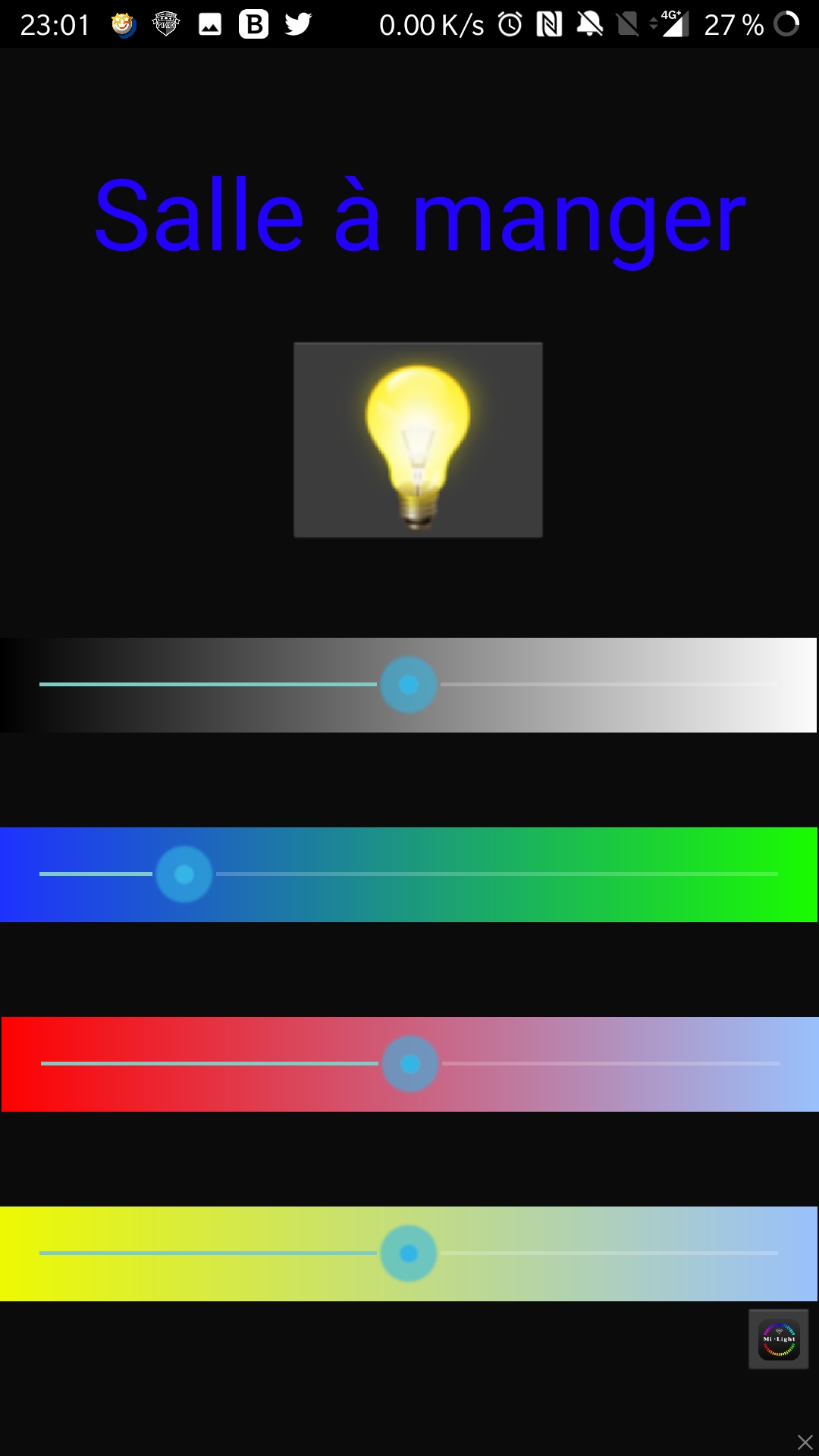
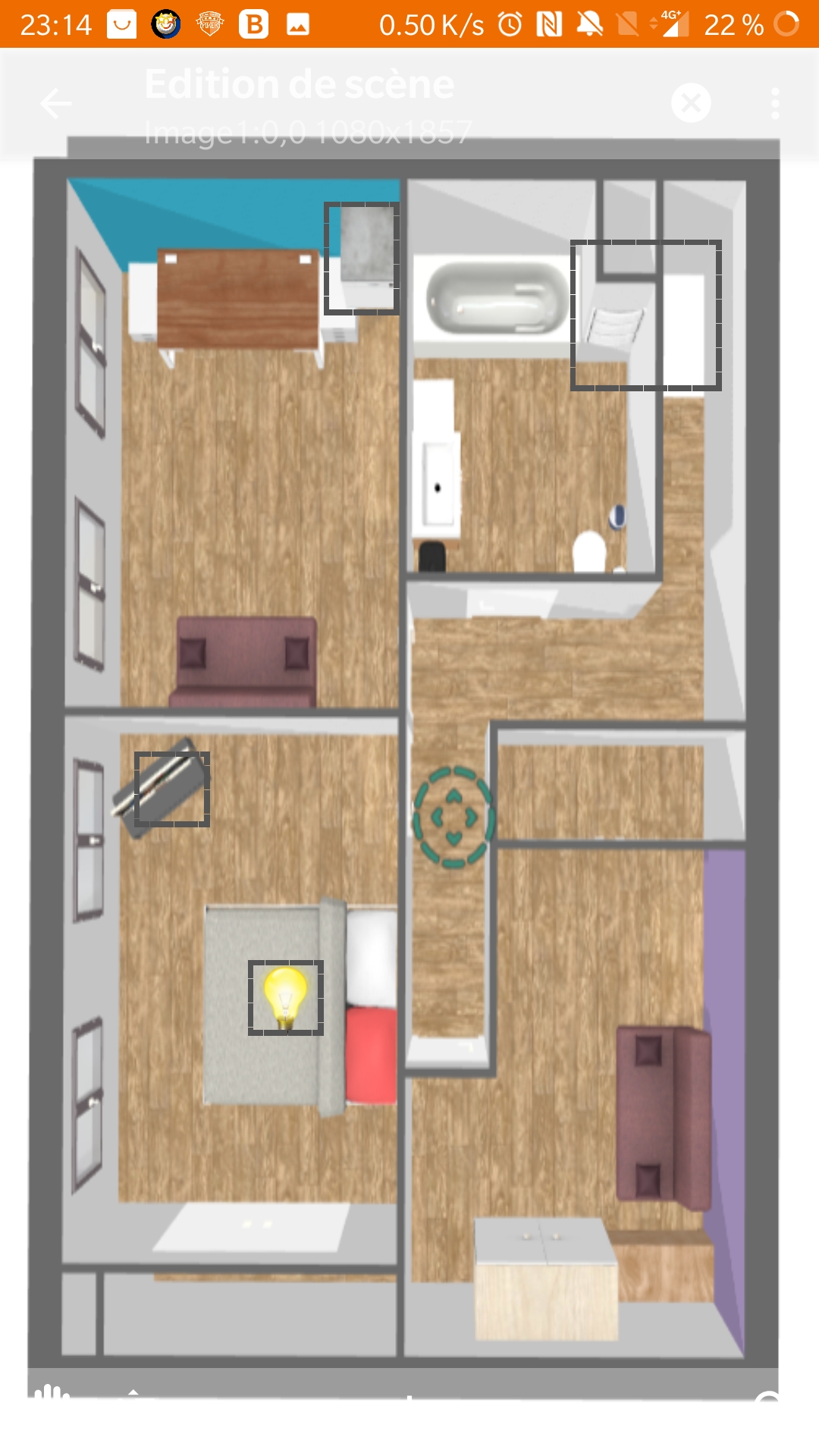
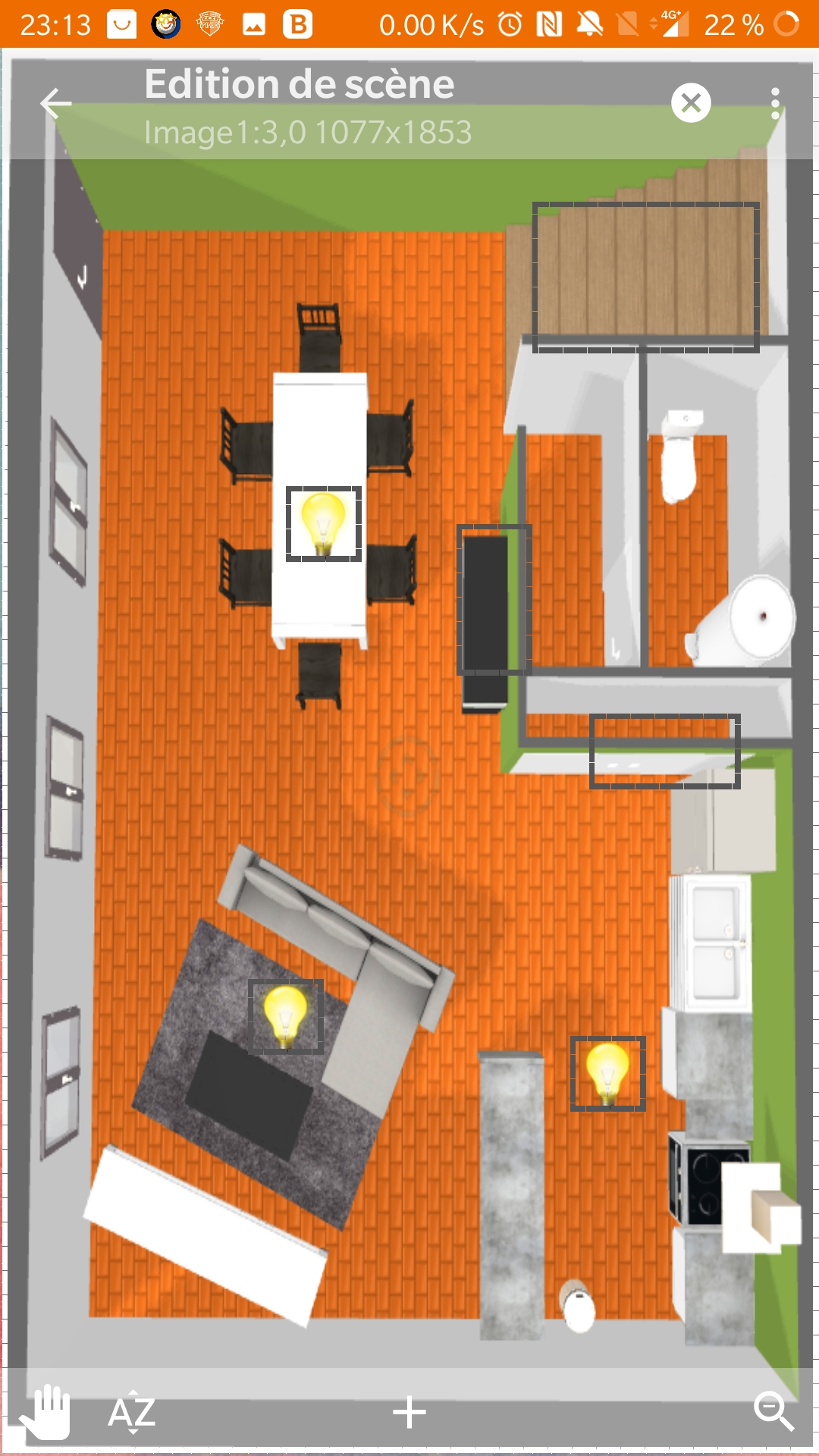
Yeah, I admit it’s not very serious ^^ haha
Anyway @Adrien your use is pretty cool / coupled with Tasker it’s great.
However, I admit I’m not a fan of this kind of plan at all.
In my mind, the plan is there to guide the gesture, but not to be packed with info 
I don’t understand what you mean by « teeming with information »
I wasn’t very clear, sorry.
For me, this means it’s visually cluttered (mirs + furniture + decor + colors + icons and clickable areas). It’s difficult from an aesthetic point of view to integrate this into a minimalist design like Gladys’s.
Okay, I see better now.
I just found this 3D software. Home design 3d
I haven’t tested it yet but the rendering is quite nice.
There is a free version and paid versions, at 8, 13 and 22€. Which remains very reasonable.
We’ll see if we can do something to integrate it with Gladys.
I tried Home Design 3D, it’s €10 for Windows.
Here’s what it can look like, the rendering is quite nice and of good quality.
I spent 6 or 7 hours on this.
Let’s see what we can do with Gladys to integrate an image and position actions (clickable areas) on it.
This is an aerial 3D view, but there can also be a 2D top-down view.
However, if you have multiple floors, you’ll need to integrate several images.
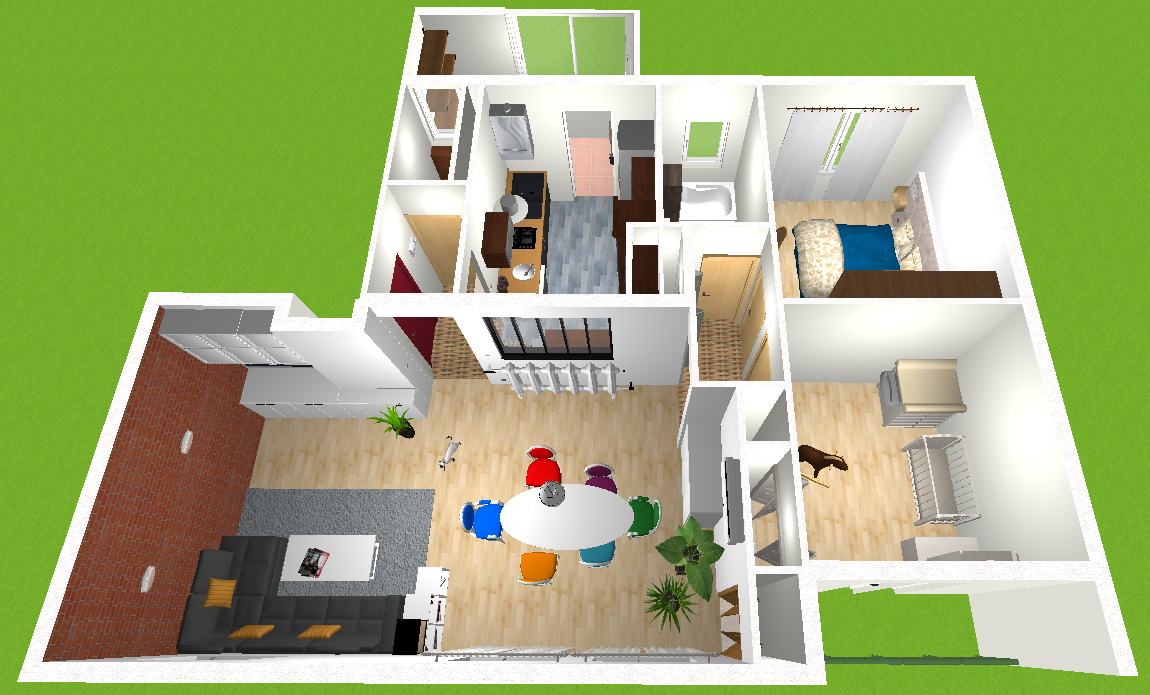
It’s great to have all these views. But as long as it’s not from Gladys, it doesn’t hold much interest for users. Importing images from external apps doesn’t seem to be the solution.
Personally, I’m tinkering with three.js, which seems pretty good for creating 2D/3D environments. Whatever the case, I don’t think relying on third-party apps is a solution. Everyone should be able to edit their home in Gladys.
So @Boimb you’re going along the lines of what @pierre-gilles has been saying for a long time.
You’re reinventing the wheel when it’s already being used by quite a few people and there’s a real maintenance team.
To be seen…
To address the latest messages in this post, I absolutely cannot imagine a 3D interface (or at least not at the moment). This would bring too many constraints: external app, difficulty integrating it into Gladys, overloaded appearance, etc…
Actually, what I have had in mind from the start is a simple plan view in 2D to « organize » the different modules.
From what I see of Gladys, as I am a beginner, the main problem is that if you multiply the modules, it becomes a bit complicated to navigate, especially for those who live in the house but do not want to bother with Gladys.
I think a simple and clear floor plan view (large JPG files, for example) is easy to create, to import, and allows you to classify the modules by room in the house.
That’s my take on the matter 
I agree with @guim31,
Using an external application may not be a good idea.
The idea would be to be able to download an image file and position the devices on this image.
Yeah, I tend to get carried away.  And especially to procrastinate behind…
That said, I don’t agree with you on the « there are already apps that do this ». Today, you don’t have anything that allows you to bind plan views to your Gladys devices.
It’s not about reinventing « 3D architect », but being able to place rectangles on an orthonormal coordinate system. Each rectangle being associated with a « room », you could, with a click, see the different associated devices by reusing the existing components in Gladys (in overlay form, for example?). The « map » view would only be a way to select the room in the end.
In short, a basic drawing of your home, in the form of a « plan », where the click selects a space and displays the associated information.
Where I agree with you is that to do it, well… well… you need to work. And the little I’ve looked into it has made my neurons boil… Geometry in space, it stings ^^
I’ll try to post a render soon, because it’s already running in a preact environment, and just that… I’m happy ^ ^ … Where it stings is that the chunk of the view weighs 2MB 
Hello and happy new year 2020 to you!!
I am taking the liberty of reviving the topic in this post specifically, as I find the concept ideal. Light and effective. The operation is ideal and allows you to order the commands and states in their entirety. For my part, I think that this is exactly the dashboard that I would use if it were implemented. If in addition it is possible to have one for each house, it would be ideal. Finally, the only external need is a jpeg for each House / Levels / Rooms, the rest is managed internally.
@pierre-gilles has he issued an opinion on this subject?
@Terdious yes Pierre-Gilles doesn’t plan to develop this feature because he finds this kind of system too messy / ugly. Which in the current state of things is true!
Our mission if we accept it: prove him wrong to make him want to integrate it into Gladys
The thing is that I’m good at ideas, but I don’t know how to code this ^^
Hello @guim31, Hello everyone,
Following your response, I was sick for a while and couldn’t follow up. But today we’re going to start working on a layout. This week I’ve brought my little brother into the loop; we’ve just installed Gladys v4-Dev for him and he’s very interested in working on the subject as he’s currently unemployed (autism makes job hunting complicated). So we’re starting today, based on your example. Glad to see the page is still up and running ^^ If you have some time, or others of course, we’d be very happy if you could help us… with ideas??.. for example ^^ and to validate the layouts ^^
For the next steps, I’ll take my personal example for the design because on the one hand it’s simpler for ideas and tests and because the installation is complicated and unreadable on the current dashboard even though I’m only barely a quarter of what I need to set up, the installation mixing professional, personal, 1 « Camping », watering the horses, a future solar installation, etc. explanation in the link below.
So following @pierre-gilles’ PR with the addition of scenes, and taking my installation as an example (viewable here: 1 set of houses - 5 « HOUSES » including 1 HOUSE with 2 levels - 57 ROOMS - currently 64 DEVICES and 115 DEVICES_FEATURE) we noticed:
- there should be no limit on the number of base plans (1 plan per HOUSE - and/or - 1 plan grouping several HOUSES). In my case, I would like to have 1 plan for my « property » grouping the aforementioned « HOUSES » + 1 base plan for a « HOUSE » rented out by my real estate company (fire alarm feedback, water leak detection, etc. for those who want)
each first-level plan should be accessible via the dashboard. - The second level and subsequent levels should be built from the first-level plan and also unlimited.
- A field for each plan to select the image, 1 field for the plan title.
- In a second tab, we find the pre-recorded plans with an interface at the bottom showing the ROOMS of the associated HOUSE(S). Using drag and drop, we insert the ROOMS onto the plan which forms a pre-sized, resizable rectangle if necessary. To the left of the plan view, the ROOMS are added with next to it a first selection field for the preconceived plans attached to this plan level. We select the one we want. Another field appears with the name of the plan (for example « Ground Floor » which will be a plan grouping the ROOMS of the ground floor). Editable?
- In this same interface we also find the DEVICES in one list and the DEVICES_FEATURE in another classified by ROOMS, by DEVICE.
Still using drag and drop, we add the DEVICES and/or the DEVICES_FEATURE that we want to display at this level.
If it’s a DEVICE, an icon is …imposed?.. and it’s added with all the associated DEVICES_FEATURE on the right column.
If it’s a DEVICE_FEATURE, the icon is that of the CATEGORY/TYPE and it’s added to the right column with the name of the DEVICE as the title. - A drop-down list displayed at the top allows you to switch to other plans.
For the organization of the views, I was thinking of something like in the scenes of @pierre-gilles’ PR.
I realize that in writing this may not be very clear, so we’re going to try to create boards to better explain this. We’re starting to work on it today, we’d like to have a first draft ready by March 20 to present it to @pierre-gilles.
We’ll try to post regular updates. Don’t hesitate to contact us.
Day 1 Report
- The first plates:
[details=« Main View: after clicking on the "Maps" tab of the Dashboard - you arrive at the "setup Plans" view: »]
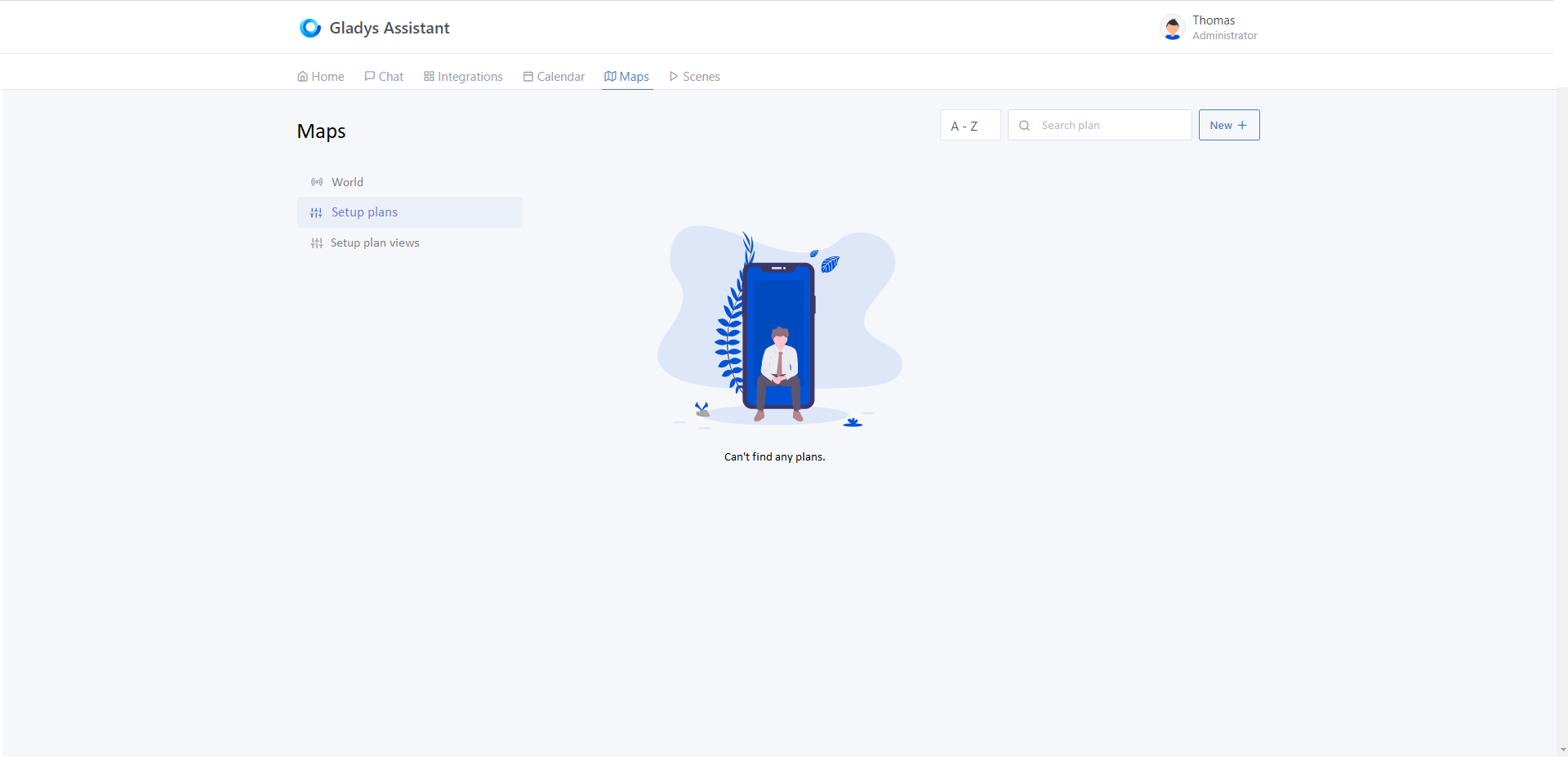
[/details]
[details=« After clicking on "World" - you arrive at the old "Map" view. To return to the previous menu, and as on all the views of the Services in "Integrations", you need to click again on the "Maps" tab of the Dashboard (You already know ^^) »]
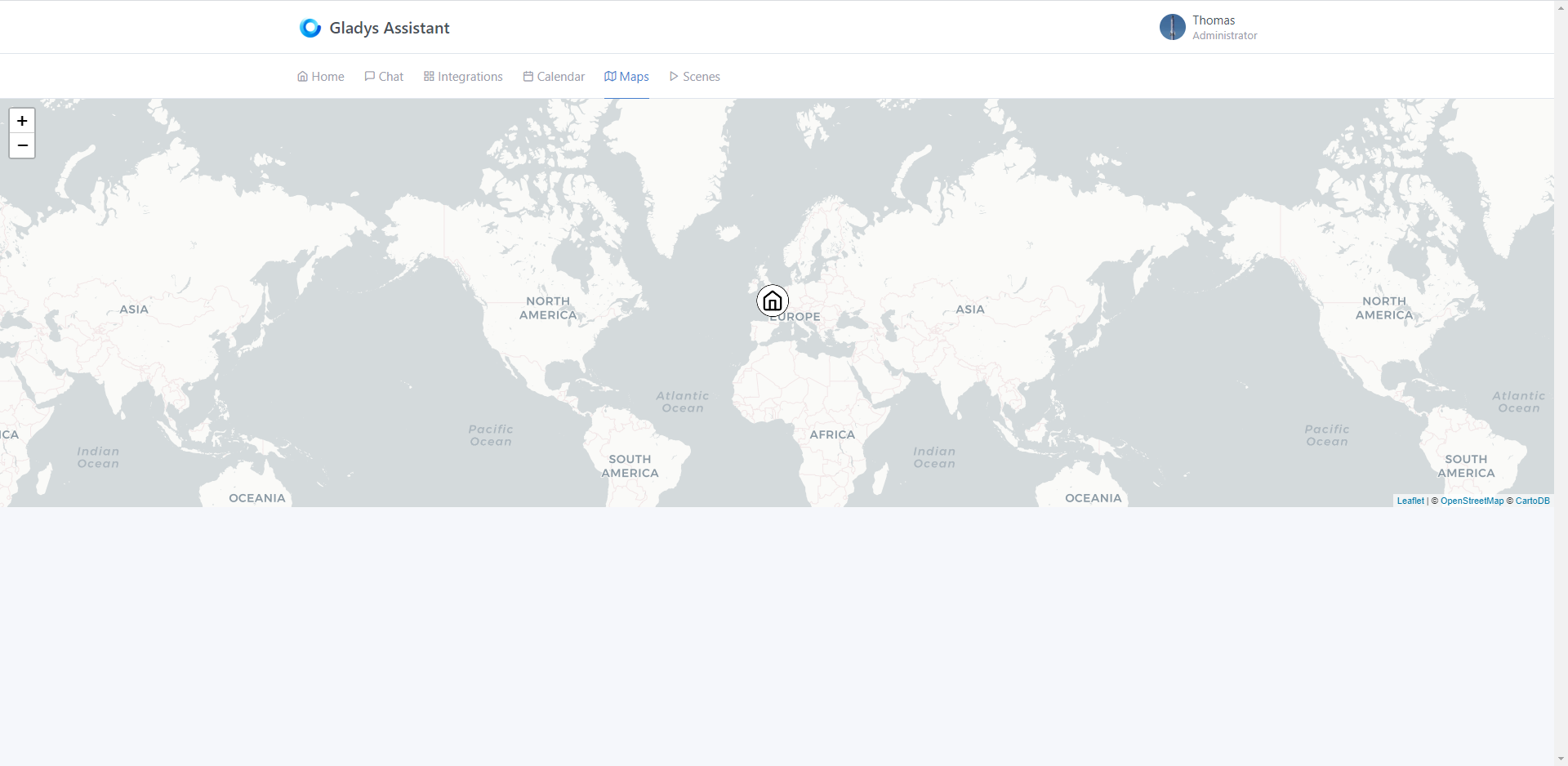
[/details]
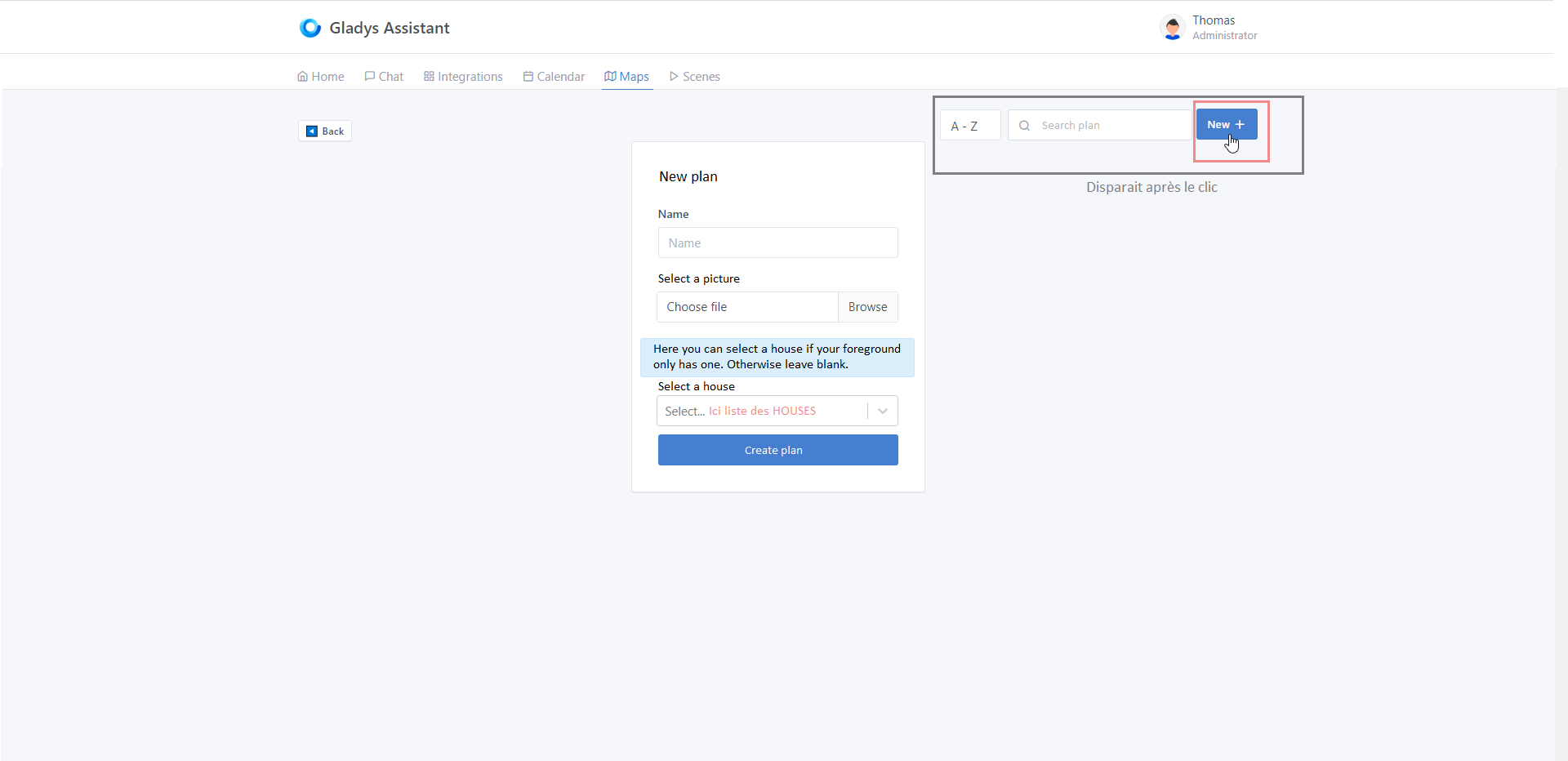
[details=« After clicking on "New +" at the top right of the "Setup Plan" view - you arrive at the "new Plan" view allowing you to give a name and select the main image that will be displayed first on the Dashboard (Reprise on the new Scene view): »]
[/details]
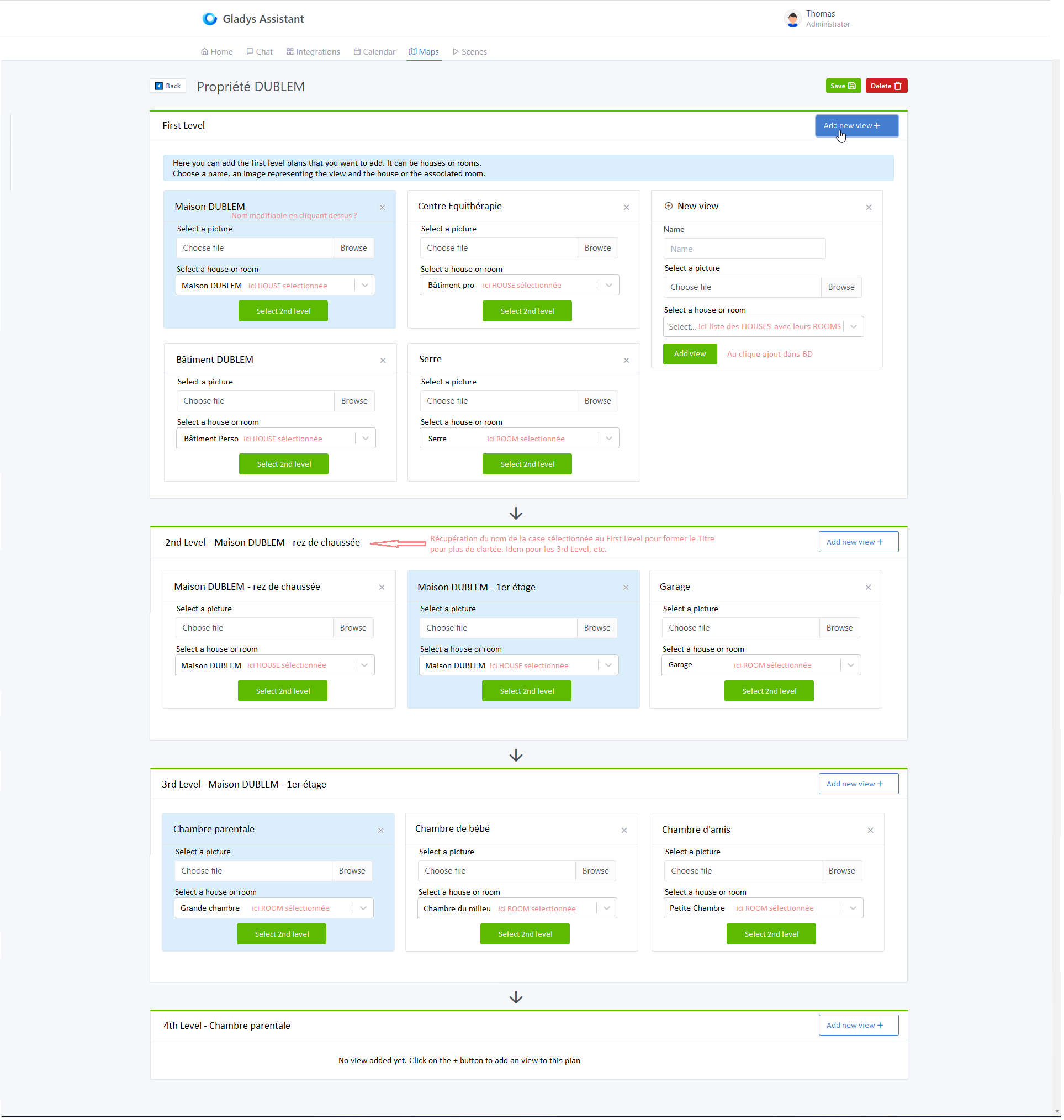
[details=« After validating the plan name - you arrive at the "edit Plan" view - here a concrete example of my use if possible: »]
[/details]
That’s it for the boards at this hour. You will notice that it is almost entirely taken from the view of the Scenes of @pierre-gilles as well as the view Integrations for the left menus.
- The development:
-
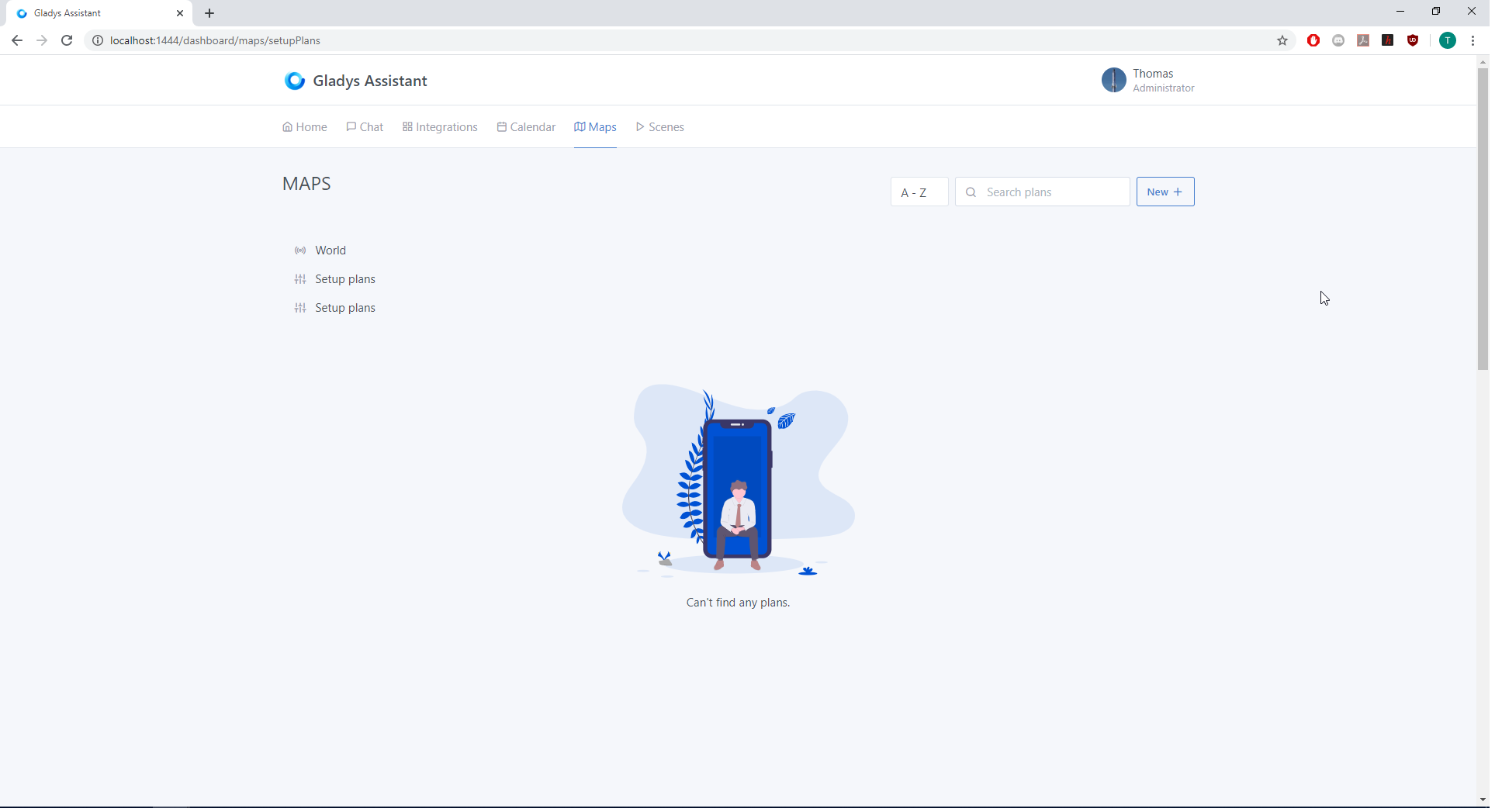
Front-end - Starting from the « scene » view, we integrated it into the « Maps » view by shifting the Map view (representing the world map) when clicking on the « World » tab of the new view. Finally, we started structuring the folders/files of the map view as well as modifying the en.json file containing the text variables and the app.jsx file containing the routes.
[details=« Current "Maps" view: »]
[/details] -
Server-side - for the moment we have created 2 additional tables t_plan and t_view. We also retrieved the structure of the « Scenes » and modified accordingly to match the idea. We are far from testing at the moment.
Feel free to bounce back ^^
Hello @Terdious! Great job on all the work you’re doing. Unfortunately, I don’t have much time on my side but I can still chip in here and there.
I only skimmed through your messages because I’m at work, but I’ll take the time to read them properly and respond with a few connected neurons!! 
Hello everyone!
Any news here?
I just came across a Reddit thread from a guy who used a view made in Sweet Home 3D and integrated it into Home Assistant.
It’s true that it takes a LOT of time… But it’s so practical!