As I mentioned in my last newsletter, one of my priorities right now is to create an official Raspbian image for Gladys 4.
The specifications are as follows:
Must be functional for all versions of the Raspberry Pi (1, 2, 3, 4, Zero, Zero W, etc…)
Gladys 4 installed via Docker
Must be able to update itself without having to connect via CLI.
Gladys data (DB, etc..) stored in /var/lib/gladysassistant
USB ports managed and exposed in Docker
Hostname « gladys »
My current problem
From what I’ve found, there is currently a problem with the latest versions of Docker on ARMv6 devices (i.e., Raspberry Pi 1 and W). The builds do not run on these Rasps.
One possibility is to switch back to an older version of Docker, BUT without switching to Raspbian Buster, as these versions have only been built on Stretch.
From my tests, it seems there are not many solutions:
Create 2 different images: one for Raspberry Pi ARMv6 (Rpi 1 and W) and one for the others (2, 3, 4). The image for Raspberry Pi ARMv6 would be based on Stretch. (This is a lot of work)
Create only one image under Buster, and say that Gladys is no longer compatible with Raspberry Pi 1/W (I’m not a fan of this solution)
Use the latest version of HypriotOS, an OS based on Raspbian Buster with the latest version of Docker pre-installed. I haven’t tested it yet, but HypriotOS seems to be a good solution!
Use HypriotOS + flash + cloud-init! That would be the ultimate combo, the goal being to create the image via CLI on my side thanks to a cloud-init YAML file (Example), then without ever booting it, publish it as is on the site. Thus, the image is very clean (since I never booted it on my side) and on the first startup, the image downloads + runs the Gladys 4 Docker image in its latest version. The advantage is that the image is always up to date. The disadvantage is that the Raspberry Pi must be connected to the internet on the first startup of Gladys, and the download can take a bit of time on slow connections.
In short, it’s work in progress, I’m open to feedback, if you have any remarks/tips, I’m interested
Clearly, the downside of solution 4 is not really a downside, I think most RPIs have internet access, completely offline RPIs are isolated cases, and the users in question are in the « expert » category and will know how to handle it .
I just tested method 4 on a Raspberry Pi 1, equivalent to a Pi Zero W, not very representative of the fleet, but better to test under the worst conditions to know what to expect.
The setup time is still quite long… It’s not very fast for the user. The docker pull takes forever (on fiber, but the Ethernet port is slow + the CPU struggles to decompress the layer archives).
I think the best solution for now is to mix solutions 3 and 4:
I create the image with cloud-init on my side
Then I run it once on a Pi 1 so that the pull + the start happens once (the DB initializes this way)
At first boot, the user will have a Gladys instance running almost immediately, which is surely smoother for the end user.. We’re not yet at the complete automation of the image build, but for me the priority #1 is the user experience!
Actually, it’s not the length that’s unclear for the user, what’s unclear is that there’s no external feedback. You plug in the Pi and wait, and if it doesn’t work, you don’t know what went wrong… And especially if there’s an error, everything is messed up and unless you look in the cloud-init logs, you’ll never really know what went wrong.
Example: I had DNS resolution issues with the docker hub during the docker pull (really stupid issues, it was enough to restart the command), and so nothing worked ^^
If we want the product to be usable without CLI, the installation process must be flawless. The less we do on the client side, the more sure we are that everything will be fine.
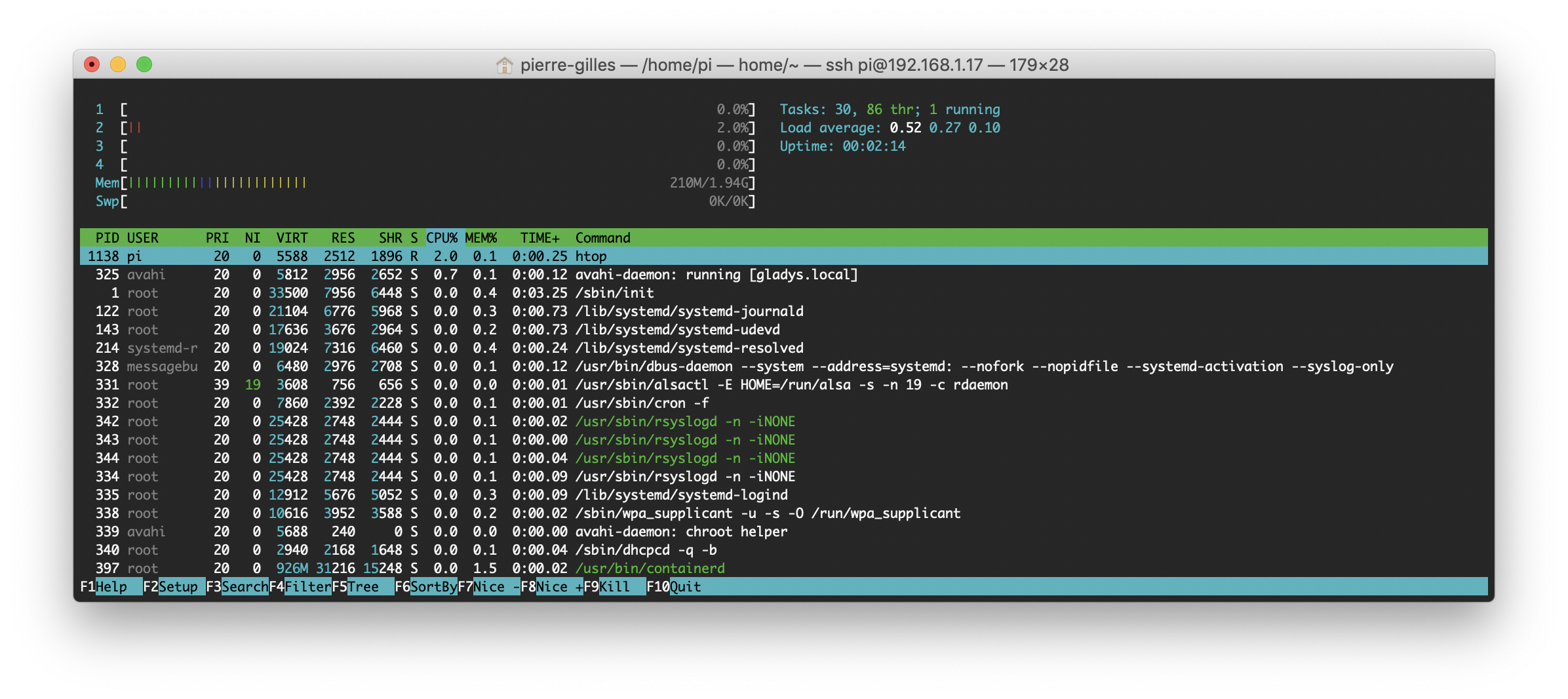
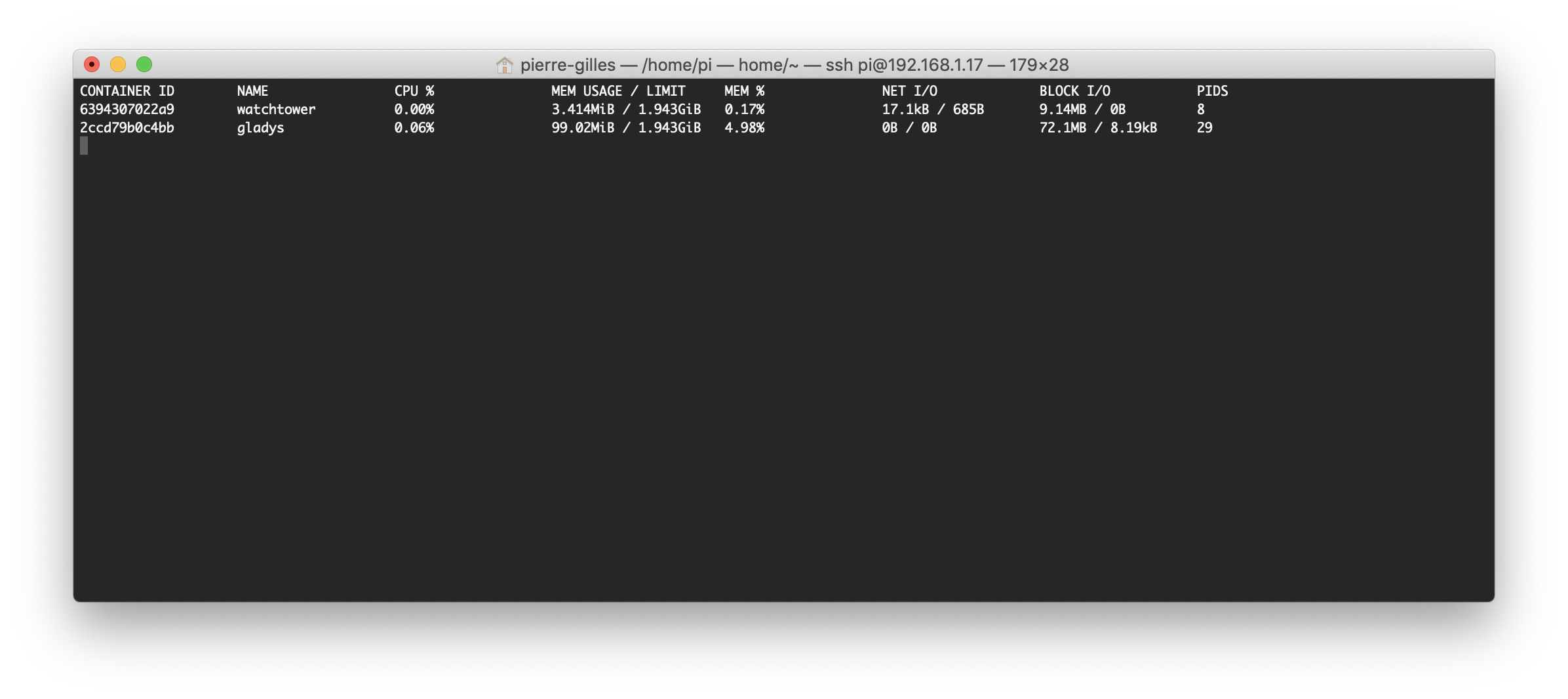
Well, as a first step, I took a hybrid approach, built on Raspberry Pi 1 with:
A Docker container Gladys 4 that listens on port 80, accessible at gladys.local
A Watchtower container
Both with restart=always, so it should always be fine.
I’m testing the image on a newer Pi to see if everything works!
I still think one of the drawbacks of this method is:
When the user starts for the first time, if their version of Gladys is not up to date, Watchtower will automatically update it. However, the user will probably be setting up their Gladys and the server will restart while the user is in the middle of configuration! Not very clean either.
I would like to share my opinion on this topic as I have developed quite a bit on RPi with Docker and on all models.
The issues with the armv6 models (Pi1 and 0) are recurring, but in my opinion, Hypriot’s OS is not the ultimate solution as it can be limiting:
For my part, I like to do several things with the Raspberry. Also, on HypriotOS, it is not possible to work with all hardware interfaces (I have never managed to integrate a simple OneWire temperature sensor). Similarly, it is very complicated to use a screen connected via HDMI on this OS.
As a result, using HypriotOS, the Pi’s use will be limited to Gladys and it will be necessary to ensure that all USB devices are properly recognized.
In my opinion, it would be better to stick with Raspbian (but this is just my simple opinion and the first I give on the forum ).
Also, given the posts from yesterday, I looked at the Docker issues: docker-ce segmentation fault on Raspbian
I was thus able to install Docker 19.03.2 on Raspbian Buster on a RPi0W.
I can detail if it is useful to you.
I have no experience with HypriotOS, I thought it was just a Raspbian Buster with Docker installed, but indeed it might be better to have a classic Raspbian Buster if we can do it
Apparently, the problem comes from the binary ‹ containerd › (v1.2.6-3) which is not compiled for armv6 and since the container.io project is not « yet » free according to what I understood, we cannot compile it ourselves…
On the other hand, Hypriot offers a slightly lower version (v1.2.6-1) on its servers that works on armv6 but I did not understand how it was made.
So you just need to retrieve a Debian package and install it manually: curl -s https://packagecloud.io/install/repositories/Hypriot/rpi/script.deb.sh | sudo bash wget --content-disposition https://packagecloud.io/Hypriot/rpi/packages/raspbian/buster/containerd.io_1.2.6-1_armhf.deb/download.deb sudo dpkg -i containerd.io_1.2.6-1_armhf.deb
I am not sure that the first line is mandatory. To be tested
Then install Docker: curl -sSL https://get.docker.com | sh
Regarding Hypriot, I had tested it more than a year ago, even two (time flies…) before switching back to Raspbian. According to what I had read, hardware access was not a concern for the project, but maybe that has changed since?
I’ll keep this in mind and as soon as I test, I’ll post a message here. It’s clear that it’s probably better to have a classic Raspbian if you want to keep other programs around Gladys.
The goal is to migrate all modules, including sonoff. It is currently in a pull request (a developer is working on the module). It should therefore arrive in due time, depending on the progress of the development.
@damalgos +1, indeed the Sonoff service is currently being migrated by @AlexTrovato. The PR on MQTT has been migrated recently, so this should be able to unlock this service.
For now, direct Google Home integration is not in my short-term development plans (there’s already a lot of work on the service migration!), but in the long term, why not. As always, any PR is welcome

 .
.

 ).
).