Which platform is this image for?
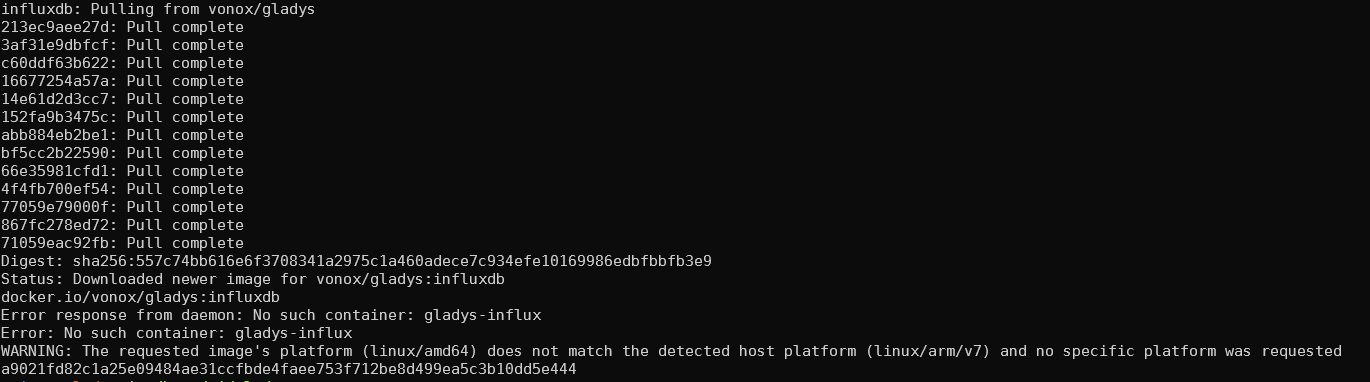
Of course it doesn’t animate:
Well spotted amd64, I’ll build the other platforms (it was just for me originally  )
)
@lmilcent This build is for all platforms — don’t hesitate to give feedback
Cool thanks I’ll test it too 
Thank you again for taking the time to do this!
For now I have two comments:
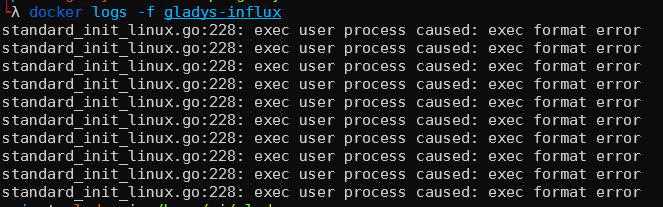
For now I’ve tested two Docker images, which don’t run on my Raspberry Pi (not the right architecture). The official image only provides amd64.
It’s the principle of « time-series » databases — they’re made to ingest temporal data like here, using little storage and being quickly queryable!
Already in InfluxDB, less data is stored for each state: only 1 value + its associated timestamp.
Then, on disk these kinds of databases do on-the-fly compression/decompression. I’m not an InfluxDB expert, but its competitor TimescaleDB (which is based on PostgreSQL) claims about 90% reduction in disk size with little loss of read performance
This kind of mechanism is possible because these DBs tackle a single problem (time-series data), and can therefore take shortcuts that generic relational databases cannot take!
I just deployed version 1.8 of InfluxDB.
Apparently version 2.0 is not 32-bit compatible, so you’ll need a 64-bit Raspberry Pi to take advantage of it.
echo "starting influxdb container"
                                                                                                                                                                              docker run -d \
--name gladys-influxdb \
-p 8086:8086 \
-v /var/lib/gladysassistant/influxdb/data:/var/lib/influxdb \
-v /var/lib/gladysassistant/influxdb/config:/etc/influxdb \
-e DOCKER_INFLUXDB_INIT_MODE=setup \
-e DOCKER_INFLUXDB_INIT_USERNAME=gladys \
-e DOCKER_INFLUXDB_INIT_PASSWORD=gladysassistantinfluxdbtest \
-e DOCKER_INFLUXDB_INIT_ORG=gladys \
-e DOCKER_INFLUXDB_INIT_BUCKET=gladys \
-e DOCKER_INFLUXDB_INIT_RETENTION=10y \
-e DOCKER_INFLUXDB_INIT_ADMIN_TOKEN=my-super-secret-auth-token \
influxdb:1.8
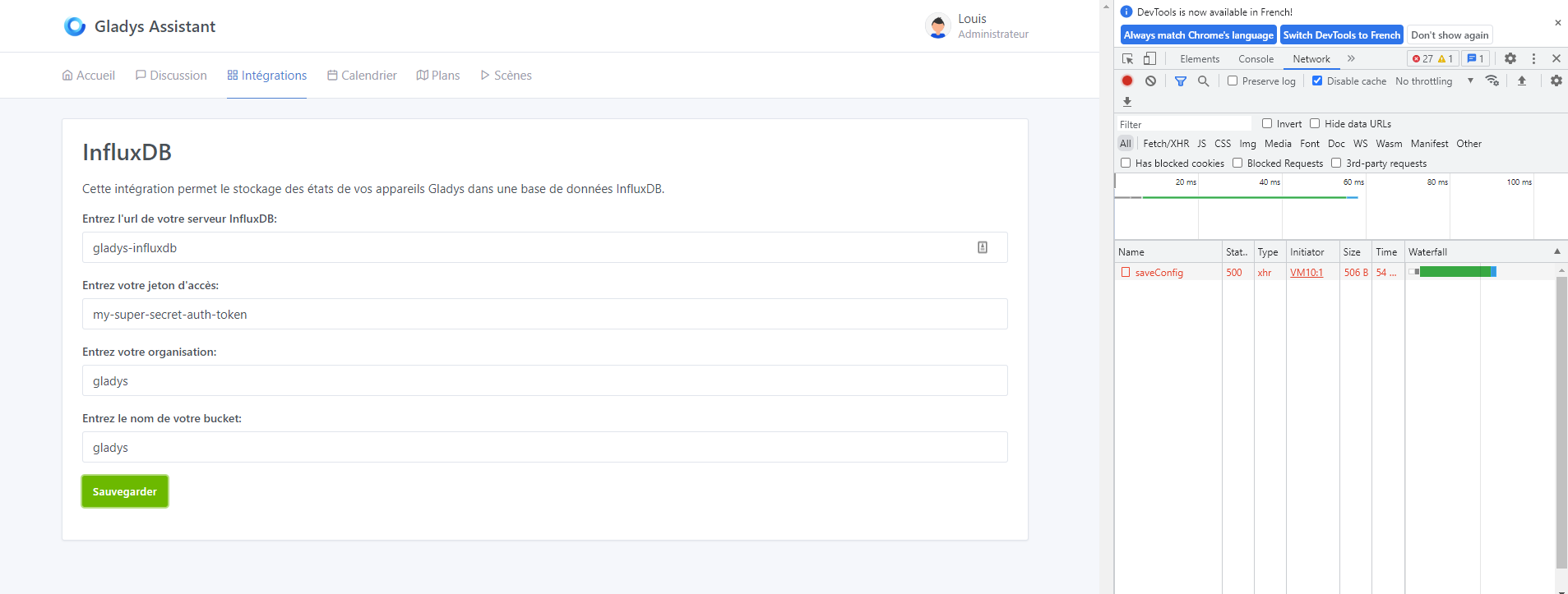
 First bug: no error handling (code 500). The interface shows nothing, yet the request returns an error.
Second feedback: I didn’t understand how to form the URL. Eventually I understood, you need to put http at the beginning (see the image below).
Bug 2: no feedback on configuration validation. 200 code with success, but nothing in the Gladys interface confirming it.
For the moment I haven’t launched a Grafana yet to consume the InfluxDB data, due to lack of time, but it’s coming!
I question this proposal — what would be the point of offering an automatic launch?
In the case of Zigbee2mqtt, the goal is to have a Zigbee service in self-service usable without ever leaving Gladys. We use Zigbee2mqtt under the hood but the user doesn’t necessarily have to interact with that software.
In the case of InfluxDB, the idea here is to allow an advanced user who knows what they’re doing to export their data.
If we make the InfluxDB integration self-service, we imply that it’s usable « as is » by the general public, which is not the case!
I agree, especially since right now you don’t have any documentation.
Also, it’s generally not the same server ( we avoid putting all our eggs in the same basket )
I agree with you on the other points, as I said, it’s alpha 
I completely understand your points of view and that’s defensible.
J’aime bien de mon côté, quand la solution propose une possibilité « turnkey » et une autre plus manuelle.
Par exemple :
Sachant que pour le service Zigbee il existe déjà des scripts de déploiement Docker tout faits, ça ne serait pas un trop gros boulot à faire (je pense).
Mais c’est aussi vrai pour tout ce que vous avez évoqué, c’est plus un choix stratégique sur la vision de
I’ve tried, but it’s as if the image doesn’t exist.

It’s not a matter of work here, it’s really a question of audience and perception.
My take: I think an average user should not use this service, and has everything internally in Gladys to build their home automation dashboard with those nice graphs
The InfluxDB service is an advanced service, intended for a user who has experience with InfluxDB and who knows what to do with the data afterwards. Because, well, InfluxDB is nice, but like launching a PostgreSQL, behind it you need a consumer of the DB: a Grafana for example. Once you’re deep into InfluxDB + Grafana, you tell yourself « oh yeah it’s really not for everyone ».
I’ll add a second point that seems important to me: for the average user, Gladys = OS.
From the moment Gladys launches the container, the user expects that when they restore their instance (via Gladys Plus for example, or a manual backup), everything will come back in place, because they think Gladys is the complete OS of their system and that a backup is a full backup. If InfluxDB is accessible with one click, then they expect the whole lifecycle to be accessible with one click. Suddenly it becomes complex!
This is one of the reasons why I don’t think a one-click Node-RED button is a good idea; it creates the perception that Gladys becomes « responsible » for these services that we don’t control at all.
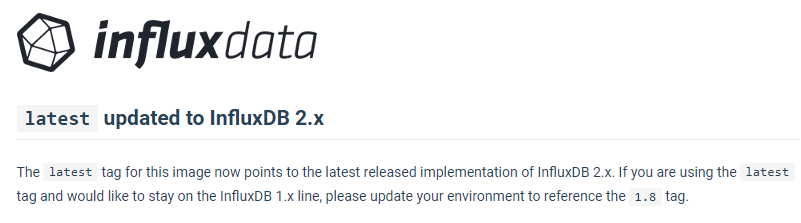
No 2.0 tag => but latest (see my screenshot above)
So docker pull arm32v7/influxdb:latest
Hello, I’m jumping in on this!
I partially agree with this point of view; indeed, from your perspective, Gladys must not become a bloated, overly complicated system (an « usine à GAZ »), but I’ve also read many messages from you going the other way.
Indeed, in every discussion when Gladys is not or no longer compatible with a technology you advocate using Node-RED in parallel.
But, for a user who just wants to map everything into a home automation software, you scare them by asking them to run commands to start Node-RED or by telling them to wait for a dev.
I know all that takes time, but deploying a Docker image, I’m not sure it’s complicated or long, especially for those users
I’m coming back to Z-Wave a bit and I think we should prioritize those technologies that are still widely spread (at least before Zigbee) to attract people and developers. After all, that’s my personal point of view
(reading myself back, I feel my message may be a bit too aggressive, but that’s not the intention sorry ^^')
You’re confusing several fairly different topics and I think you’re misunderstanding what I’m saying.
Precisely, if a user doesn’t know how to run a Docker container, then they shouldn’t use the InfluxDB service — it’s a service for advanced users. We do not want this service to be used by beginners. Gladys remains a program accessible to everyone, and unlike other solutions we don’t want to push complex programs like InfluxDB.
Nevertheless, some advanced users may want to use these programs, hence this integration which is not for everyone. We could possibly add a big warning to make this point clear in the integration.
Node-RED is a complementary program for those who want to use Gladys but don’t find the right compatibilities in Gladys. It’s an advanced program, not accessible to everyone, and it’s not an end in itself. I think showing that this solution exists is a good thing, but I never said it was the future of the project.
Yes, like you I’d like us to have all the integrations in the world in Gladys, but integrations don’t fall from the sky as you may have noticed.
That’s not the topic here; the ZwaveJS2mqtt integration has been under development by various developers for a year and a half. If you want the topic to progress, I invite you to go to that thread and offer your help. Gladys is a collaborative, open-source project, and the project’s productivity depends only on the productivity of its members.
Hi @VonOx,
I just set up my InfluxDB server on a dedicated server, separate from GladysAssistant.
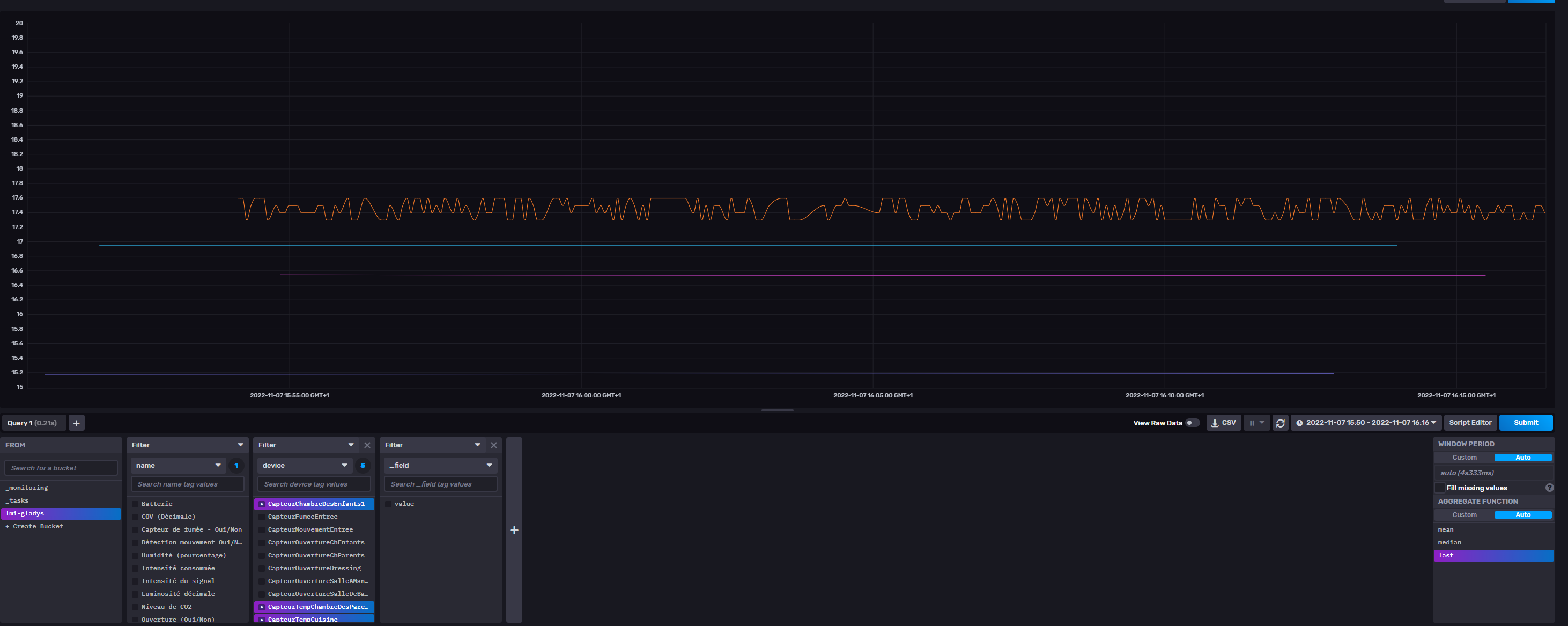
 Connection working between Gladys and Influx
As I already said, no message in the UI to confirm it
Influx receives and detects messages very quickly
High CPU usage detected!
I deployed a new instance of Gladys on my Raspberry Pi (just another port) on a clone of my database. So it receives the same messages from Z2M, but I disabled all scenes, deleted most of the dashboards, and finally disconnected Gladys Plus.
Despite all that, the container uses at least 60% CPU on average, while Gladys’ runs around 10%.
@VonOx or @pierre-gilles do you have any idea how to confirm my hypothesis: the InfluxDB service is consuming a lot of CPU?
On every new state there’s an HTTP request to InfluxDB; aside from checking with the InfluxDB community I don’t really know what to tell you (Raspberry Pi too underpowered for that?)