@lmilcent Actually the error comes from the fact that arrays in the responses were not being handled correctly, the parsing function only handled objects.
I’ve made a PR that fixes the issue:
master ← fix-http-request-array-parsing
ouvert 09:57AM - 29 Sep 22 UTC
### Pull Request check-list
To ensure your Pull Request can be accepted as fa… st as possible, make sure to review and check all of these items:
- [x] If your changes affects code, did your write the tests?
- [x] Are tests passing? (`npm test` on both front/server)
- [x] Is the linter passing? (`npm run eslint` on both front/server)
- [x] Did you run prettier? (`npm run prettier` on both front/server)
- [x] If you are adding a new features/services, did you run integration comparator? (`npm run compare-translations` on front)
- [x] Did you test this pull request in real life? With real devices? If this development is a big feature or a new service, we recommend that you provide a Docker image to [the community](https://community.gladysassistant.com/) for testing before merging.
- [x] If your changes modify the API (REST or Node.js), did you modify the API documentation? (Documentation is based on comments in code)
- [x] If you are adding a new features/services which needs explanation, did you modify the user documentation? See [the GitHub repo](https://github.com/GladysAssistant/v4-website) and the [website](https://gladysassistant.com).
- [x] Did you add fake requests data for the demo mode (`front/src/config/demo.js`) so that the demo website is working without a backend? (if needed) See [https://demo.gladysassistant.com](https://demo.gladysassistant.com).
NOTE: these things are not required to open a PR and can be done afterwards / while the PR is open.
### Description of change
Fix #1605
Do you have a DEV environment to test?
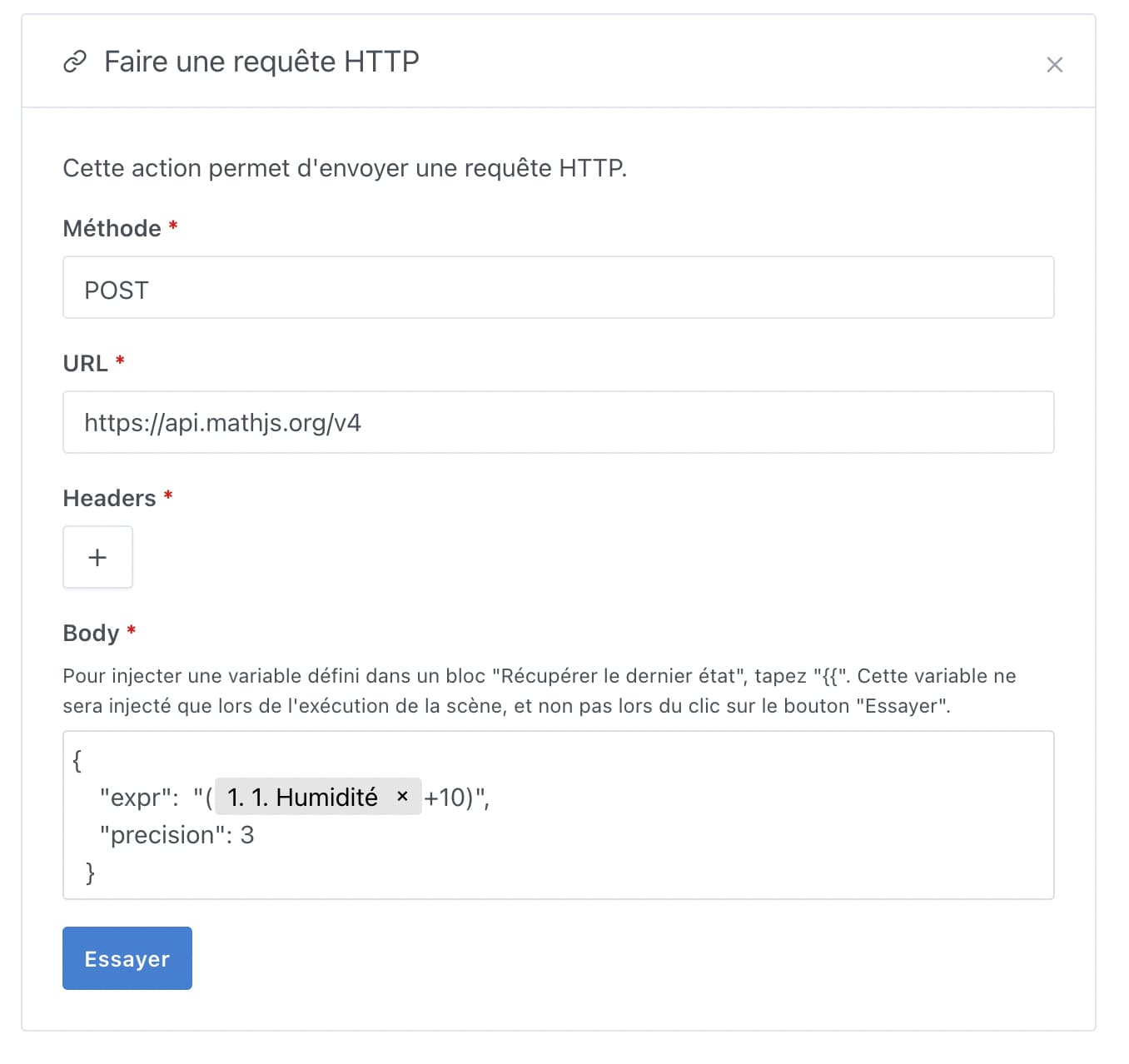
In the meantime, you can use the Math.js API with a simple string instead of an array, and it works well
What I observed during my tests:
First do a test with an expression without variables, like « 10+10 » (note: no spaces, Math.js apparently doesn’t like spaces)
Press « Try », which will populate the dictionary of available variables, because the request doesn’t need dependencies to test the request
Then replace the expression with the correct expression you want with the desired variables. Do not press Try, the variables are not available .
You can test running the scene with the « Start » button at the top of the scene
It works like that for me