Hello
I own a Konx 02C video intercom and I want to integrate the stream into Gladys, but I’m here because it’s not working. However, after many searches to find the stream, I managed to display it in VLC.
Here is the stream address:
rtsp://admin:Motdepasse@192.168.1.165:554/onvif1
Do you have any idea why it doesn’t work with Gladys?
Thanks in advance
Are you getting a specific error? What is the error?
Do you have multiple consumers of the stream? Some cameras cannot be consumed by multiple clients
Good evening @pierre-gilles
No, I only have Gladys when I set it up. However, when testing the stream it works on the Yoosee app and on VLC at the same time so the doorbell apparently handles multiple sources.
The error
No, it’s the error it normally displays:
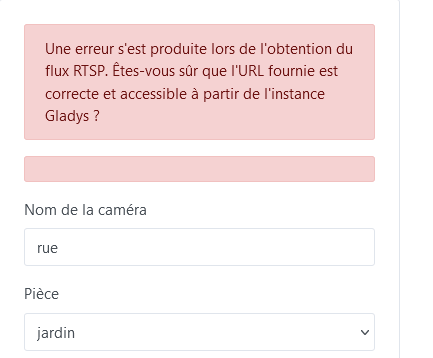
However in the logs I have this:
2024-12-16T22:06:49+0100 \u003cwarn\u003e getImage.js:77 () Error: Command failed: ffmpeg -rtsp_transport tcp -i rtsp://admin:#######@192.168.1.165:554/onvif1 -f image2 -vframes 1 -qscale:v 15 -vf scale=640:-1 /tmp/gladysassistant/camera-9f552bf5-683a-4265-8f96-caef4bfe08d0-324-49-6-22.jpg
ffmpeg version 5.1.6-0+deb12u1 Copyright (c) 2000-2024 the FFmpeg developers
  built with gcc 12 (Debian 12.2.0-14)
  configuration: --prefix=/usr --extra-version=0+deb12u1 --toolchain=hardened --libdir=/usr/lib/x86_64-linux-gnu --incdir=/usr/include/x86_64-linux-gnu --arch=amd64 --enable-gpl --disable-stripping --enable-gnutls --enable-ladspa --enable-libaom --enable-libass --enable-libbluray --enable-libbs2b --enable-libcaca --enable-libcdio --enable-libcodec2 --enable-libdav1d --enable-libflite --enable-libfontconfig --enable-libfreetype --enable-libfribidi --enable-libglslang --enable-libgme --enable-libgsm --enable-libjack --enable-libmp3lame --enable-libmysofa --enable-libopenjpeg --enable-libopenmpt --enable-libopus --enable-libpulse --enable-librabbitmq --enable-librist --enable-librubberband --enable-libshine --enable-libsnappy --enable-libsoxr --enable-libspeex --enable-libsrt --enable-libssh --enable-libsvtav1 --enable-libtheora --enable-libtwolame --enable-libvidstab --enable-libvorbis --enable-libvpx --enable-libwebp --enable-libx265 --enable-libxml2 --enable-libxvid --enable-libzimg --enable-libzmq --enable-libzvbi --enable-lv2 --enable-omx --enable-openal --enable-opencl --enable-opengl --enable-sdl2 --disable-sndio --enable-libjxl --enable-pocketsphinx --enable-librsvg --enable-libmfx --enable-libdc1394 --enable-libdrm --enable-libiec61883 --enable-chromaprint --enable-frei0r --enable-libx264 --enable-libplacebo --enable-librav1e --enable-shared
  libavutil      57. 28.100 / 57. 28.100
  libavcodec     59. 37.100 / 59. 37.100
  libavformat    59. 27.100 / 59. 27.100
  libavdevice    59.  7.100 / 59.  7.100
  libavfilter     8. 44.100 /  8. 44.100
  libswscale      6.  7.100 /  6.  7.100
  libswresample   4.  7.100 /  4.  7.100
  libpostproc    56.  6.100 / 56.  6.100
[rtsp @ 0x565b139cfe80] Nonmatching transport in server reply
rtsp://admin:########@192.168.1.165:554/onvif1: Invalid data found when processing input
The error you see is because Gladys requests « transport tcp » to get a glitch-free camera image, and your camera doesn’t seem to adhere perfectly to the RTSP standard by omitting the transport in the response, so ffmpeg rejects the camera’s reply.
Apparently, this is common with cameras implemented « cheaply » by the manufacturer 
When you look at the Amazon rating for this device, the comments seem to point in the same direction ^^
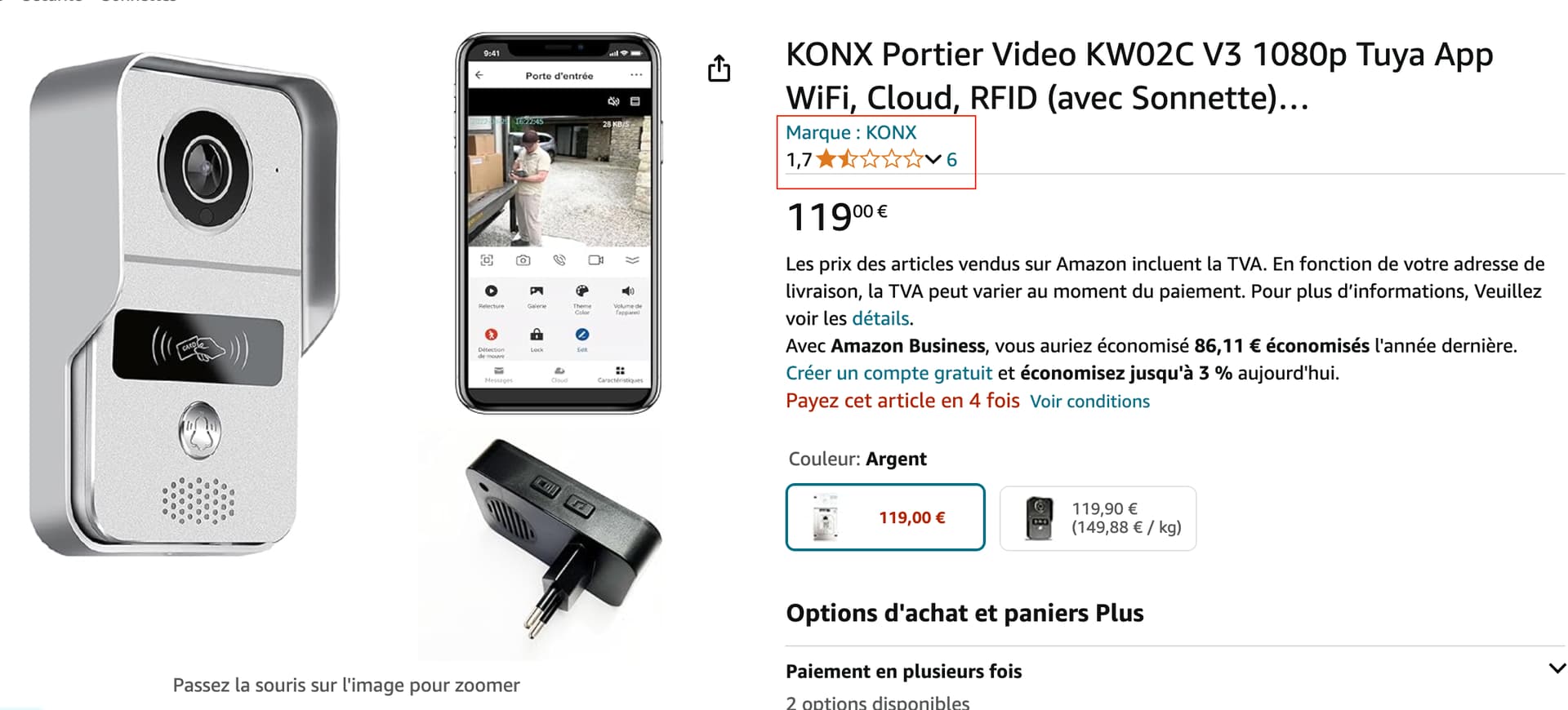
I read this kind of information on this post:
One solution would be to offer a UDP transport mode in Gladys, configurable from the camera interface; however, I’m afraid that in your case you might end up with corrupted images, as often happens with UDP — especially with a low-quality camera…
hello @pierre-gilles
So I shouldn’t keep trying then? That’s a shame for me.
Thanks for the time you spend helping us.
I’m not an expert, but if it gets as far as VLC, maybe we can restart the stream from VLC to send it to Gladys???
As it stands, it can’t work directly because the RTSP stream implemented by Konx returns an RTSP response that is non-compliant with the standard when the stream is requested over TCP (it’s a Konx bug).
I see 2 options for you:
- Short term: Either you find software that can act as a bridge between your Konx and Gladys, which would allow reading the stream in UDP from your Konx and re-emitting it in TCP for Gladys. Basically an NVR! It could be Frigate for example (https://frigate.video/), or ZoneMinder (https://zoneminder.com/). After that, nothing guarantees that this NVR won’t be in the same situation as Gladys, but it’s worth trying — they might be more « open » to non-standard implementations.
- Medium term: Wait for a forced UDP mode to be developed in Gladys. In that case, I’d appreciate it if you could create a feature request

In any case, don’t expect magic with this portal. It is extremely poorly rated… I wouldn’t be surprised if even over UDP it gives us a choppy or even corrupted image
Thanks for your help, I’ll try to get by with what you told me.
I’ll submit the feature request even if it doesn’t work with my device; it might open up options for other cameras, maybe?
Hello
I solved the video problem by using MotionEye. It’s a bit heavy because I’m using a dedicated Raspberry Pi. But since I use several ESP32-CAMs, it was already installed. However, I think installing it