@VonOx @pierre-gilles thanks for your responses.
So in the meantime, do I need to switch back to version 3 to have all the features? Because I love v4 but without the scenarios I can’t do anything with it.
Thanks and good luck with the development.
@VonOx @pierre-gilles thanks for your responses.
So in the meantime, do I need to switch back to version 3 to have all the features? Because I love v4 but without the scenarios I can’t do anything with it.
Thanks and good luck with the development.
Indeed!  We’re moving as fast as we can, but there’s a lot of work to be done, and time is limited
Thanks! I’ve created a GitHub issue so it can be included in future developments:
If someone can integrate them, that would be great!
In this beta, the translations haven’t been done; we’ll do them for the RC release
I just deployed Gladys 4 beta with the scenes! For those who have Watchtower, your installations should already be up to date
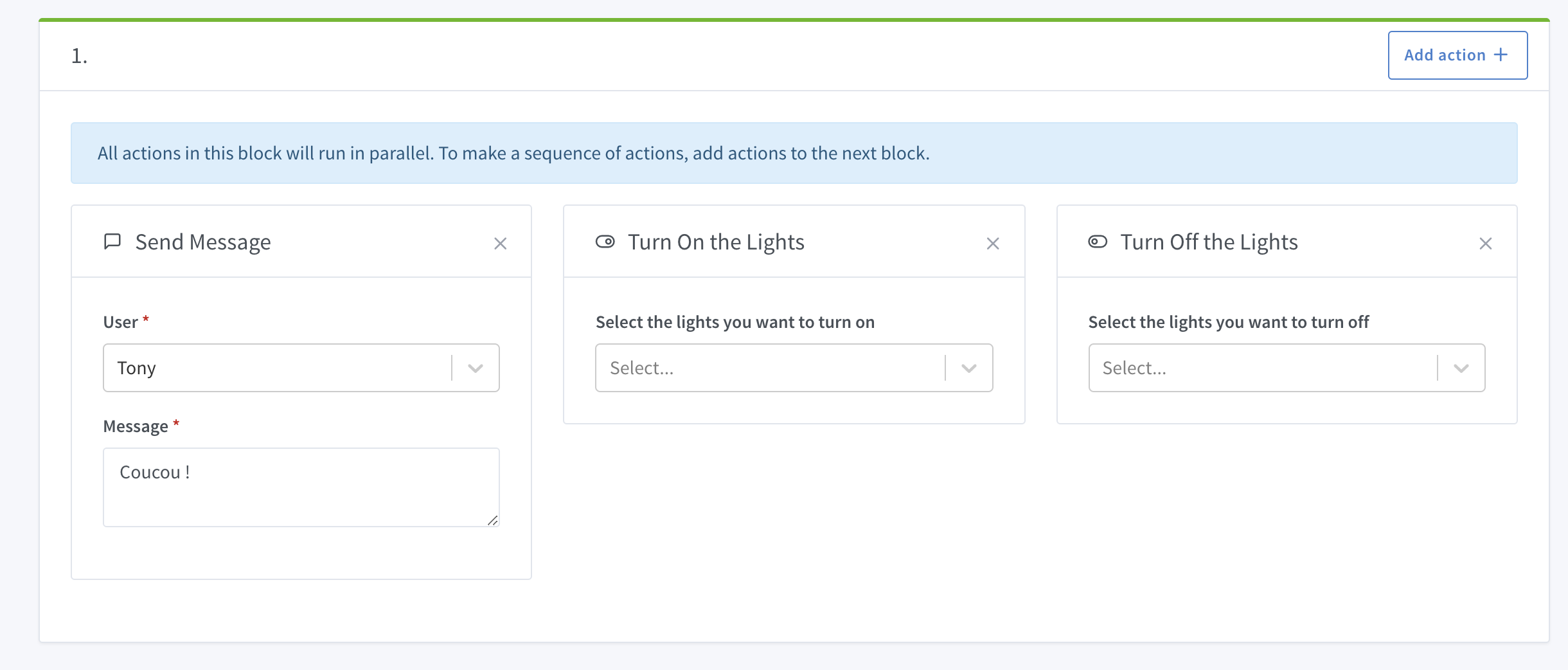
There are very few triggers/actions available for now, but it’s a first draft!
I’m open to any feedback on the functionality of the scenes.
Note: For those using Gladys Beta on x86 with Docker + Watchtower, I pushed a container earlier with a small startup issue (my bad), and I noticed that as the container restarts continuously, Watchtower can no longer update it. A docker pull + a new docker run fixes the issue Don’t hesitate if you have any questions about this, it’s my fault! This kind of problem won’t happen in production, here as we build on master without tag during the beta it’s not always easy to test.
A bit annoying to find the right device… Probably poor organization on my part, I should take the time to name them properly.
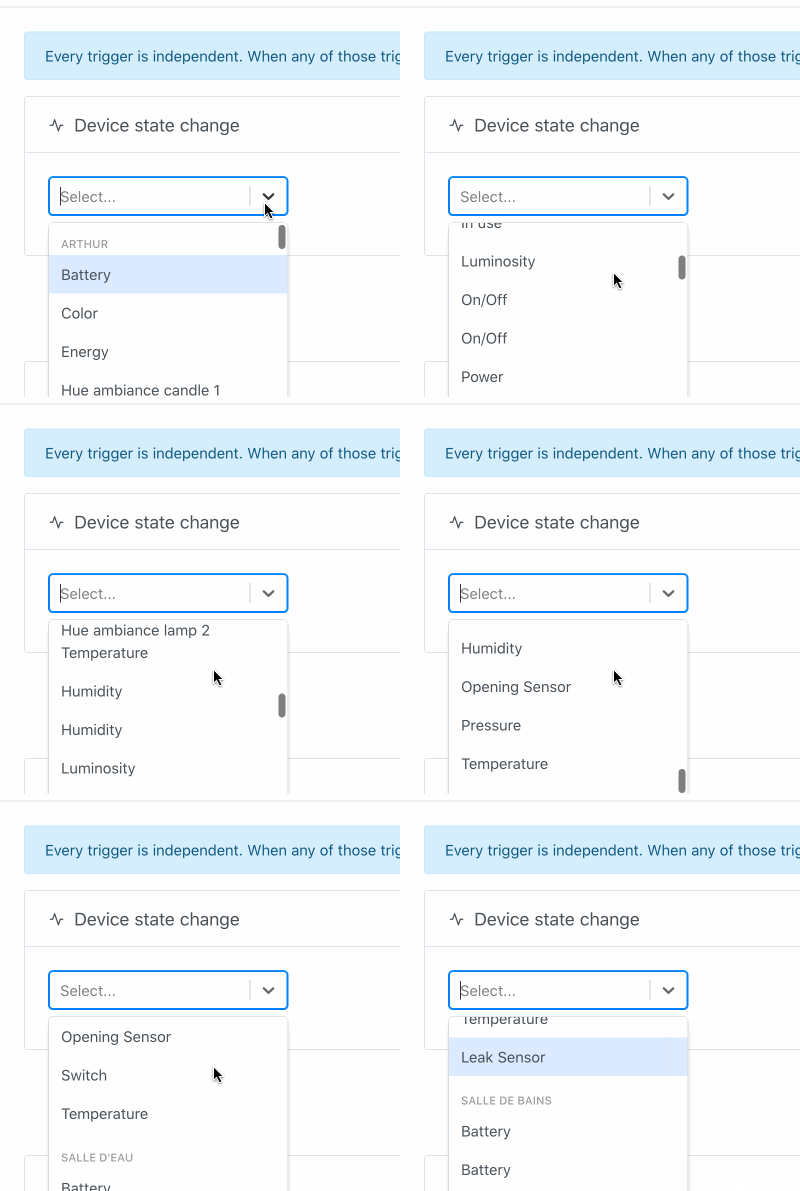
Good point is that it works via the « start » and via my trigger  !
!
Point that bothers me:
That’s it for my feedback.
Hello everyone
Quite busy, I have put Gladys aside for the moment due to the lack of visibility of this v4. This remark is not to be taken negatively, as I know all the commitment of the community of developers around the project (thank you all!). Have you by any chance posted somewhere a list of « feature proposals » and what is already integrated/functional (scenarios, supported hardware, etc.)?
On a different subject: do you think it would be feasible for this v4 to offer a template system to quickly add new connected objects? I indeed have WiFi-controlled sockets, controllable via URL, that I would like to be able to add, but I don’t know how…
Looking forward to reading you,
Jean
I agree it doesn’t drive you crazy! Maybe the solution is something like:
With (Color/Battery/On/Off) a data extracted from the type/category of the deviceFeature.
I’ll give you the link to the current task on GitHub →
For now there are few things, after I’m open to any suggestions to iterate in the future
And I’m open to any PR to code new types of actions, it’s super simple to code ^^
Mmmm not bad I’ll think about it. Otherwise simply a button at the bottom « Back to top ».
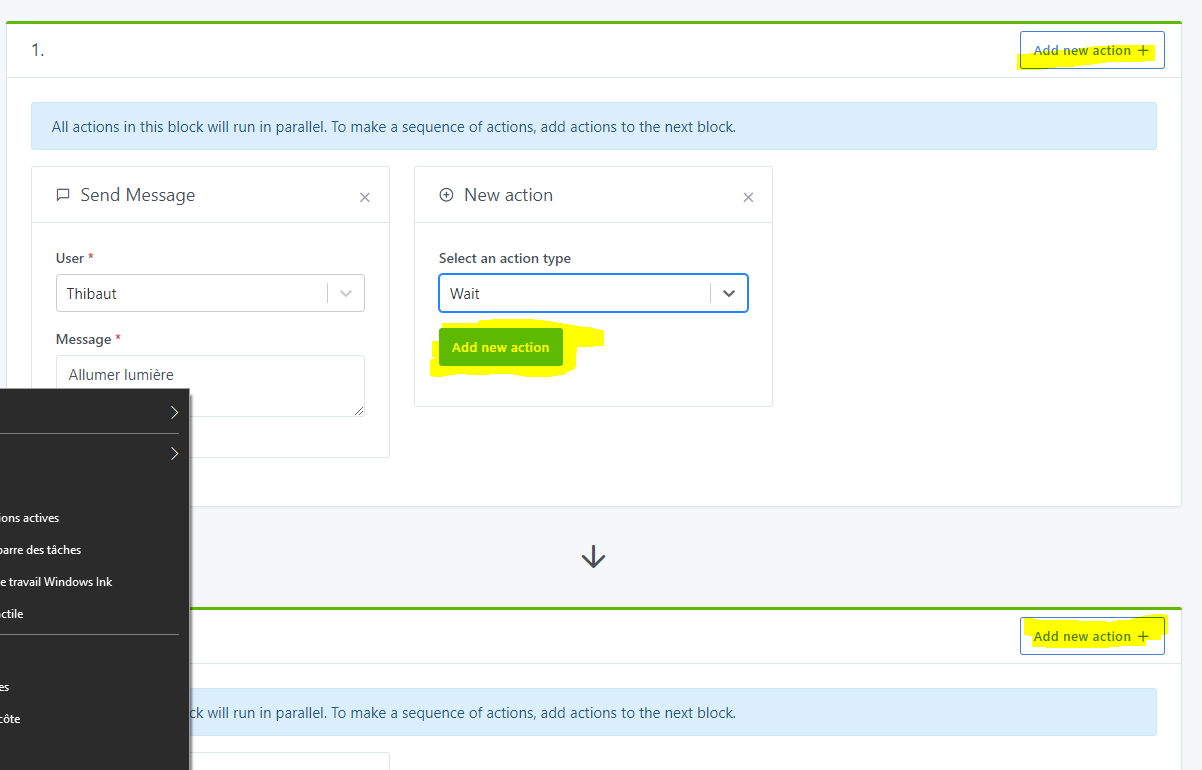
Or « Add action »
I’m afraid that « Add » alone might be a bit confusing in relation to the group of actions..
It always adds an action in the current block!
All ongoing developments are organized on GitHub Projects →
https://github.com/orgs/GladysAssistant/projects/2
Yes why not
Another solution is that I would like to have a « Device HTTP » service that allows you to add devices controllable by HTTP request, and without coding a service
Hello @pierre-gilles!!
First of all, congratulations on launching the Scenes!!
However, I have a question: why only have the ‹ turn on › for the lamps and not the ‹ turn off ›? Could you easily and quickly implement this? Because for my part, the test phase would mainly focus on this aspect with automatic extinction, with the ‹ wait ›. I still can’t control 99% of my devices via the mqtt service, but I just invested in Philips hue.
Second point, have you planned in the triggers to manage the « AND » in addition to the « OR » because that was my main problem in V3 where you had to go through the script for this operation - knowing that the goal is to target a wider audience, less tinkerer or who is looking for more simplicity.
Third and final question about the scenes: on the dev side, for the server/front update, could you indicate what the manipulation is? Do we lose the database? (Should I save it with TablePlus - thanks by the way, I got this from one of your replay of conv-call, it’s great!!^^ - to restore it after the update).
Finally, last question, after a big thank you, I saw that you had unlocked the limit of 20 rooms on the Dashboard editing view, so I can see my 57 rooms. However, hoping not to be too « heavy » in my requests, would it be possible to have the same layout as on the services with the rooms sorted in alphabetical order but by house first with the names of the houses in bold and indented. I tried to take back the code of the mqtt service in dev mode, but as I am in initiation, I did not succeed…
Voili voilou, in any case for a first feedback as such, I find it aesthetically pleasant and clear to configure. I think simple for the uninitiated, so accessible.
Looking forward to testing the « Turn light off », I will come back with more feedback for the next steps.
Thanks in advance for your answers.
I am developing it gradually I prefer to release actions gradually as needed!
The ‹ turn off › wasn’t so hard to implement, I added it, it will be in the next merge →
There is still some reflection on the « MQTT Device Control » part, we want to do things well in Gladys 4 and take the time to think carefully about each feature before launching it. Here it touches on a much broader subject, the « Gladys Core/Gladys Pod » architecture, and I would like to have this debate before diving headfirst into development!
Yes, there will be a conditional block in the scenes, « Only continue if » which can have a set of AND/OR conditions. I am inspired a lot by Zapier for this.
See the GitHub issue where I talk about the subject:
When you develop under Gladys, the only thing to do is to do a git pull to get the latest version of the Gladys code. Then you can run the database migration in the server folder with the command npm run db-migrate:dev. You will not lose your dev database.
Yes it will be done In fact I fixed the bug of the 20 rooms without even seeing your issue, I am focused on the development of the scenes and I did not have time to unstack my GitHub notifications. I will look into it when I have time.
Great! That’s the goal, glad it’s fulfilled.
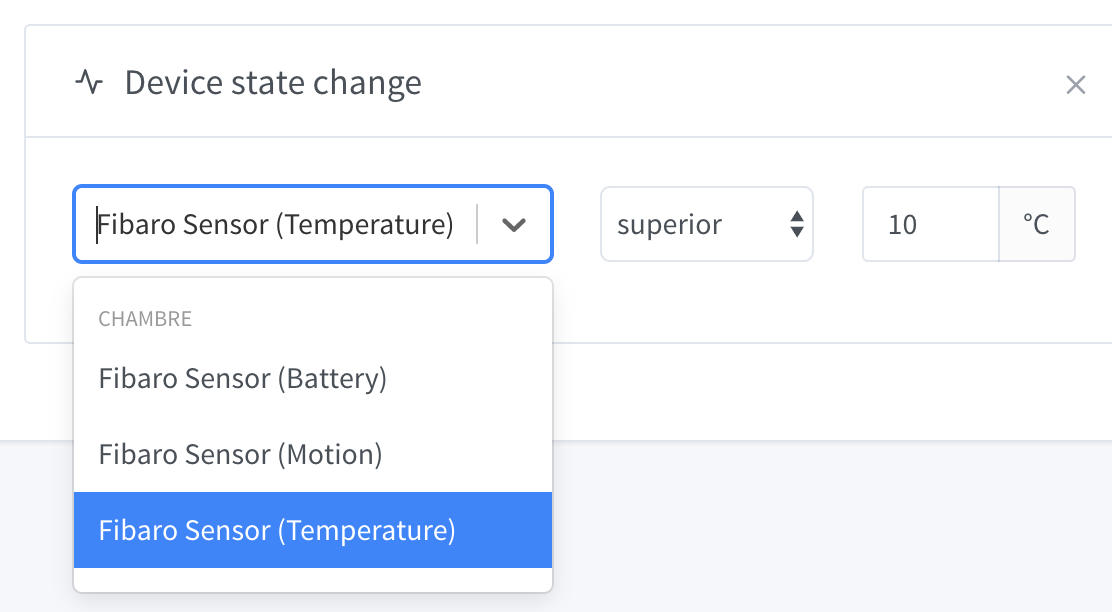
@Hamtaro @link39 What do you think about a device display like this?
It’s a « Device Name (Feature Description) » combo, with « Feature Description » being a text from these translations.
It seems much better indeed!
Not bad, we’ll see how it goes. 
Why not display the name of the DEVICE_FEATURE for more clarity. Or take into account that:
DEVICE contains only 1 DEVICE_FEATURE, display the name of the DEVICE,DEVICE contains several DEVICE_FEATURE, display a first line a bit like the name of the ROOM with the name of the DEVICE then below the names of the DEVICE_FEATURE.I take my personal example, in my case all the DEVICE_FEATURE are named, but in the end whether it is on the Dashboard, or in the Scene now, this name is not used.
Finally, thank you for the PR with the new actions. I just programmed the use case for ‹ Turn off the Light ›.
Hello everyone!
I pushed all the work I did this week to the beta on Friday, namely the scenes with the conditions (AND/OR), it was a nice big chunk of work!
Looking forward to your feedback
That was actually the case before, but as you could see on @Hamtaro’s screens it wasn’t very clean ^^
I’m starting to play with the scenes
Hot:
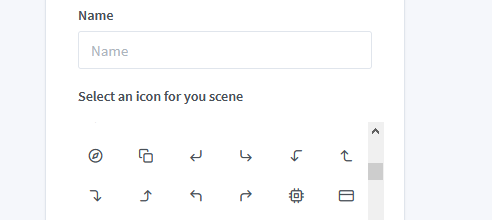
Is it possible to add a filter to find an icon quickly?
And I don’t think we can modify it once the scene is created.
I just noticed something else! Bug?
The poll does not work for the hue service?
I am on in Gladys for a lamp but not in reality (nor in the hue app).
I keep tinkering…
Super arrival of the scenes 
Super job 
However, I think there’s a small bug, I need to refresh the page for a new scene block to appear.
Overall, it’s all super 
What kind of filter are you thinking of?
Not a bad idea, yes it’s true that neither the name nor the icon are editable. I’ll change that.
That’s strange, it was working at one point, but I noticed the problem at my end! I’ll fix that.
Great, don’t hesitate if you have more feedback!
Huh? That’s strange, everything works on my end. What browser and browser version are you using?
Hello everyone!
Quick message to keep you updated on the progress of Gladys 4
Here are the different ongoing projects:
This is just a small glimpse of all the work done, but believe me, Gladys is being worked on hard right now! Thanks to everyone who contributes, it’s thanks to everyone’s effort that Gladys is moving forward