Bad news for me this morning. Gladys is no longer functional. 
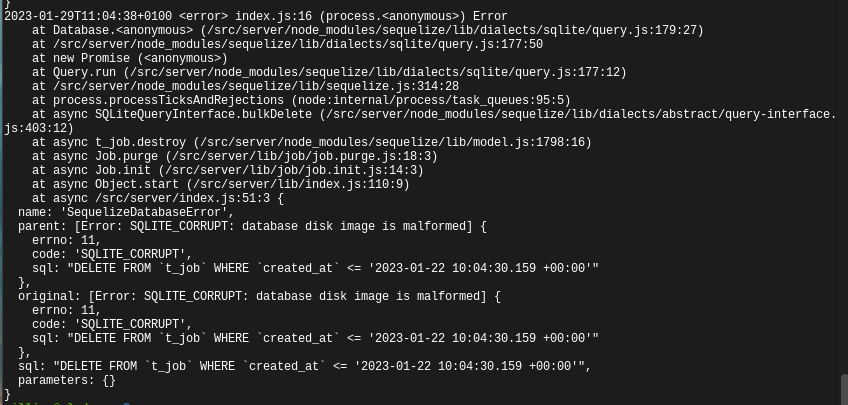
I don’t know what happened last night but my database has an error so no more Gladys
Well, now I just have to re-import a Gladys Plus backup!!!
Well, actually I need to reinstall everything
After restarting it, the Pi is no longer accessible on my network. I don’t really know what happened to
SSD or SD card? It smells like data corruption…
It’s an SSD.
Maybe there was a power outage during the night?
Maybe I don’t know [EDIT] no, not possible — my Pi is on a UPS, in any case even on a PC my hard drive doesn’t respond!
And my Pi won’t boot from the SSD now! Really strange
Your database is corrupted, these things can happen.
I’m afraid I have more problems than that.
I can no longer read
There we go, another mini-PC to plan for ^^
I think this is a good opportunity for me to look into another solution, a mini PC or something else…
Okay, I got the Pi running again with another SSD.
We’ll see about replacing my Pi later!
@pierre-gilles, so I looked at the database which after 10 months is about 12Go, and there are a lot of things that are not deleted over time
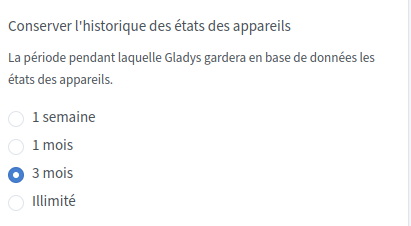
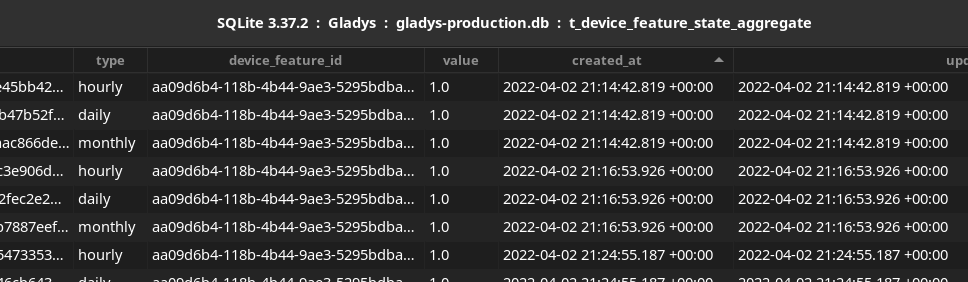
I set the history setting to 3 months but in the database in the table t_device_feature_state_aggregate, for example, the data dates from the beginning of my use of Gladys until now.
And so I end up with 13,000,000 rows in the db which for the most part are no longer useful.

Isn’t this table affected by the history option?
Same for the t_location and t_message tables? Do we really need to keep all this data in the db longer than what’s selected in the setting?
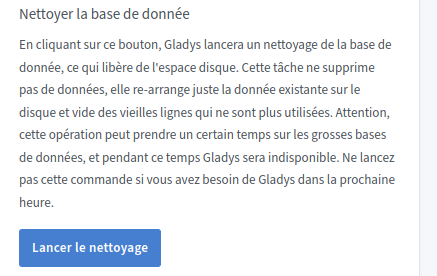
Or do we need to do the cleanup with the function below?
Indeed, currently the aggregated table is not affected by this setting.
The idea would be to have several parameters to be able to quickly clear the « live » data (which are extremely heavy), and then other parameters for the « per month/per day/per hour » data.
In the meantime, if you want to do the cleanup yourself you can run a quick DELETE FROM.