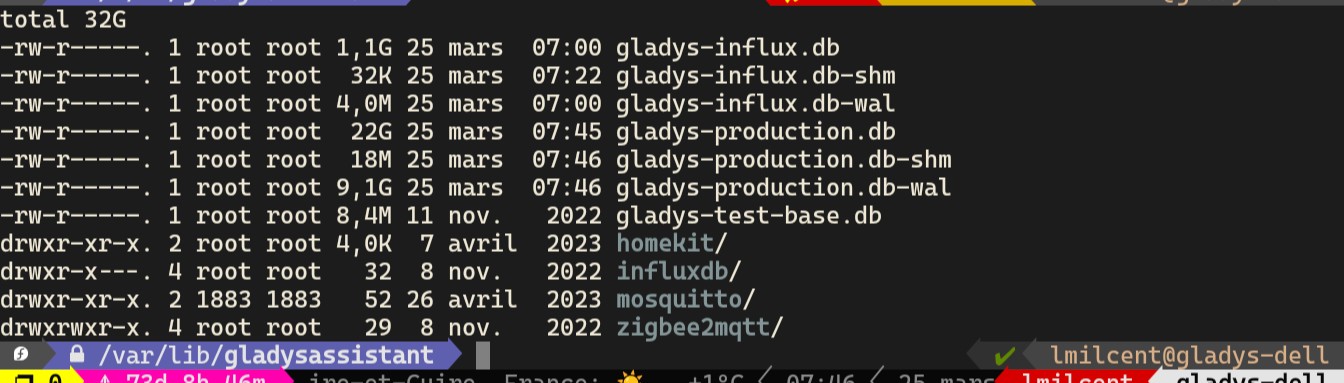
I end up with a .db-wal file of almost 10GB in addition to the 22 GB of the db. I don’t really know what to do anymore.
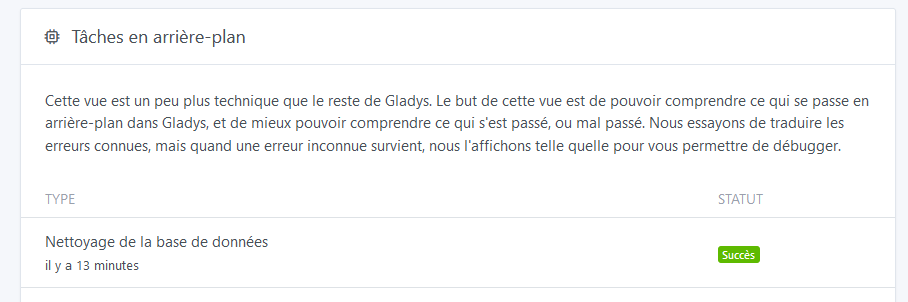
Running the task manually doesn’t work, I get a « database locked » error. Even when specifying a different TMPDIR path that has 800GB free.
What I did was move the DB to a partition with more space.
But I can’t explain the following
Retention not being deleted?
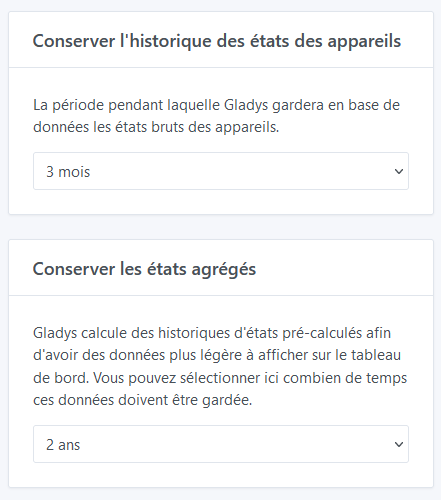
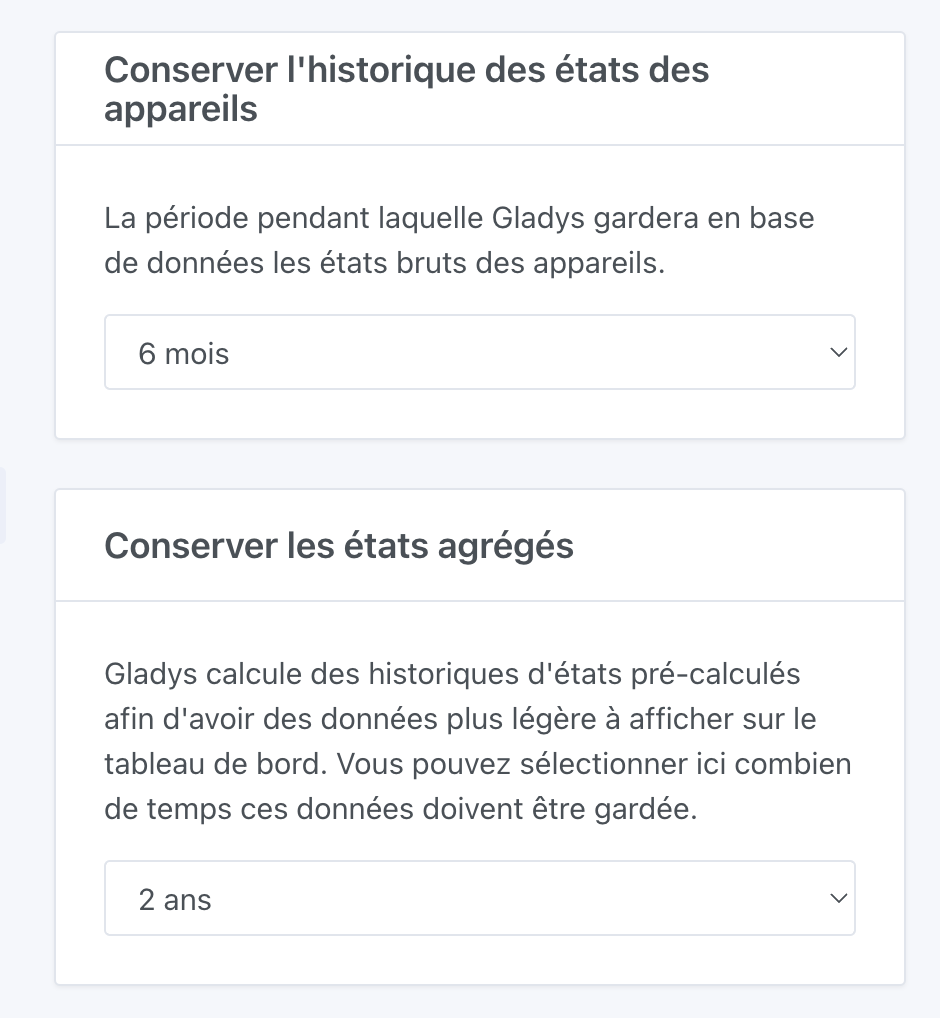
My DB is 22GB, with unlimited retention for all my devices. To reduce the size, I set a 6-month retention for states and unlimited for aggregated values.
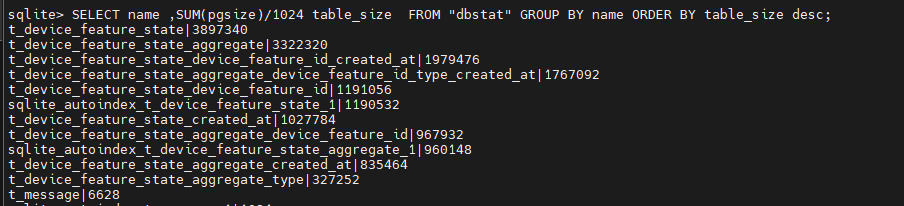
Despite everything, even with a VACUUM after all Gladys purge tasks, I’m at 17GB. While searching, I found a query to list the number of values per table, and I don’t understand why there’s so little difference between aggregated values and raw values.
If you have 3 months of state retention and 6 months of aggregated states, that means you’ll have:
1 row for each state of each feature of each device for the last 3 months
1 row for each minute (hour view), 1 row for every 5 minutes (day view), 1 row for each day (week, month, 3 months, year views) for the last 6 months for each feature of each device
So aggregated states still produce a lot of rows
This command lets you know the devices/features that are recording the most states.
SELECT COUNT(*) as total, tdf.id, tdf.name, td.name
FROM t_device_feature_state tdfs
JOIN t_device_feature tdf ON tdf.id = tdfs.device_feature_id
JOIN t_device td ON td.id = tdf.device_id
GROUP BY device_feature_id ORDER BY total DESC;
PS: did you expect more reduction by keeping only 6 months?
GROUP BY device_feature_id ORDER BY total DESC;
4081384|8ede0b40-31b8-42a1-b6d8-fdfceaea35e1|Formaldehyd (Décimale)|capteurQualitéDeLair
2426183|631724ce-6fca-48c8-8588-5598f5a736ee|COV (Décimale)|capteurQualitéDeLair
2425895|b1289ec3-87f7-4dfc-bc95-80a9fa2bd840|Niveau de CO2|capteurQualitéDeLair
2000636|b0eb1e68-2b18-4c9d-b20b-0547a0641698|Intensité du signal|PriseBureau
941126|30d10a22-d247-49b9-873e-9aec623f886f|Puissance consommée|PriseBureau
785583|2c8ced8b-e581-497d-b247-e6cb884d45da|Intensité consommée|PriseBureau
611299|c1a94fd6-3413-46ef-86df-33214fb74328|Puissance consommée|PriseOnduleur
544435|4d88bc30-dbf3-4165-919d-fba0c54b728e|Intensité du signal|PriseVideoproj
512281|6f91c791-fd31-43ad-89d6-91418fffdaf1|Puissance consommée|PriseFrigoTS0121
313060|6b907ebe-c011-4dd1-af54-339b51add63f|Intensité du signal|InterrupteurSalon
302039|d9d990a1-6b0a-4d58-bc19-9a7c591ecf71|Intensité du signal|CapteurFumeeEntree
278423|3cf063a8-8ced-4134-954f-e1b81f930a16|Détection mouvement Oui/Non|CapteurMouvementEntree
On closer inspection, I do have states that are older than the expected 3 months. Isn’t the « Faire du ménage » task supposed to remove all of that?
I had a full partition issue a few months ago and the solution for me was to… delete the db-wal which was larger than the DB…
Radical but I didn’t see any problems afterwards…
Edit: I see that in fact your db-wal has indeed been deleted so I’m off-topic. Sorry…
I think there’s a misunderstanding about how cleaning works in Gladys.
You’re talking about two different things:
Database cleanup : This button is just a shortcut to the SQLite VACUUM query. The VACUUM command rebuilds the database file to free the space occupied by deleted tuples. For more information, the SQLite documentation is very clear: VACUUM
If you change the retention duration in the UI, the cleanup of old states will take place at the next 4 AM (so as not to disturb your production too much during the day).
That could be shown in the interface, I guess…
So, if you run VACUUM while the states are still there, it won’t clean anything — that’s normal
Argh, I suspected that was it, but I think I was in too much of a hurry ^^
We’ll see this morning how it goes then! Thanks for taking the time to reply
I’m bumping this topic back up because I’m facing a low disk space issue.
However, I’m not keen to tinker with my database (BDD), nor to use my terminal because I’d be afraid of breaking everything (and incidentally because it’s always very time-consuming!)
Can any of you give me a simpler step-by-step to follow? If one exists?
Set something smaller than what you currently have.
Then, at 4 AM, Gladys will come and clean up old states older than the chosen duration.
However, since you’ve reached a fairly « serious » stage (no disk space left at all..), it’s possible that this will fail, and then you’ll have no choice but to free up space manually — it’s no longer a Gladys issue, it’s at the Linux system level ^^





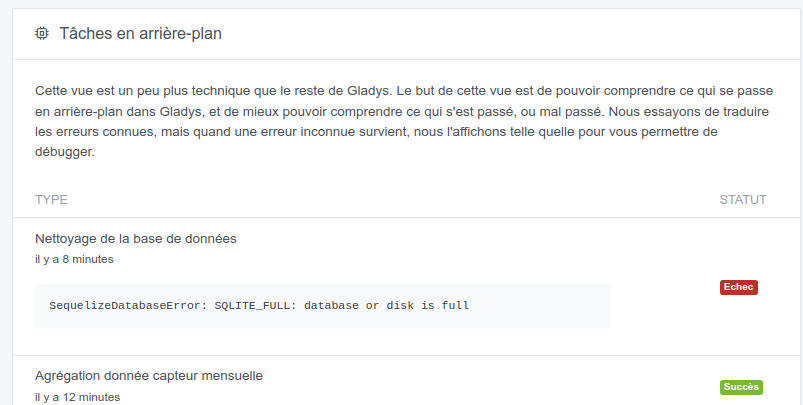
 Went from 60GB to 200GB to have some breathing room