Edit: I changed the title of this post since it turned out to be a performance issue specific to Gladys.
Hello
It’s not really a home automation feature strictly speaking and it’s something that would require a lot of development work ^^
But I think it could be useful to have the choice during Gladys installation to use either a SQLite or MySQL database.
Why this need?
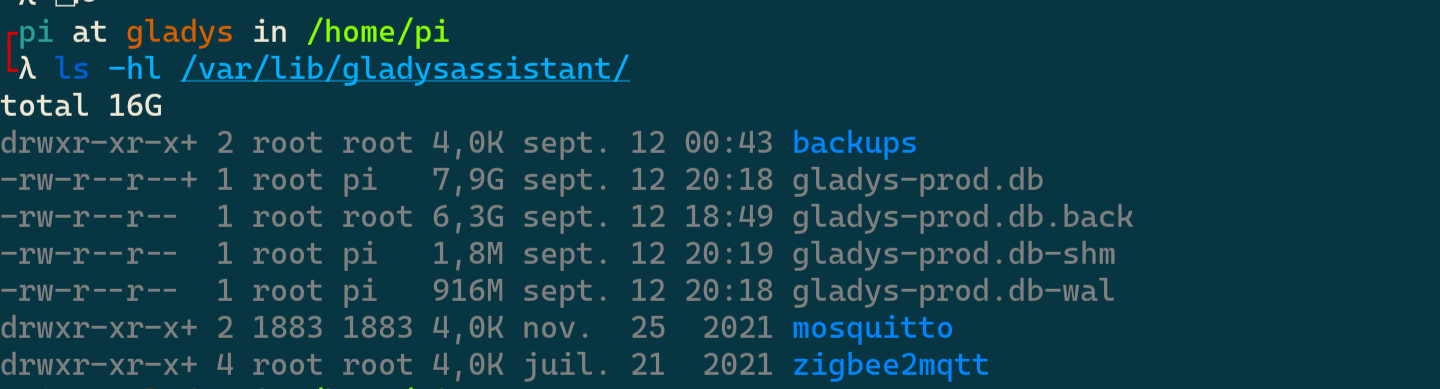
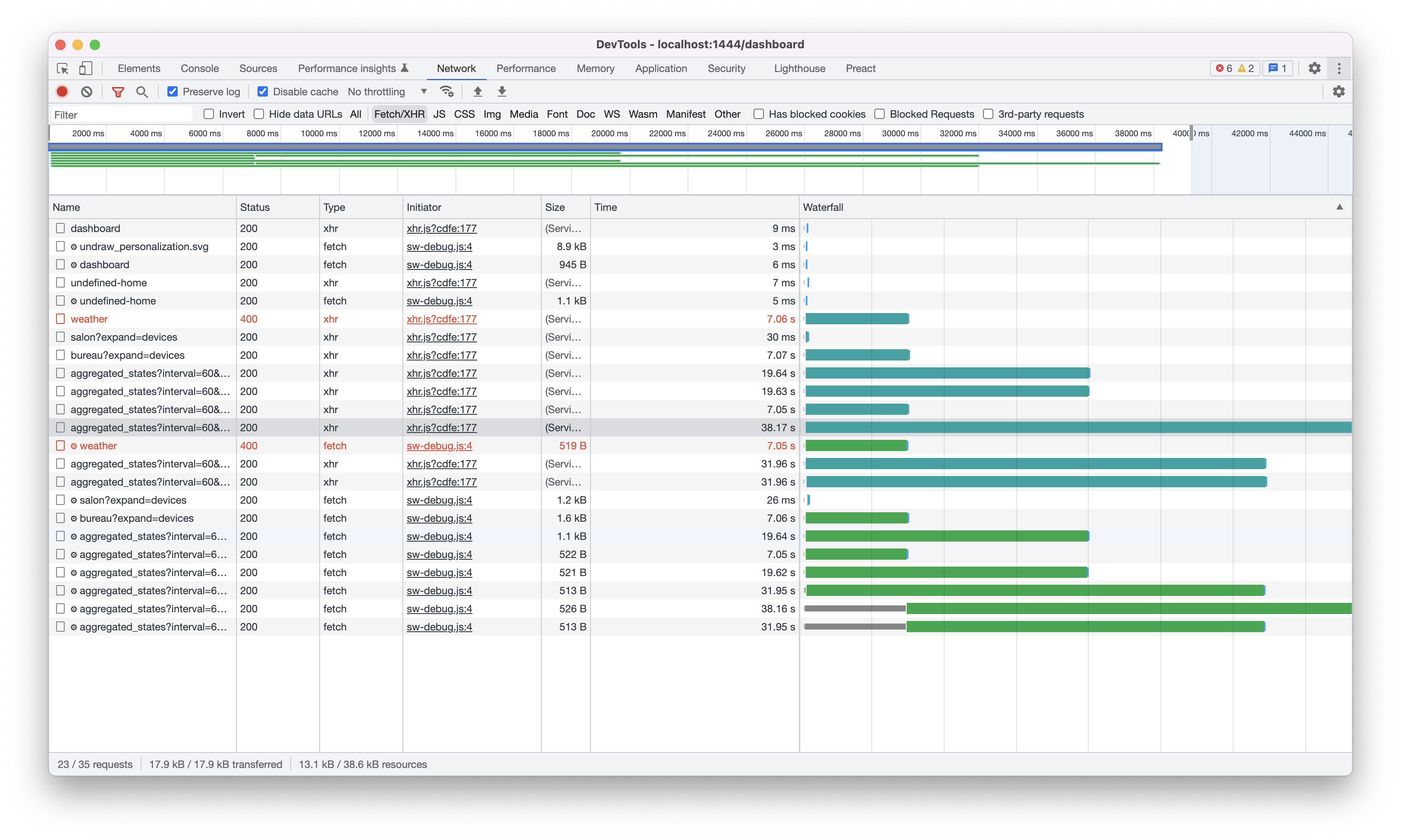
When you start having many modules on a dashboard, especially graphs, SQLite shows its limitations (about 10s to display my main dashboard)
A MySQL database will make Gladys perform better during multiple concurrent queries and improve the responsiveness of dashboards.
I don’t think MySQL is the solution to your problem. SQLite is just as performant for this use, it’s not because there’s « Lite » in the name that it’s slower, quite the opposite
The performance issue should instead be addressed in Gladys
Would you mind providing me your DB (privately) so I can run performance tests on my side?
I know that SQLite is very efficient; every DBMS has its weaknesses and strengths, which is why the topic remains a proposal
You’re in the best position to know how Gladys works with the database
No problem helping with optimization!
Gladys is on an M.2 SSD, write speed after benchmark: between 350 and 380 MB/s
Processor: 2.7 GHz 4 cores
RAM: 8 GB + 1 GB swap
Thanks @Checconio for the DB you sent me privately, I was able to perform a small performance audit on your data and it helped me a lot, I found the issue!
First, the issue was very clear: it was super slow even on my fairly powerful development machine, I don’t know how you manage to cope with that, it was ultra slow ^^
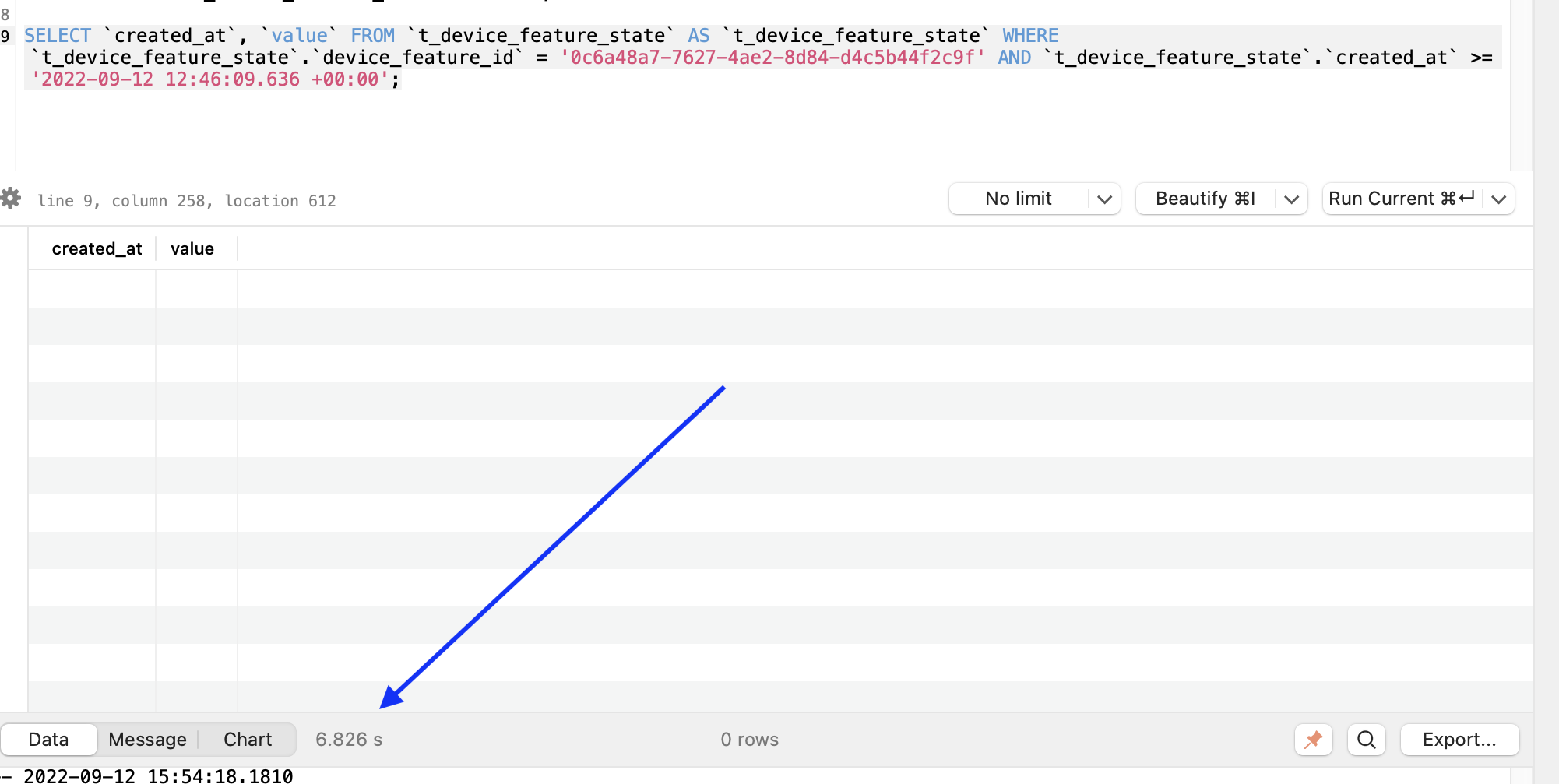
6 seconds for a query that returns nothing, that’s a lot!
So I pulled the thread, there are 2 conditions on this query (WHERE device_feature_id = ? AND created_at >= ?), and both of these attributes do have an index…
I run EXPLAIN QUERY PLAN to understand what SQLite is doing, and I understand.
SQLite could use the index on device_feature_id to fetch all states for that feature, but then it did a sequential scan to filter by date: the index on the date wasn’t used.
The solution is very simple: just add an index that covers the 2 attributes used in the query.
So I added 2 indexes on device_feature_state and t_device_feature_state_aggregate covering the attributes used by the dashboard queries.
I have a build on the dev tag in progress, I’ll keep you posted when it’s ready
In our use case (embedded program), SQLite is the most suitable, that’s why I defend it Client/server DBMSs (MySQL/PostgreSQL) are suitable when you have a database server that is accessed by multiple clients over a network.
After 26 minutes of updating my database following your patch, I confirm the huge speed improvement on the dashboards.
I can load all the dashboards in a loop almost instantly or so. Previously I would make Gladys « crash » for 5 to 10 seconds on my dashboards with many charts.




 Thanks for the analysis and the correction, very interesting.