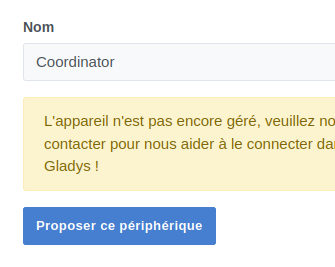
Hi @Prof_Techno,
According to your link:

It’s in z2m. So you need to go to the z2m integration page and click the link that’s on the « Configuration » page.
http://[adresse_ip_gladys:8080/ normally.
Hi @Prof_Techno,
According to your link:
here’s what I have in z2m
and you have to click on the line
URL of the Zigbee2mqtt interface : http://localhost:12000
for those who’ve been searching like I have since yesterday
thanks
small issue(s) of the day — actually two, but one that seems, I think, simple to resolve
same vein: while I’m thinking about it, is there a way to choose the min and max of the y-axis to give more meaning to the curve
and likewise, there are « last hour » or « last 24 hours » options — is it possible to have 6 hours
and the other issue is that the curves have gaps even though there is data, or so I think, since the colors correspond to the same sensor so there’s no reason I have the temperature but not the humidity??
thanks for your insights
Hi @Prof_Techno 
Those are all good points that could be improved.
I believe @Terdious has already worked on some of them, it seems.
Could you create feature requests so we don’t lose these requests?
That’s right!!^^
For:
If you have Gladys Plus (gladys plus) you can test it at: https://terdious-binary-and-columns-dashboard.pages.dev/
The part that interests you: Affichage des graphiques pour les capteurs binaires - #86 par Terdious allows renaming devices for legend display.
There is this request: Pouvoir avoir une courbe meme si la valeur ne bouge pas which concerns setpoint devices that don’t change regularly and therefore are no longer visible over certain periods. So I had started coding something to be able to manually add fixed curves like min/max. But for the moment we’ve refocused on the original part with setpoint-type devices. I’m working on that.
Easily possible, yes ^^
I don’t know about that ^^ I don’t recall encountering that issue…
So I won’t be able to test because I don’t have Gladys Plus.
So, for the incomplete curves, indeed when the value is identical it doesn’t get filled in, but as soon as there is a change in temperature or humidity it updates within the response-time interval, of course.
well, I’m in trouble
it was for my heating, a Zigbee module Nodon SIN-4-FP-21
I found this but I don’t know if it can help: https://haade.fr/fr/blog/test-nouveau-module-chauffage-zigbee-nodon-sin-4-fp-21-avec-fil-pilote-et-integration-home_assistant
so after some tinkering it was recognized in the MQTT section but in Gladys
You should be able to work around it while waiting for it to be supported: with Node-RED and its Zigbee2MQTT integration.
If you want to use Gladys no matter what, you create virtual MQTT devices that meet the need and make Node-RED communicate with Zigbee2MQTT and with Gladys’ MQTT devices.
ok but you’ll need to explain a bit more to me if possible because I don’t quite get everything here
so I’ve already started by installing rednode
but it’ll stop there for now because I don’t know where to start lol
No worries… but not tonight unfortunately I don’t have enough time! We’ll help you 
Here’s a video by @pierre-gilles that shows an example of using Node-RED
So I did watch the video and honestly the examples are easy but a 6-order pilot-wire heating system isn’t the same, especially the Gladys part which is very poorly documented on the web