the annoying little thing is that if it works it’s just become an overcomplicated mess because of the Gladys system (it’s not only Gladys that uses this)
but to manage my 8 radiators I end up with 4-5 scenes for each which is really cumbersome in terms of management and maintenance and I’m not sure I did everything right
a dumb example but for instance for one radiator I have to do
global scene for each mode (currently 4: off, auto, 16°C and boost)
added to that are
an auto-on scene when it needs to reach 20°C
an auto-mode scene when it’s 16°C
a scene to set it to 16°C
a holiday scene to handle when it’s 20°C
a holiday scene when it’s 16°C
for each scene I have to be careful that none takes a condition that blocks another and conversely I have to block
example: I trigger boost and suddenly it activates a scene because I didn’t think to block in case of boost
if anyone has a trick to avoid having 44 scenes just to manage the heating — and I haven’t even added a fake device to vary my target temperature yet
I dream of a Scratch-like programming system with variable handling!!!
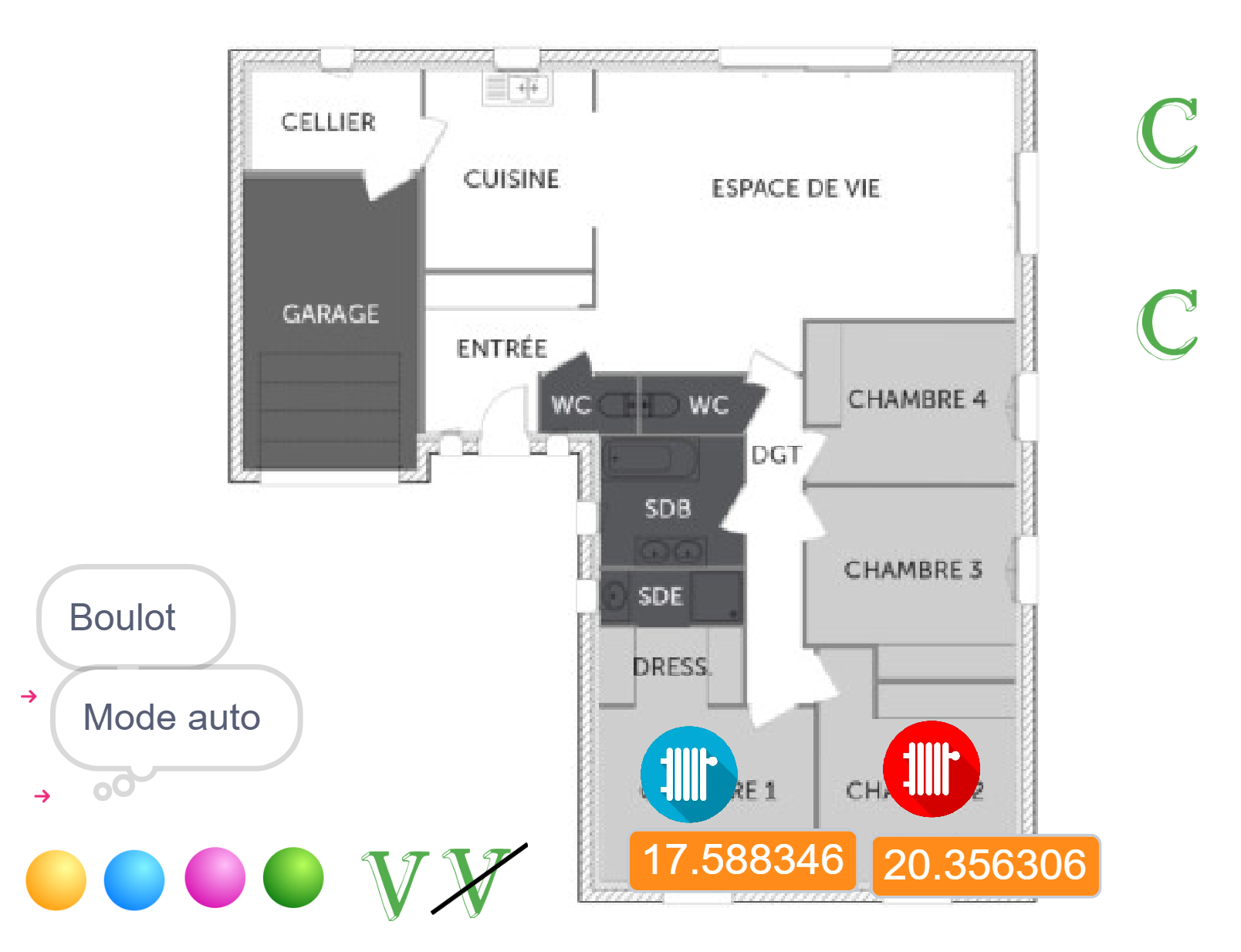
So here is my program as well as a visual rendering that would be nice in Gladys (the visual rendering is very austere in Gladys; it doesn’t help me convert the people around me)
I just wanted you to explain in your own words what you want to do with your heating!
The idea is to understand your need, and then see how we could propose an ultra simple way to do it in Gladys, that even someone totally inexperienced could use, without any IT knowledge.
I’ll be very frank I think that’s really ugly What you show is exactly what I want to avoid in Gladys!
So, for the general public side: Scratch is taught from primary school through troisième (the final year of lower secondary), and Python from seconde (the first year of upper secondary).
As for the ugly side, I agree the programming part isn’t the prettiest, but you get used to it.
Also, the dashboard lacks color.
Here I wanted a rendering with my house plan that indicates, for example, whether the radiators are on and the temperature.
Otherwise, to explain what I want to do: I just want to manage it based on the temperature, the time, the calendar date, and the mode. And I would also like to have variables to manage the temperature threshold.
I think we could re-open a feature request but solely related to this native heating management layer; the thread had been closed because the original topic was about managing thermostatic heads, which is already possible!
After a long break during which everything ran on autopilot without any problems, I’m going to dive back into Gladys to redo my scenes with the new features that have appeared over the past few months.
Scanning NFC tags to execute actions in Gladys. For example: an NFC tag on the bedside table to activate a « night mode », a tag at the entrance to indicate « I’m home », which disables the alarm, etc.
Bluetooth connection to your car to mark you as « away » from home
Automatic connection to your home’s Wi-Fi to signal your return
Periodic sending of your phone’s battery level to Gladys to display it on the dashboard
Voice announcement on the home’s speakers in case of a notification
… and many more
Tasker is a very powerful tool: anything is possible depending on your imagination and needs.
Don’t hesitate to create a dedicated thread if you test Tasker and want to show the community what you’ve set up!
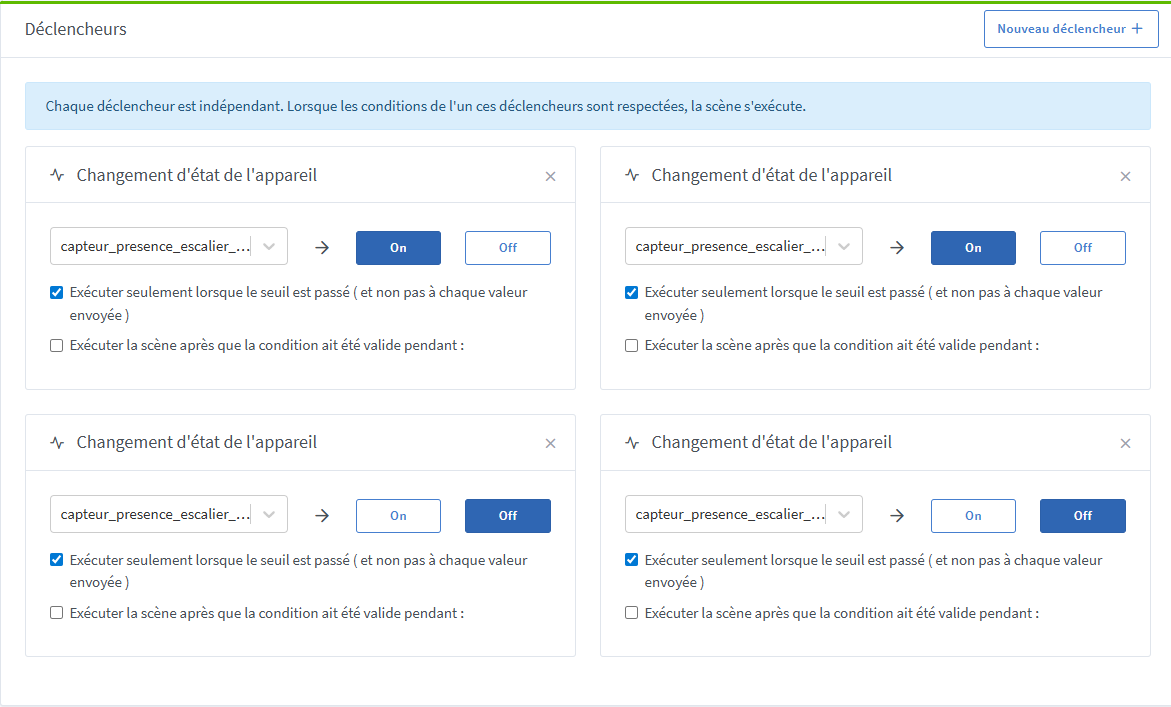
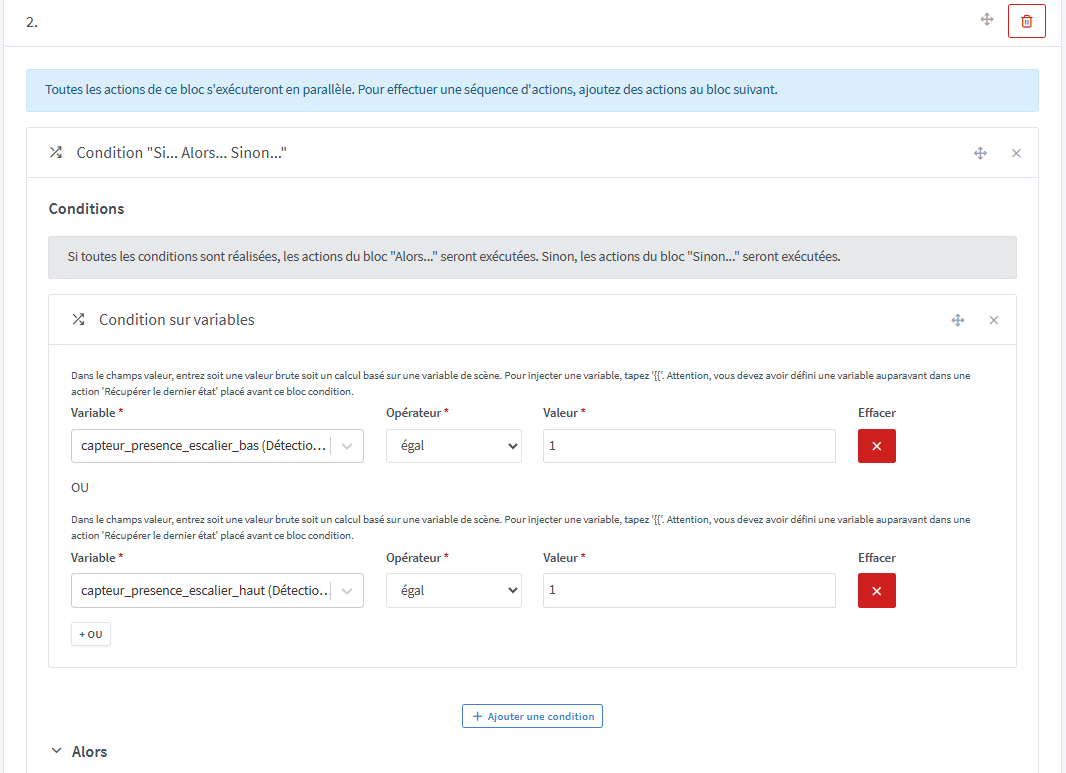
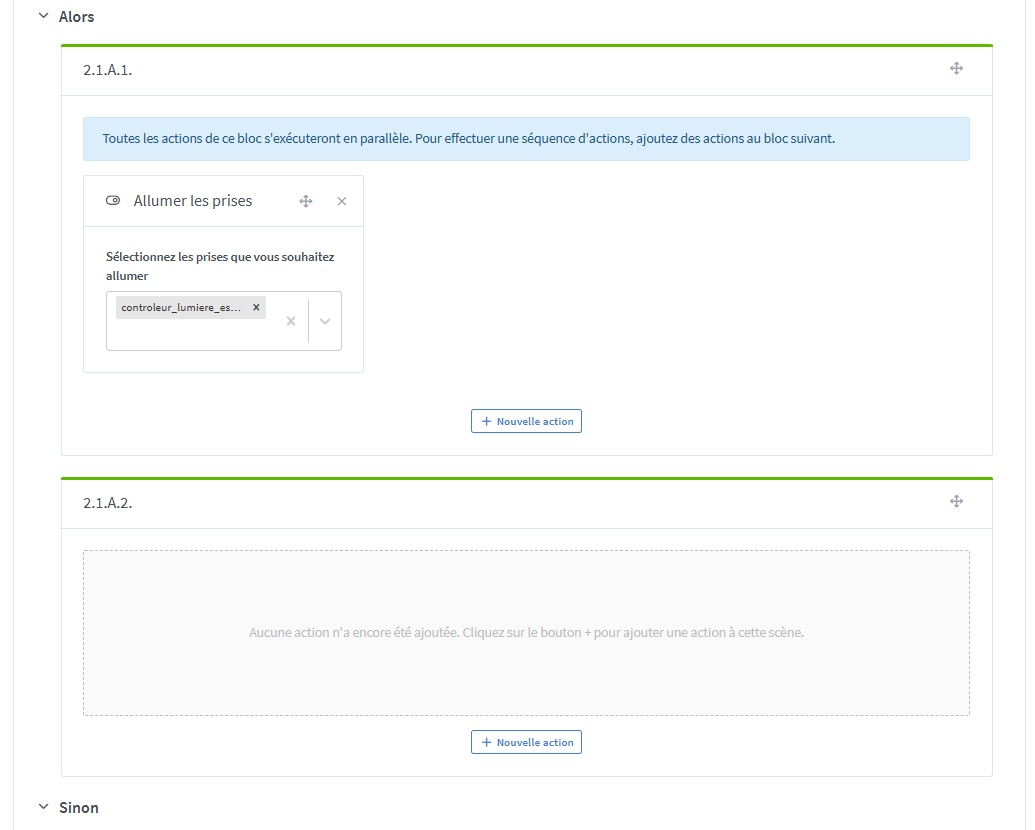
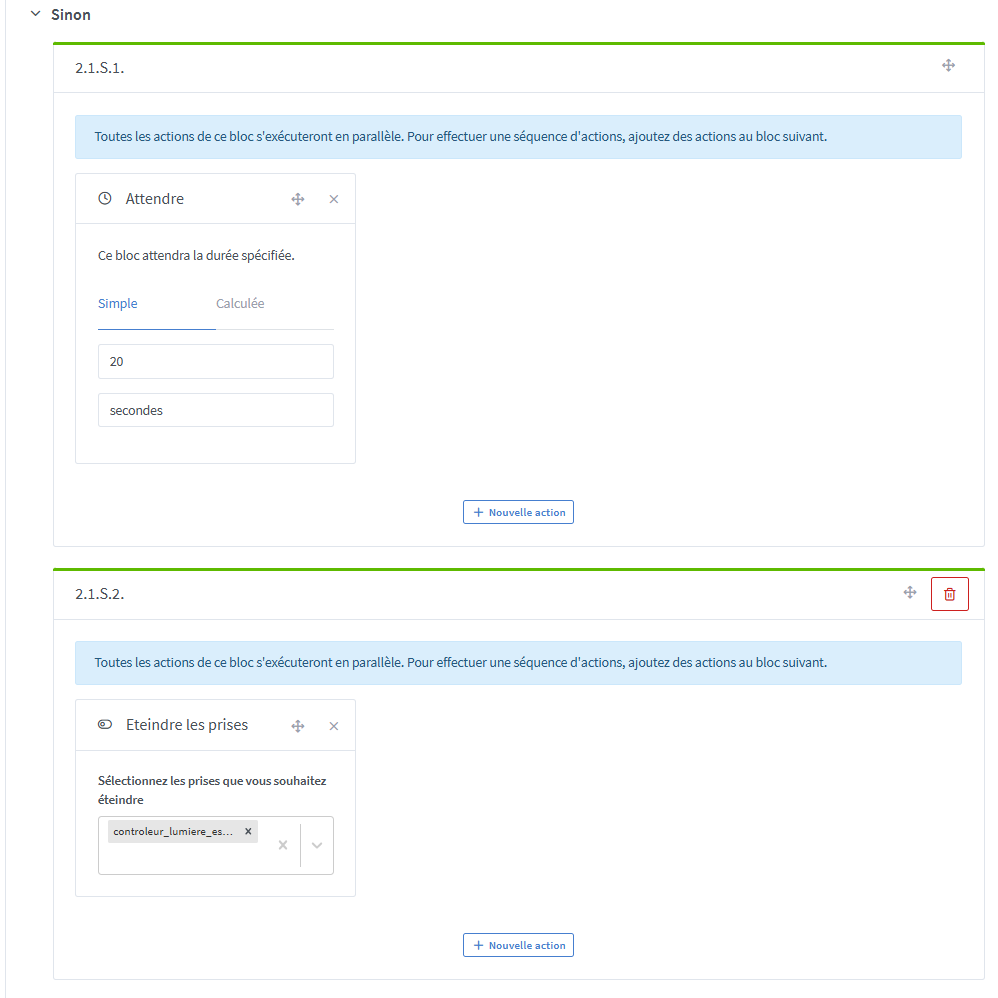
I set up a scene to automatically manage the lighting in my hallway, so that it turns on only when necessary and without manual intervention.
This setup relies on two wireless motion sensors (strategically placed at both ends of the hallway) and on a switch integrated directly into the lamp.
Hardware used
2 battery-powered wireless Zigbee motion sensors (discreet and easy to place)
1 Zigbee switch (in-wall module if necessary)
Zigbee2MQTT controller for device management
Home automation software Gladys for creating the scene
Advantages
Lights turn on only when needed
No manual pressing of a switch
Detection at each entrance of the hallway thanks to the two sensors
I will try to express my doubts and difficulties in this message regarding the proposals that were made to me. I don’t call all the proposed solutions into question, but calling them ‹ tricks › is precisely the problem.
Indeed, if I chose Gladys, it was to avoid having to use Node-RED or other detours like fake devices (even though I still have some in my current scenes, with the goal of removing them eventually). For me, the objective is to do everything directly in Gladys.
A colleague uses Home Assistant and his reflex was to abandon the built-in scenes and move entirely to Node-RED. For my part, I don’t want to multiply interfaces. Gladys works well, so I might as well use it fully and make the most of its possibilities.


 What you show is exactly what I want to avoid in Gladys!

 Hardware used
 Advantages
 How it works — see images :