Good evening, thanks for your reply — I’m currently waiting for the delivery of a mini PCIe SATA adapter to add two SATA ports to my OptiPlex 160. As soon as I have the hardware I’ll move on to the installation to test it all. I hope to run a 120GB SSD for OMV, Gladys and other services, and two 500GB SSDs for storage in RAID 1 to make my storage a bit more secure.
Here is the link to Pierre-Gilles’s video that visually explains the installation of Gladys.
Hello everyone, I’m starting to look for a mini PC (mini PV) and I came across this one: https://www.leboncoin.fr/informatique/2291717388.htm
It seems suitable and at that price! What do you think?
Thanks, community
At that price, it’s worth it!
Yes, that’s exactly what I think, even if the listing isn’t very detailed, I asked if the hard drive is an SSD, but at worst I have one on hand.
Thanks
Test it quickly upon receipt, just in case. Even on Windows.
 Yes
Yes
Merci
Good evening, I tried today to install Gladys on an Ubuntu server that I set up on my Optiplex 160. It took 12 hours to get this server installed. I finally managed to install docker, then Gladys, and finally watchtower. When I ran docker ps, only the watchtower container was started, and when I ran docker ps -a, I did see that 2 containers had been created. I had to start Gladys by running docker run gladysassistant/gladys:v4. When I restarted my server again, only watchtower was running. I removed all the containers to start from scratch. And now I can no longer relaunch the Gladys installation.
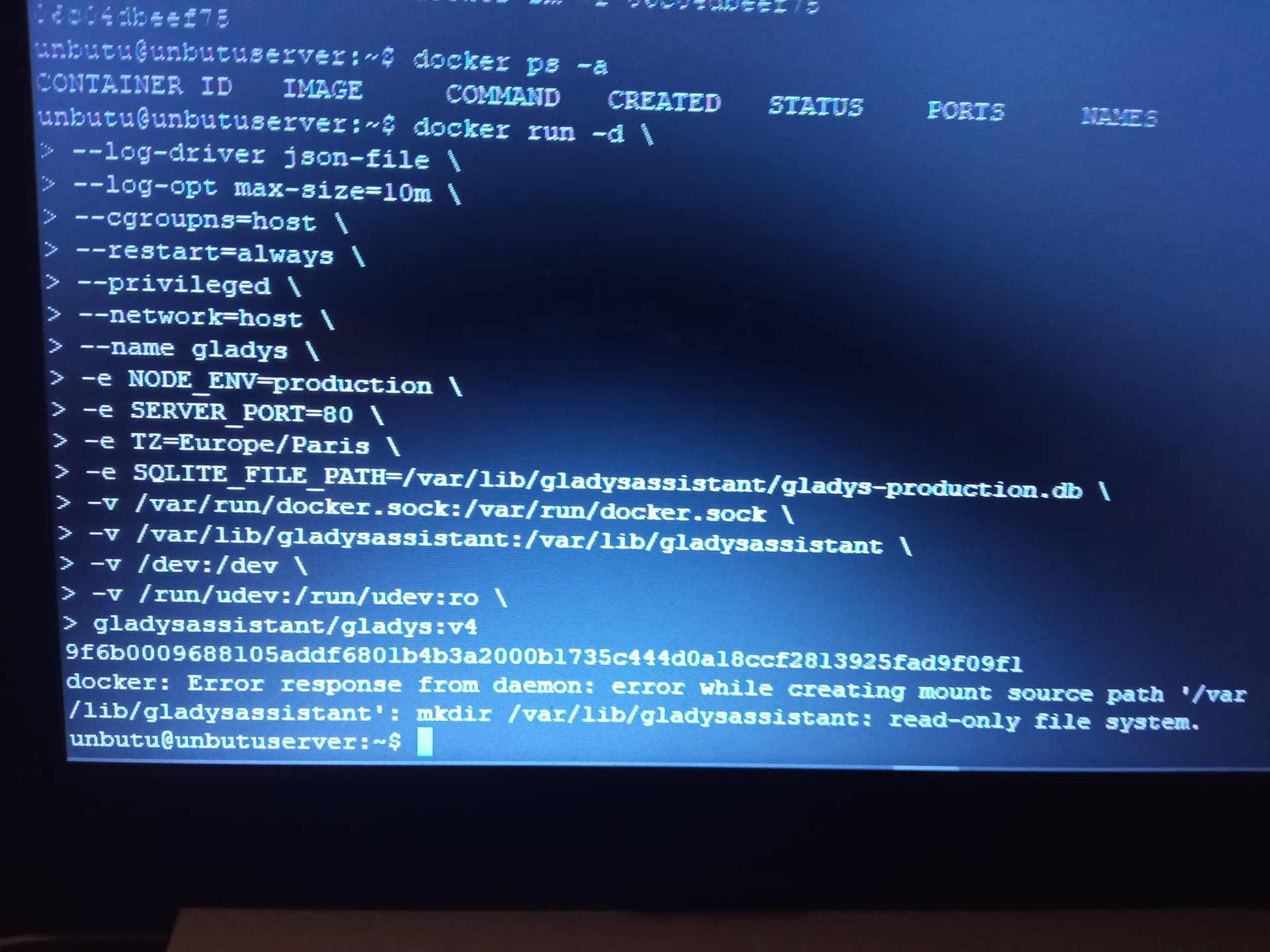
any idea?
Hi @elfedagger, how did you install Docker?
A Google search gives me this:
That might be it, yes, I installed it with the Ubuntu Server installation.
Personally, I installed it with Linux Lite; it’s lightweight, you get the desktop, video output if you want to control a touchscreen, sound and a microphone for speech recognition and TTS (text → speech), you just need to configure the display sleep and it uses no more power than an Ubuntu Server! And you can install all the tools to do development on it!
Thanks for the info, I’ll keep this solution in my back pocket in case I need it.
Pierre Gilles I get this when I try to install Docker with the command
curl -sSL https://get.docker.com | sh
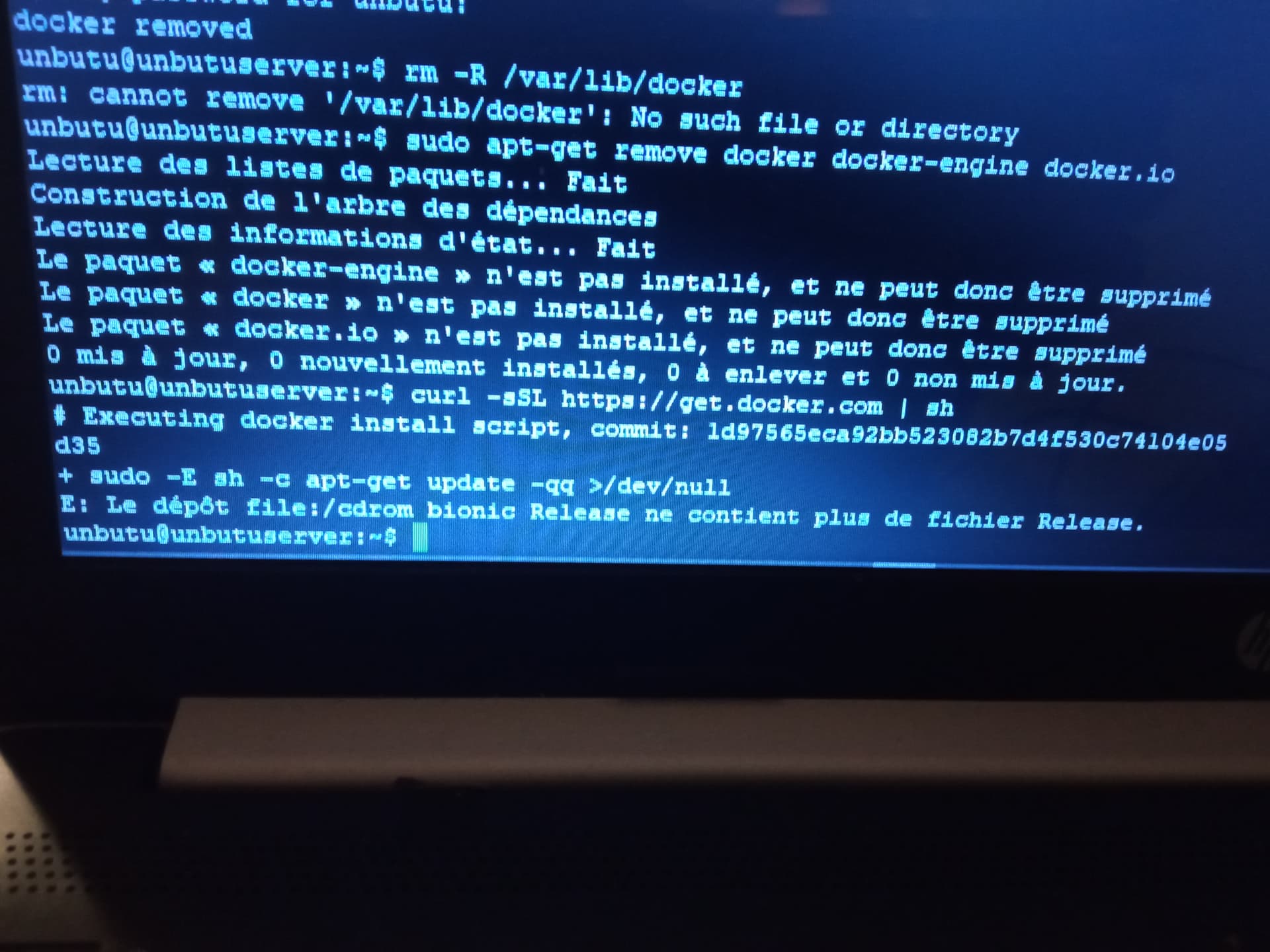
Are you in live CD mode?
Edit: for some obscure reason your installation CD is still referenced in your sources.
Follow this answer to comment out or remove the line.
To check, run
sudo apt update
If there are no errors you can retry installing Docker.
I didn’t use an installation CD; I created a bootable USB drive with Rufus.
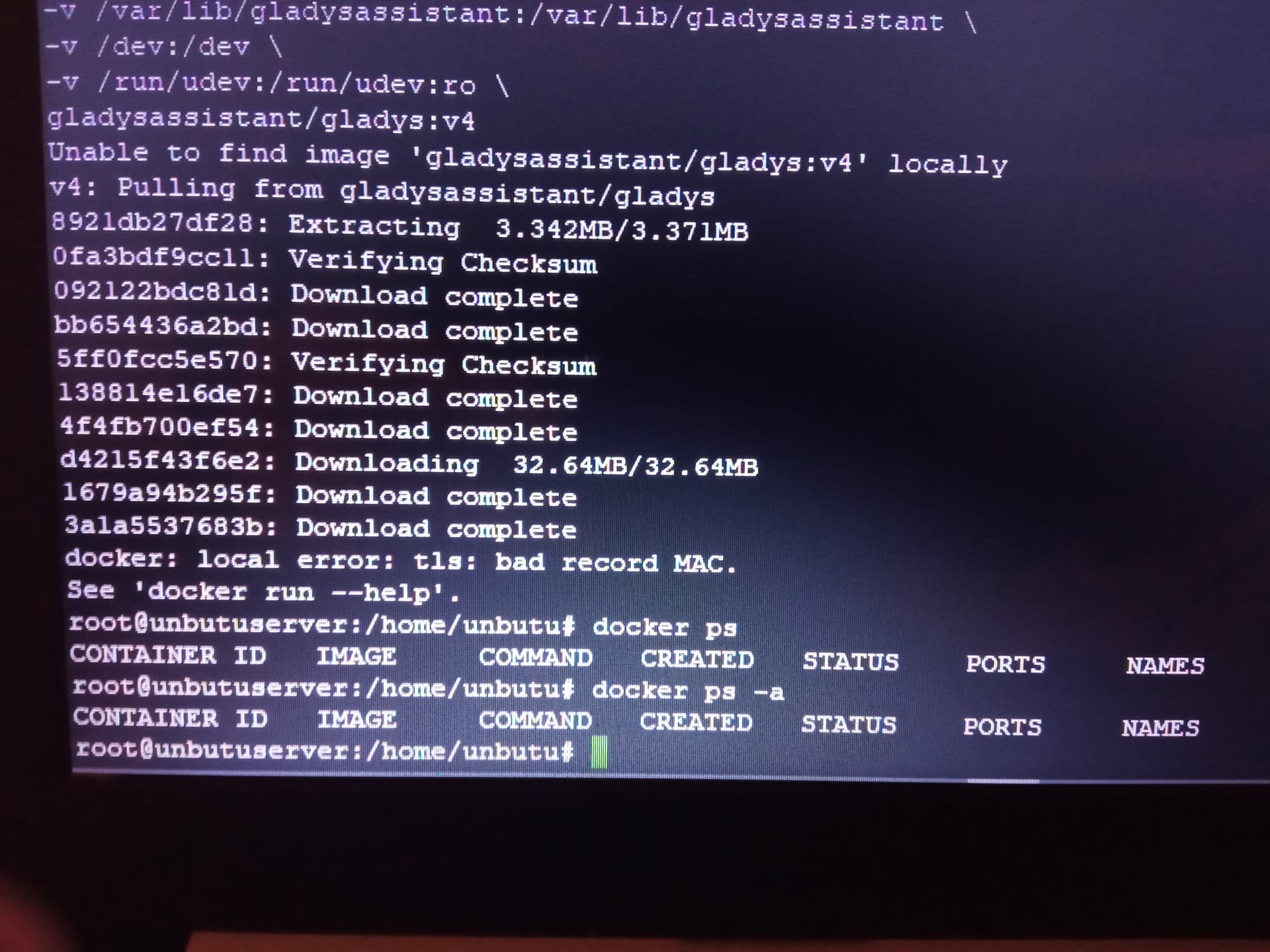
And it’s not normal to have to type extra commands…^^
In the end, rather than trying to fix errors, I suggest you start from scratch (as annoying as that may be). From experience, if a clean install requires you to tinker… it means the problems are going to pile up.
Maybe try another program to flash your USB stick, personally I used pretty much everything I could find (Rufus, Unetbootin, etc…) and ended up using exclusively Etcher and Ventoy to create multiboot USBs.
I agree with @guim31, it should go through without a problem (except on strike days).
No additional commands if you follow Pierre-Gilles’ tutorial.
Try to check what this error corresponds to anyway.
This seems related to a network issue (Verifying Checksum / bad record MAC). Is your Internet connection stable and is your PC connected via Ethernet?