Okay,
@_Will_71 finally some good news, I managed to get my shutter working.
So I restarted my VM, then Gladys and Node-RED, then I deleted all the devices, and after recreating them it works.
I will be able to put this on my production instance.
Really, thank you for the time spent helping me, it allowed me to better grasp and
I started last night working on a more complete tutorial. Could you take a look and tell me if there’s anything missing? I’ll finish completing it over the weekend.
Thanks in advance.
Yes, I saw your tutorial. I know how much time I’ll have over the weekend, but I’ll be happy to give you some feedback on it.
This is only valid for the Freebox Delta and you must subscribe to the security pack.
As for pop, there are plenty of other functions available in the API.
Anyway, your tutorial makes a good starting point! 

Here is the image for testing: willde71/gladys-test:add-freebox-integration
Not everything is perfect yet, I think. Please report any bugs to me and don’t hesitate to check the logs.
I’ll make a short tutorial this evening if needed.
Good evening @_Will_71 ,
I just installed a test instance, but I don’t have any devices reporting
Did I forget something?
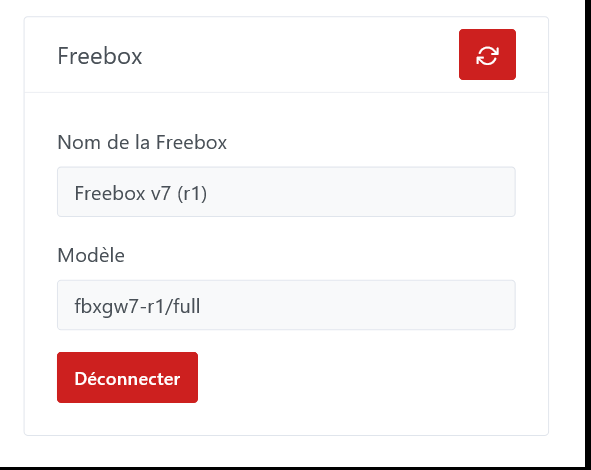
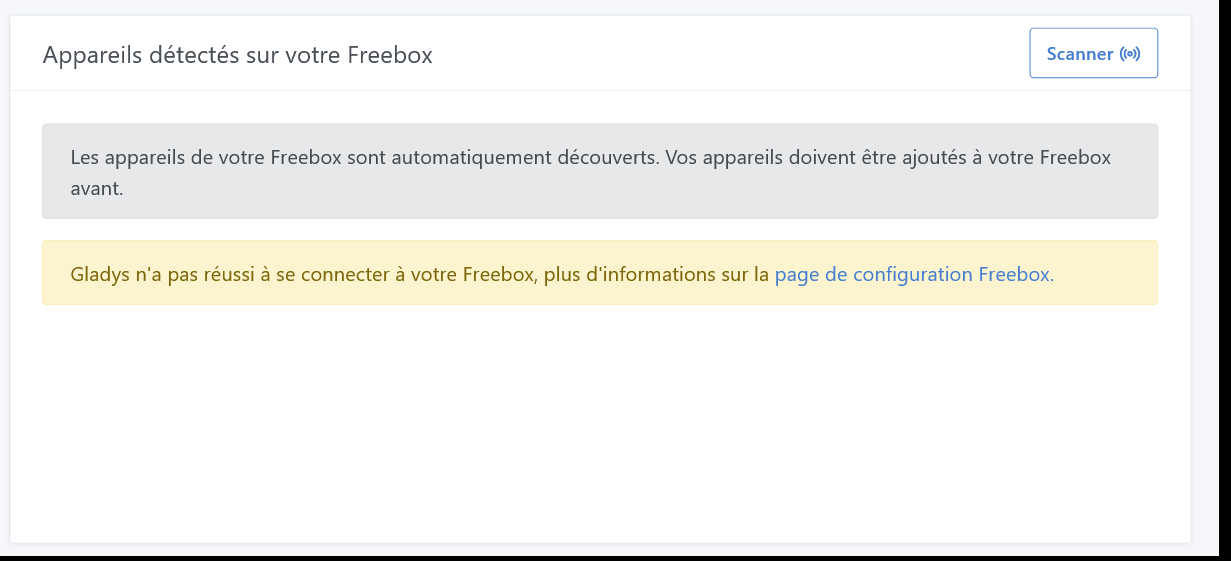



Good evening,
As far as I can tell, no, you haven’t forgotten anything. Can you run another scan or refresh the page and check the logs?
Here is the result:
2023-10-17T20:44:37+0200 \u003cinfo\u003e installContainer.js:43 (MqttHandler.installContainer) MQTT broker successfully installed as Docker container
2023-10-17T20:44:37+0200 \u003cinfo\u003e installContainer.js:63 (MqttHandler.installContainer) MQTT saving configuration
2023-10-17T20:44:56+0200 \u003cinfo\u003e installContainer.js:73 (MqttHandler.installContainer) MQTT installed
2023-10-17T20:44:56+0200 \u003cinfo\u003e connect.js:38 (MqttClient.\u003canonymous\u003e) Connected to MQTT server mqtt://localhost
2023-10-17T20:44:56+0200 \u003cinfo\u003e subscribe.js:12 (MqttHandler.subscribe) Subscribing to MQTT topic stat/+/+
2023-10-17T20:44:56+0200 \u003cinfo\u003e subscribe.js:12 (MqttHandler.subscribe) Subscribing to MQTT topic tele/+/+
2023-10-17T20:44:56+0200 \u003cinfo\u003e subscribe.js:12 (MqttHandler.subscribe) Subscribing to MQTT topic gladys/master/#
2023-10-17T20:45:00+0200 \u003cinfo\u003e scene.checkCalendarTriggers.js:24 (SceneManager.checkCalendarTriggers) Checking calendar triggers at Tue, 17 Oct 2023 18:45:00 GMT
2023-10-17T20:46:00+0200 \u003cinfo\u003e scene.checkCalendarTriggers.js:24 (SceneManager.checkCalendarTriggers) Checking calendar triggers at Tue, 17 Oct 2023 18:46:00 GMT
2023-10-17T20:46:24+0200 \u003cerror\u003e getSessionToken.js:51 (FreeboxHandler.getSessionToken) There was an error connecting to the freebox. Error: Freebox: Your app permissions does not allow accessing this API
2023-10-17T20:46:24+0200 \u003cerror\u003e getSessionToken.js:51 (FreeboxHandler.getSessionToken) There was an error connecting to the freebox. Error: Freebox: Your app permissions does not allow accessing this API
Apparently a permission is missing. I’ll check later on my PC when I’m home.
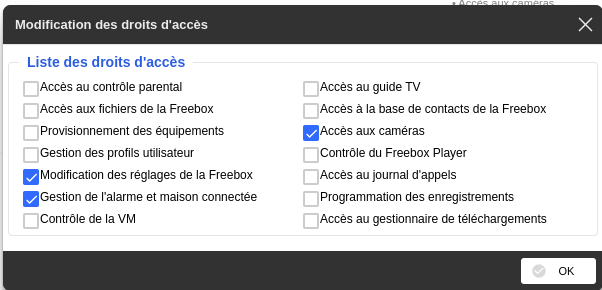
Thank you, it’s indeed better
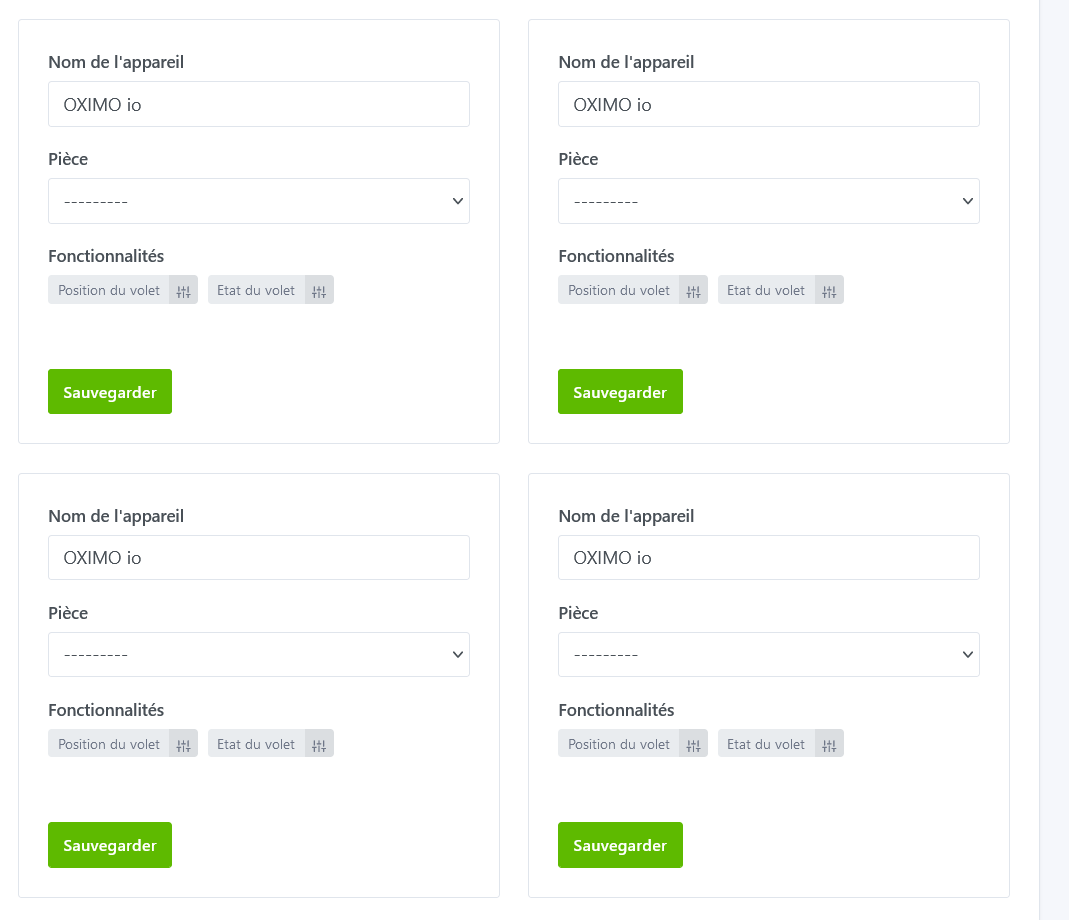
Let me know when you manage to get your shutters working.
I retrieve the name you put in your Free application
Here’s what I get on my side.

However, nothing happens when I try to operate a shutter, neither by position nor by command?
2023-10-17T21:24:22+0200 convertFeature.js:36 (convertFeature) Freebox function with « state » is not managed
2023-10-17T21:24:22+0200 convertFeature.js:36 (convertFeature) Freebox function with « alarm1 » is not managed
2023-10-17T21:24:22+0200 convertFeature.js:36 (convertFeature) Freebox function with « alarm2 » is not managed
2023-10-17T21:24:22+0200 convertFeature.js:36 (convertFeature) Freebox function with « off » is not managed
2023-10-17T21:24:22+0200 convertFeature.js:36 (convertFeature) Freebox function with « skip » is not managed
2023-10-17T21:24:22+0200 convertFeature.js:36 (convertFeature) Freebox function with « pin » is not managed
2023-10-17T21:24:22+0200 convertFeature.js:36 (convertFeature) Freebox function with « error » is not managed
2023-10-17T21:24:22+0200 convertFeature.js:36 (convertFeature) Freebox function with « cover » is not managed
2023-10-17T21:24:22+0200 convertFeature.js:36 (convertFeature) Freebox function with « alarm1 » is not managed
2023-10-17T21:24:22+0200 convertFeature.js:36 (convertFeature) Freebox function with « alarm2 » is not managed
2023-10-17T21:24:22+0200 convertFeature.js:36 (convertFeature) Freebox function with « cam » is not managed
2023-10-17T21:24:22+0200 convertFeature.js:36 (convertFeature) Freebox function with « cover » is not managed
2023-10-17T21:24:22+0200 convertFeature.js:36 (convertFeature) Freebox function with « alarm1 » is not managed
2023-10-17T21:24:22+0200 convertFeature.js:36 (convertFeature) Freebox function with « alarm2 » is not managed
2023-10-17T21:24:22+0200 convertFeature.js:36 (convertFeature) Freebox function with « pushed » is not managed
2023-10-17T21:25:00+0200 scene.checkCalendarTriggers.js:24 (SceneManager.checkCalendarTriggers) Checking calendar triggers at Tue, 17 Oct 2023 19:25:00 GMT
This isn’t normal, aren’t there more logs than that?