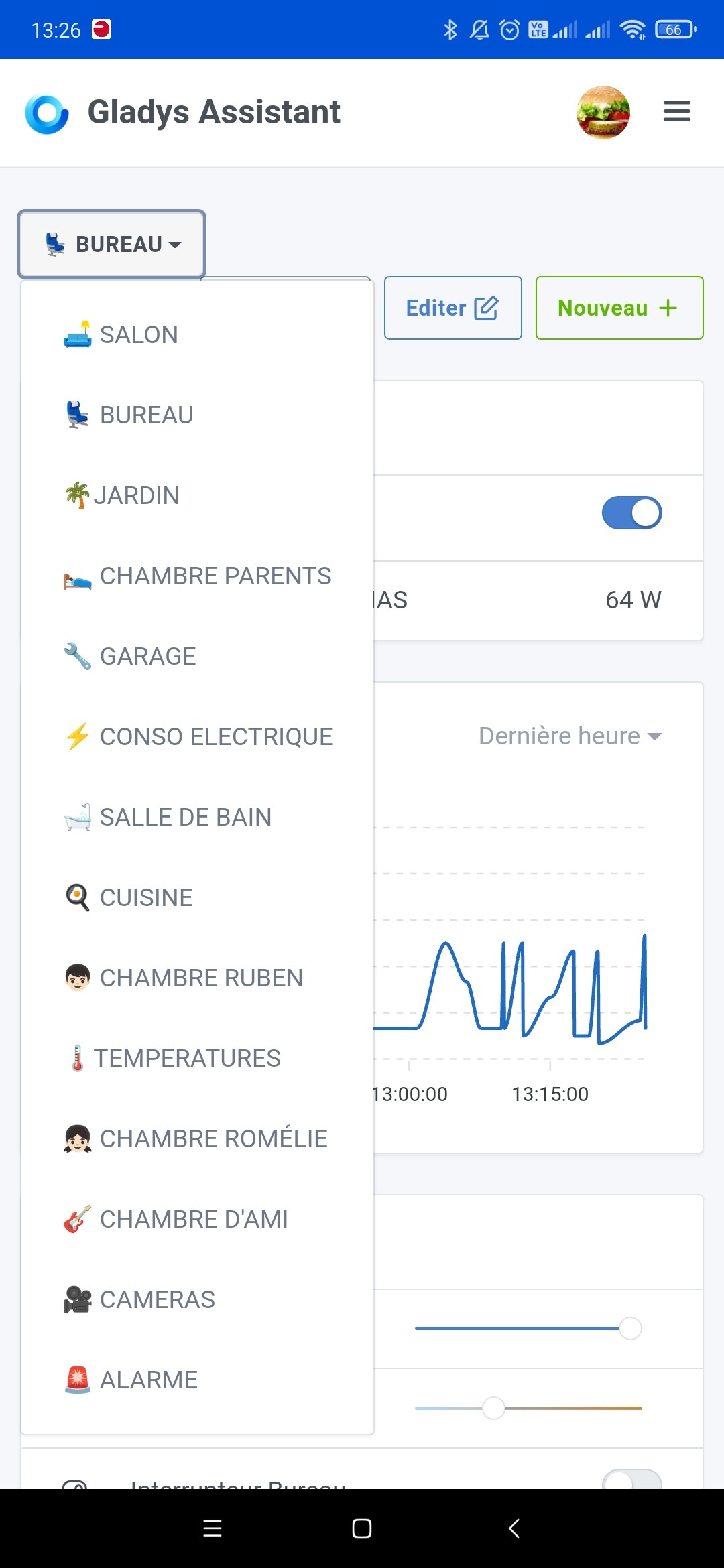
Dashboard dropdown menu

I’m following up on @pierre-gilles’s message to improve the UX.

Ensure the dashboards dropdown menu closes when clicking outside of it.

Edit: it’s the same when you click your name to go to settings — the menu doesn’t close if you click outside of it.

I vote for it, because it’s a very small piece of code we’re talking about… But I wonder (and I think I mentioned it here) whether we could perhaps consider a different layout for the dashboards list.

Because, for example, for me it forces me to do a lot of clicks:

I have as many dashboards as you.
I remember you had already mentioned it.

From what I recall, Pierre-Gilles isn’t keen on tabbed displays like in Chrome, for example.

I think that on a PC view, a side panel can offer a more significant advantage, and on a smartphone, a dropdown menu.

3 Likes

I second the sidebar on PC / tablet :ok_hand: I think it would be a great

The sidebar seems fine to me too…
For smartphone navigation I recently suggested a swipe:

3 Likes

Good idea for the side panel on wide screens

On smartphones, a horizontal swipe is a good idea too, but it’s a more complex project than it appears, because currently when you click a button to switch dashboards, we literally do a full load of the selected dashboard

Having a smooth horizontal swipe completely changes the paradigm; you have to either:

  • Show a « skeleton » when swiping and load the dashboard on demand (so with a not-super-smooth effect because the dashboard won’t be available immediately)
  • Load all dashboards as soon as the first dashboard is initially displayed (but maybe too heavy in terms of performance)
  • Anticipate the swipe and load the dashboards « around » the current dashboard (a kind of middle ground)

In short, it’s a bit of research for whoever will develop this; in my opinion it’s far from being a quick win :slight_smile:

And development in two phases: simple on PC then more advanced on small screens, is that doable?
We keep the quick win without forgetting the next development.

Everything is playable! I’m also open to PRs on the topic — it saves me time :wink:

Hello !

If I may, we should rather consider a hybrid solution between the first and the third solution →

[quote=« pierre-gilles, post:6, topic:7835 »]
Anticipate the swipe and load the dashboards « around »

My small contribution — would this: https://codepen.io/jmyrland/pen/VwYdjX

be viable?

Basically:

  • PC / tablet usage: the side menu is displayed
  • smartphone usage: you swipe to make the menu appear

The advantage is that it lets you use the same system regardless of platform, right? No need to develop two separate things.

If I’m way off, tell me ^^

It’s doable, but I don’t necessarily see the point compared to the current solution — we end up with the same number of clicks!

The difference is more that on mobile, if I’m at the bottom of a dashboard, I have to:

  • scroll back to the top of the page
  • stretch my fingers wide to reach and click the select (or use my other hand)

With a sidebar menu you can access it without changing your position on the page, no scrolling or big finger stretches ^^ (I’m for injury prevention haha
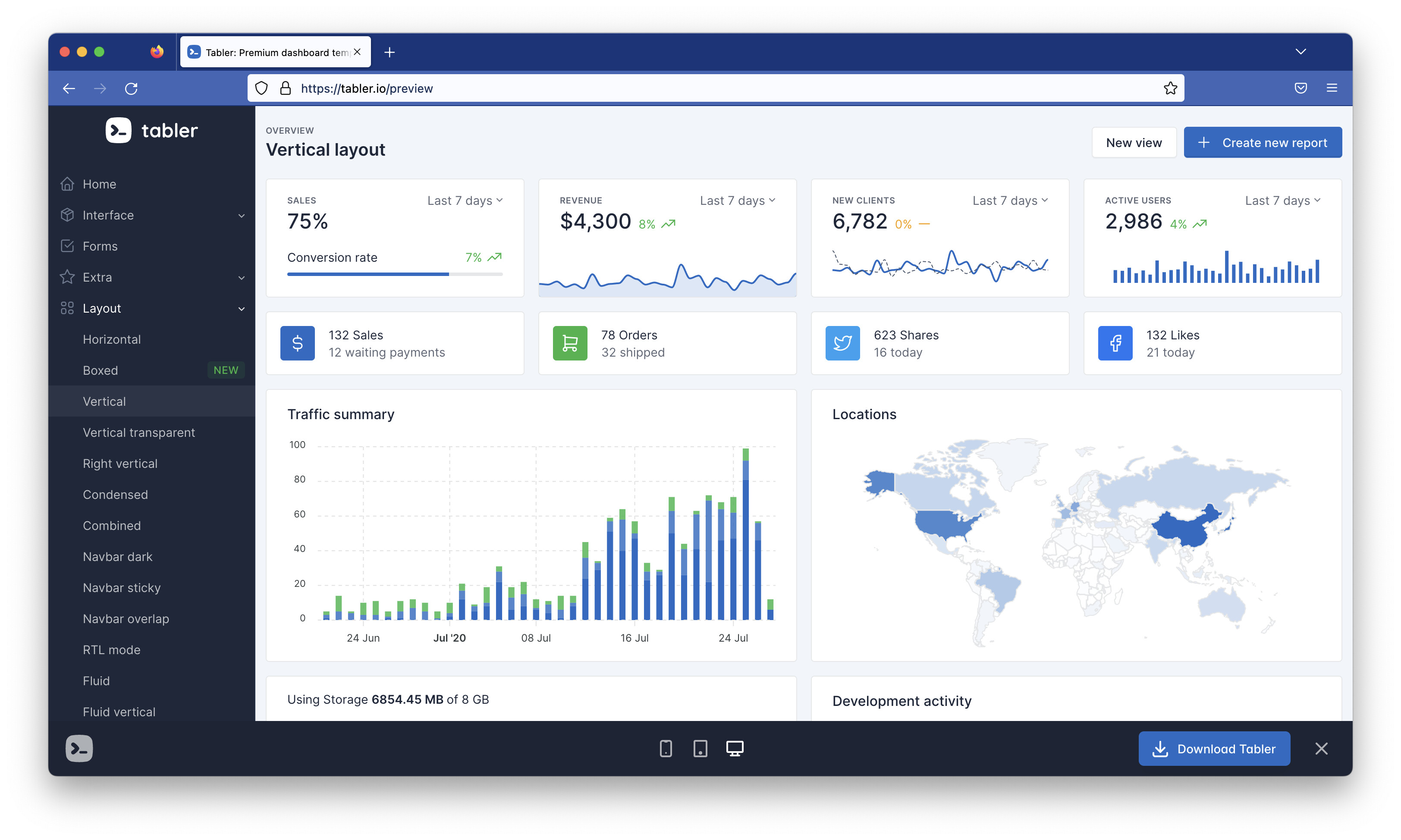
Looking at what Tabler (our theme) offers, there are some interesting layouts in their latest version:

3 Likes

It’s the same when you click on your name to go to settings; the menu doesn’t close if you click outside of it.

2 Likes

It’s fixed in my UX pass :

Merged into master, it will be included in the next Gladys release.

I’m closing this topic to free up the votes.

1 Like