Thank you for your response, I am testing the image at the moment.
Do I need to remove/add my equipment or is the update automatic on the mapping?
For the moment I don’t have any regressions, but some mappings don’t work because they are not yet supported in Gladys (connected radiator thermostatic heads):
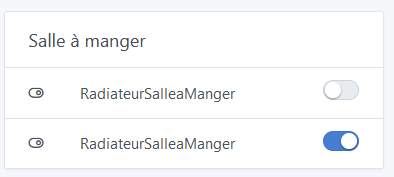
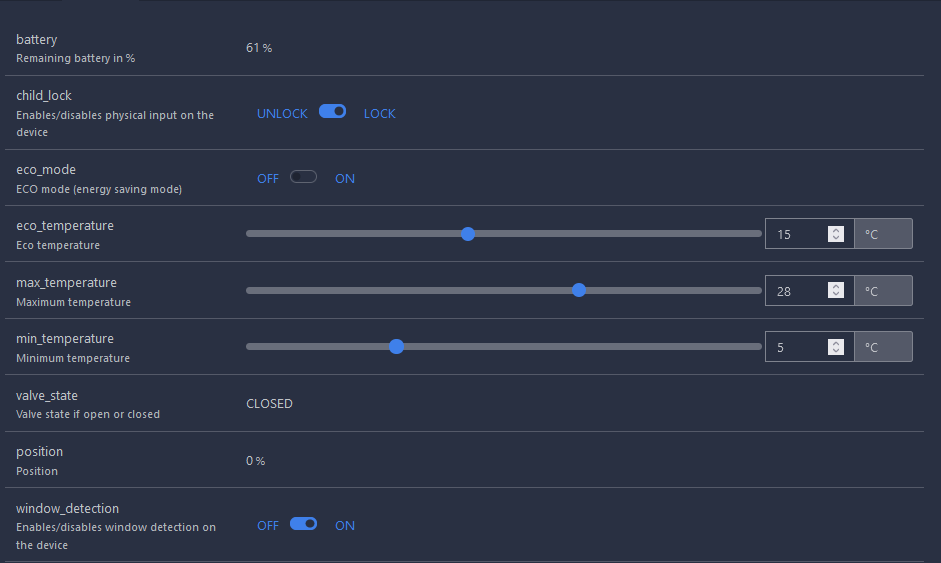
I discovered that the second button on the dashboard corresponds to « window detection », the first one I still don’t know Impossible in Gladys to know what the different buttons correspond to in Zigbee2Mqtt for the moment.
Yes indeed. Gladys is missing the switch corresponding to boost_heating which is not visible in my screenshot.
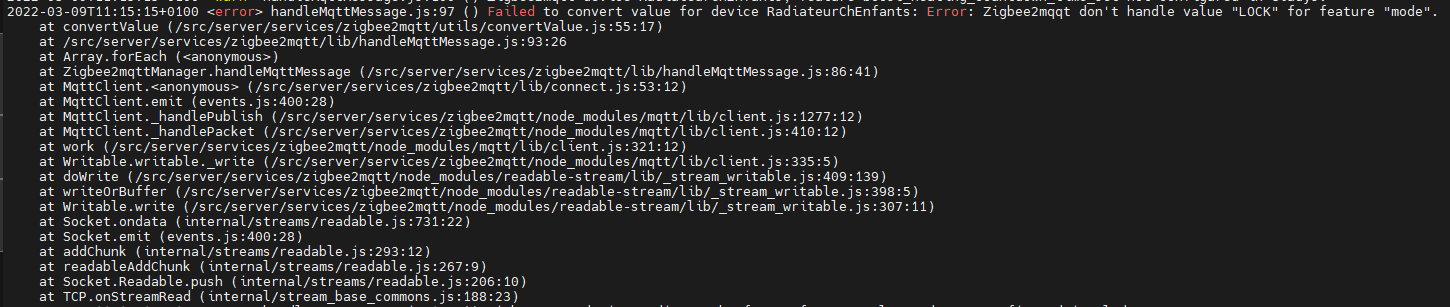
For now the interface displays the value, but I cannot use the switch because Gladys does not return the values accepted by Zigbee2Mqtt:
@lmilcent Normally, there is no need to delete/add equipment, except to integrate new features that may have been discovered (which is not the purpose of the image).
Do I need to review the default naming of the features?
(I need to check if it’s the naming of the features or the display on the dashboard)
Is the message « No converter available… » identified on the device Moes BRT-100-TRV?
If so, check that the image is correct. In theory, the « state » property is not used on this device, but « child_lock ».
Hello,
I saw that there is alarm and CO2 integration in the test image, I already have both devices in a box, can I switch from the official image to the DEV one without breaking everything or is there a risk?
I must have a problem with my TS0216 alarm, as I still can’t get it recognized despite numerous attempts.
However, I invested in a Tuya Gateway (Lidl) to check it: it works well from the dedicated interface. I don’t understand what’s going on?
Haha now that you mention it, indeed the usernames match
The last test image is in version 4.8.0 (Gladys → Admin → System).
According to the GitHub ticket, it seems to work, unless you just copied the files, which does not validate the test image.
I am open to feedback on the Zigbee2mqtt integration, to verify that it indeed brings the expected behavior for devices that were not managed before, and that it does not break the rest of Zigbee2mqtt of course
Thanks @VonOx It works correctly for me with my devices: lamps, outlets, siren, temperature, humidity, tested with a CC2652 BLE Simplelink 2.2G Zigbee2MQTT dongle
Thanks and congratulations on a job well done!
For information, my Sonoff dongle recognizes all my devices, it works correctly in reception but not in transmission, has this problem already been reported?
 Impossible in Gladys to know what the different buttons correspond to in Zigbee2Mqtt for the moment.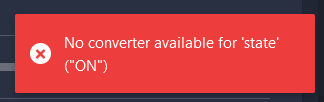


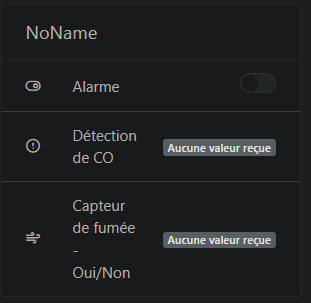
 )
)