This is a topic I’ve wanted to do for a long time, especially the « Ask the AI a question from scenes » part (even without an image) to be able to receive proactive notifications from the AI (futuristic!)
Since I was working on the ChatGPT part this morning I developed this feature, which wasn’t very complicated with the new vision API of GPT-4o mini
Ask the AI to describe a camera image
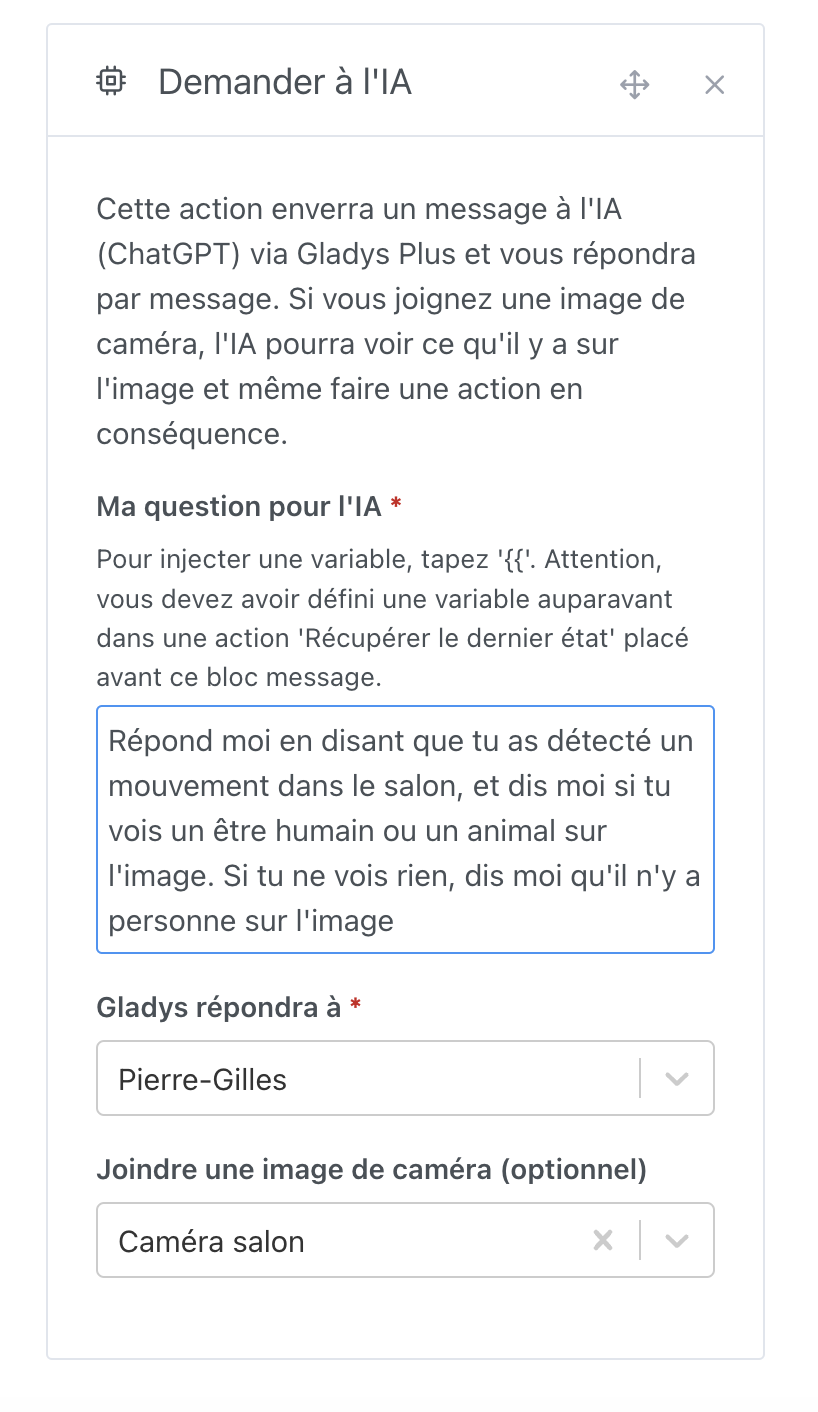
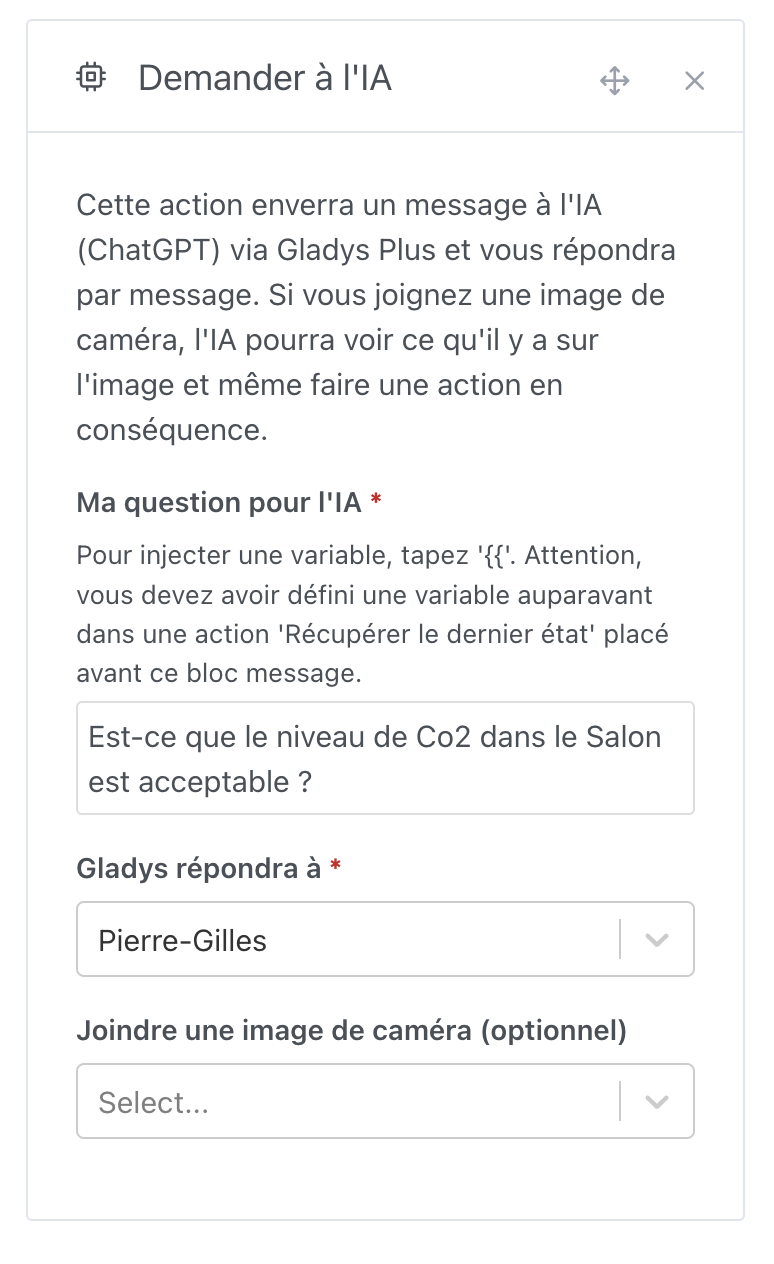
In a scene, it becomes possible to ask the AI to react to a camera image:
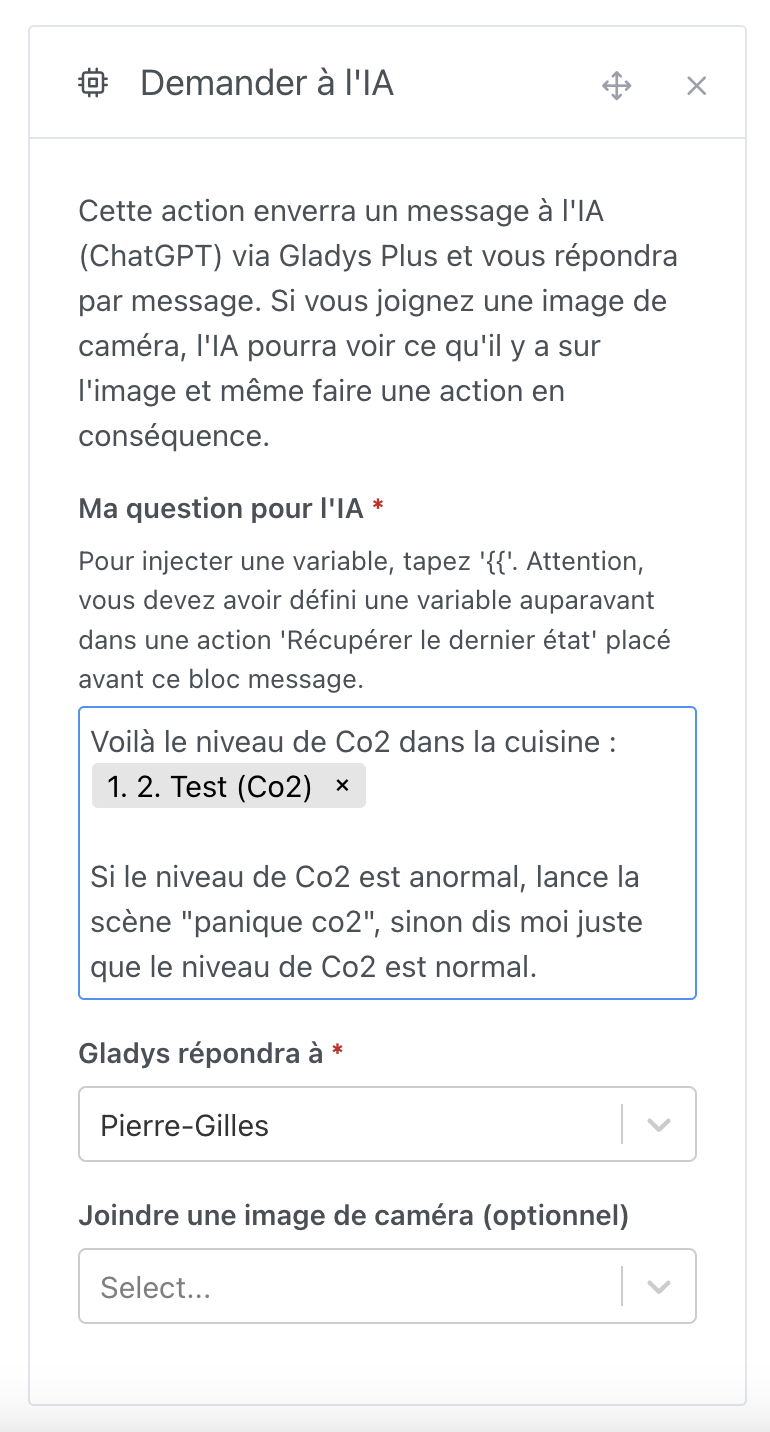
This feature is quite futuristic, and since it’s possible to inject variables into the message, it enables a lot of things
Analyze the day’s weather report and write me a short summary sent to my phone every morning at 8 AM
If the alarm goes off at my house, create a message that summarizes what’s happening: sensor states, image analysis, etc.. — all combined into a single message!
Analysis of any image, whether the image comes from a camera at my home or from an online stream — everything is possible
I continued working on this topic this morning, and I think I’ve finished.
Here is a Docker build with the feature:
gladysassistant/gladys:ask-ai-in-scene
@Terdious (and others) if you want to test it and tell me what you think!
How to use it?
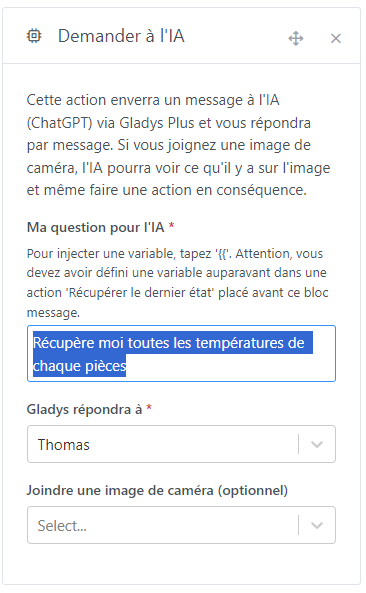
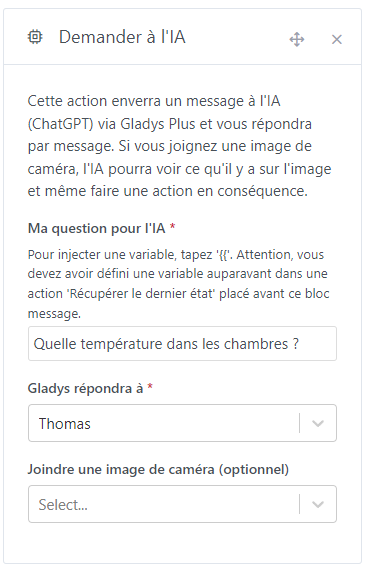
In scenes, there is a new action « Ask the AI ».
This action will ask a question to Gladys AI (ChatGPT) as if you were sending a message to Gladys, and you can attach a camera image that will be analyzed by the AI (this is optional).
Note: To keep processing time as fast as possible, and to keep this feature economically affordable, images are sent to the OpenAI API in « low » resolution, i.e. 512px maximum.
If some information is very small, it won’t be visible to the AI, but honestly at 512px you can already see quite a lot!
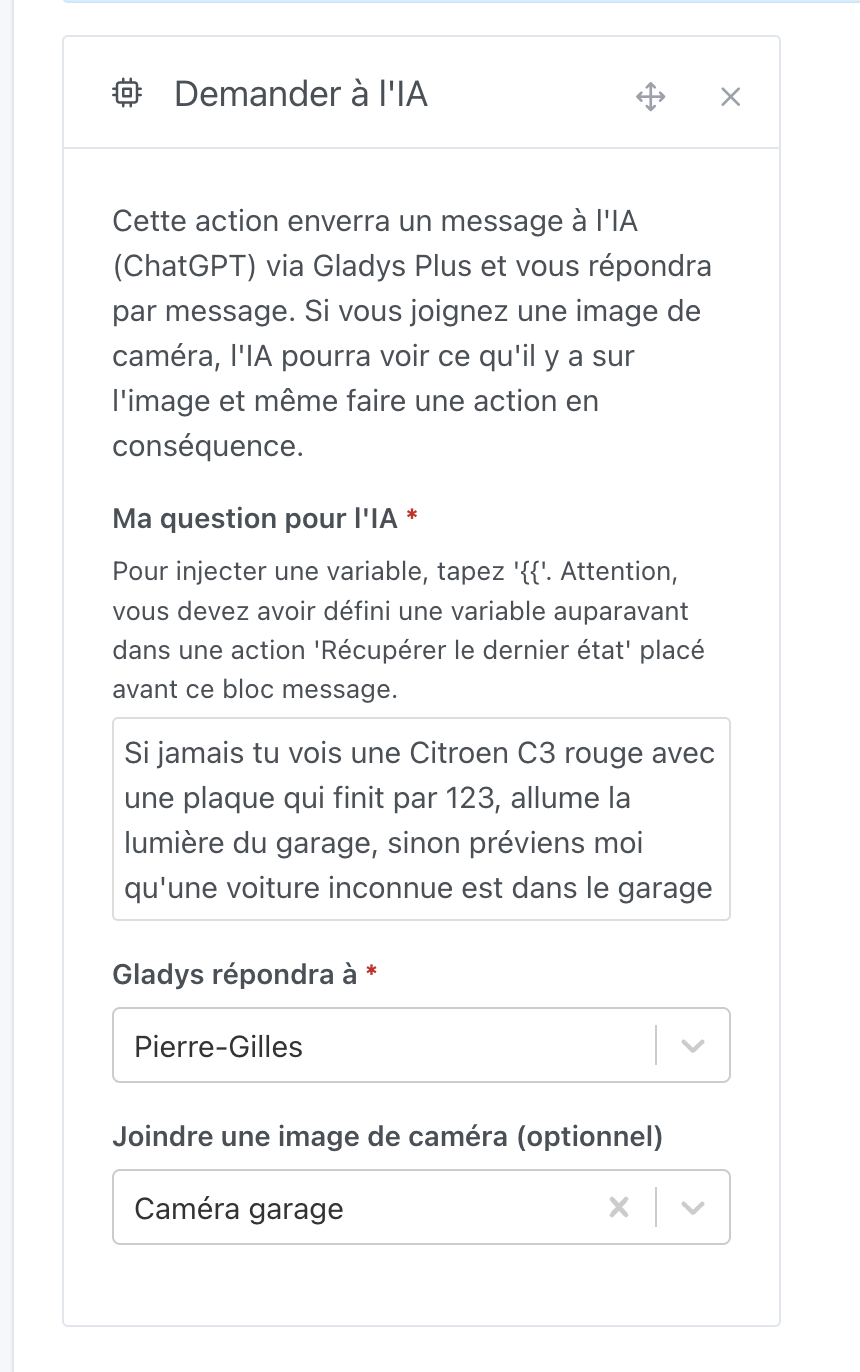
I was able to test a bit this morning. It looks very interesting even if I couldn’t test it fully. For example, depending on the camera placement, I’m not convinced that at 512px it can read a license plate in my setup ^^
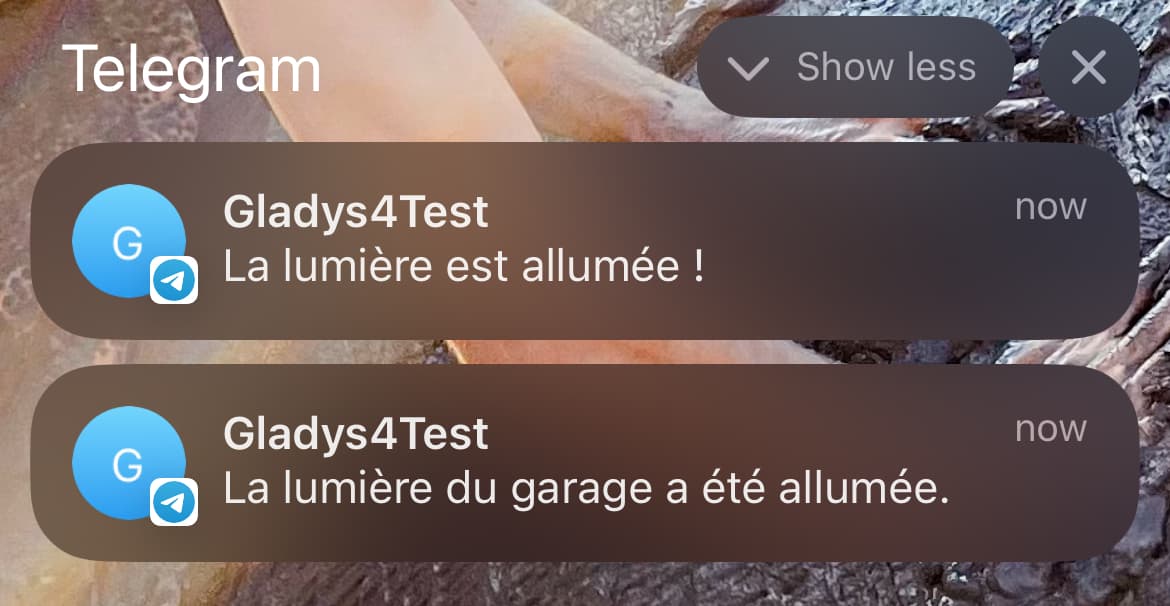
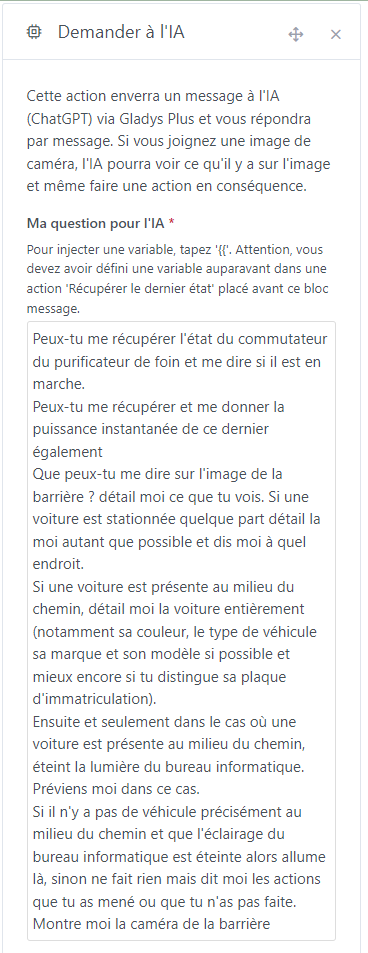
Here is my context and the interesting answers it gave me, unfortunately even with it set to 10s I couldn’t get a car centered in the image (by the way tell me if I owe you money because it ran like that for about ten minutes) so I couldn’t test whether it actually turned off the light:
Given that it responds to the bottom image, I’m impressed that it can spot a Skoda at that distance.
You can see that « Show me the barrier camera » has no effect — I have to send it as a separate action.
One thing is certain: this will motivate me to integrate the camera into Netatmo and even more so the webhooks.
Feedback:
Integrate retrieval of switch states like for lights so there is no need to run the « Retrieve … » action and inject variables
Implement actions on switches the way they are done for lights
Support retrieval of all types of functionality
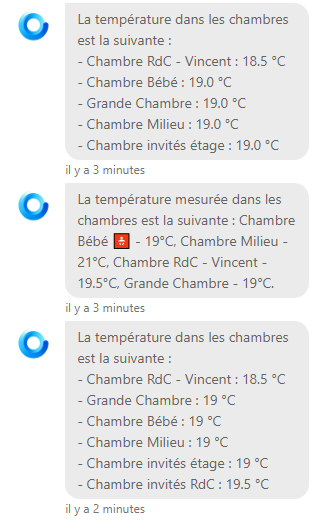
Support multiple retrievals (example: « Check the status of all my temperature sensors and give me a full report »)
But honestly, otherwise it works very well and it’s very fast.
It’s a bit too off to the side indeed, if you move the camera or the car I think it could work
No, don’t worry, it’s fine
That’s really impressive!
The current development only handles the 7 actions that are in the documentation, and has no knowledge of your connected home.
So asking « if the office is on », or « Retrieve the state of the hay purifier switch », doesn’t work — that’s a ChatGPT hallucination.
I agree that it would be cool if that were possible! I think we just need to give the AI a view of the state of the entire connected home at the time of the request.
I also see that you request multiple actions in your block — currently that’s not possible. Right now, 1 request = 1 action/response. If you ask for several things, the AI will determine the most important action for it.
But we can implement multi-action without any problem.
It’s clear that for you, who uses Netatmo a lot, the combo will be nice
Search for « webhooks » in there or « List of events ». @pierre-gilles already created the webhook for us in Gladys a few years ago now. I think the longest part now is finishing the PR for the cameras. All that’s left to do ^^
You can therefore create conditions based on sensor values, for example « If the brightness is low, then turn on the living room light »
Be careful though, when a camera image is attached, I find that ChatGPT hallucinates more easily. I tried asking it to describe the camera image + give me a recap of the home’s sensors, and it completely hallucinated, giving me sensor values that I don’t even have!
Tell me how it goes on your side; I’d be curious to see on such a large installation if it doesn’t slow execution down too much.
@Terdious I found the cause, it was server-side — the payload was being blocked because it was too large, but the server limit was really very low so I increased it!








 Be careful though, when a camera image is attached, I find that ChatGPT hallucinates more easily. I tried asking it to describe the camera image + give me a recap of the home’s sensors, and it completely hallucinated, giving me sensor values that I don’t even have!