Today's weather on Telegram with Openweather

Hello,

Here is a scene that allows you to receive the weather every morning via a Telegram message.

First, you need an OpenWeather 3 API key (note, old keys that worked for version 2 are not valid for this tutorial).
If you don’t have one, go here: Members

:warning: The plan allows 1000 calls per day (more than enough). Beyond that, you will be charged €0.14 for each additional 100 calls.
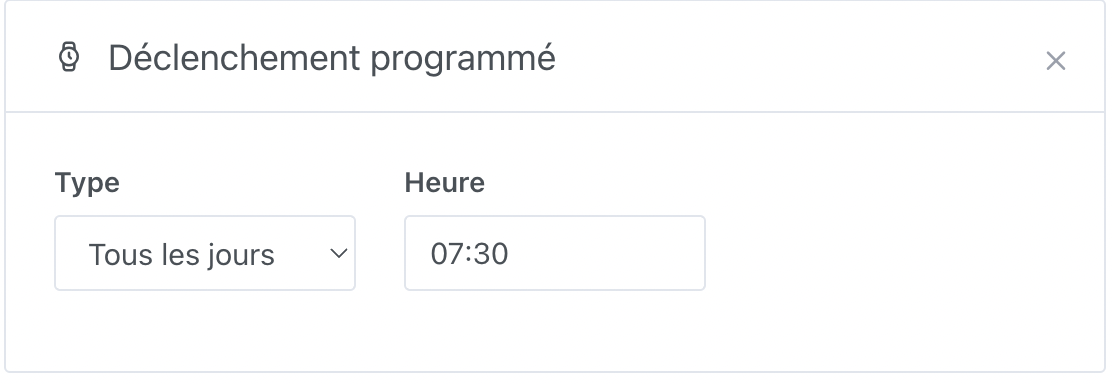
Now, you can create a scene with:

  • the trigger of your choice. I chose Scheduled Trigger (every day at 7:30 AM)

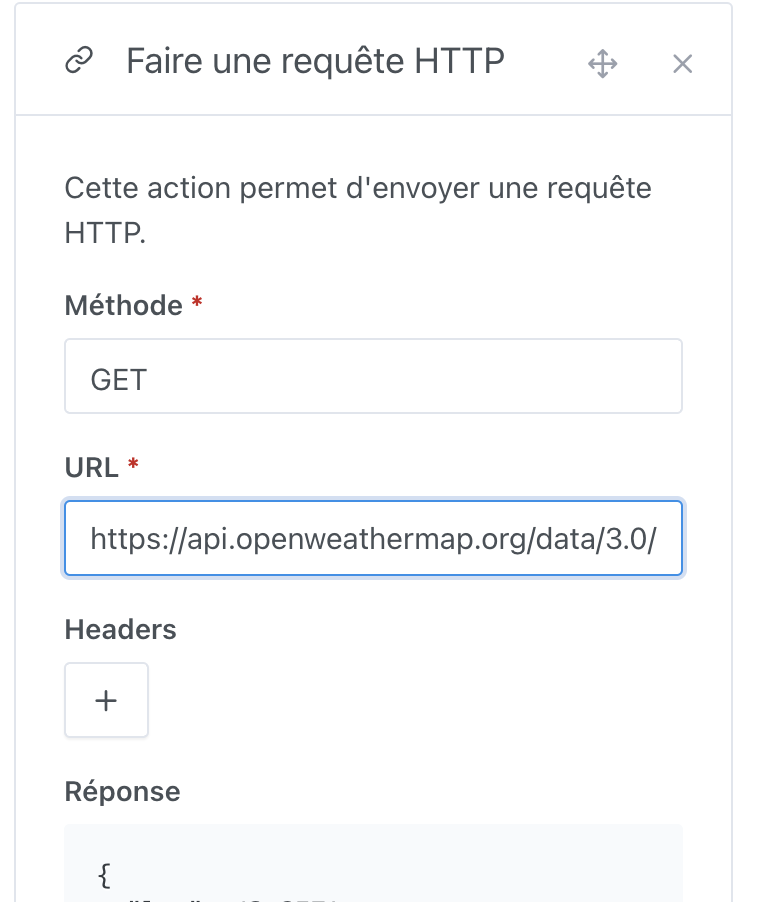
  • an action Make an HTTP request
    The URL will be

https://api.openweathermap.org/data/3.0/onecall?lat=\u003clatitude\u003e\u0026lon=\u003clongitude\u003e\u0026exclude=minutely,hourly,current,alert\u0026lang=fr\u0026units=metric\u0026appid=\u003capi_key\u003e

For Paris, for example, this gives

https://api.openweathermap.org/data/3.0/onecall?lat=48.8588897\u0026lon=2.320041\u0026exclude=minutely,hourly,current,alert\u0026lang=fr\u0026units=metric\u0026appid=XXXXXXXXX

You can find the GPS coordinates of an address easily with this site: https://www.coordonnees-gps.fr/
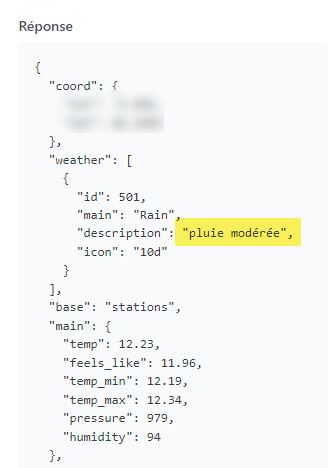
Don’t forget to test the call with the Try button

:information_source: Information

  • the exclude parameter allows you to get in the response only the daily weather
  • the metrics parameter allows you to get the response with Celsius degrees
  • the lang parameter returns descriptions in French


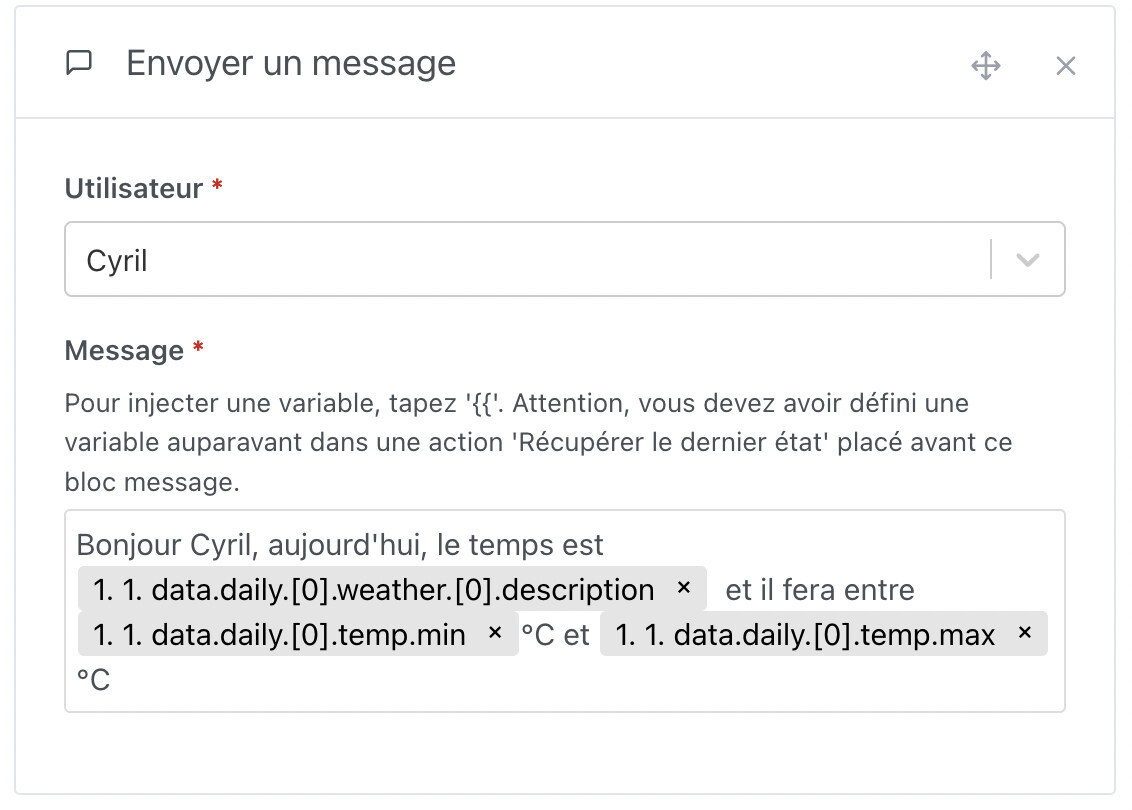
  • finally, an action Send a message. Feel free to customize the message as you wish using the variables from the previous HTTP response. For me, this yields:
Bonjour Cyril, aujourd'hui, le temps est {{ 1. 1. data.daily.[0].weather.[0].description }} et il fera entre {{ 1. 1. data.daily.[0].temp.min }} °C et {{ 1. 1. data.daily.[0].temp.max }} °C

10 Likes

Hi @cicoub13, did you need to enter your credit card to get access to the Onecall API?

Yes :money_mouth_face:

Ok, if you use the Weather API call you don’t need to enter your credit card, that’s what we do in Gladys :slight_smile:

Indeed, you can use version 2.5 of the API which is free (no credit card) and offers the same functionality.

http://api.openweathermap.org/data/2.5/weather?lat=43.267093\u0026lon=-0.421642\u0026lang=fr\u0026units=metric\u0026cnt=1\u0026appid=XXX

Should I update the tutorial with both options or only this one? But wasn’t there some talk that you could no longer get a key for this version?

No, actually it’s the OneCall API that’s no longer available, the rest is fine. I created a token as recently as last week :slight_smile:

Hello @cicoub13

On my end it doesn’t work with the Weather API key. I don’t see any other feedback on the subject to know if other users have succeeded or not.

Here is the error message:

{
  "cod": 401,
  "message": "Invalid API key. Please see https://openweathermap.org/faq#error401 for more info."
}

Resolved but code to modify in your message :

https://api.openweathermap.org/data/2.5/weather?lat=43.267093\u0026lon=-0.421642\u0026lang=fr\u0026units=metric\u0026cnt=1\u0026appid=XXX

:wink:

1 Like

However, it gives me surprising temperatures:

Hello Jérôme, today the weather is partly cloudy, it will be between 281.92°C and 283.01 and the air quality is 38

I’ve got this, it seems OK. Are you sure you have the units in metric?

{"coord":{"lon":-0.4216,"lat":43.2671},"weather":[{"id":800,"main":"Clear","description":"ciel dégagé","icon":"01n"}],"base":"stations","main":{"temp":9.88,"feels_like":9,"temp_min":9.32,"temp_max":10.18,"pressure":1007,"humidity":92},"visibility":10000,"wind":{"speed":2.06,"deg":140},"clouds":{"all":0},"dt":1698700059,"sys":{"type":1,"id":6466,"country":"FR","sunrise":1698647606,"sunset":1698685027},"timezone":3600,"id":2980166,"name":"Saint-Faust","cod":200}

Yes
The city is fine
It’s only the degrees that are inconsistent. I’ll see tomorrow during the automatic message if I get the same thing.

Resolved, I had added an « s »

Thanks for the tip, very handy, it’s just a pity that on a speaker the temperatures are in English only

1 Like

Are you talking about the TTS via Sonos?

Yes, that’s it. I do have the description in French with the « &lang=fr » option, but the numbers themselves are read in English and it’s like « the temperature will be between one two dot one nine and one two dot three four »

Aha, I think it’s the TTS API that’s doing that. We should test if it’s the same with all their voices

It’s AI-based TTS so it might hallucinate a bit :grinning_face_with_smiling_eyes:

For info the API I use is:

I had some feedback about the voice so I suggested changing it but haven’t had any reply since ^^

I don’t agree with you, you’ve received feedback:

https://community.gladysassistant.com/t/rex-la-voix-de

@spenceur We misunderstood each other, since your last message said « I’ll confirm with madame ^^ » I was waiting for madame’s confirmation before changing :stuck_out_tongue: (Since your first message seemed to suggest it was rather madame who was complaining about the voice!)

If it’s okay with Grace, I’ll

Isn’t there a language parameter to pass that would allow changing this? (it may already be sent and not working)

In my case the language parameter is sent and works for the description. I’ll get « bruine légère », in French then, but the numbers are in English and pronounced digit by digit :man_shrugging:
I looked into it a bit but not much more than that either.