A mini tutorial to send by email the flows and package (palette) of Node-RED every day at 00:00
node_modules are not backed up but the package.json contains the list of nodes and the reinstallation
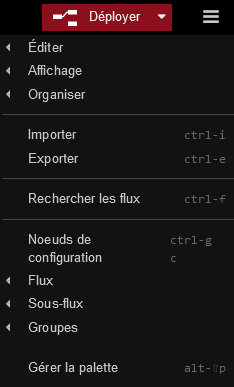
Importer le node « node-red-node-email » en cliquant sur « Gérer la palette »
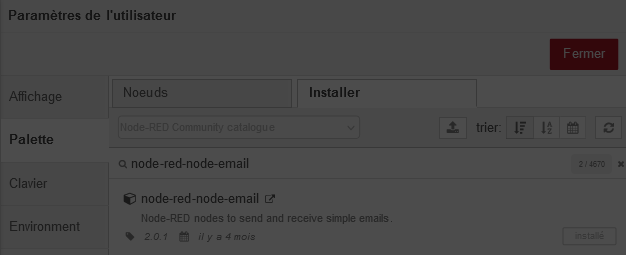
Click on the side tab « Palette »
Enter the node name « node-red-node-email » and click « Install »
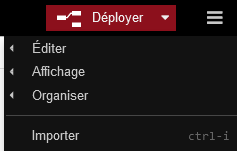
Import the flow below into Node-RED by clicking « Import »
[
    {
        "id": "b75448df237642bb",
        "type": "tab",
        "label": "Backup Node-red",
        "disabled": false,
        "info": "",
        "env": []
    },
    {
        "id": "93798b59.d1e448",
        "type": "e-mail",
        "z": "b75448df237642bb",
        "server": "smtp.orange.fr",
        "port": "465",
        "authtype": "BASIC",
        "saslformat": false,
        "token": "",
        "secure": true,
        "tls": true,
        "name": "xxx@orange.fr",
        "dname": "Envoi des flows par email",
        "x": 730,
        "y": 100,
        "wires": []
    },
    {
        "id": "244b96f9.09b36a",
        "type": "inject",
        "z": "b75448df237642bb",
        "name": "Backup Node-red",
        "props": [],
        "repeat": "",
        "crontab": "00 00 * * *",
        "once": false,
        "onceDelay": 0.1,
        "topic": "",
        "x": 190,
        "y": 100,
        "wires": [
            [
                "d9fd1fb6.e4f35"
            ]
        ]
    },
    {
        "id": "d9fd1fb6.e4f35",
        "type": "function",
        "z": "b75448df237642bb",
        "name": "Construction de l'email",
        "func": "const date = new Date()\nmsg.topic = `Backup-Node-red - ${date}`\nmsg.payload = `<h1>Backup des flows Node-red Gladys</h1>`\nmsg.attachments = [\n        { \n            filename: `flows.json`,\n            path: \"/data/flows.json\"\n        },\n        { \n            filename: `flows_cred.json`,\n            path: \"/data/flows_cred.json\"\n        },\n        { \n            filename: `package.json`,\n            path: \"/data/package.json\"\n        },\n        { \n            filename: `package-lock.json`,\n            path: \"/data/package-lock.json\"\n        }\n        ]\n\nreturn msg;",
        "outputs": 1,
        "timeout": "",
        "noerr": 0,
        "initialize": "",
        "finalize": "",
        "libs": [],
        "x": 450,
        "y": 100,
        "wires": [
            [
                "93798b59.d1e448"
            ]
        ]
    }
]
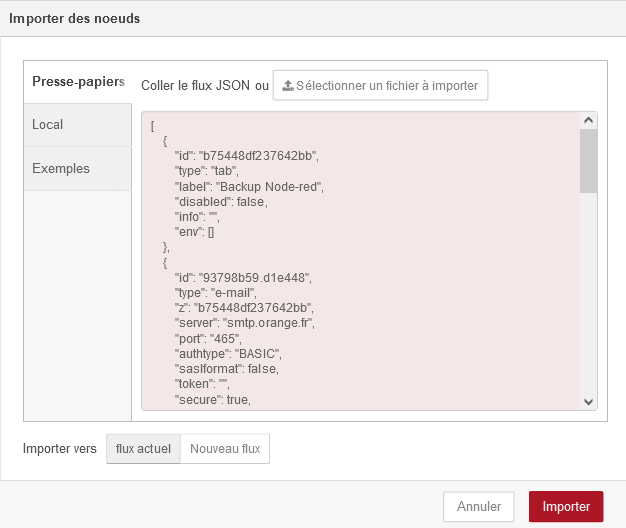
Paste the flow and click "Import
You now have

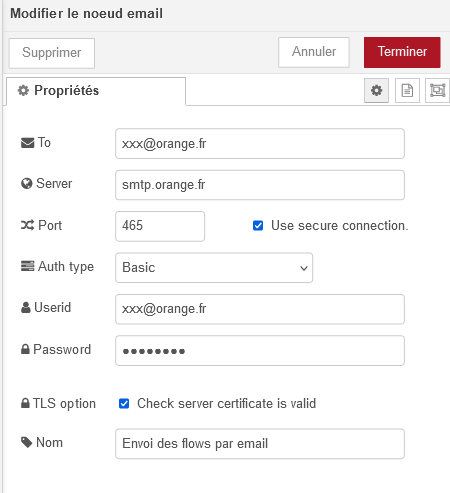
Double-click the node
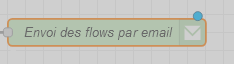
Fill in the fields and click « Done »
The node
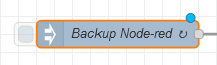
is configured to send every 24 hours; it is editable.