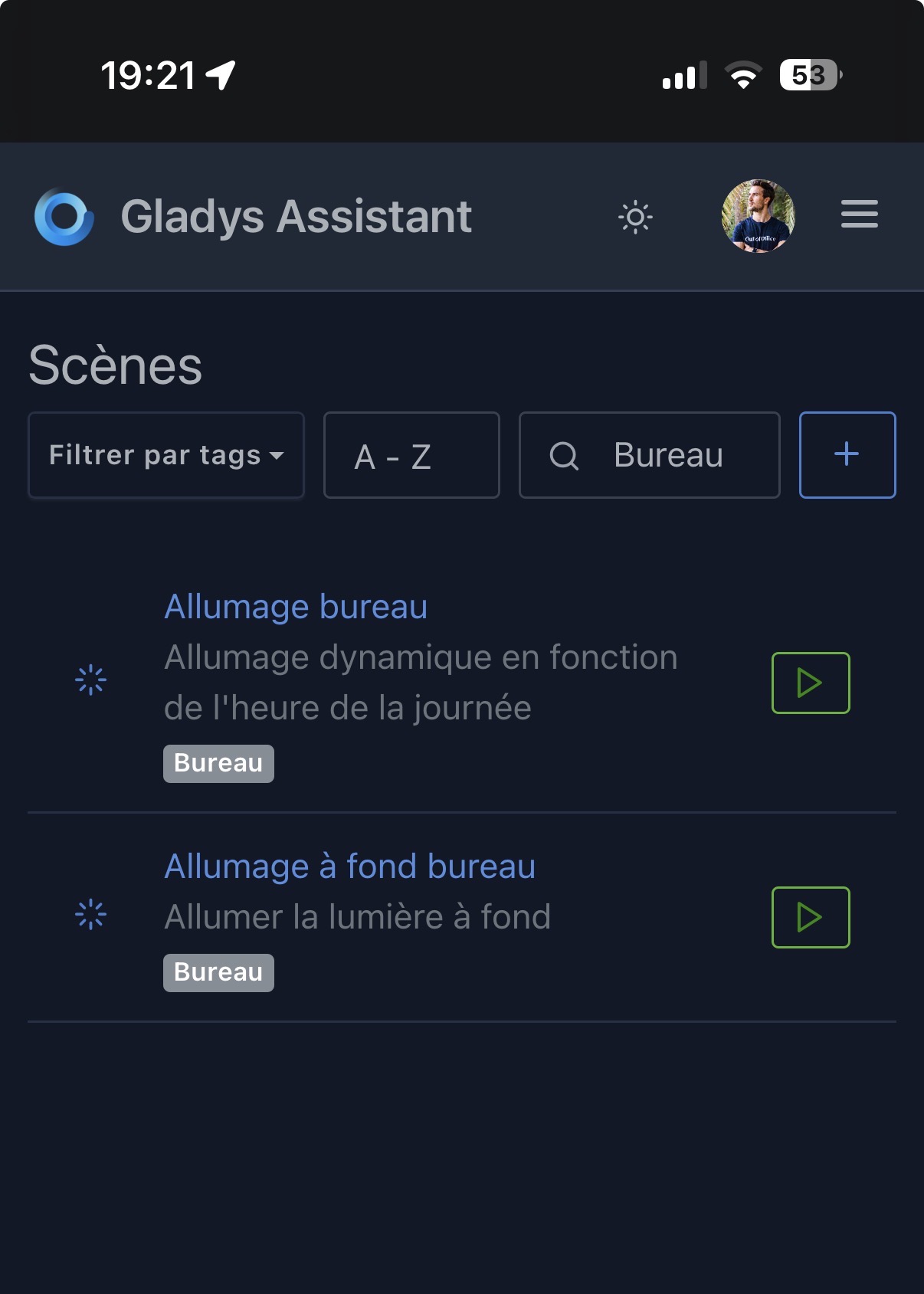
For some time now, entering a keyword in the scene search with a tag filter no longer responds. The following display appears:

On PC the search works normally.
Hi @Jluc 
What phone do you have? Which browser and at what screen resolution?
I just tested on my iPhone and it works fine:
Also my screen looks wider, your screen must have a smaller resolution
I’m using a Samsung S22 with Chrome. The keyword doesn’t get entered into the search field.
In the end, if it only doesn’t work for me, it’s not important, I can manage without it.
Maybe try using private browsing.
@Jluc I searched online; the Samsung S22 has a native resolution of 2340 × 1080 pixels.
To test responsive in Chrome, you also have to take into account pixel density (device pixel ratio), because browsers often report size in « CSS pixels » and not physical pixels. On the S22:
So for Chrome DevTools, I simulate:
Which gives me:
Indeed, the search bar looks small to me, but it’s still usable.
I imagine it’s the new « filter by tags » that shifted everything.
I’ll look into shrinking the button for mobile view!
I created an issue to improve this:
Thank you @pierre-gilles for gathering information, your diagnosis, and your search for a solution.
I fixed that by making the left button more compact on mobile: