Let's talk about Gladys V4

Hello,

my opinion: From a user’s perspective, I don’t see the point in separating scripts from scenes. The script is one of the options/actions of the scenes. Moreover, merging them would make it easier to trigger a script and chain it to other elements of the scenes.
From a technical point of view, if the interface becomes super mega slow for this, it is better to separate them. But I imagine we are simply talking about a small latency induced by the display of the editor, so bearable.

That’s my opinion.

Hello everyone!

Today I worked on WebSockets in Gladys 4.

To remain as lightweight as possible, native WebSockets are used instead of socket.io as in Gladys 3. This will make integration with mobile apps easier.

Here’s a short demo video I posted on Twitter →

https://twitter.com/pierregillesl/status/1115961890960580608

On the NLP (Natural Language Processing) side, I’ve made progress as well.

All the sentences in the brain are defined in JSON configuration files, which I’ve tried to make as easy to understand as possible.

Important note: When I say « easy to understand, » I’m talking about a developer wanting to help with the Gladys codebase. A user will never have to touch this, it’s code.

Here’s an example of a configuration file:

For user custom sentences, it will be a completely different process not managed yet :slight_smile:

+1 I agree! I’ll try to go in this direction.

Hello,

First of all, regarding the script writing, I think it’s better to put it as you say in a scene for all the people who will use gladys.

But I think we can add a « developer » mode that allows adding a tab when you have checked the box to have a script tab that appears and allows you to run the script directly on gladys without going through scenes.

Secondly, on Gladys 3 I found the json a bit particular to add sentences and actions at the NLP level. Is it planned to be able to add actions yourself? In a second step, is it possible to save these new sentences to be able to share them?
This might be a point to consider.

Mmm I’m not necessarily a fan of this approach. Normally if the UI is well done, why would we need to add a tab? Let’s see how it will look by putting the scripts in the scenes :slight_smile: it might be a bad idea, but well, without testing we can’t know!

Yes as I specified in the message above, the JSON is only for « native » sentences, i.e. the sentences that everyone has by default. Only contributors on GitHub (experienced Gladys developers) will have to touch this file, not the user.

To add custom sentences specific to your installation, for example: If I say « It’s Christmas! » => Then launch the « Christmas » scene, it will be another process, probably incorporated into the scene process with trigger. The trigger will be a trigger based on a sentence, that’s all.

I think this will be in a second step. We can indeed make a sharing feature / or a kind of interactive community UI where everyone can suggest/upvote sentences for the next release of Gladys (like I did with the community spreadsheet of compatible Gladys devices), but let’s keep the scope of this first release minimal so as not to get lost!

Hello everyone!

Today I have a nice little video to show you! :stuck_out_tongue:

Little video of the scene editing UI, as well as what happens when you test a scene →

https://twitter.com/pierregillesl/status/1116654124672507904

I’m really happy with the scene execution engine, it works like a charm and the possibilities are endless :slight_smile: :slight_smile:

After that, I’m not yet happy with the scene editing UI.. It’s a bit heavy, and I think that for a scene with 100 actions it will quickly become a mess. If anyone has an idea to make this UI clearer, I’m interested!

Hi, I really like the clean style, it makes me vibrate :wink:

Otherwise, a small idea for the case of 100 actions, to implement a « pagination » / « slideshow » system. Let me explain:

  • you display by default 2 or 3 steps (First + Then)
  • on the right part of the page, you put an indicator « > » (next), and « < » (previous) if there is
  • and below, you add a kind of shortcut like pagination to access directly to the action N, without having to go back « page by page ».

Mmm I’m not a fan, it would be very heavy as an interface and not fluid…

For now, the main feedback I’ve had everywhere would be to switch to vertical instead of horizontal..

Originally, my first prototype was vertical, it might be possible for me to make a more advanced vertical prototype to compare.

I’m sharing here the idea of a vertical version :slight_smile:

The idea is to allow a global visibility of the scene using retractable blocks:
In large, you can edit them, in small you see a summary (potentially truncated) of the action.
I also added conditional blocks, I don’t know if this is a planned feature :wink:
Ideally, we could identify each type of block with an icon.
What do you think? :slight_smile:

Actually, the problem is the same, right? :smiley: Granted, serial actions are vertical, but actions performed in parallel are horizontal. What happens if you have 30 actions in parallel? You’ll have a lot horizontally, and you’ll need to add a horizontal scroll bar ^^

Additional suggestion: if we think vertically but want to avoid any horizontal scrolling, why not create « action group » blocks? Each block can be collapsed or expanded and contains a set of cards with all the actions.

Thus, whether you have 5 actions or 100 actions, it remains clean and does not overflow.

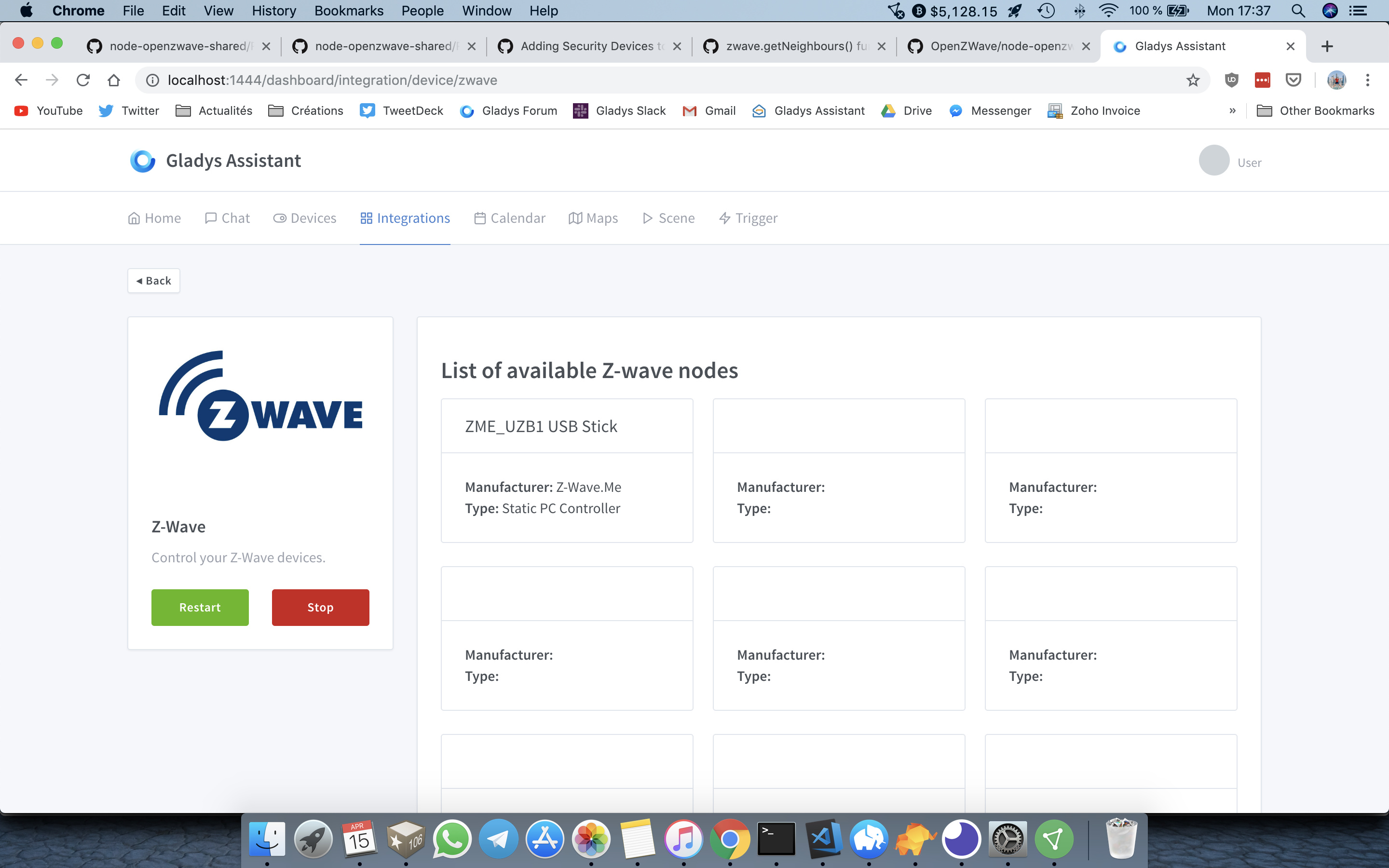
I’ll let you guess what I did with my Monday… :smiley:

It’s not finished, but it’s coming along well!

My goal: to have absolutely all the features of a Z-Wave home automation hub, even the most technical ones (like visualizing the Z-Wave mesh network graph, for example).

The user won’t need to go through another home automation hub to perform configuration/maintenance operations, everything will be in Gladys.

You’ve done a great job with Zigbee :blush:

Hi, super cool!

When you need testers for integration, don’t hesitate, I have a lot of Z-Wave equipment from different brands/functions.

Are we talking about modules here? Can we start migrating those from V3 to V4???

Absolutely!

Yes, we’re talking about modules!

Not yet ready for migration. For now, I’m tackling some big modules to address all the « classic » module issues and then create documentation on « how to migrate a module from v3 to v4 » :slight_smile: I’ll keep you updated on the progress of all this.

Don’t hesitate to give us a « go » quickly, even if everything isn’t ready. We might be able to spot issues early on and contribute to the documentation. We can serve as test developers.
And also save some time during the official release of V4.
In short, I’m motivated :wink:

@AlexTrovato Don’t worry, as soon as it’s good in my opinion, I’ll keep you informed! :slight_smile:

For now, I don’t think that’s the case.

The goal being to fix a set of design issues in v3, it seems necessary to me that I write before giving the « go » to the developers:

  • Development guidelines
  • A set of automated tests

Without that, we’ll end up with the same problems we had in v3. I want to start on a solid foundation for this v4.

And for now, since I’ve hardly written any complete services, I don’t even know myself what a « perfect » Gladys 4 service looks like :smiley:

But well, as you can see right now I’m working flat out (this month of April I’m working 5 days out of 7 on Gladys, I haven’t had any freelance contracts this month), so it’s moving very, very fast :slight_smile:

A small question for Z-Wave experts:

In Gladys 4, each feature of a device must have a category.

How can I categorize each feature in the Z-Wave protocol?

For example, for my Fibaro motion detector, here is an example of a comclass that I get:

"49": {
        "1": {
          "value_id": "10-49-1-1",
          "node_id": 10,
          "class_id": 49,
          "type": "decimal",
          "genre": "user",
          "instance": 1,
          "index": 1,
          "label": "Temperature",
          "units": "C",
          "help": "",
          "read_only": true,
          "write_only": false,
          "min": 0,
          "max": 0,
          "is_polled": false,
          "value": "27.1"
        },
        "3": {
          "value_id": "10-49-1-3",
          "node_id": 10,
          "class_id": 49,
          "type": "decimal",
          "genre": "user",
          "instance": 1,
          "index": 3,
          "label": "Luminance",
          "units": "lux",
          "help": "",
          "read_only": true,
          "write_only": false,
          "min": 0,
          "max": 0,
          "is_polled": false,
          "value": "105"
        },
        "25": {
          "value_id": "10-49-1-25",
          "node_id": 10,
          "class_id": 49,
          "type": "decimal",
          "genre": "user",
          "instance": 1,
          "index": 25,
          "label": "Seismic Intensity",
          "units": "",
          "help": "",
          "read_only": true,
          "write_only": false,
          "min": 0,
          "max": 0,
          "is_polled": false,
          "value": "0.0"
        }
      },

How can I identify these three features (temperature, light sensor, and seismic sensor)?

The label? I have the impression that the label is more user information, right?

Can the combo comclass (49 here) + index (1, 3, and 25) work? Or are these numbers specific to my installation?

Does this mean that we need to create a database of all Z-Wave devices to map them?

I will continue my research, but if you have more information, I am interested…

I went to check Home Assistant, I think I found my answer…

https://github.com/home-assistant/home-assistant/blob/dev/homeassistant/components/zwave/const.py

From what I understood, it is indeed the combo comclass + index that provides the necessary information.

Here comclass 49 = COMMAND_CLASS_SENSOR_MULTILEVEL

INDEX_SENSOR_MULTILEVEL_TEMPERATURE = 1

If you have any other information, I’m still interested!

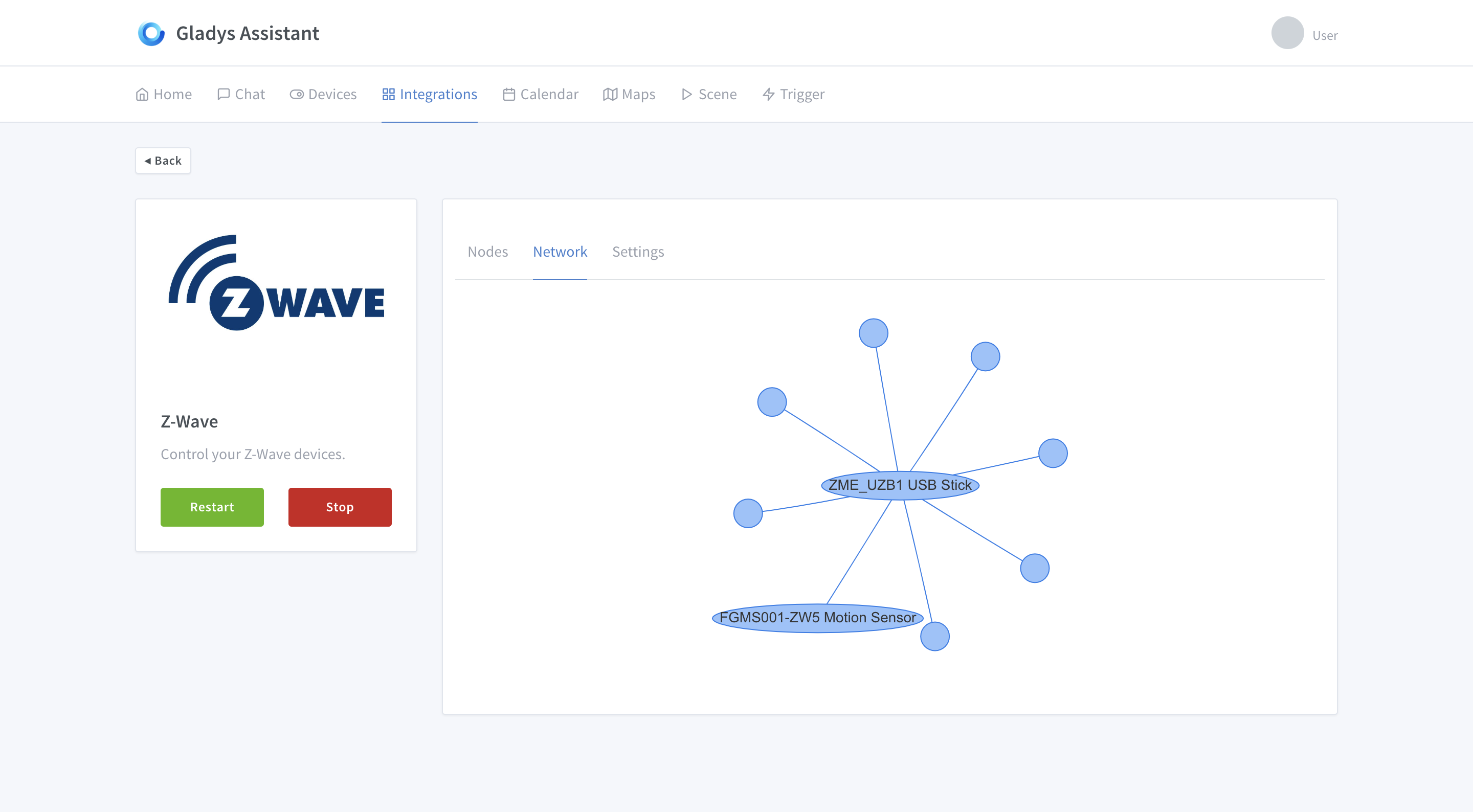
A bit of data visualization today, I worked on the UI of the Z-Wave module page!

This is test data here, but in reality the user will be able to visualize the graph of their Z-Wave mesh network and thus see if some devices are poorly connected to the network :slight_smile:

Hi everyone, I’m not really happy with the graph’s rendering.
But this seems very interesting to control zwave from A to Z.

Good luck and I confess to being hyped about v4, which I missed with gladys v3 :wink: !