It’s true that for some integrations (Z-Wave, Zigbee, MQTT, and Sonoff), there can sometimes be several features of the same type on the same device, and as a result, it’s not very readable at the moment!
However, this is not the case with all integrations:
On the contrary, in other integrations, Philips Hue for example, the device name is interesting, but the feature name cannot even be changed and is not very useful. (In the case of Philips Hue, Philips Hue bulbs are quite simple: On/off, color, and brightness, and that’s it)
I looked into the problem, and as it’s impossible to please everyone, I think I’ll have a different display depending on the integrations, as we did on the « Device in the room » view on the dashboard.
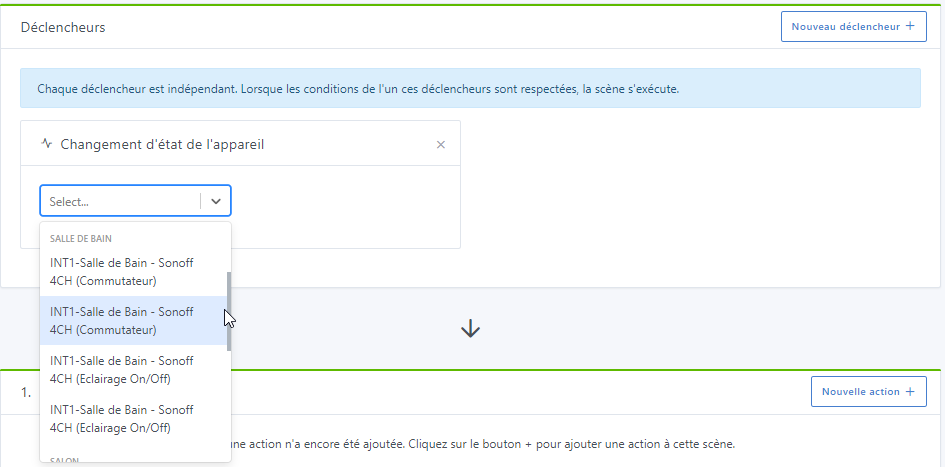
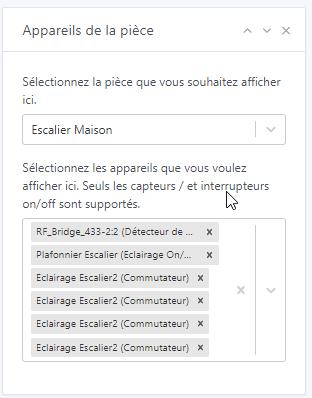
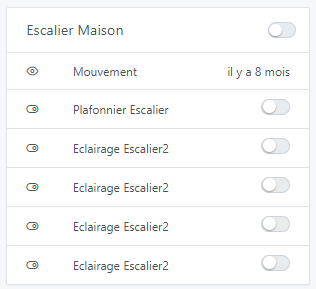
I don’t know when this was done, but for my part, it has never been functional. It’s strange that no one else has reported it, which, in my case, I have done several times but must have gone unnoticed ^^ No problem ^^ I thought it was in progress and once again no GitHub issue!! An example (but it’s the same for MQTT and others):
In this regard, it would be good to go back to the dashboard and the dashboard edit at the same time
But this complicates things. Why, for integrations like Philips Hue, not put in the DB in the « name » field the category of the feature if that’s the case? In fact, for any integration AMHA, we always want to display the name of the feature. If we can’t change the name of the Philips Hue feature, it doesn’t matter, it’s done in the code and in this case, we can give it the name of the category and type if we want. And this avoids having to make specific cases while keeping it simple, right?
It also reminds me that… why can’t we modify this name anyway? We agree that on the Dev side, this name is never used (and thankfully). It would simplify many things.
On the dashboard, I remember you asked me about MQTT devices only, so the fix I made was for MQTT devices Can you confirm that the fix is working for MQTT devices on the room device box? In any case, it is for me.
My bad for your feedback, I read a lot of messages every day. If there is no written request and put in the backlog (GitHub if bug, forum if feature), it’s 100% sure that it won’t be done ^^
So for Tasmota, it’s normal that it is displayed like this currently.
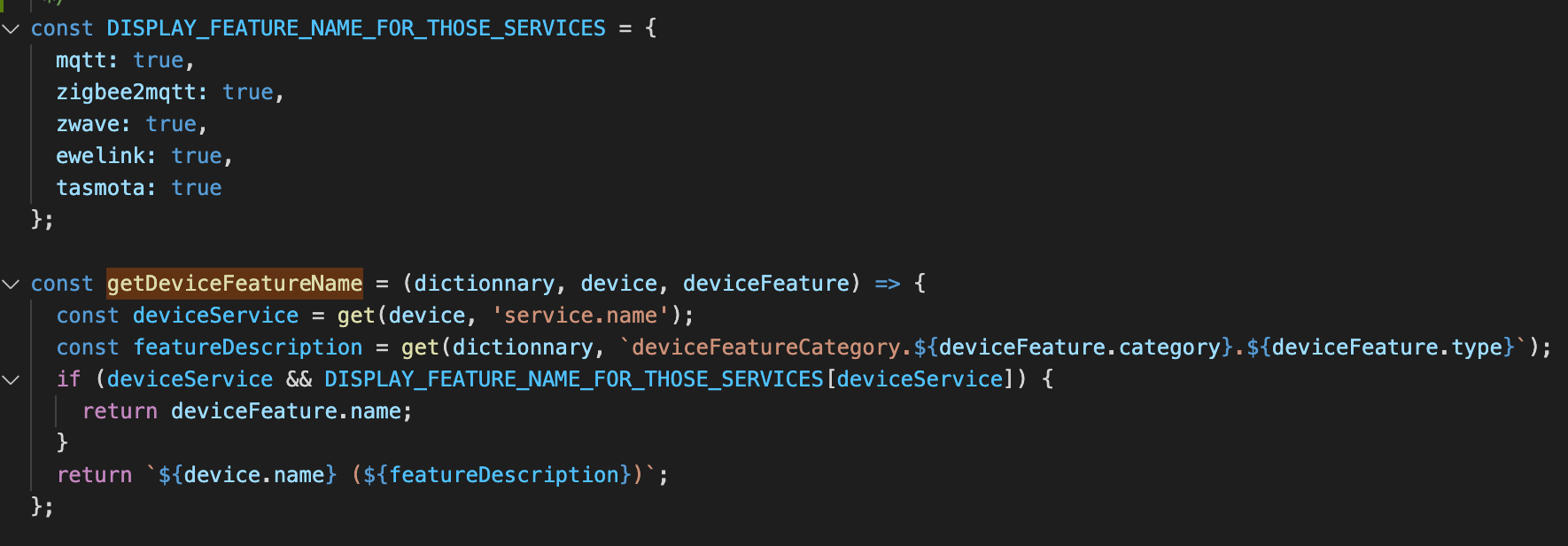
Yes, it’s done, I applied the same list of integrations to both views
Why complicate integrations that are simple?
It’s not fair, it would make simple integrations complex because of other complex integrations, it’s leveling down ^^
For me, MQTT / Zigbee2Mqtt / Tasmota integrations are integrations for developers, not for the general public. They have a very particular way of working that is not generalizable.
The general public using Gladys will connect:
Philips Hue
Sonos
TP-Link type plugs
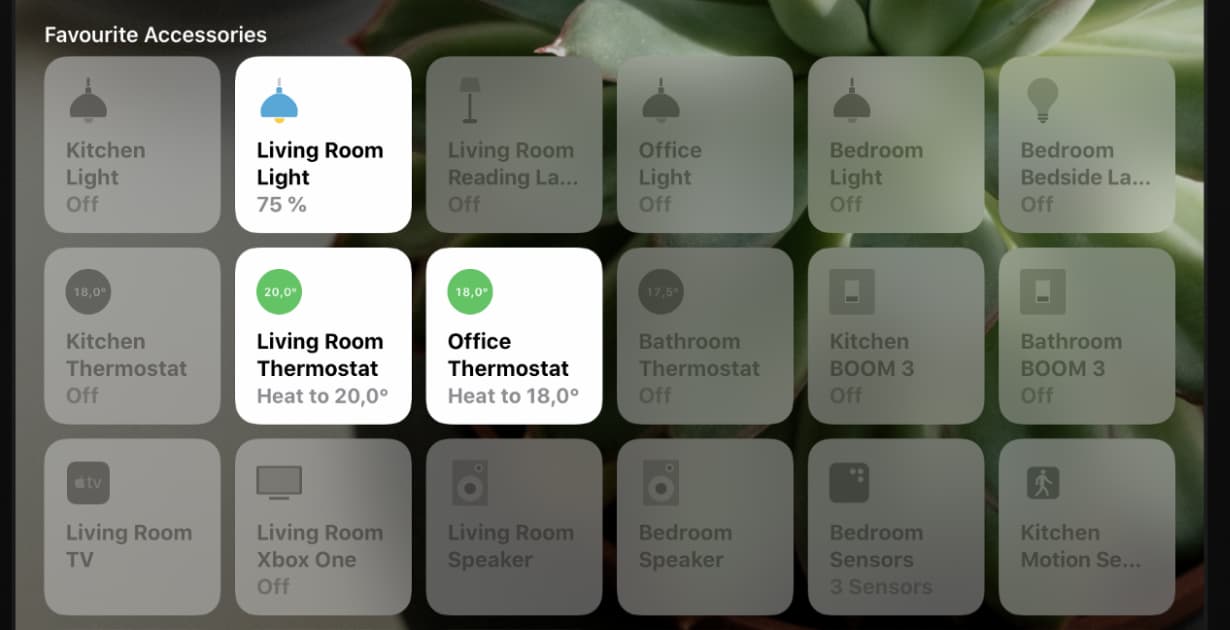
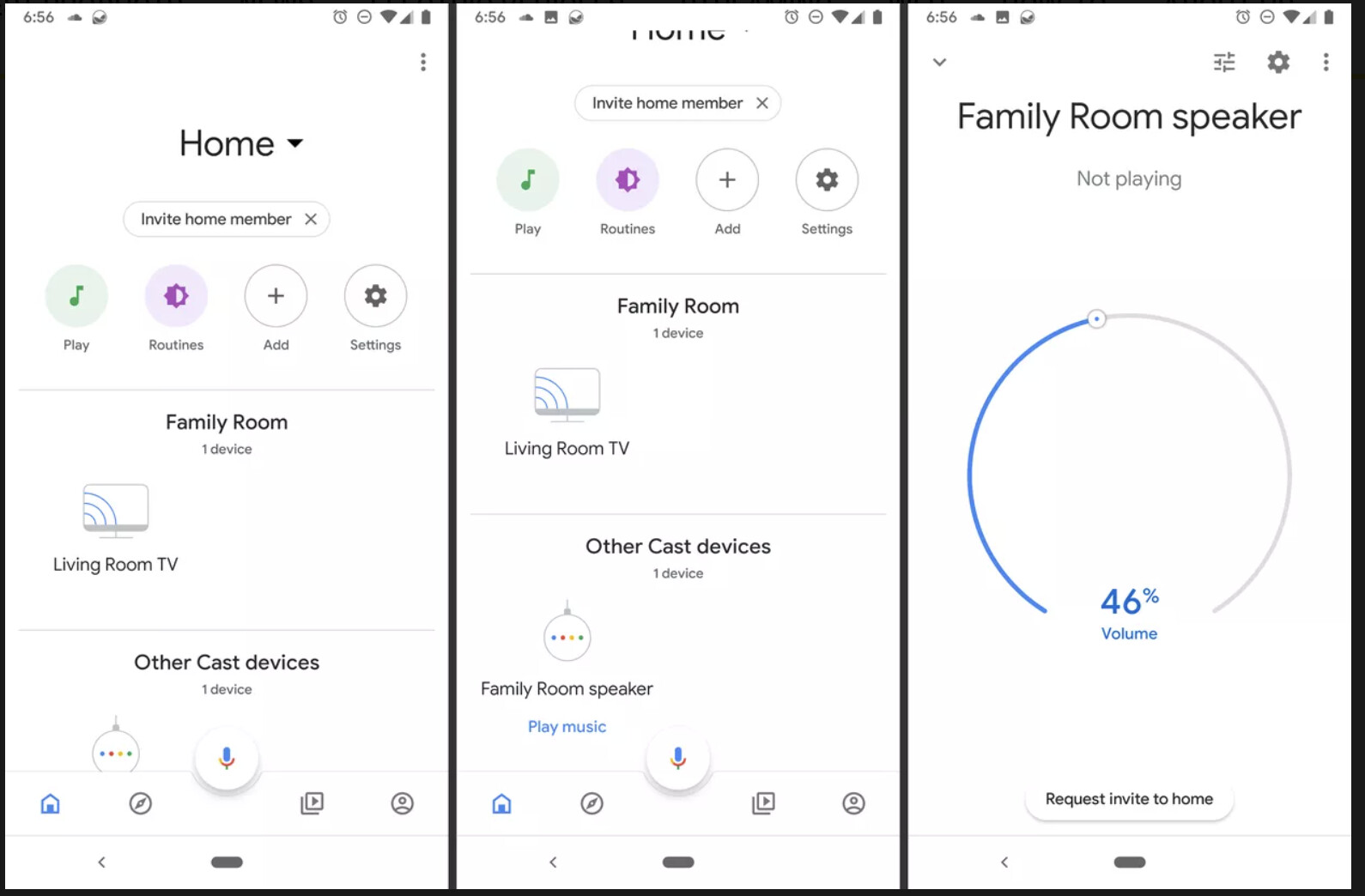
And they will expect Gladys to work like a Google Home / Apple HomeKit / Alexa.
These platforms do not even expose the notions of deviceFeatures to their users. In Google Home / Home Kit / Alexa, only the name of the device matters, and I think we should do the same for our « general public » integrations.
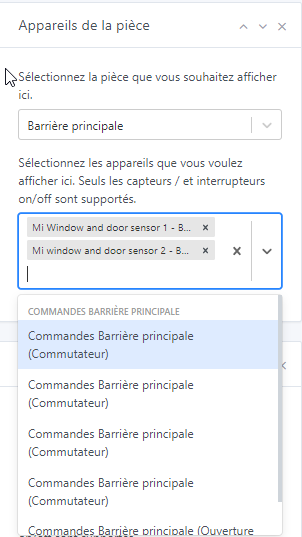
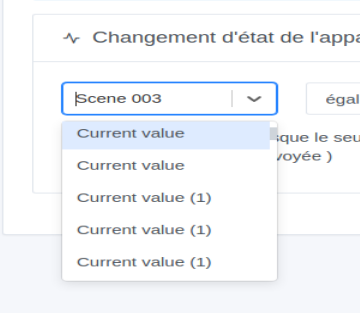
I confirm that on the dashboard we do retrieve the name, but for the edit page in the selection it is not the case either for MQTT. It appears as Zigbee2Mqtt and Tasmota:
I’ve been cheating from the start by first using the Zigbee2Mqtt interface to rename the devices, then « scanning » them and integrating them into Gladys with a meaningful name
Suppose I have multiple devices with a Temperature feature (in z-Wave, this is the name of the associated class, in Zigbee, the ‹ expose ›), then we will have ‹ Temperature › several times, right?
Yes but precisely, for these integrations, the approach was to no longer use the device.name.
If that’s the case, I can rollback the change on Z-Wave to make it like before
The pillar of Gladys’ philosophy is to make a product that is usable by everyone, even a non-tech audience.
So the question would be: how could we make Z-Wave devices have a « human-friendly » name, readable, and that easily identify the device.
Because in the end, out of the three proposals I see for Z-Wave (currently, the PR I made yesterday, and your proposal), the proposal that seems the cleanest to me is the one we currently have (so rollback yesterday’s PR)
If we don’t put the device (name or others) in the dropdown list, we need to ensure that the feature label is unique, is that feasible? If I have 2 temperature sensors (device + 1 Temperature feature), I can’t call my feature ‹ Temperature › but ‹ toto sensor Temperature › or ‹ Living room Temperature ›.
This is not related to a particular integration. With MQTT, we have to give a name, so the problem is less significant, except that we need a unique name for each feature. We can start from the same principle, it’s the user who chooses a name for the feature.
Exactly, it’s true that it might be restrictive to force the user to name each feature of each integration.
Even MQTT I understand (it’s manual), but in the end for integrations like Z-Wave, it’s going to quickly become a nightmare… Especially since in consumer smart home solutions, no one does this.
Sorry @Terdious but I think I will rollback the PR for most integrations (I will leave MQTT only I think), we lack information, I merged it a bit too hastily and without consulting other community members who have different setups
@Romuald_Pochet in the case of Z-Wave, in fact in 99% of cases it’s okay to display a combo « deviceName + (feature name from the translations) », I think it’s really the 1% of weird devices that cause problems (those we talk about in the Z-Wave topic cf https://community.gladysassistant.com/t/v4-integration-z-wave/6057/53?u=pierre-gilles), and for them it’s better to try to split them into several devices rather than having to change our entire way of doing things for these 1%.
I think to continue this debate, we need to gather more information.
First of all, at the level of Gladys:
List the integrations in Gladys, and for each integration list how the naming works currently (device naming, and device feature naming)
Identify problematic cases, and understand these cases individually: does it really make sense to have a single device with 200 features? Would it be better to split the device?
Secondly, outside of Gladys:
Look at each consumer home automation system: Google Home, Alexa, Apple Homekit (I insist on consumer: home assistant, domoticz, are not inspirations, I’m not saying these systems are not good, but they are aimed at a different audience so that’s not what we want to draw inspiration from here :)).
If someone wants to do this little survey, they are welcome I can invest time in it, but I have to prioritize it with all the other requested features (is it more of a priority than the graphic view? than the Alexa integration? it’s up to you to tell me)
There is no notion of deviceFeature name, just each physical device has a name.
Amazon Alexa
The operation is quite similar to Google Home, each device is represented by its name and a list of « capabilities ». The capabilities do not seem to be named or displayed in the interface.
So I wonder: how do people with complex devices like multi-outlet power strips manage them on these platforms?
After thinking about it, I am less and less convinced that the feature.name makes sense…
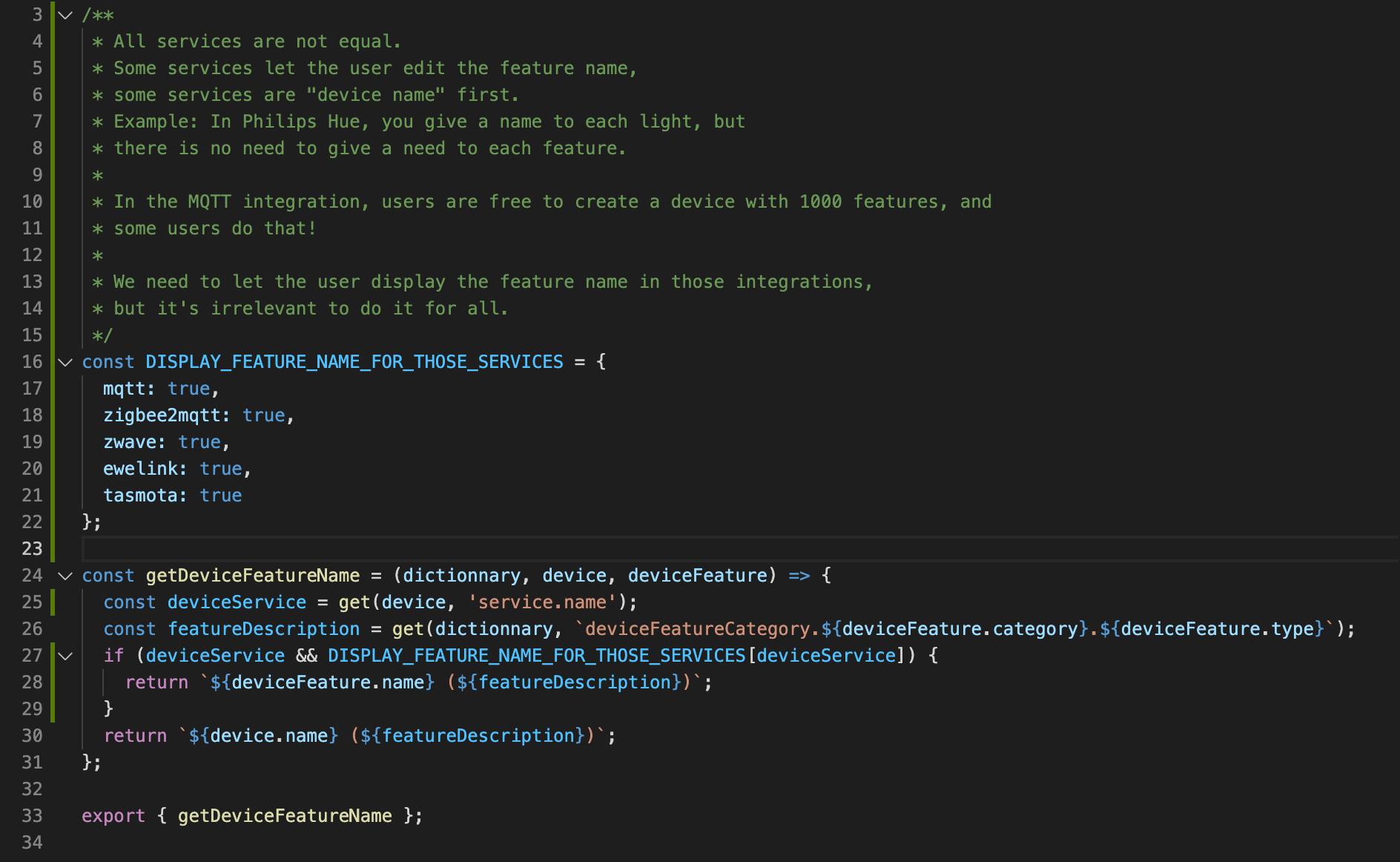



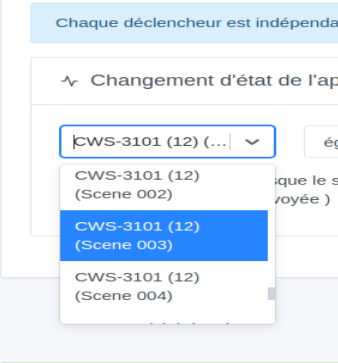
 But well, maybe it doesn’t adapt well to Z-Wave… We can change that.