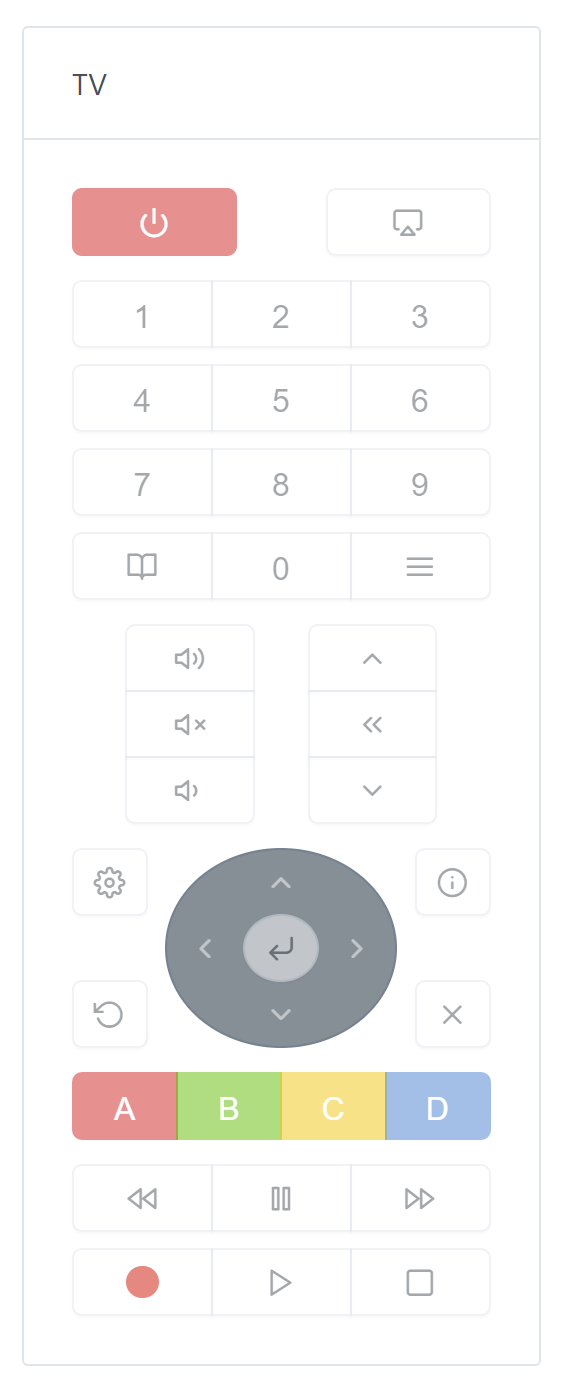
Hello everyone,
I am currently setting up the integration of Broadlink and its infrared gateway.
I thought about allowing the construction of a remote control.
Here’s what it looks like today:
Now, I’m stuck with the device integration.
This is indeed a remote control, but it controls a device (a TV, a light bulb…).
What type should this new device to be integrated in Gladys be?
Moreover, being a remote control, only buttons should be available, no switch button (ON/OFF) as this technology does not allow to know the state of the real device.
Additionally, it would be interesting to be able to tell Gladys « Turn off the TV », and have the signal sent with this remote control.
In short, my problem is at the design, development level.
A device does not have a type, a category. Its features do. But the feature cannot be of two different categories (remote control and TV), and I can’t see myself adding the « button » (or click) type in all types of feature…
I therefore call on the community to think about this new need.
Another great integration here it looks great with the gif you added!
Here’s what I would do (at first glance, but it’s debatable):
We create a television category
In this category, we create a set of quite specific types related to what a TV can do: channel, volume, etc… We can also create features related to specific buttons, such as next-channel-button, volume-up-button, etc…
All this must be defined/managed at the Gladys core level, and then in your device.setValue function for your TV, you will have a big switch with all possible commands.
The advantage of this solution is that in the Device we will have all the information about the « capabilities » of the TV. For example, if your TV does not support the « next-channel-button », then you just don’t create the feature, and the UI can deduce that the button is not available.
This is a first draft off the top of my head, what do you think? (I’m still thinking about it too)
Hi,
This is a good first approach, but the issue will arise at the level of the display on the dashboard. I was thinking of displaying the buttons in the form of a remote control (button matrix). To do this, I tried to draw inspiration from what was done for the cameras, and I don’t see how to indicate that it is a remote control type.
For the feature, the category will be TV, the type push-button, but I’m missing the « remote » information.
I was thinking about device.model but that will cause all the boxes already in place to be re-examined.
This is mainly where I’m stuck. We control a TV well, but the device remains a remote control.
I’m not sure that adding a new field to the model is a good idea (even if it is the simplest solution).
Just like it’s done for the cameras, the « television » category already indicates that this kind of UI is needed to control it. We have no interest in displaying the TV room UI here:
This brings back memories with the v3 (remote control API, @Jean34 testing for RM Pro 3 with @piznel) :p.
Good luck @AlexTrovato :).
If I may, I don’t find the remote control « pretty ».
I’m not really into this Lego-type HMI ^^.
Let’s see how it turns out in the end
Thanks, I admit that I draw a lot of inspiration from the V3 module
For the Lego HMI, we can always adjust it at the end.
I will post an image to get your opinions.
Good evening @AlexTrovato, you said that the service will be done via infrared to control a TV.
But now most of the time we don’t control the TV but the box. And they are in Bluetooth.
Hence my question, will we be able to use it in Bluetooth?
Hello @Tlse-vins,
the remote control part is just a visual facade, linked to features.
If your Bluetooth remote control defines these features, it will be possible.
A new integration service (for example BBox or Livebox) will then be needed to integrate this remote control.
However, I think that most boxes can be controlled directly via the network and allow you to have a status.
The remote control system I propose does not know the status of the device.
For Bluetooth, I have already started an integration service, but the BLE library used is a bit outdated, new ones are planned, so it remains on standby for the moment.
Good question.
For now, I’ve just planned a single display on all compatible screens, all in length… but this will require scrolling as it is so long.
I will draw inspiration from existing applications so that this one fits on a pocket screen.
Hello everyone,
if someone is motivated to test the Broadlink service, 2 remote controls are available, TV and light bulb.
A box is also available on the dashboard.
I am resending my request. I see that the brave ones are busy at the moment, but Broadlink device owners (IR emitters, plugs, multi-plugs, etc.) are eagerly awaited as testers.
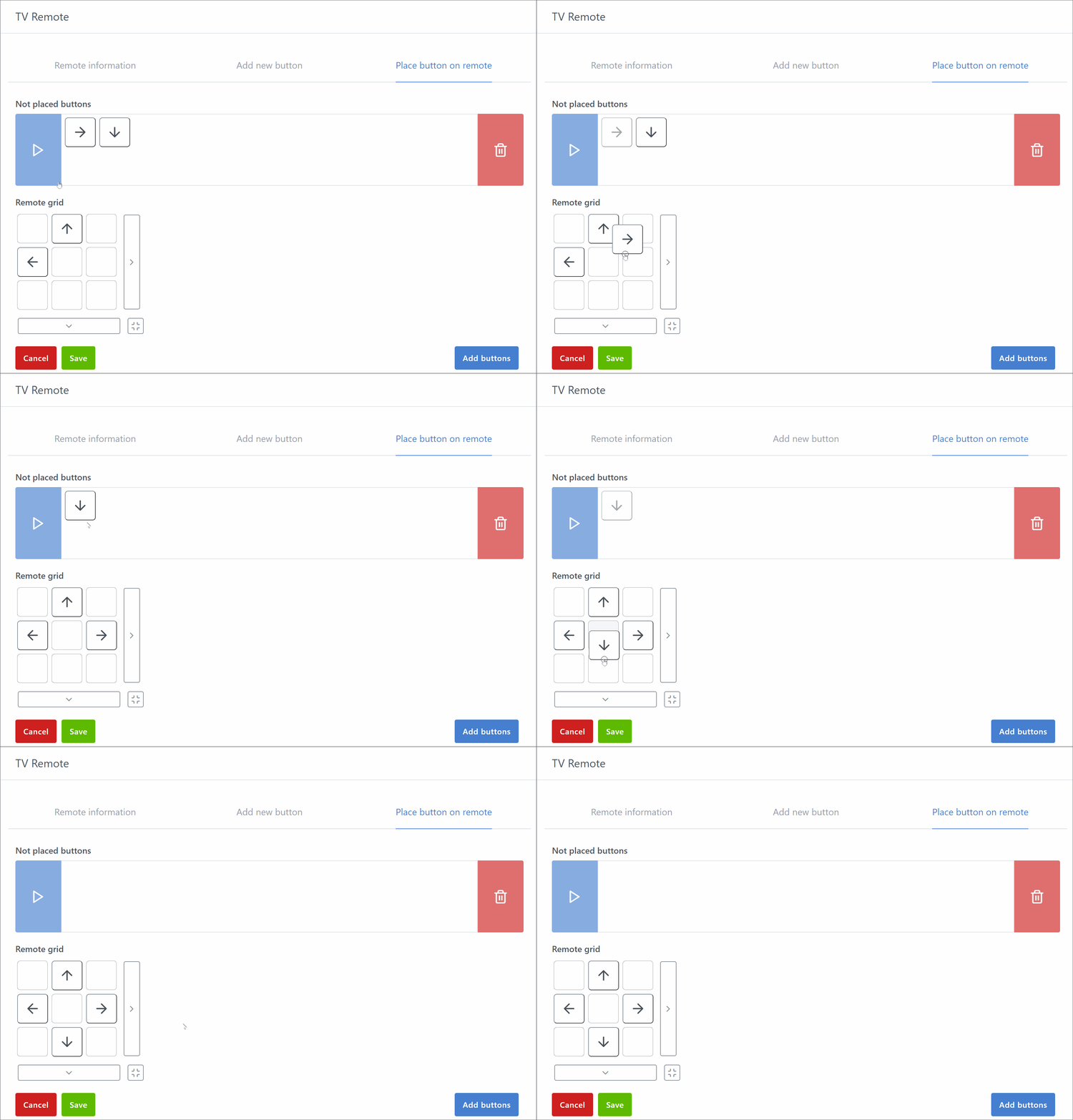
 it looks great with the gif you added!