Same, if I decide that the box should be at the bottom right, I don’t want it to move without my consent 
For me, drag and drop is an added feature, but if we can simply change the position with repositioning arrows, it’s already much better than in V3 
Good OK you’ve worked well 
Hello everyone!
Today I’m still working on the home screen boxes, and I’ve specifically worked on creating a « perfect » box.
The goal is to write guidelines in the documentation 
I took the « User Presence » box which displays who is at home and who is absent.
The box looks like this:
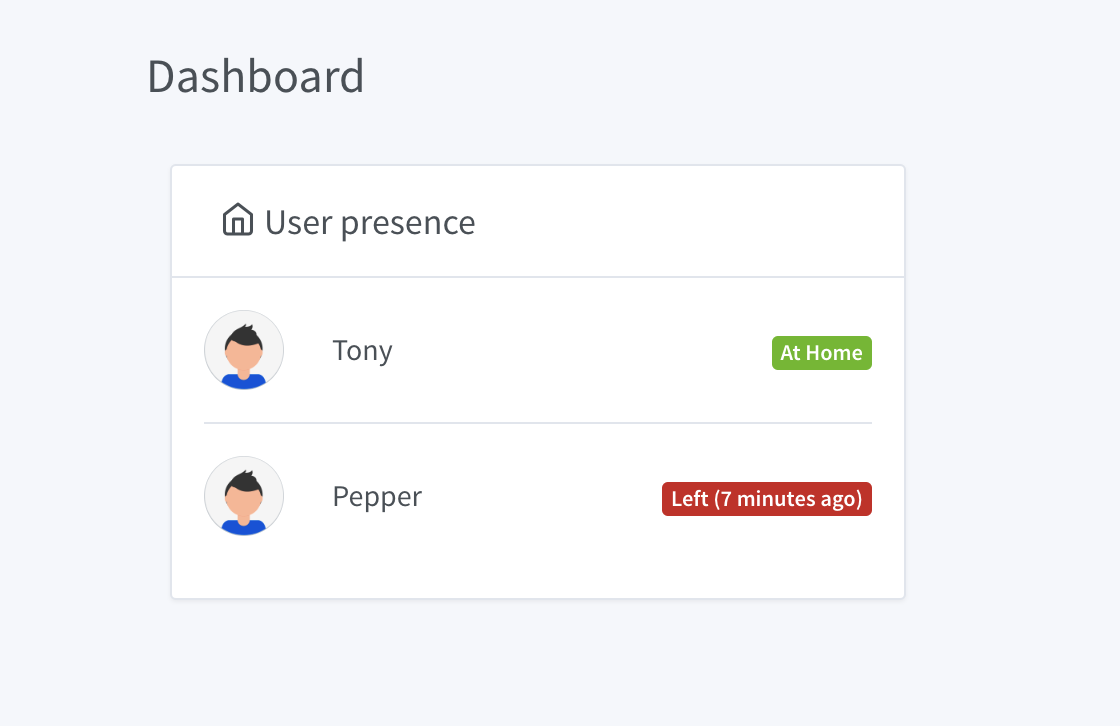
Here is the content I will put in the guidelines.
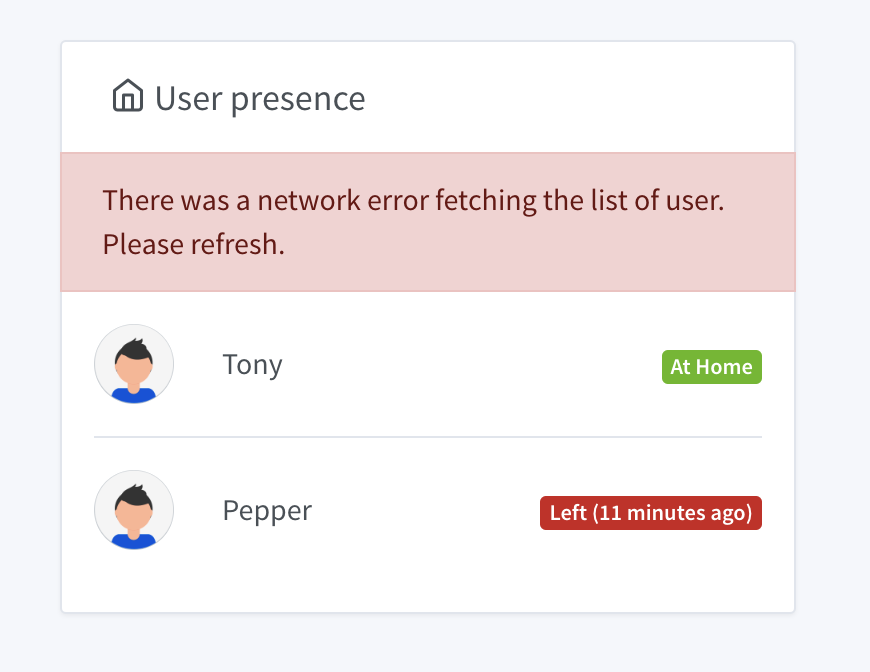
Error Management
The box must handle errors and display an appropriate message:
- In natural language (no JS error dump)
- In the user’s language (via Gladys 4 native internationalization)
- The error message must be rich, for each possible type of error (network error, unavailable device, etc.)
- The error must indicate to the user how to resolve the issue: The steps must be clear, and must not lead the user to the logs or to technical manipulations. If the error is only temporary, and no action is to be taken, indicate it.
- The error must be displayed within the box, and not outside, so that the user understands the context of the error.
Example:
Loading Time Management
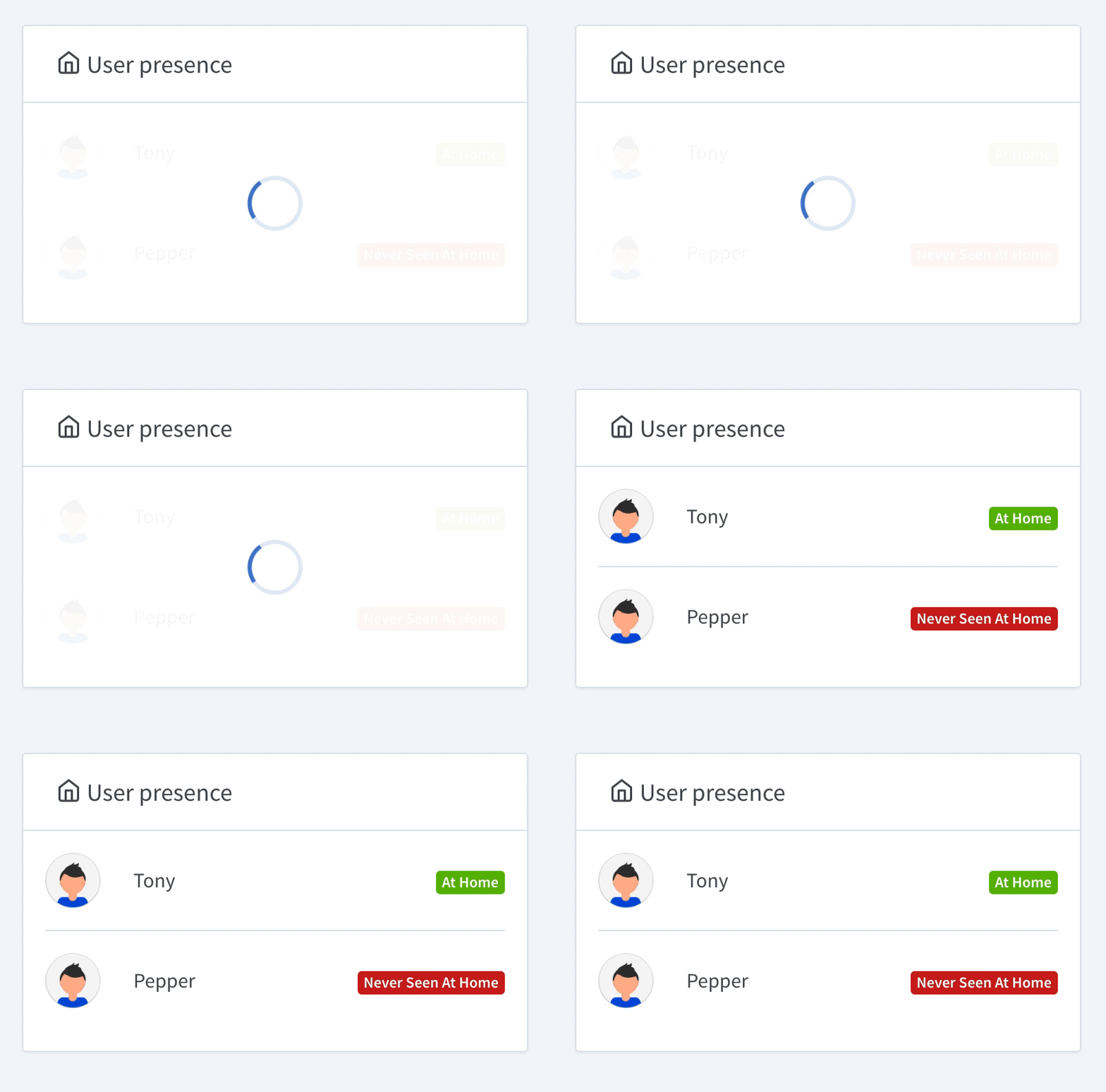
The user must know when something is happening in the background. If you launch a request, you must indicate it in the UI with the standard Gladys 4 loader.
- The loader must be in the box
- Be careful, the box must have a minimum size so that the loader is not compressed at the top of the box in small.
- Remember to remove the loader if the request fails. The loader does not replace the error message.
Example:
Live Management
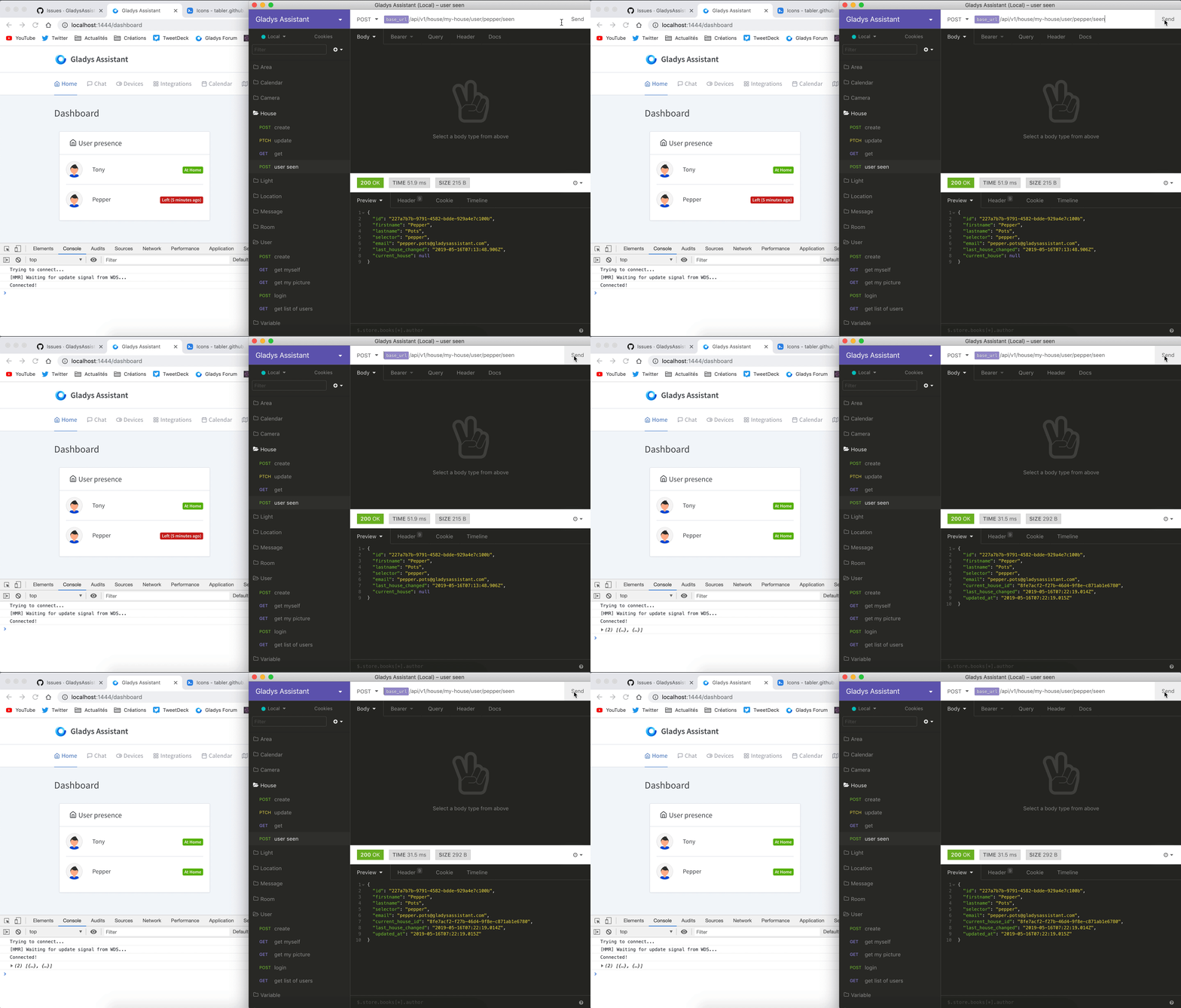
A box must not only display data, but also ensure that it remains up to date throughout its lifecycle.
The Gladys dashboard aims to have a long lifecycle, so some boxes will remain displayed for several days/weeks/months if the user leaves the tab in full screen on a wall tablet.
Each box must use web-sockets, or at least refresh periodically to stay up to date.
Example of live refresh:
Box Size
Your box displays a set of data that is probably dynamic. Pay attention to the minimum and maximum sizes of the data.
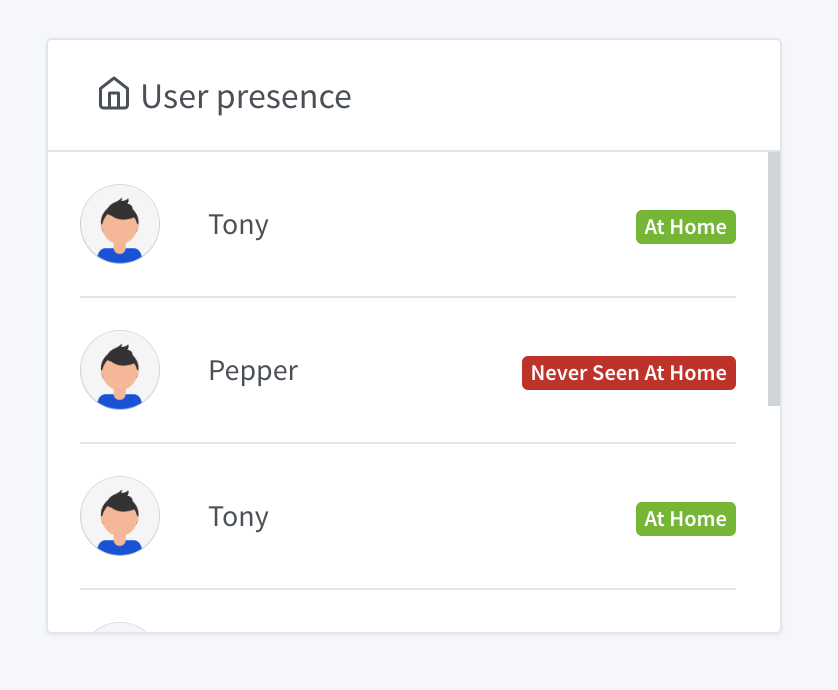
If you display a list, be sure to give a maximum size to the box and ask the browser to put a scroll bar if the list is too long. This will prevent your box from being gigantic if the user has a large installation.
If your box is systematically too long, think about changing the concept of your box, and for example allow the user to select a subset of the data in the box configuration.
Example of scroll bar:
Empty States
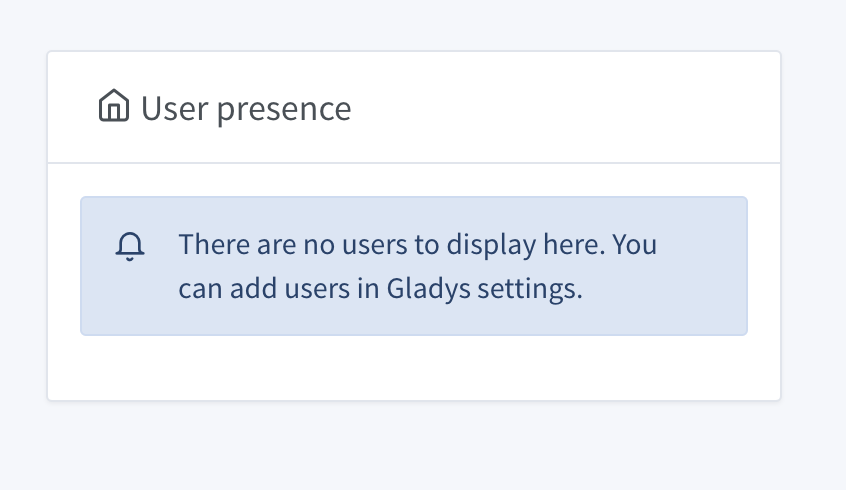
If your box can be empty, think about creating a special state indicating the steps to follow so that the box is filled.
Example:
That’s it, these are the guidelines I want to post in the developer documentation
In the end, these guidelines are valid for the entire Gladys, but well, the boxes are a good example.
Do not hesitate if you find any shortcomings in these guidelines!
Actually, the idea is to prevent or not the execution of a scene if a device is no longer present or not available. If it is necessary: error, if it is optional: warning.
Both types of dashboards seem like a good idea to me!
I think the user will be less lost if they have control over both coordinates. For me, it’s safer to say that the box is to the left and below box X, rather than only after such and such other box.
For the lifecycle of the boxes, I approve 100%! 
A few additions to the guidelines:
- Put loaders as soon as the box starts, this avoids having empty boxes when the page loads
- Putting loaders for each sub-part of the box can be interesting. (Example: Checking the users present can be done at different times and/or take more time for one user than for others)
- Using a color code and icons for information/warnings/errors helps visually to know what is happening.
- Put only the essential information in the boxes, when there are many things to put (management of bulbs for example) use all the space available, in the form of a grid rather than a list
These few points may seem obvious, or simplistic, but they help to improve the UX and the UI
EDIT curiosity: Will it be possible to have boxes that take up 2 or 3 columns for boxes that take up space, like the calendar?
Excellent work 
It’s amazing how, in about a year, the developer documentation has improved! It has even become one of the important points that you take care of (and others), and that’s great because it’s the most important thing to enrich Gladys.
I would add that a timeout is also needed.
As a user, I don’t like seeing a loader spinning in a loop for 10 minutes without any information. I prefer that an error is displayed after a few seconds or even a minute.
@pierre-gilles
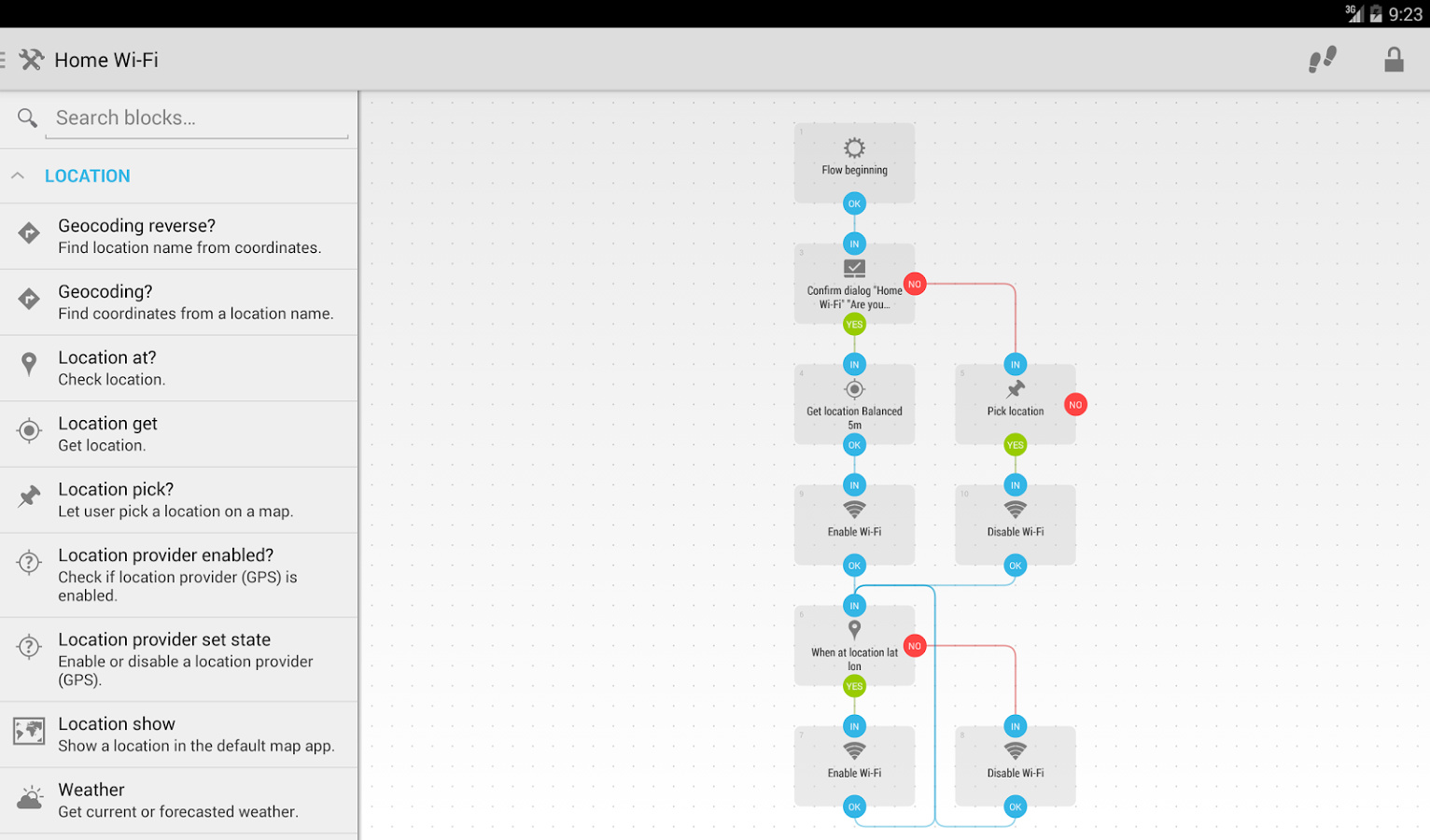
I was thinking about something when I was making my scenario on Android. Would it be difficult to have « graphical » scenarios like automations on Android?
Well, I have a lot of ideas but unfortunately I don’t have the knowledge 
@pierre-gilles I get the impression that it’s no longer possible to create an account, we are directly redirected to the login page, but my docker image is brand new.
Any ideas?
I see, but as I said, I don’t think it’s up to the user to decide that. We design a system that works, that’s all.
This is not currently possible, but your idea is interesting. Currently, what I have done is a system of 3 clearly separated columns. Fixed in width and infinite in height:
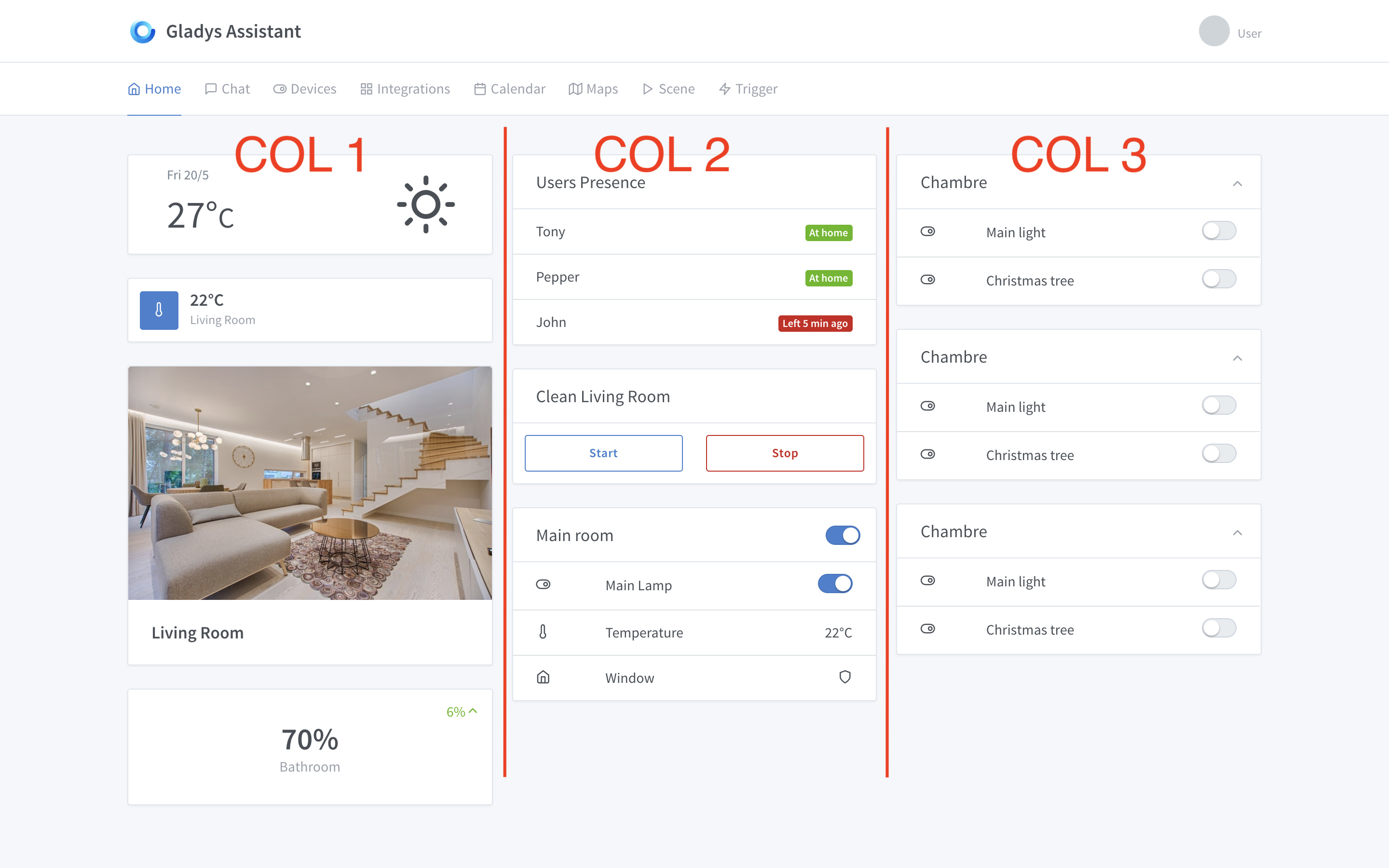
After that, if we look at the template I use, they have a different grid.
They only have 2 main columns, and inside they cut:
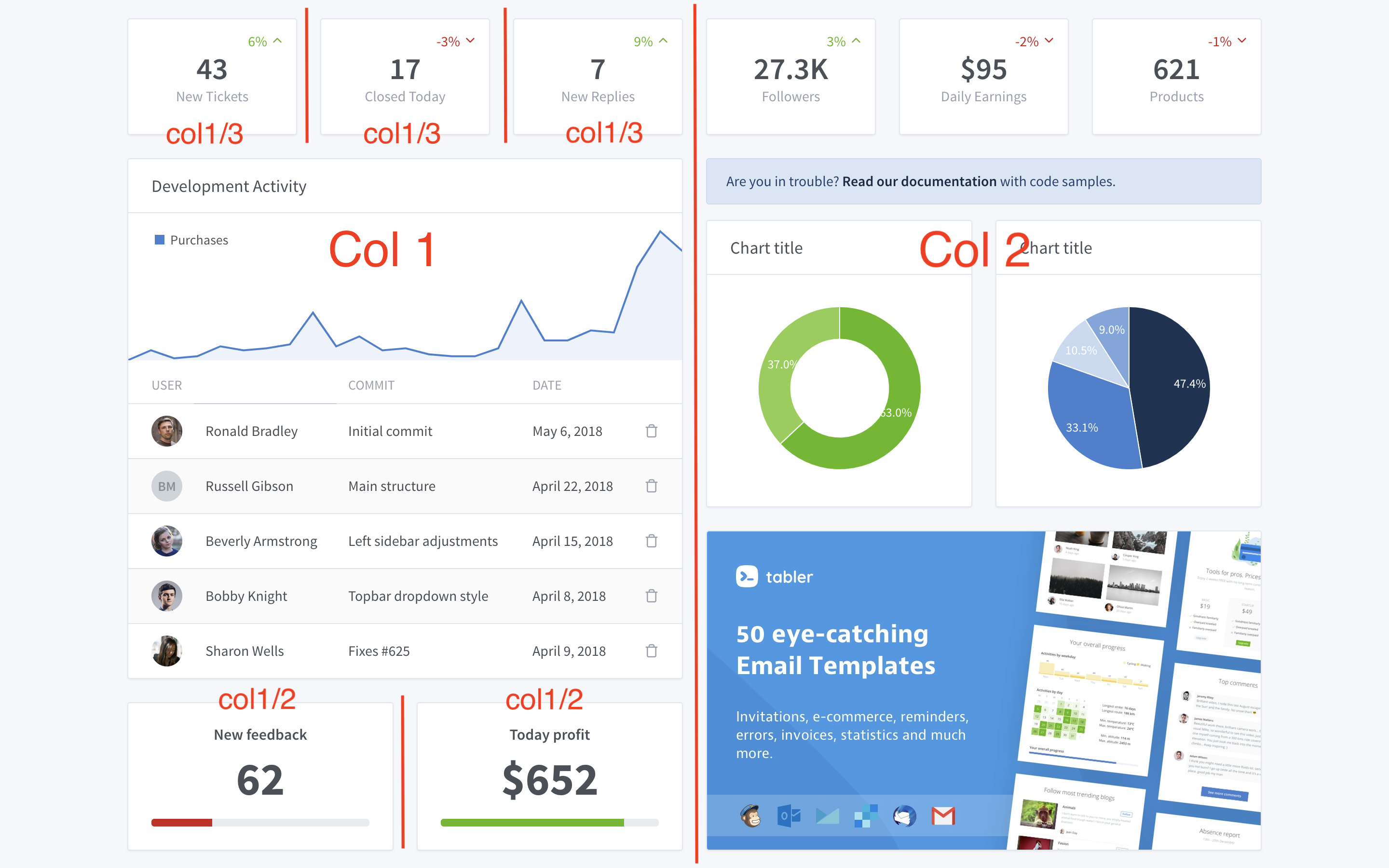
It would be possible to do that, but in my opinion, this kind of dashboard is much less beautiful in reality than in mockup  Let me explain:
To divide your column into 3 like they do, you need to have 3 similar boxes to place. Let’s say 3 temperature boxes. Same for dividing into 2.
And if you only have « wide » boxes, then your screen is only divided in two.
What we could do is give the user some freedom to have 1, 2, 3, 4 columns, and then to cut again inside each column. However, this remains quite a large development to make a « recursive dashboard builder ».
I keep the idea in mind and I will look into it, but I’m not sure it will be a project for the alpha.
Thanks!
Indeed, it should be specified.
Hello! I’ve talked about this several times and personally I’m not a fan of this kind of editor, I don’t find it very user-friendly.
I find that it’s a very « programming » approach that speaks to us but not to non-programmers. And above all, visually it quickly becomes a mess.
Ah, I did indeed change something about that recently, I’ll check.
What I added is the usual security: it is only possible to create an account if the user table is empty in the DB. If there is already a user, it is only possible to log in.
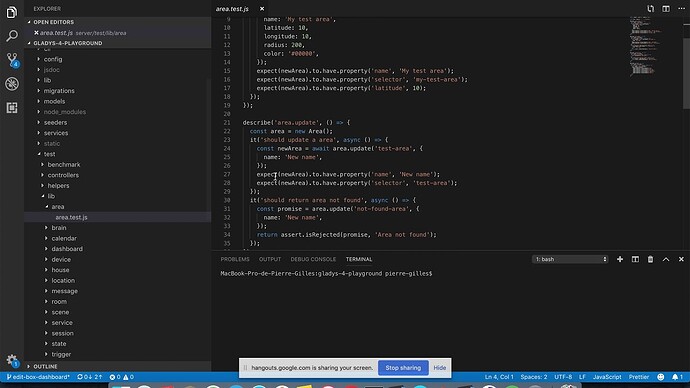
For those interested, I invite you to a developer call tomorrow, Saturday, May 18th at 9:00 AM French time to show you how to set up a Gladys 4 development environment!
It will take place here:
cf @NilkOne
No problem and your point of view isn’t wrong
If you’re wondering how to set up a Gladys 4 development environment, the replay of the call is online!
To make it clear for newcomers, I have closed all open issues on the Gladys 3 repo, and instead, I have created an issue:
https://github.com/GladysAssistant/Gladys/issues/490
This allows redirecting those who want to help towards the Gladys 4 repo
Of course, when deploying Gladys 4, the « gladys-4-playground » repo will be merged into the main Gladys repo.
Hello @pierre-gilles,
Great job on V4
While looking at the ongoing PRs, I realized that a lot of code modifications were due to file formatting (example below):
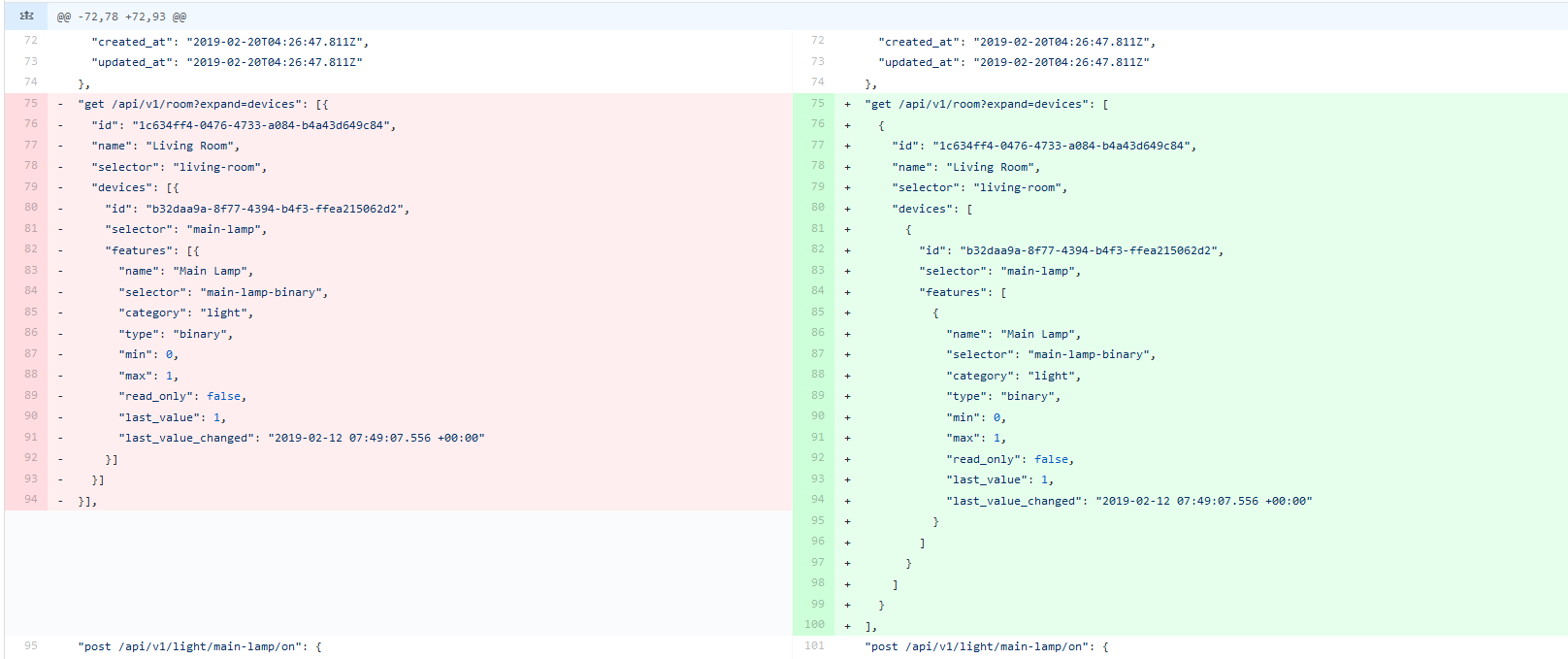
Wouldn’t it be possible to add a linter, or a configuration for each IDE, to avoid this?
For info, at work, on my current project, we use Husky, which allows checking the code before each ‹ git push ›. In short, it runs the tests and the linter on each ‹ git push ›, to prevent everything from breaking
Hi @pierre-gilles, great job!
Regarding the « Integrations » services page, I agree with @Tlse-vins and @peb:
- add a category « My active / configured services »
- and a category « All services (available) »
I think this will be clearer for the user.
@pierre-gilles, regarding your question about the dashboard:
I am in favor of the edit mode with positioning arrows, the one you show in the gif, I find it great 
and then drag and drop ideally.
Is there a roadmap document with all the dev / evolutions listed? (by you and community requests) then details of those that are planned? as well as votes?
or are we only using GitHub issues?
This is already the case, and I can assure you that I am quite extreme about it
You have a .eslintrc.json file for the server, and the front.
Here it is a .json file, indeed it may be missing an indication for this type of file, I will check.
I’m not a fan of pre-commit/pre-push hooks, it doesn’t encourage a frequent commit/push rhythm (if you have to wait 7 minutes to push, you do it less often). It’s quite controversial as a practice.
For me, as every push is necessarily on a PR, it’s on the CI side that it must fail and indicate that the code style is not good. After that, it’s up to the developer’s discretion to run the tests locally before pushing, if he doesn’t do it, tough luck for him, he will see on the CI that there are linting errors and he will have to correct them so that his PR can be merged
I agree, we need to find a way to display this in the UI… for now I have nothing in mind.
If someone has an idea, I’m interested.
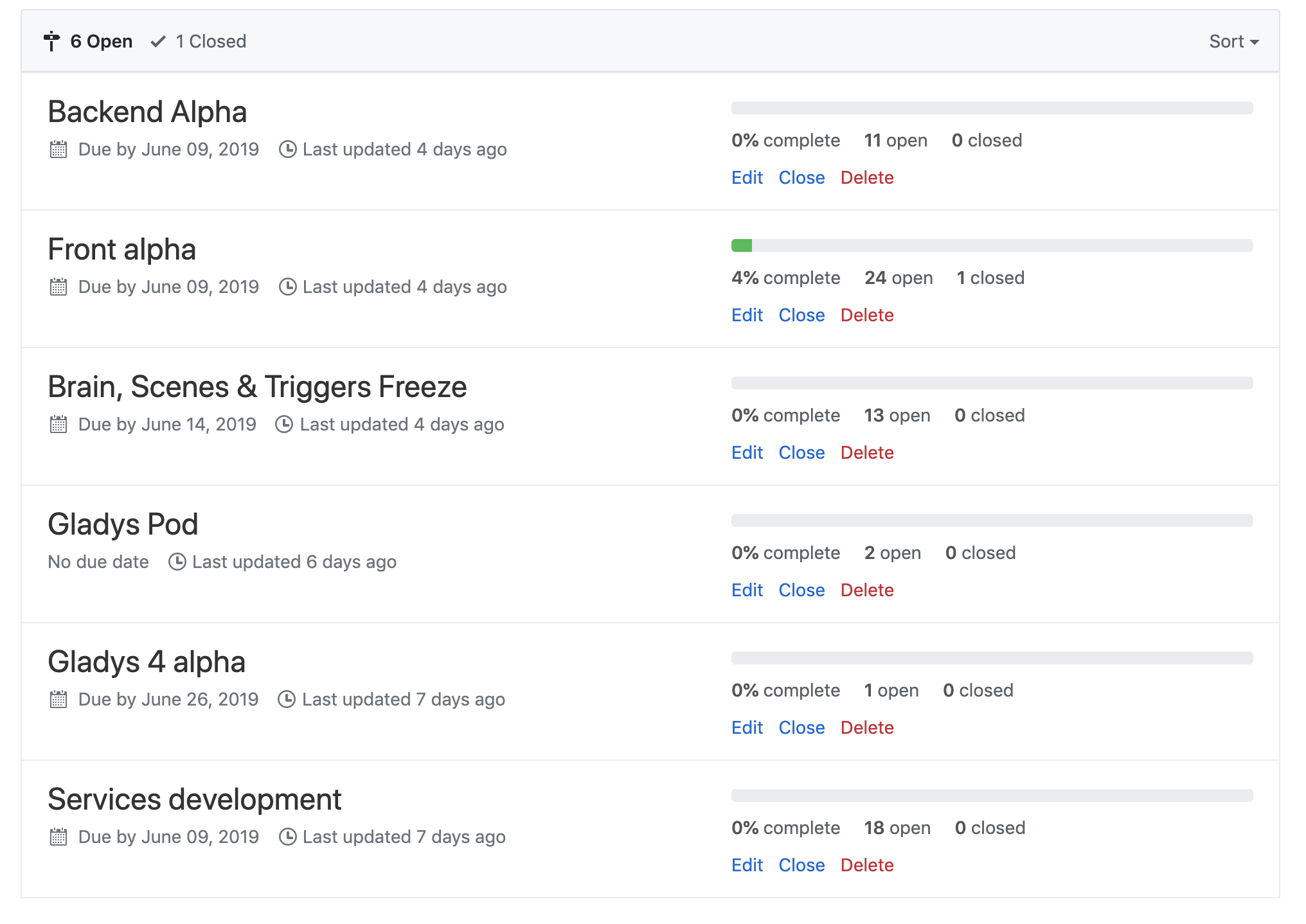
Yes! You have 70 issues on GitHub, each issue is a feature to develop.
For the roadmap, it is higher up in this topic, but it is also written in GitHub with 6 milestones created with each a release date:
@Pti_Nico: After looking into it, linting .json files isn’t straightforward. I added an ESLint rule to ensure JSON files are properly formatted, but I haven’t found anything to validate indentation, for example. If you know of any ESLint library/plugin, I’m interested.
One solution could be to convert these files to .js, but I’m really not a fan of this approach (because then it counts as « lines of code » even though it’s configuration). And especially for translation files, this prevents us from using automatic tools like POeditor that consume JSON.
[Edit]: I was already using Prettier, but it wasn’t enforced. In terms of style, it’s stricter than my current config, so I set up Prettier on the backend and frontend. Normally, we shouldn’t have any more issues.
Normally, if you configure format on save in VSCode, your code will be clean with Prettier and will pass the CI
Hello everyone!
This morning I was thinking about the Gladys 4 CI/build process. The goal is to have a 100% automated and especially performant process.
I would like to see if we could use CircleCI instead of TravisCI for the CI. Having used it on other projects, it’s really faster than Travis.
Here are the steps of the build process I have in mind:
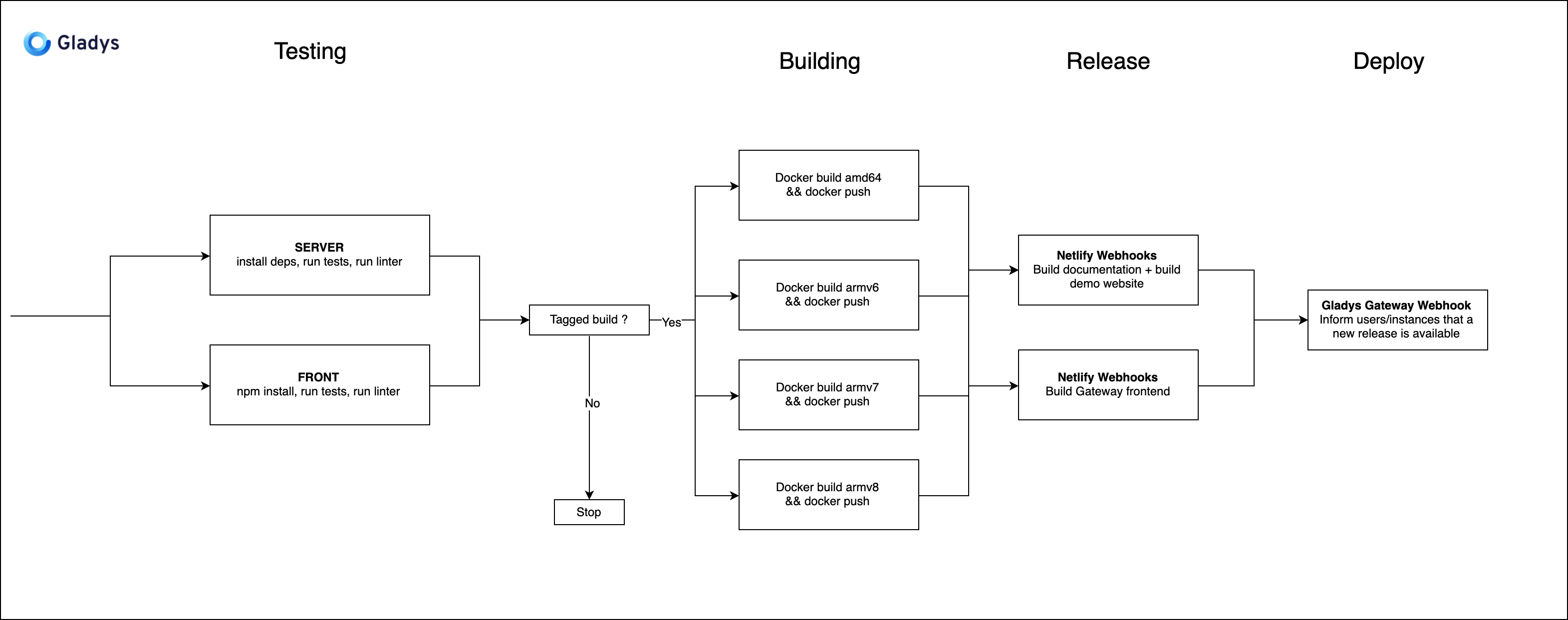
Explanation:
- This diagram is a « Workflow » CircleCI.
- Each block is a « build » CircleCI.
- The arrows indicate dependencies between builds. The builds in the vertical are executed in parallel, and to move to the next group of blocks, all previous builds must be executed. Example: Here, « Netlify Webhook » will only be executed when the 4 Docker builds are finished.
@VonOx this should interest you! If you have time to look at this together I would be happy
I created a Github issue to reference the development:
https://github.com/GladysAssistant/gladys-4-playground/issues/120
Because the Gateway frontend will be the same frontend as Gladys in Gladys 4 In Gladys 4, it will be possible to go to gateway.gladysassistant.com and see the exact copy of what you see locally on Gladys! (but outside your network by going through the end-to-end encrypted gateway)
It’s just a name in this schema ^^ For me, it’s the same thing, when you release, you release everything: code to documentation.
If you want I can remove the names above if it bothers you ^^ it’s purely indicative in this schema.
The tag is to be done by the developer, not by continuous integration. It’s the developer who chooses to release a new version of Gladys! Besides, if you look at block number 3 between « Testing » and « Building », the CI only moves to « Building » if it is a tagged build, not a classic push on a branch (in which case only the tests are executed)
 Yes, with pleasure.
Hello everyone,
I know that Gladys can be installed on Windows, Linux, Raspberry, etc.;
But will Gladys V4 be able to be installed on respeaker V2?