Let's talk about Gladys V4

@pierre-gilles I’m coming back here so that it can be open to more people.

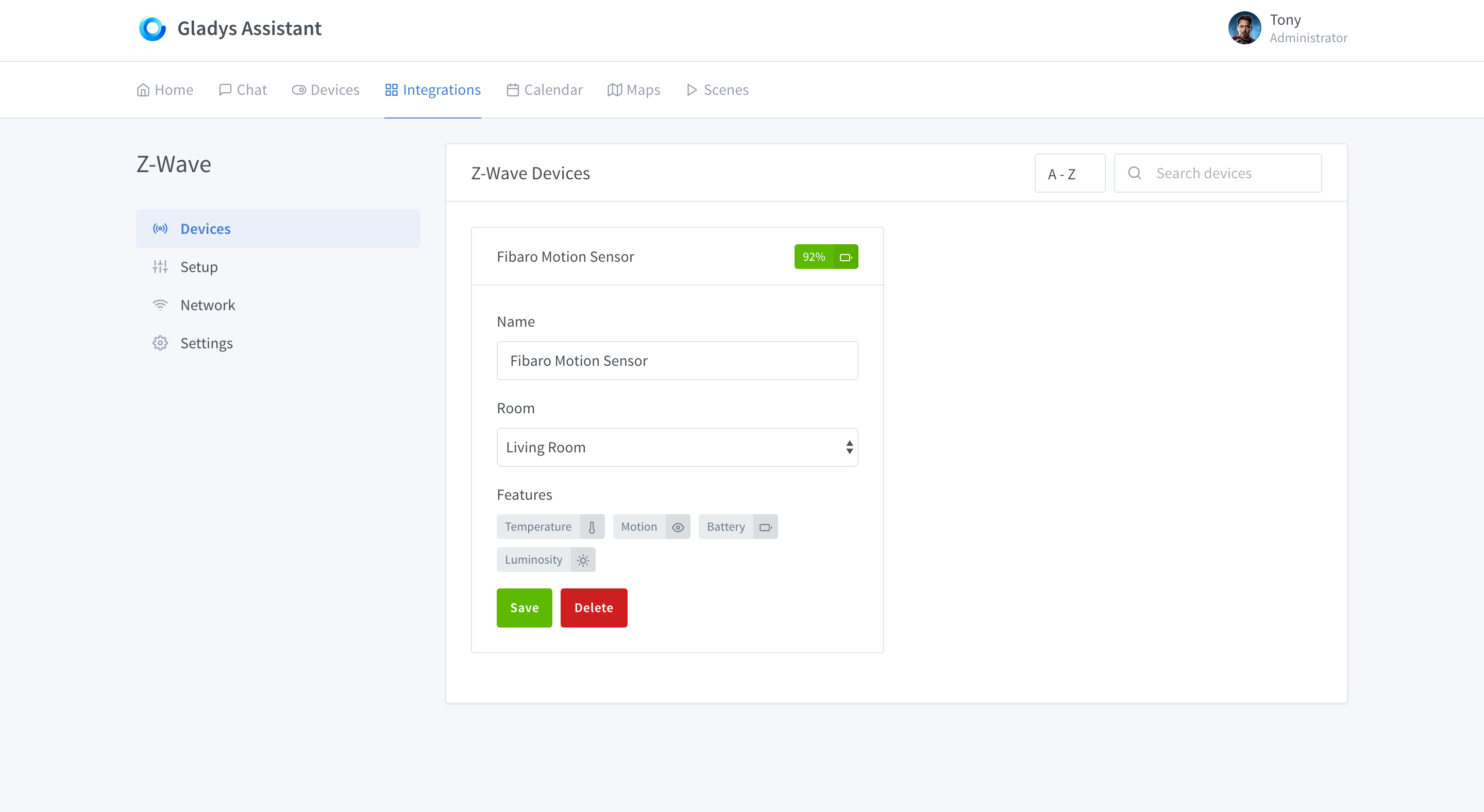
You compare to zwave:

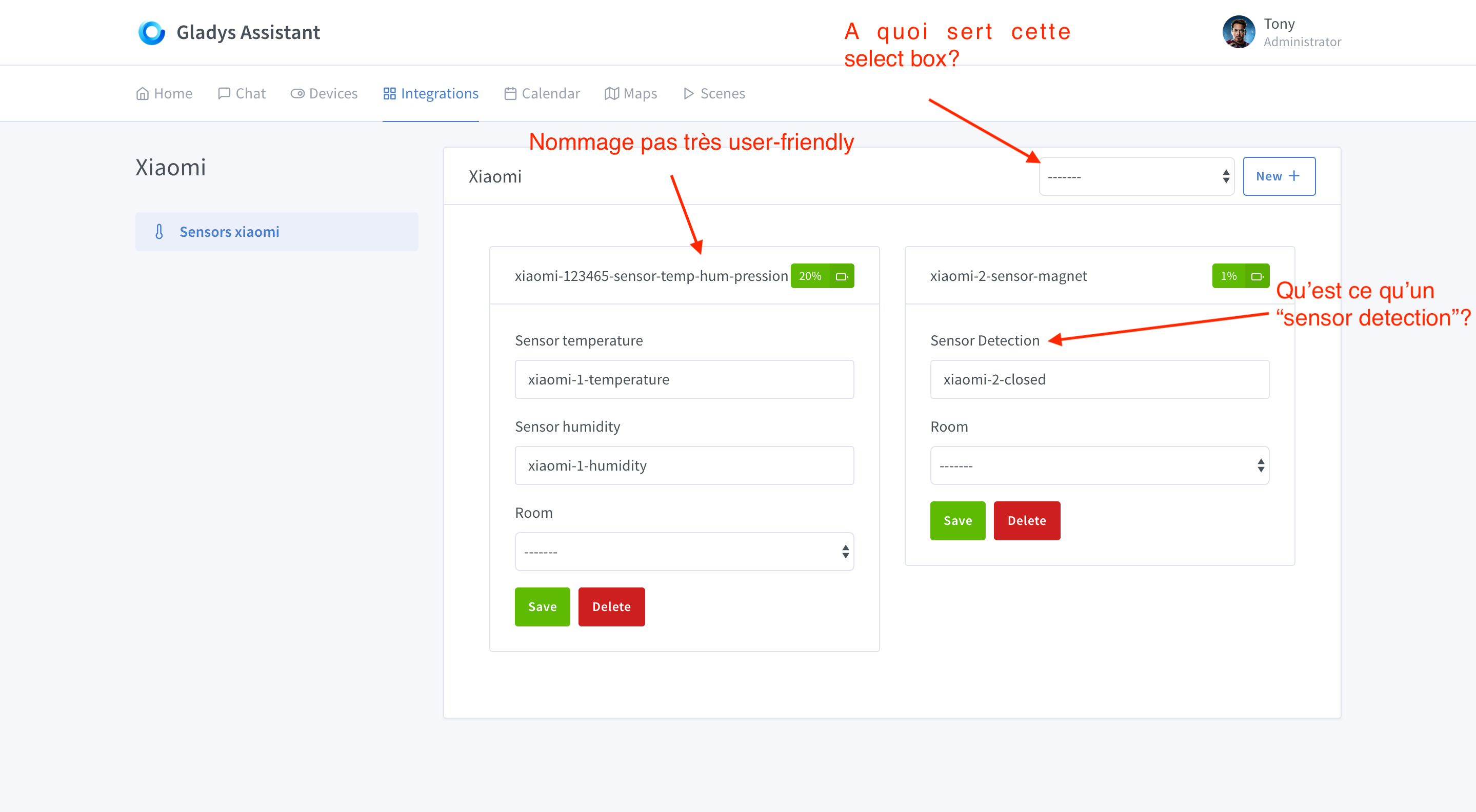
The problem I have with zwave’s approach is that you can’t specify the name of each variable (temperature, humidity, etc.). So, do we just modify the general name of the sensor and then add, for example, Sensor 1 Temperature, Sensor 1 Humidity. (Where the sensor name is therefore Sensor 1).

What do you think?

It’s so that all modules are on the same wavelength. Because indeed, if we give the user less customization options for the name of each feature, then we can make something sexier :slight_smile:

It’s true that it’s a real debate about the product’s philosophy!

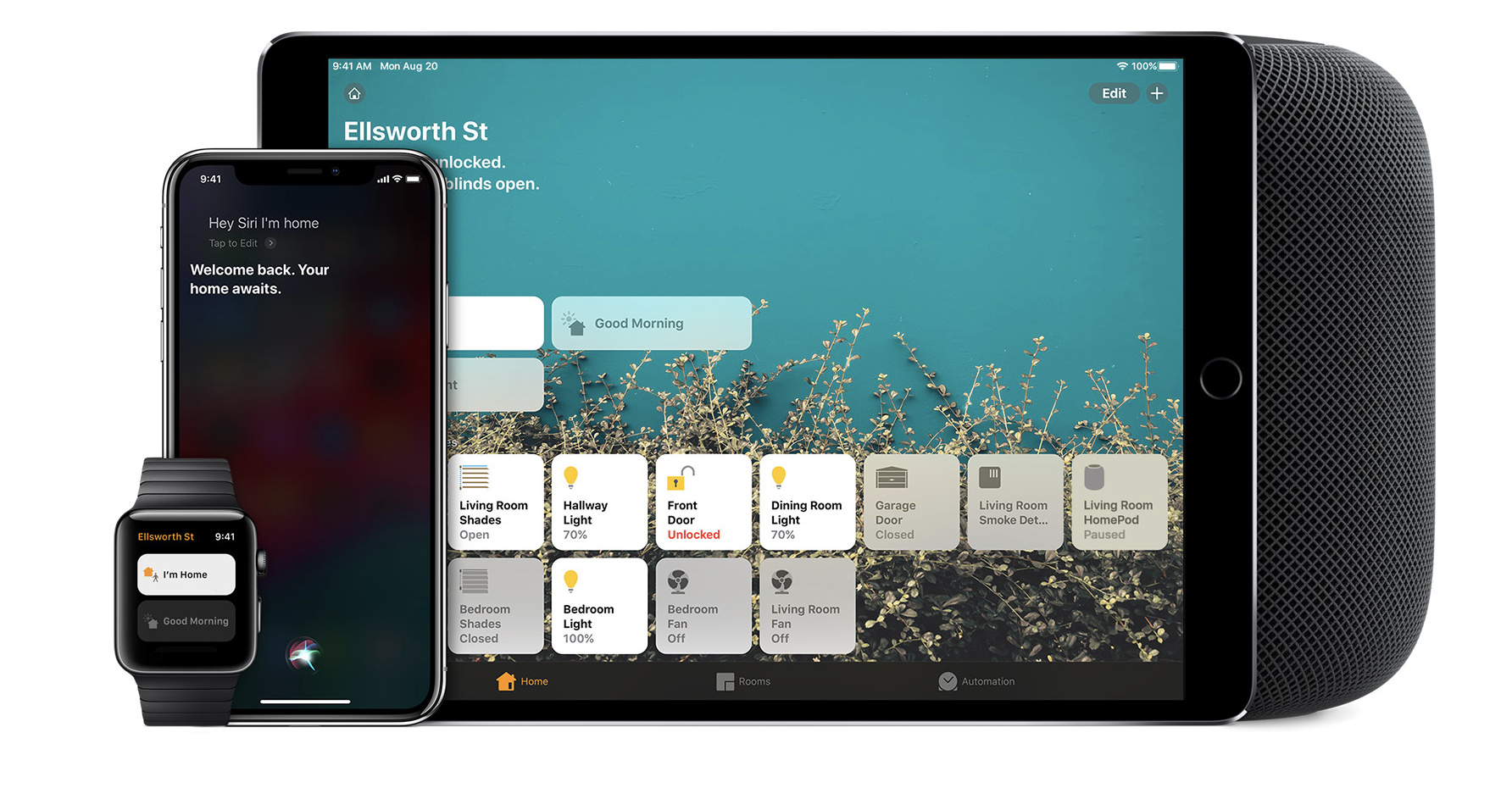
Let’s take an example, Apple Homekit, which decides on names like « Front door », « Dining room light », etc.?

I find it very cumbersome to force the user to name each device feature one by one… And is it useful? I don’t think so.

It’s up to us to design a UI where it’s easy to discern which sensor is what/and where.

I would be interested to know more examples from other platforms, to understand what UI techniques have been used to allow a user to understand their installation, even if it is very rich.

I think this is a problem because of current Gladys users … Some techniques … :smiley:

As a standard user, I prefer not to bother. I can go on the principle of doing like zwave and allow fewer modifications. We can say that the advanced user opens the database and changes the value directly at their own risk.

Another possibility is to simply have an advanced mode (to be implemented on the settings side and then to let other options appear in the modules). This is a possibility that can be added later!

I know this idea is not great but it can answer the problem.

In any case, for Xioami, I’m going for something simpler and more beautiful that speaks to everyone. We’ll see later, these are lines of thought.

I don’t think so! I think users, technical or not, just want a clear UI that gets the job done.

In Gladys 3, the only way to have a clear UI was to name each feature individually; that’s what the UI required.

I want to revisit the UI of Gladys 4 so that this isn’t necessary. I think the name deviceFeature might be obsolete if we design our UI well…

What I meant by that is that we like to control things sometimes in an unnecessary way but at least have that possibility.

Otherwise, I agree with you if we do it right and say it’s like this they are named automatically that’s enough.

From my perspective, devices and device features should not be treated equally:

The device name, even if set by default by the system, should be modifiable. In your example, @pierre-gilles, garage door is probably defined by the user. In a practical case where you have 2 garage doors, the system might call them garage-door-1 and garage-door-2, and the user could rename them to garage-front-door and garage-back-door because, well, it’s easier to know what’s what.

For device features, I don’t see why the user should rename anything. Open/Closed/On/Off/battery percentage/color… these are intrinsically linked to the type of device and the features it has. These features are hard-coded and linked to constants in the system.

A feature = « an action » = a name / a state.

If we take the example of a temperature sensor aka « temperature-sensor »:

It can implement different features (depending on the brand and model…) but it remains a temperature sensor. Now, depending on these features, the UI will display:

  • 24°C
  • 84% humidity (or not)
  • 1020 hPa (or not)

Apart from global environment settings on the metric system (°C / F, etc.), I don’t see any interest in customizing the output of these features. It’s standardized, there’s a name, an icon, buttons (and associated actions).

And yet, I am a user who likes to customize :smiley:

To better understand:


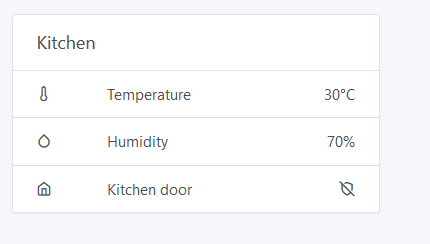
Here you have written Temperature, which is the name of the feature linked to the device.

So, you would like to have the name of the device and, each time on the right, the values of each feature?

It looks nice, indeed. But in this case, it’s a view of features, not devices.
Couldn’t you have both Temp and Humidity measurements on the same line, huh? :thinking:
If I take the example of a lamp, it makes less sense to have one line for on/off, another for color, and another for dimmer.
Hence my feeling that one line per device is « better ».
And from a pure tech perspective, you pass your device into a displayDevice function that is capable of generating the line in question based on the different features of the device.

Yes, I see in general having:

    Temperature 10°C
    Humidity 50%

Where humidity, temperature are just variables that are not linked to the database, just the fact that the feature displays the temperature

So, redo a bit the dashboard / device view to have a real view based on the devices and not the features.

I thought of this view which can then combine both, not necessarily on one line (it can be ugly) but have the distinction of the devices.

I don’t exactly understand what you mean… If you’re talking about the « labels », indeed, they wouldn’t be in the database. Rather in the translation file at an index corresponding to the device-feature.

As for 1 or several lines, we need to discuss, make some tests. Maybe it’s better for one device, and less suitable for another. But grouping by device seems inevitable to make sense of it.
Maybe a rule like « 1 line per sensor, but all actions on the same line ».
In short… to be challenged as they say at my former company :stuck_out_tongue:

It’s more like a search when you have no idea :smiley:

That’s what I’m talking about :slightly_smiling_face:

And I’ll try to create a rendering to see how it turns out! I’ll give you feedback here as soon as it’s done.

Meanwhile in Lyon with @link39 we’re working hard on the Z-Wave service, we’re integrating devices left and right! :slight_smile:

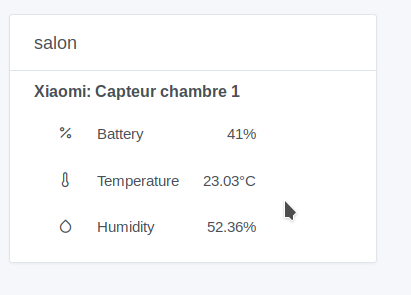
I’m working on a slightly different view from what we currently have. I’m not yet happy with the result, there’s something off, but the idea is to have the sensor name once and all its features (no need for the feature name).

@Boimb Is something like this better?

I think that’s great. Again, it’s JUST my opinion :wink:

Thanks :smiley:

I find it easier to quickly see what you’re looking for (for example, the temperature, whereas when you have Xiaomi-1-temperature-sensor … :slight_smile:

I wouldn’t say it’s the « ze » display, but I really like the idea of « grouping ». I find it easier to understand.
On the other hand, if I have 10 devices with only 1 feature, I wouldn’t want to see a cluttered screen.

Share your opinions with others, it will help them for testing.

Me neither, I threw that together quickly… :smiley:

Yes, 10 devices, a feature not necessarily very practical! You have to adapt according to the number of features, maybe beyond two we switch like this otherwise we stay on one line :slight_smile:

I completely agree with you, on my image we could have:

Xiaomi: Room 1 sensor (circular battery level)

This allows us to remove a line :slight_smile:

We have the possibility to use what tabler.io already offers:
image

After all, I’m not sure! Let’s see.

I like the capture of @damalgos :wink:
Indeed, by playing more with the icons/images/colors/shapes, we can do without text and it will be more visual and more aesthetic :+1:

I like the idea of the circular gauge, it will avoid too much text and make the display more pleasant.
I’m for it.