I started the installation of Gladys v4 only 1 week ago. Over the last 2 days, following the integration of the MQTT service (Home automation entirely in Arduino(s)) and the great help provided by @AlexTrovato, I have created my 50 or so rooms related to my project presented here: https://community.gladysassistant.com/t/interrogation-sur-les-possibilites-et-exposition-dun-projet-en-cours-avec-mqtt/2215. I was therefore able to create 3 of my cameras on the dashboard (they work very well, indeed it is better to limit access, set to 2 seconds: the Rasp Pi 4 crashed several times - I am on debian) as well as a few devices by sending the Arduino in mqtt.
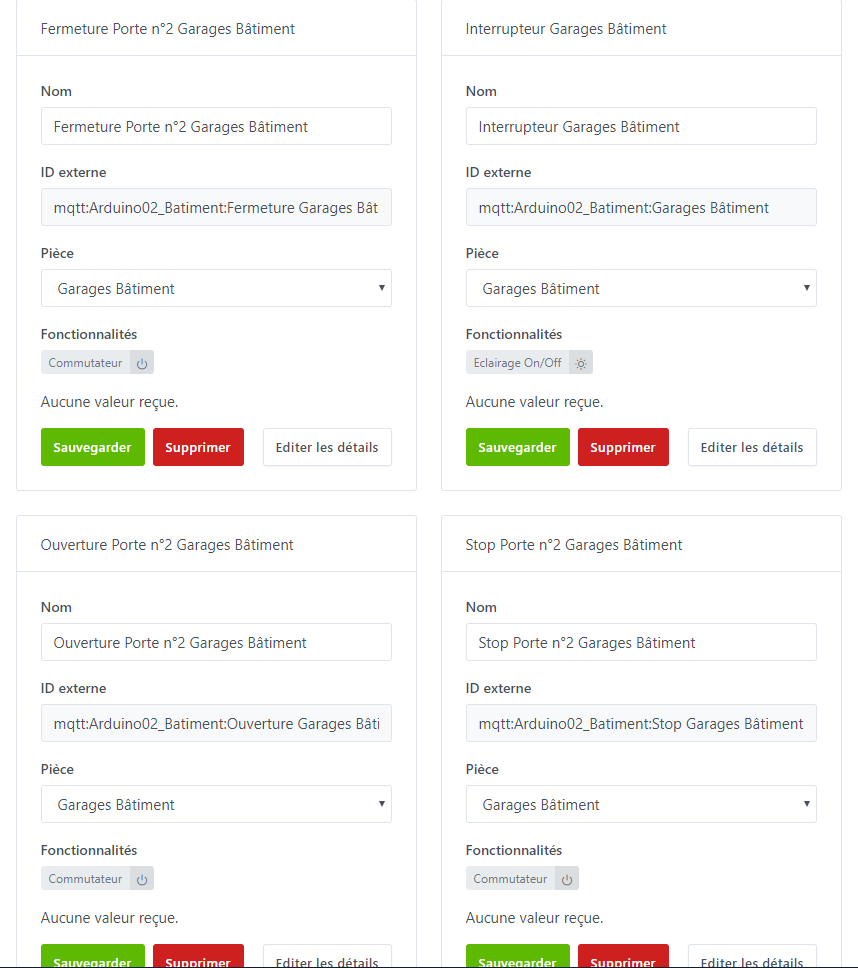
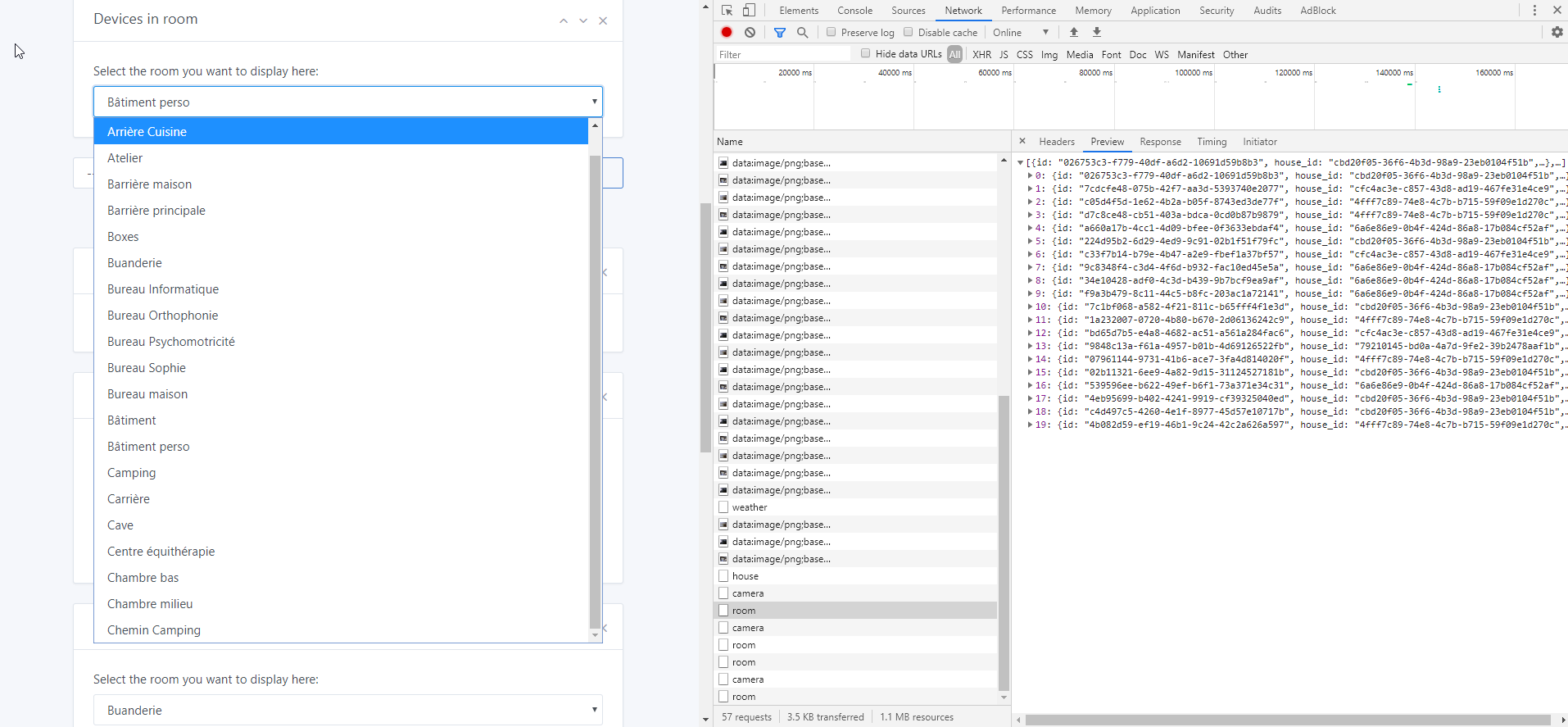
@pierre-gilles, I am turning to you because you had already solved the problem on v3 ^^, I therefore tried to display them on the dashboard, but unfortunately we are in the same situation as on v3 before my request, only the first 20 room are displayed:
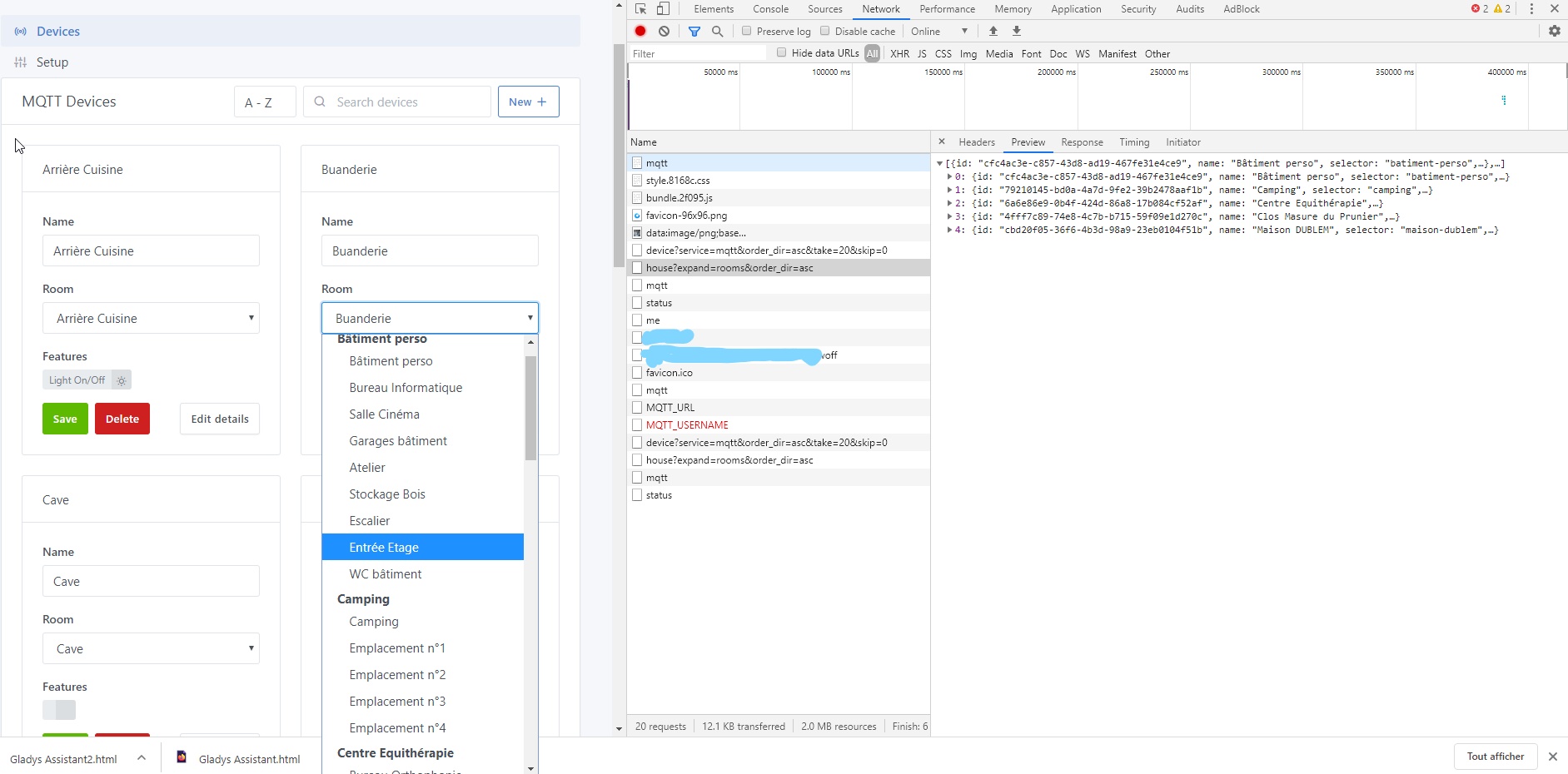
Also, they are displayed in alphabetical order regardless of the houses. Would it therefore be possible to make the modification to have the same listing as in the MQTT service:
I saw on a few topics that some posts might have their place on this topic: in particular the posts around 539 of the topic Parlons de Gladys V4 - #544 par Boimb.
I replied to you on Slack, but it’s better to save it here as well! Thanks again for this PR, it works perfectly ^^
Resolved as well! It works perfectly ^^
With pleasure, don’t hesitate if needed, I can leave remote maintenance so you can perform some tests if needed ^^
New points:
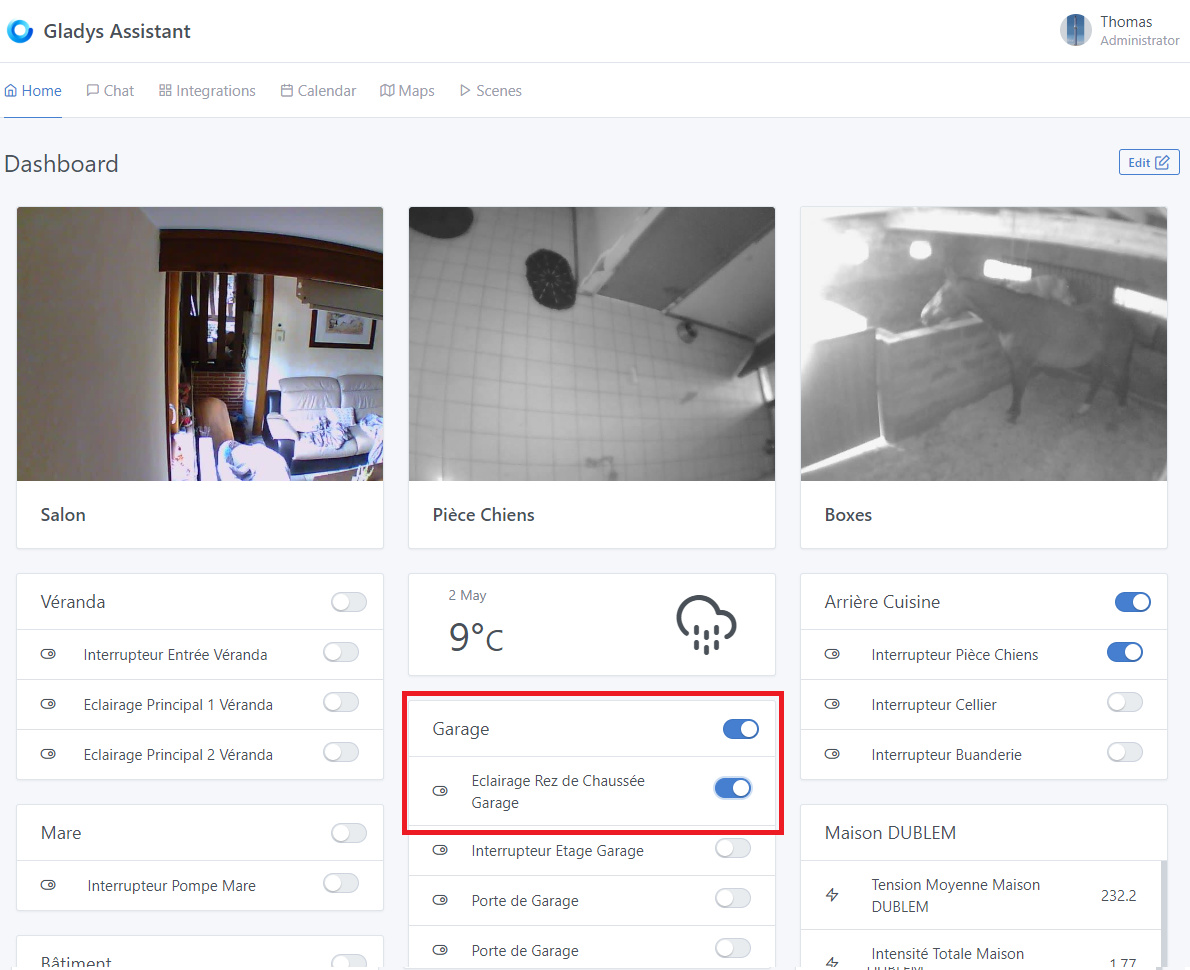
After a complete clean reinstallation following the database bugs encountered after the new MQTT service integration, I realize that the Dashboard has a bug when updating states:
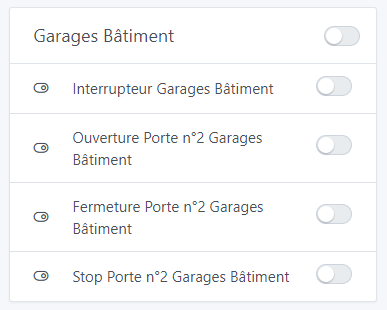
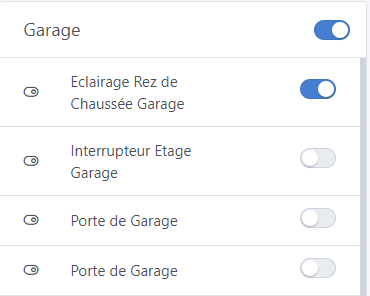
Starting point - Ground floor garage lighting status: off
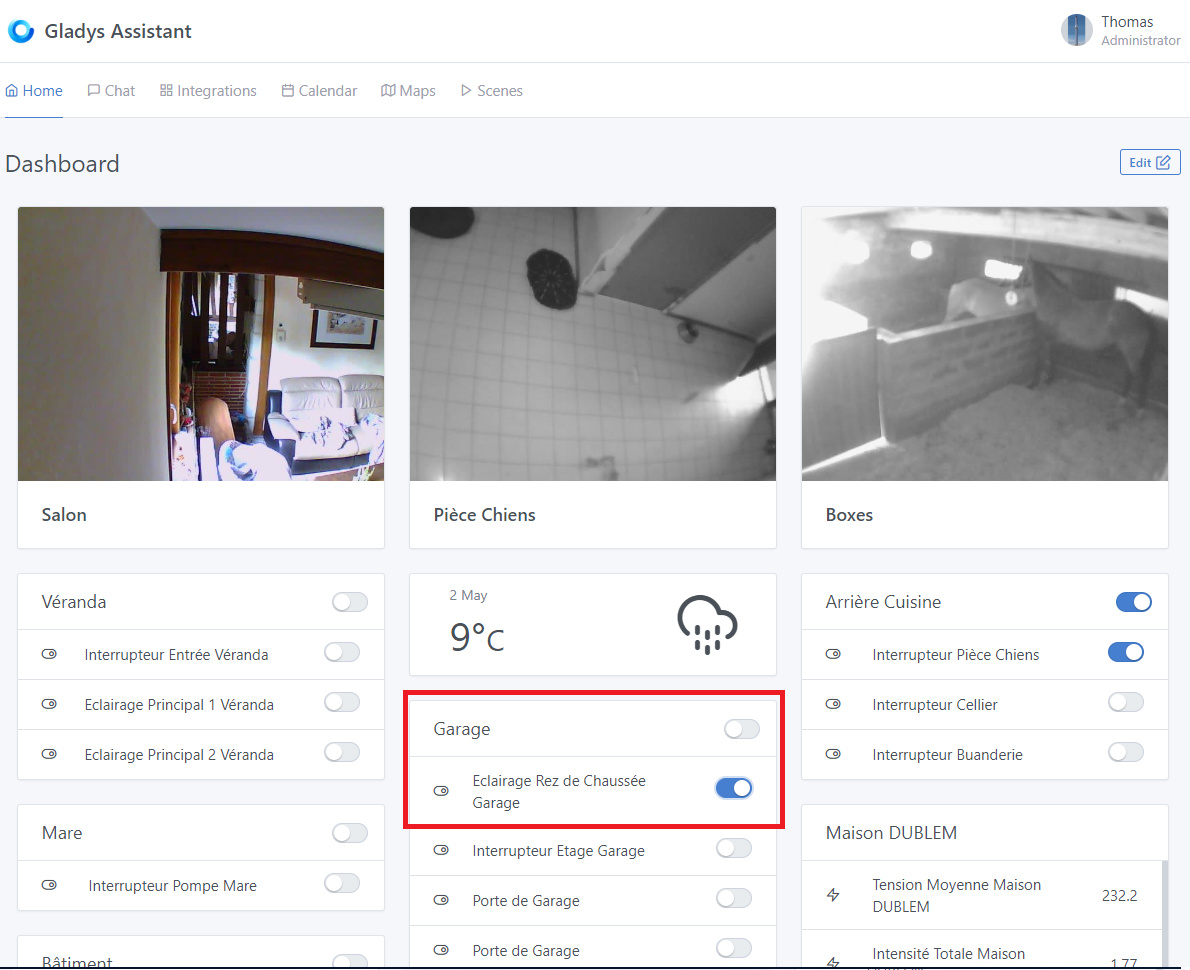
As a result, I no longer have access to the global garage turn-off command. If I press this, the selector goes to 1 then goes back to 0.
The only way to make it appear as 1 is to refresh the page.
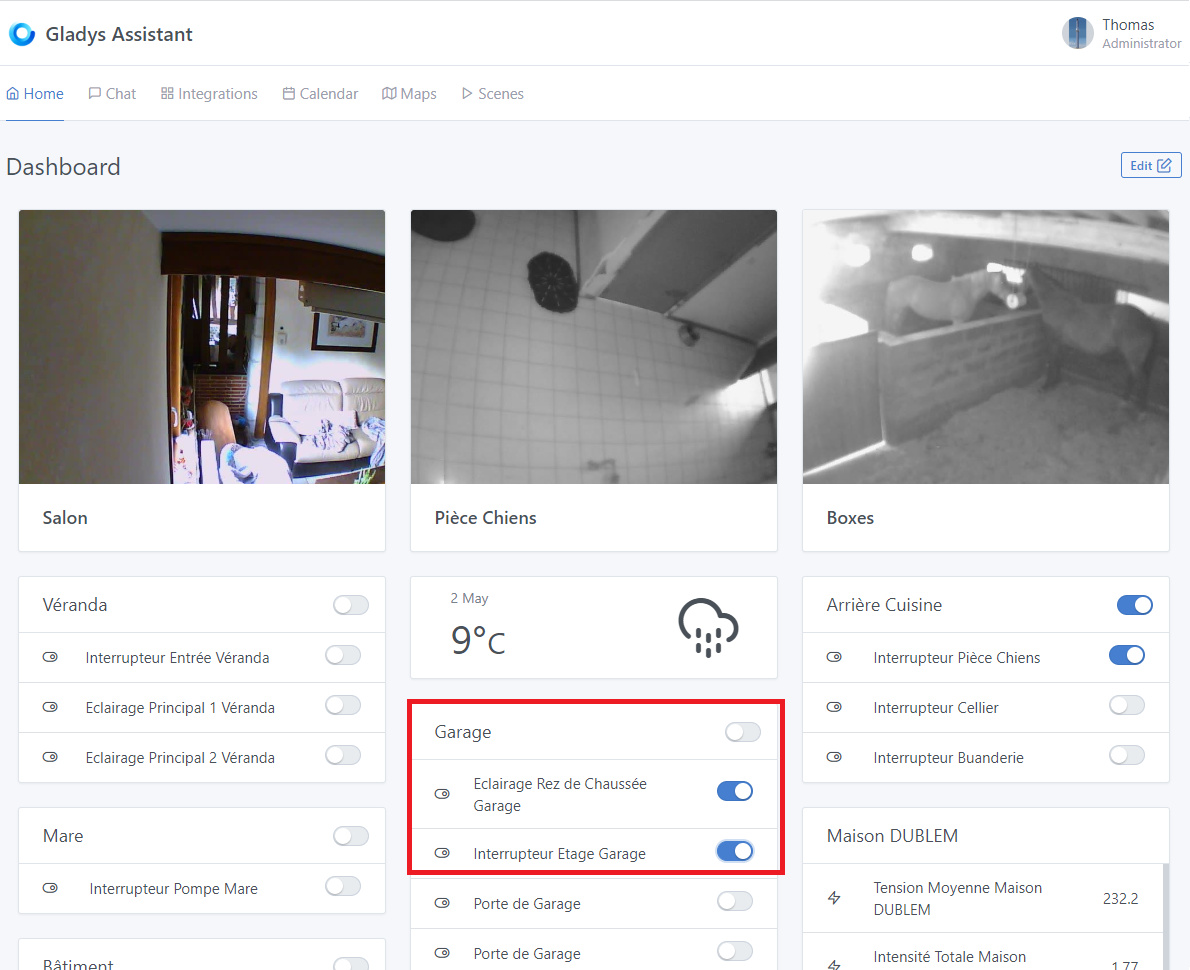
So the same goes for turning off the three commands. If I turn off globally, the command goes to 0 but the other two remain at 1 until a page refresh.
If I turn off one or the other of the lights, everything remains at 1 until manual refresh.
I read in another topic, and we discussed it in a conference call about redesigning the visualization of the boxes on the dashboard to switch to device and feature names for better organization. Where are we at on this subject and can we help on this point? How?
By the way, this raises the issue of global lighting shutdown!! So, I suppose that, as we discussed, we need to create feature types for garage doors, or even for barriers (with a stop option to leave them open). But does this mean that on the dashboard, there will be a window per room per feature type?
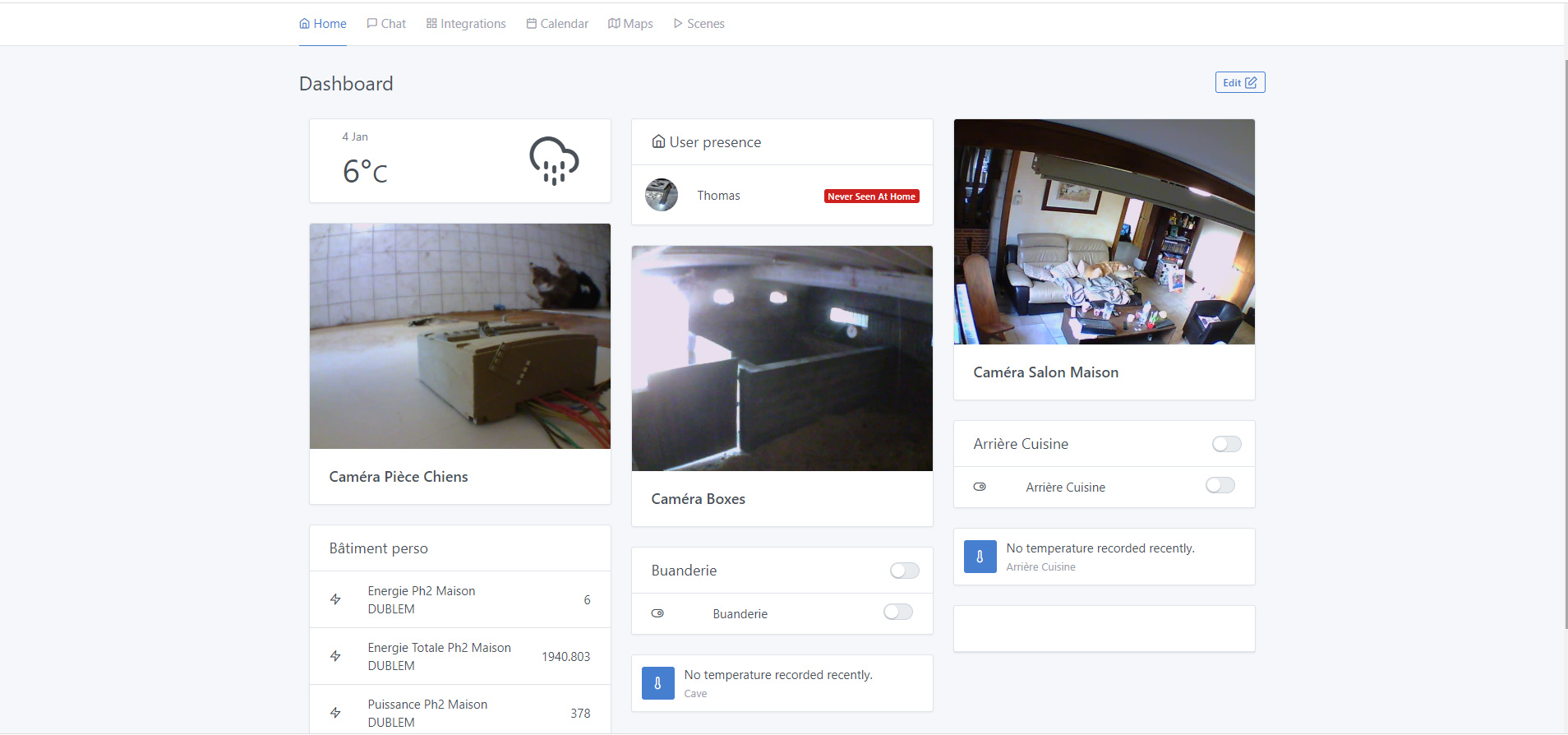
Would it be possible to consider the possibility of a search bar at the top of the window to quickly access the desired room? Because it’s already complicated to find a room in a Windows navigation with 3 columns. With 20 devices + 4 cameras. But on the Gladys Plus phone Dashboard, it’s even more complicated. For my part, I have to scroll a lot up and down to find what I need ^^
Of course, this is not a priority, but do you think this should be taken into account?
Hi @pierre-gilles
Well, it’s actually more complex than it seems, I think. Based on my experience, my weekly usage is as follows:
For the barrier:
Commands:
Impulse Opening 2 Leaves then Automatic Closing (from the barrier),
Impulse Opening 1 Leaf if pedestrians then Automatic Closing,
Unlocked Opening 2 Leaves,
Unlocked Opening 1 Leaf,
Closing,
Locked Closing (I use this mode in case of prolonged absence),
Unlocking / Unlocking.
States:
1 Leaf Open / Half-Open,
2 Leaves Open / Open,
Closed,
Locked.
And for the garage door:
Commands:
1.1. Impulse Opening,
1.2. Impulse Closing,
1.3. Impulse Stop.
Or
2.1. Impulse Opening then reset this command to stop it,
2.2. Impulse Closing then reset this command to stop it.
States:
Open,
Closed,
Intermediate.
Would it be possible or do you think the idea is not good, to put a status icon in the header, and to put the commands below in the form of a push button?
^^ Forget it, sorry, I hadn’t tried, I thought that when you turned on the global switch of a room, it would also turn on the feature switches, including the « Garage Door Opening/Closing ». But after trying, I see that it doesn’t. Sorry!!
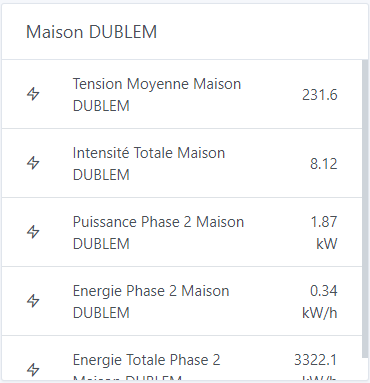
On this point, is something planned? Because as you can see, on the switches, only the device name is displayed, not the feature name!!
Thank you for your answers in any case, and indeed:
That’s exactly what will give me more readability. After all, that was also the goal of a graphical dashboard for me!!
Yes, I know. And it’s already a very good thing that it’s noted ^^
Wow, that’s a complicated setup! I didn’t understand much. Let’s try to simplify it, because right now it’s definitely not user-friendly.
Can you describe your use cases to me, without talking about how you currently do it?
I want us to start with the need, not the technology. I’ll find a simple and user-friendly solution, because right now it feels like the person who designed your barrier wasn’t really a UX designer.
You can tell me things like:
« In the morning, I go shopping by car, I open the barrier (2 gates) and then it closes automatically. »
« In the evening, I go out on foot, I open the barrier (1 gate). »
We’ll make sure your use cases are met by Gladys, but we’ll probably find a different modeling than the one used for your current commands.
I understand your problem, but this solution won’t work for everyone. I’ve created a GitHub issue:
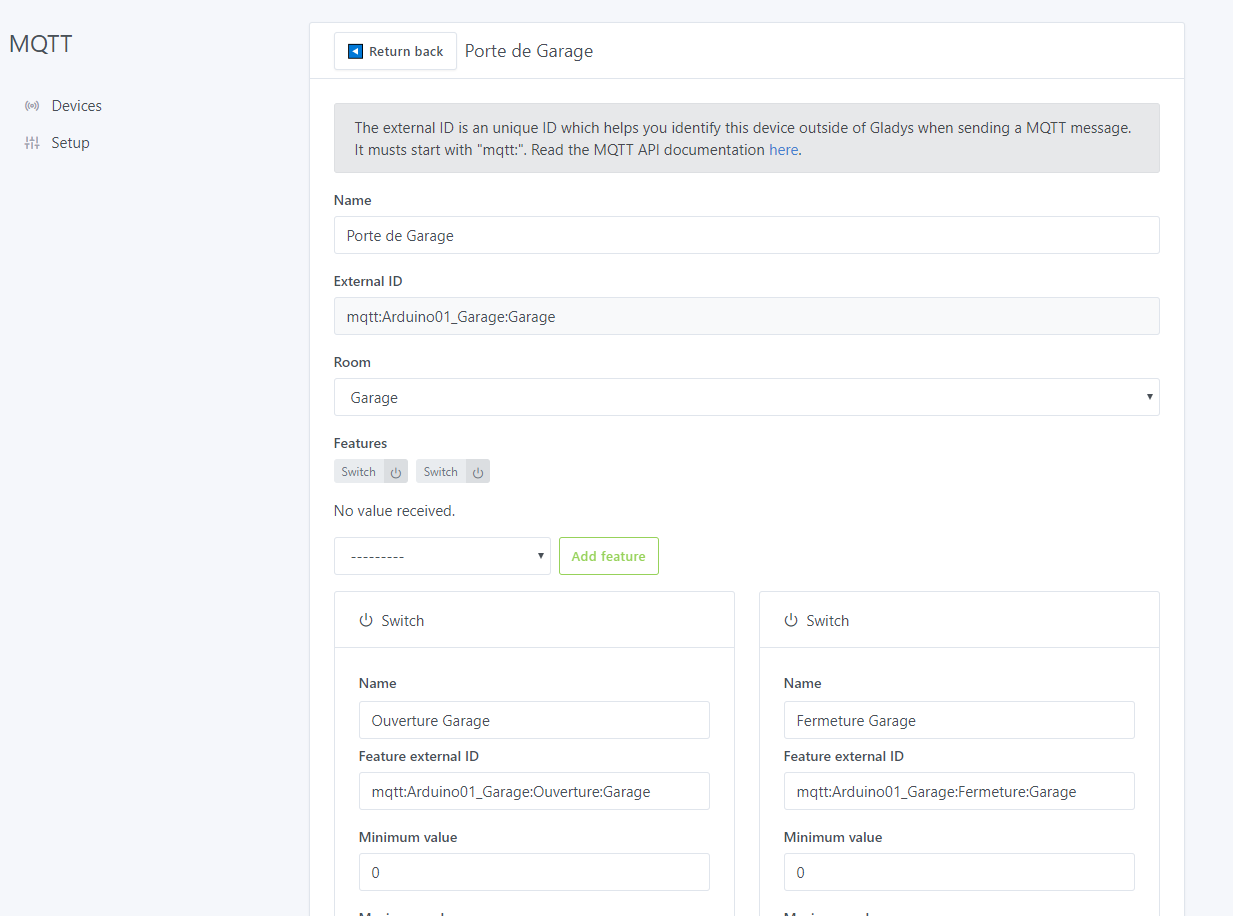
Here’s the problem: your issue comes from the fact that you have devices with many features, including duplicate binary ones.
Most integrations don’t have this problem, and therefore people don’t even have the option to modify the feature names (e.g., Philips Hue).
We’ll need to find a hybrid solution, but one that’s not « mystical » either. Something to think about calmly.
Nothing complicated, and it’s me who customized it according to my needs - All the gates work the same way At the base you have:
Command to open 1 leaf (or partial for gates on rail),
Command to open 2 leaves (or complete for gates on rail),
Close,
Possible « timeout » to close after x seconds.
Then on the electronic board you have available contacts for the same functions with in addition:
Stop.
I therefore connected all these contacts to an Arduino for the following need:
I must receive a package in the morning or afternoon, I make a blocked opening, the Arduino sends the opening command then after x seconds (gate opening time) I activate the « Stop » relay to block it in position. Once the delivery person has passed or after a while, I deactivate the blocked opening or I make a close command to cut the stop and start closing,
Same when I receive guests, it avoids having to reopen each time ^^
When my partner works, a scenario « Start Speech Therapy » or « Start Hippotherapy » linked to the modes « Work Speech Therapy » or « Work Hippotherapy » starts the lighting of the rooms used as needed for the brightness as well as the blocked opening of the gate for the arrival of the patients. When she leaves these 2 modes or switches to the « Return home » mode, the gate is unlocked and closed.
Same for our tenant with the « Work Psychomotor Therapy » mode which in addition allows to raise the separation of the charges for the common rooms.
For the blocked closing, as I said, it’s an extra « safety » in case of prolonged absence.
For the rest I use the normal functions Open / Open 1 leaf / Close depending on the case:
I have an NFC tag on the dashboard + Tasker. When I leave or come back, I put my phone on the dashboard and the command passes,
I receive a surprise guest, I take the first thing I have at hand, either the remote control, or the phone and I open.
The gate has remained open following a bug or other, I use either the remote control, or the phone and I close.
I do not manage the gate automatically
That’s about it. So as you can see nothing complex in the end, I just detailed the possibilities of use which are counted in this number. After clearly, I use all these points permanently.
On this point I do not understand. Just as we take the example of Philips Hue, on the dashboard for the moment only the lamp lighting is taken up. But we are well agreed that later we will also have the possibility to manage the color, the brightness and the temperature. Will this be directly in the same box as the lighting? If so, we will indeed take its feature name and not the device name.
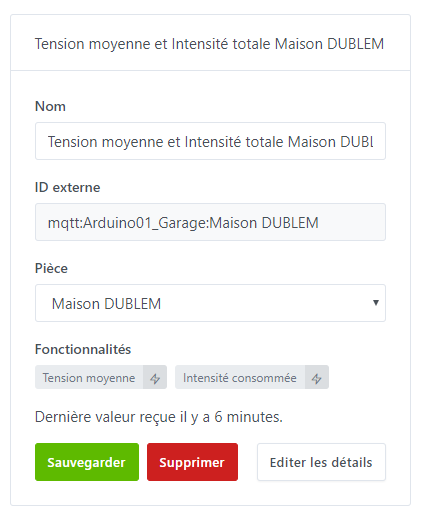
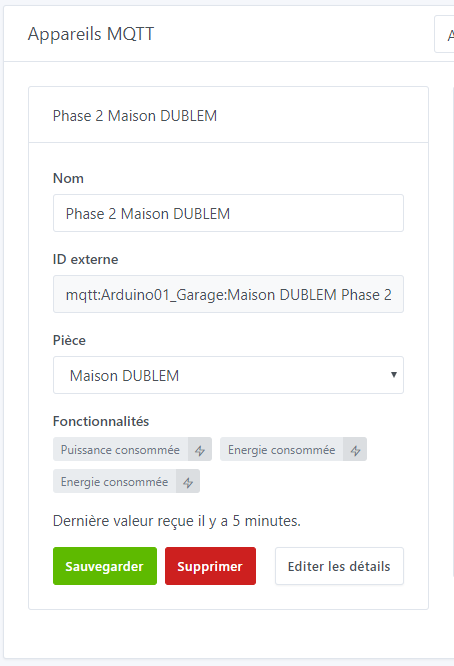
Another example: currently I have a device to save the « Average Voltage and Total Intensity of the house » with 1 feature « Average House Voltage » and another « Total House Intensity ». Also 1 device for each phase (Three-phase) of the power/energy data with each 3 features: « Power Phase 2 House », « Energy Phase 2 House », « Total Energy Phase 2 House »
It is the same for a socket or for 1 device that would contain several actions and therefore several features. For example a socket with consumption measurement. Whatever happens, if a device is configured with 1 single switch, it will not change the fact that we retrieve its device name, or that the feature name is the same as its device name. After I may have a truncated vision because I only use mainly the Arduino for my home automation. But I try to equip myself with all types of devices currently to have a more global vision.
Indeed ^^ Maybe the simplest thing for everyone to find their way around and to have the most openness would be to add a button on the device card to choose whether you want to use the device name or the feature name for the disturbing cases?
I added a link to your message to the GitHub card:
After that, we agree, for now you can do without any problem in the MQTT service this functionality without having a native « garage door » type?
What I meant is that the Philips Hue has only one feature of each type per device. A lamp has only one « binary », only one « color », only one « intensity ».
It’s not said!
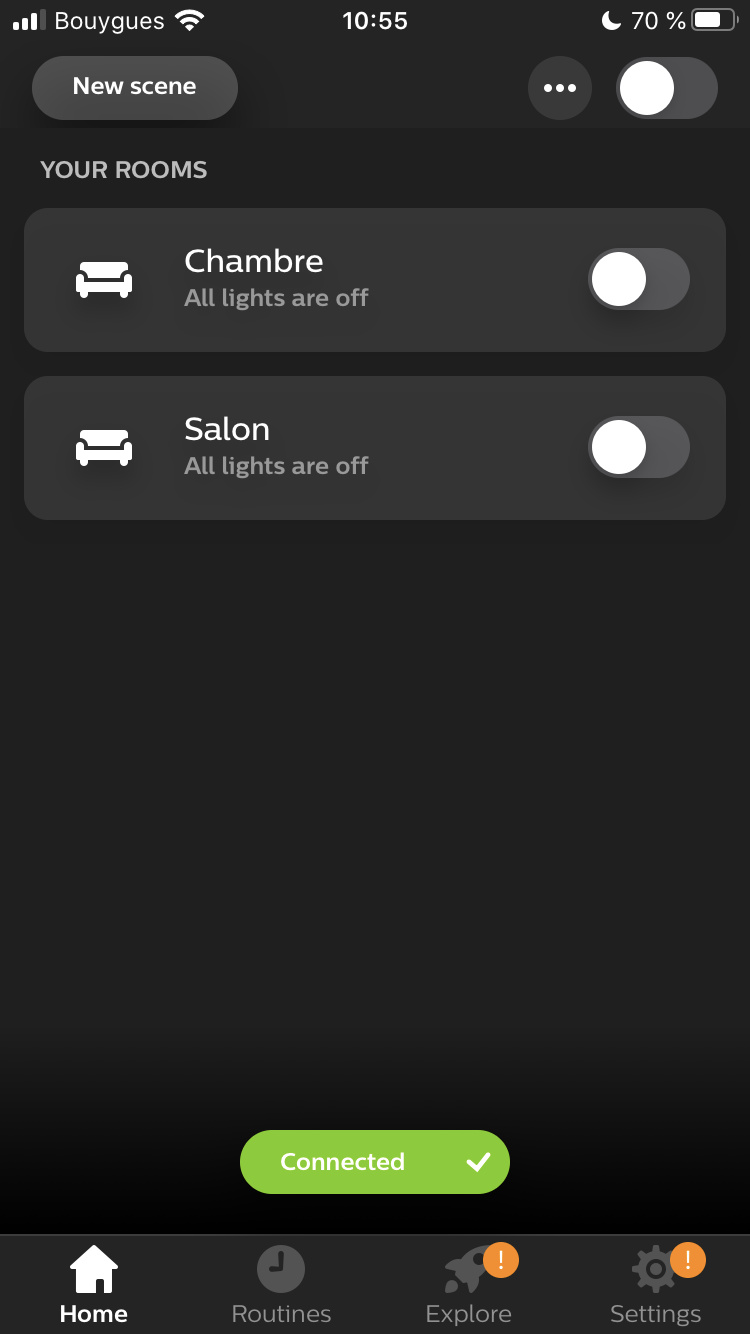
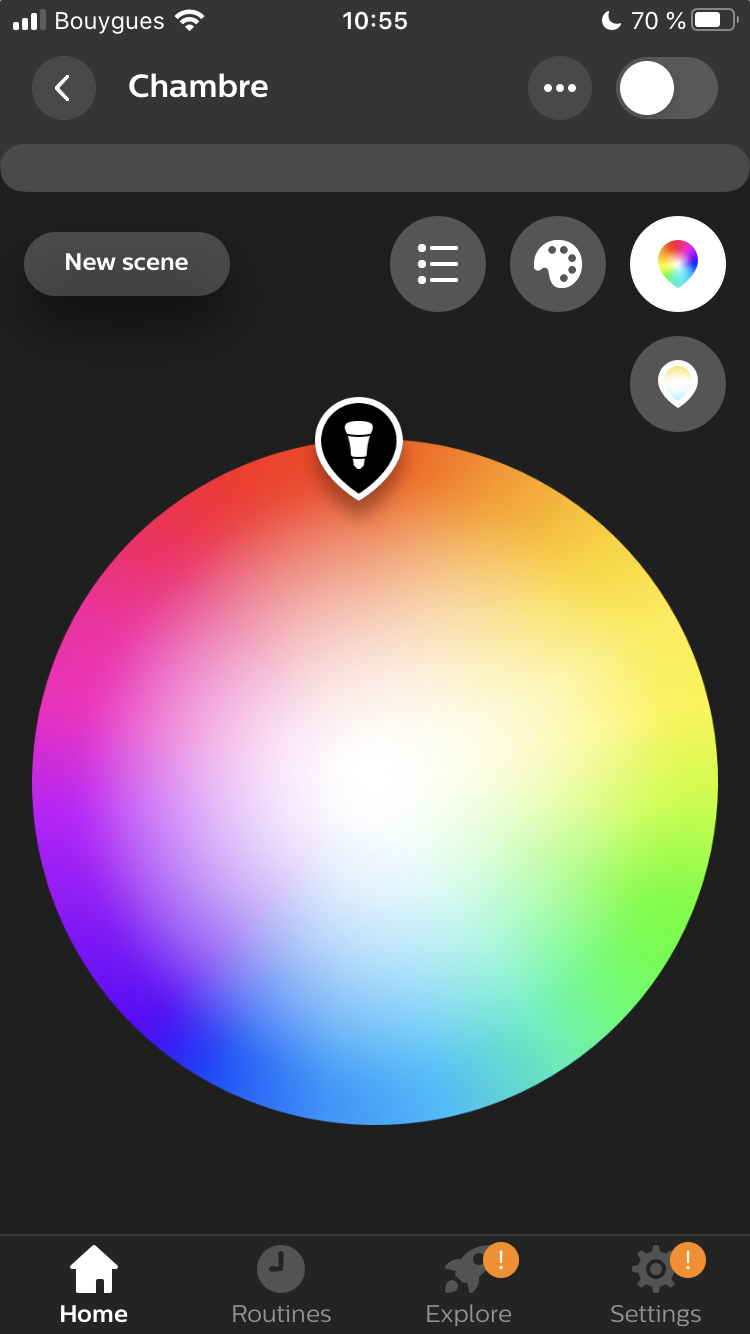
For example, here’s how the Philips Hue app works:
I have the list of bulbs, then when I click I see a color picker that I can modify.
Is the Philips Hue app clear and easy to use? Yes.
Did the developer of the Philips Hue app decide to name each feature of each Hue? No.
We need to think about the user experience.
Naming each feature doesn’t make sense everywhere, the simpler the better. There is a real high-level reflection that we will realize with each implementation, a reflection that we must do without thinking for a single second about the technique: how it works under the hood, the user doesn’t care
The « binary » type is managed differently from other types of features, due to the Philips Hue integration.
In fact, as it stands, the binary type was not designed to be used multiple times in a device, but it’s not set in stone.
To be seen, I think a special case for MQTT devices is not « disturbing ». I think making a case by case by integration is the best way to have a fine integration.
Indeed, I did that this morning, but I took back the code and the create to create a device per command (switch) so on the Integration/MQTT/Device/Feature side, it is not practical and readable (but in the end with the search bar we find our way), but on the Dashboard side it is much better.
Indeed, I totally agree with you. In the end, it’s not the same use at all, and indeed, at least for the moment, we will only have this « issue » which is not one on the MQTT side, or at least in the « homemade » devices or those that have a particular operation.
Exactly !! And indeed I was talking exclusively about the MQTT integration.
@Terdious You had some issues with Gladys Plus, I investigated and found the problem: there was a cache issue with a key file of Gladys Plus (the serviceWorker, sw.js), and thus some files were not updating correctly. (The file in question: https://plus.gladysassistant.com/sw.js)
Gladys Plus is a progressive web app that works entirely locally offline, and is thus very fast to start. To update, the sw.js file intentionally has no unique ID and should not be cached by the browser.
However, by default, on Netlify, this file has a 10-day cache directive.
I fixed this, this file is no longer cached and normally the front-end update system should work again.
To test, could you clear your browser cache on the page « plus.gladysassistant.com », then reload the page? Normally this should eliminate some « mystical » bugs you had that were just due to this problem
Thank you very much for this investigation. I hope it wasn’t just time wasted for you and that it will be useful overall.
I just restarted the browser properly, it works well. I will come back here to let you know if I see things reappear, but you have clearly identified the problem, so no reason ^^
Hello everyone
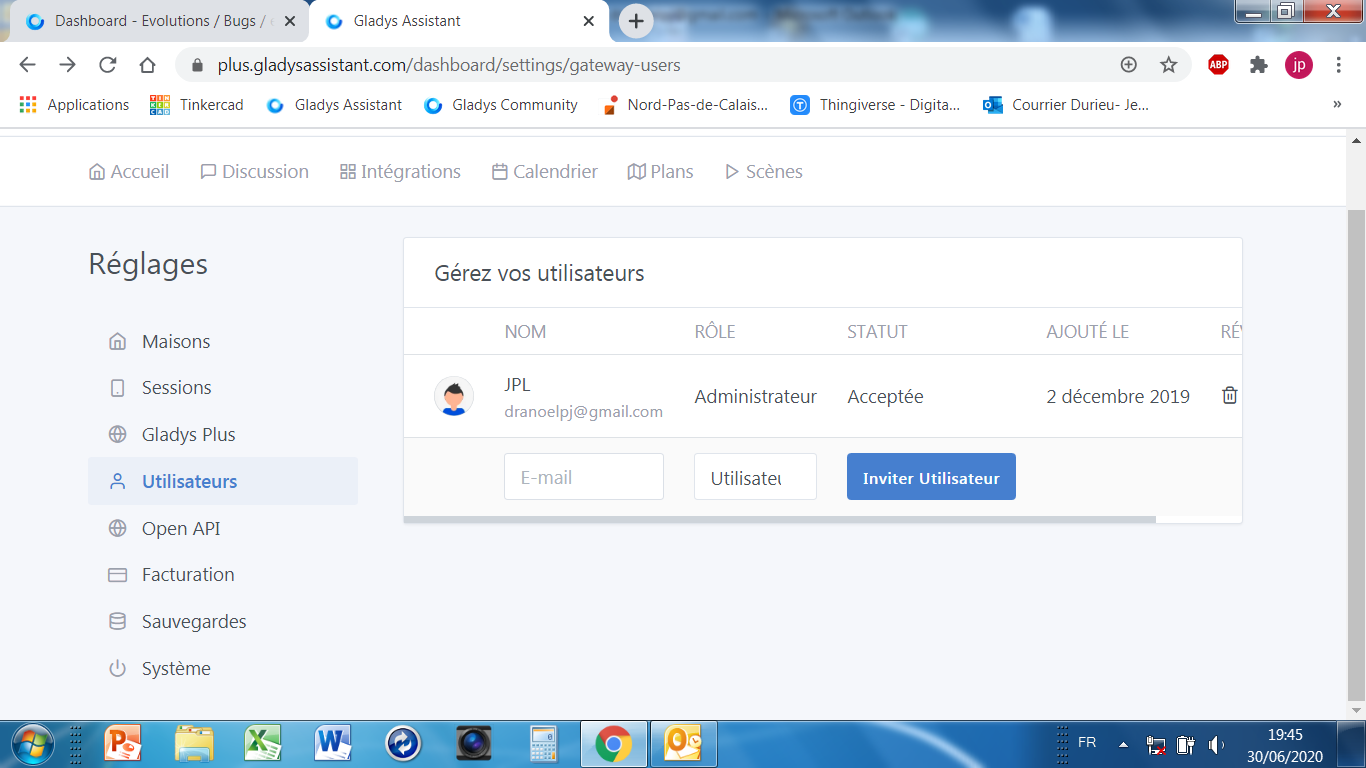
I don’t know if I’m in the right place, but Gladys 4 disconnects on its own from time to time
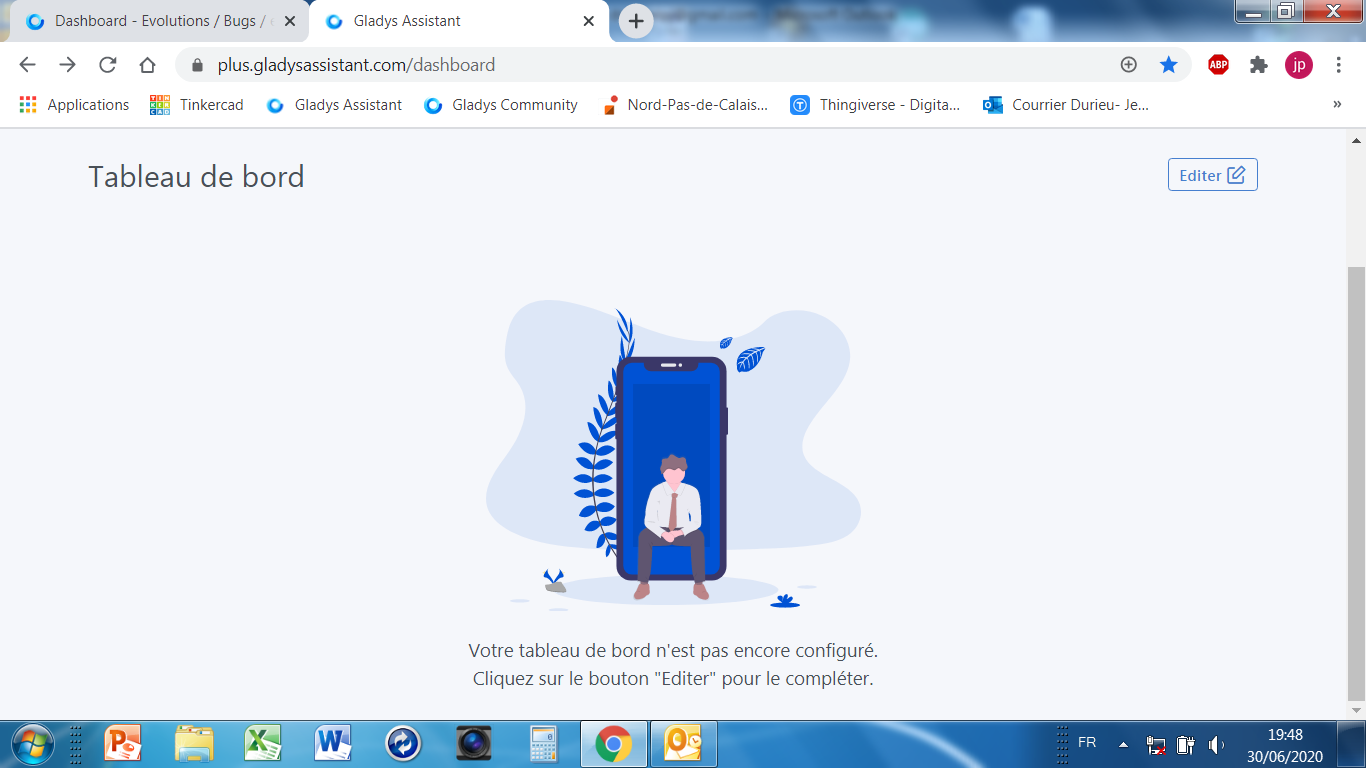
Then it tells me that my dashboard is not configured:
 Thanks!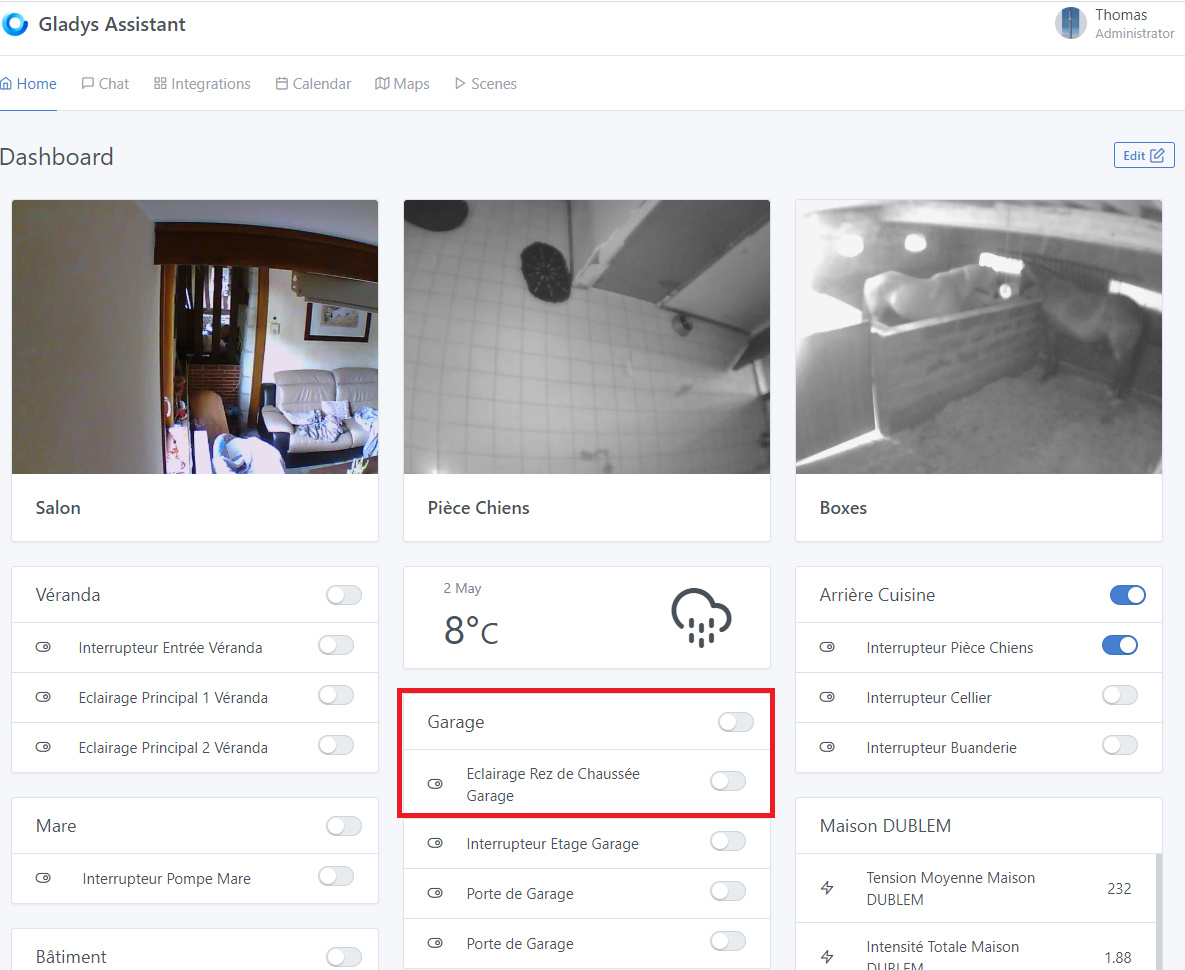

 I didn’t understand much. Let’s try to simplify it, because right now it’s definitely not user-friendly.