Thanks for your feedback! I’ll think about it 
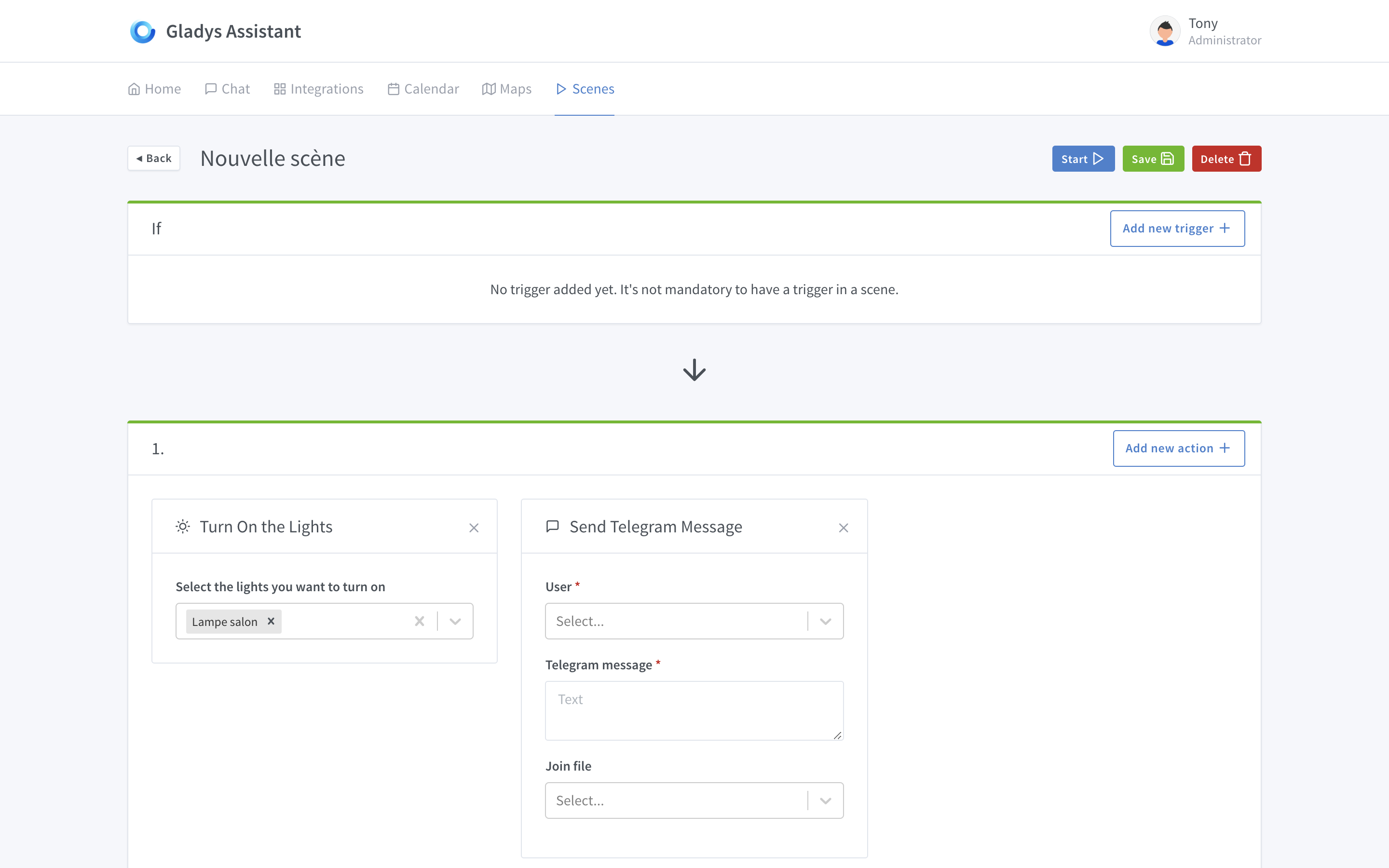
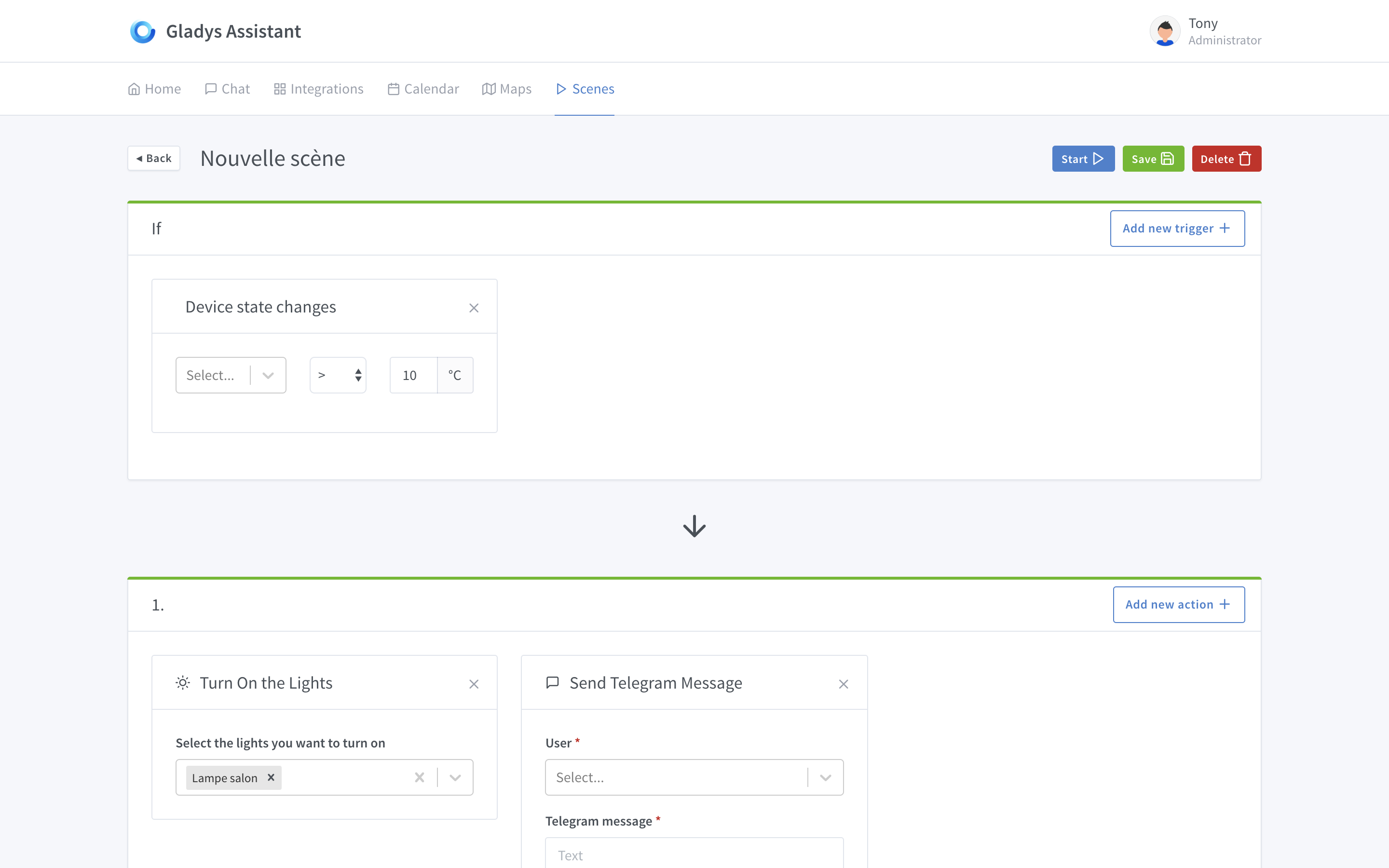
Will all the triggers be in the first « if »? If so, is it an AND or an OR between the different triggers in the block?
I would have rather imagined an additional view for the triggers.
In short, on a homepage, have a card per scenario (logo, name) with two buttons that each lead to different views: the trigger configuration view and the scene configuration view. In the trigger configuration, you could play with ANDs and ORs.
All triggers are in the first « if » block, yes! It’s more like ORs, but it doesn’t make sense to talk about AND or OR, each trigger is completely unrelated to the others because a trigger = an event.
I agree, in the screens I posted, nothing in the UI indicates that these are independent triggers. I will try to find a UI trick to show this nuance
You’re more talking about conditions here than triggers.
A trigger is an event happening at a precise moment t, for example:
- « Movement in the kitchen »
- « Madame is home »
- « House alarm armed »
- « Intruder detected in the garage »
- etc.
Events have no connection between them, as they happen at a precise moment t.
A condition is not a reaction to an event, it’s a comparison of a current state with a value.
A complete « scenario » is a trigger (event) followed by a set of actions that can be executed conditionally (with AND/OR here).
This allows you to do:
- Trigger: IF a movement is detected in the garage
- Condition: AND there is no one at home
- Action: THEN send an alert to user XX
If you have never tested https://zapier.com/, I invite you to create an account and test it quickly, their system is really well done and it’s what I’m trying to make the Gladys 4 scenario editor tend towards.
Yes, that seems clear as you explain it. I mixed up two different things. And by looking at the image again, what led me to this reasoning is the « if » in the first block. It should rather be a « when, » right?
I’ll check it out right away.
We agree then 
Instead of the « IF » you can put something like: « When something in the list ». And the « if » would be kept for the « condition » block which will come later I imagine. The last block, dedicated to actions, you could put « Do » as the title.
Do these definitions work for you?
A Scene is a set of parallel or sequential actions. Can it contain another scene?
A Trigger or « déclencheur » in French, is a state change of an object that activates a Scene or a Scenario
A Scenario is activated by one and only one Trigger and contains actions or Scenes that can be conditioned by n Conditions
This gives:
- Trigger: WHEN a movement is detected in the garage
- Condition: IF there is no one at home
- Action: THEN send an alert to user XX
Trigger + Scene = Scenario
Thus, we clearly separate the Scene from the Scenario
What do you think?
If I understand correctly, triggers work with scenes, but there can be scenes without triggers. However, there cannot be triggers without a scene, which makes sense.
Shouldn’t the trigger box be an option?
- Reduce display
- Add it at the user’s request
No! After that, there can be an action « launch scene XX », but it’s not really a scene within a scene.
No! Multiple triggers can activate a scene as I mentioned earlier.
By default, there is a placeholder, but I agree, the trigger box should be more « faded » by default since it is not mandatory.
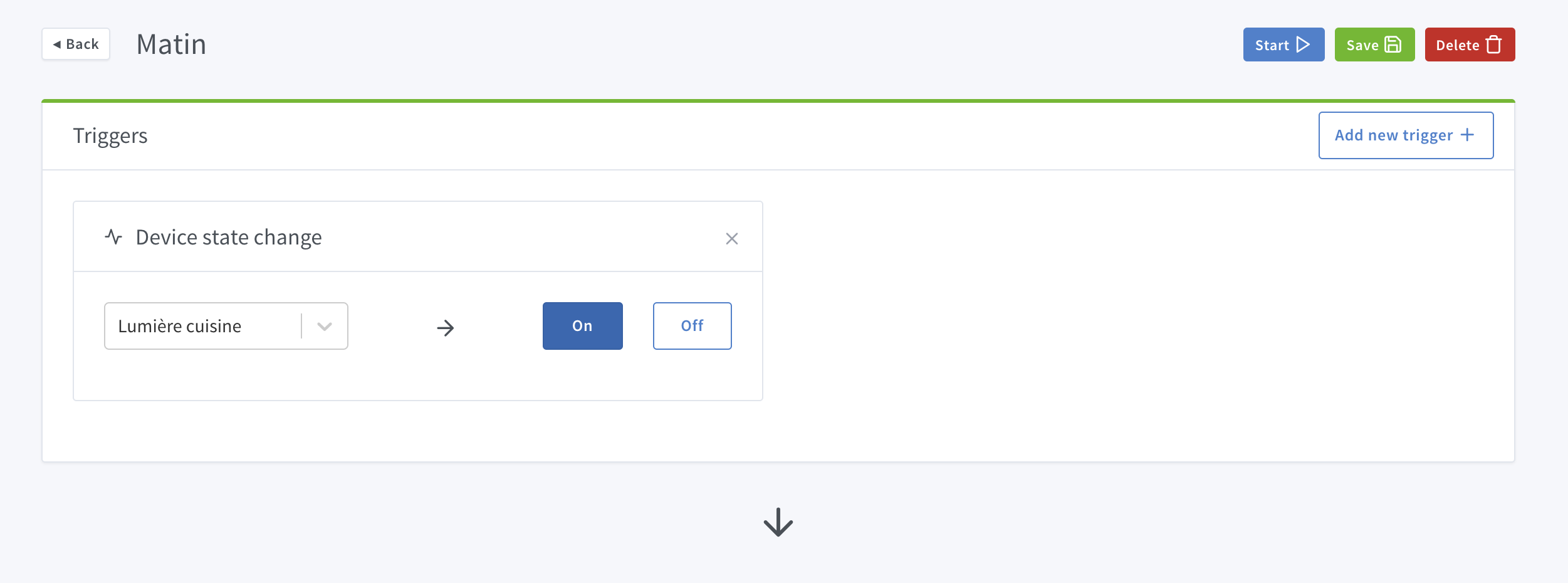
I like the presentation.
Are the « states » (On/Off in this case) dynamic depending on the feature type (light in this case)?
Yes, it’s dynamic! The state selector changes upon selection!
That reminds me of a nice feature in the hue app, when you select a lamp it temporarily lights up and oscillates (luminairically speaking  ) providing a visual feedback of the selection. It could be nice to add for the lamps (in the scene editing).
Just don’t set up the scenarios when someone is napping  .
.
Apart from the joke, I find this behavior nice, as a nice to have of course 
Hello everyone,
I’m giving my opinion a bit late, but you never know, it might still be time
I share @VonOx’s opinion on the separation between scene and scenario, and I think that the implementation of scenes by the developers is similar to this vision:
A scene = a set of states. On Gladys, it would therefore be a set of DeviceFeature.state.
From a user’s point of view, I just want to activate the « Watch a movie » scene:
- Living room lights off,
- TV on,
- amplifier volume at 32.
(We could add tempos/delays on the states eventually)
The very notion of actions seems inadequate. It’s up to the system to know what action it should take to change the states of the deviceFeatures. If the light is already off, why turn it off again?
As for the triggers, if they are present in the scenarios, why are they also in the scenes?
From what I imagine, and to take up the definitions of @peb:
A Scene is a set of device states
A Trigger or trigger in French is a (or a set of) condition. This can be the state of a (or several) device or any type of event (receipt of a message, time, date, delay, arrival/departure of a user…)
A Scenario is the activation of one or more actions subject to a Trigger.
Now to define the actions… It could take several forms:
- Modify the state of a device,
- Activate a scene,
- Activate/deactivate a service
That’s my vision. That being said, it’s already very advanced, and I see that PG is very active on this issue at the moment. It may be too late to discuss this feature ^ ^
It’s the same screen. The user must understand the flow.
- An event is triggered
- Gladys reacts!
Small screenshot of the progress of this trigger view:

I spend a lot of time on small UI details to make the experience the best possible.
Example here, the select box displays the list of devices by room, and behind the display of the trigger adapts to the type of device selected.
Example in the case of a binary On/Off device:
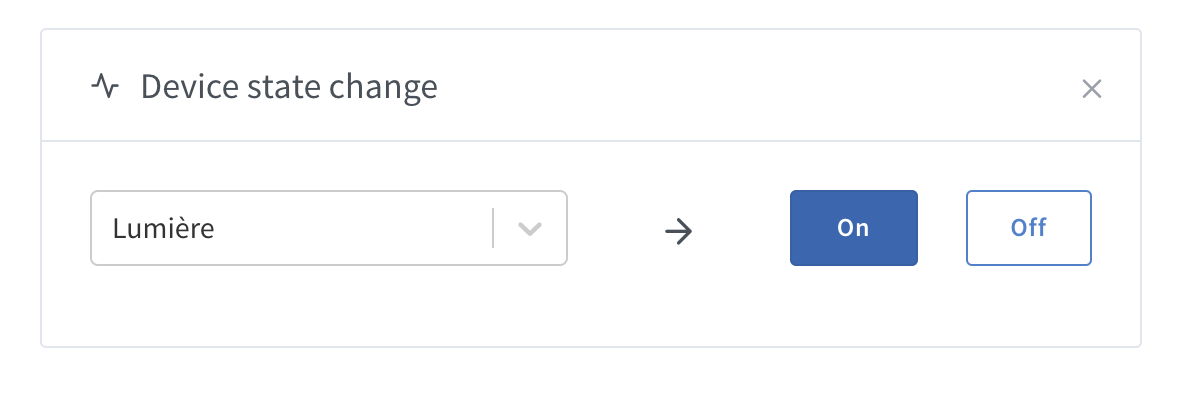
All while being mobile compatible:

Something to say… It’s impressive! Great job!
The flow is understandable and clearly easy to grasp.
I still think it’s a script and not a scene 
I start with a small question on this subject:
Given that several devices can have the same device feature, wouldn’t it be interesting to have the couple: « Device / Device feature » displayed in the dropdown list?
– > I imagine you’ve already thought about that and you’ve planned for the case
Otherwise I find that it looks really good, great to have classified by room, it’s not much but it really looks clean!!! Is the « scene » branch of the git advanced enough to play a bit with…? EDIT: I have my answer.
Thanks for your messages, it’s nice!
Yes for testing the UI, no for creating scenarios that really work Everything is not yet finished being wired