Some news about the release of Gladys 4 RC!
Hello, a call to devs:
I’m trying to work on the subject of server-side translation, especially because, having taken up a bit of testing and sorting on the Netatmo PR, there are many features whose names need translation. I was thinking of making a separate PR for that.
Okay, it works well but:
First point:
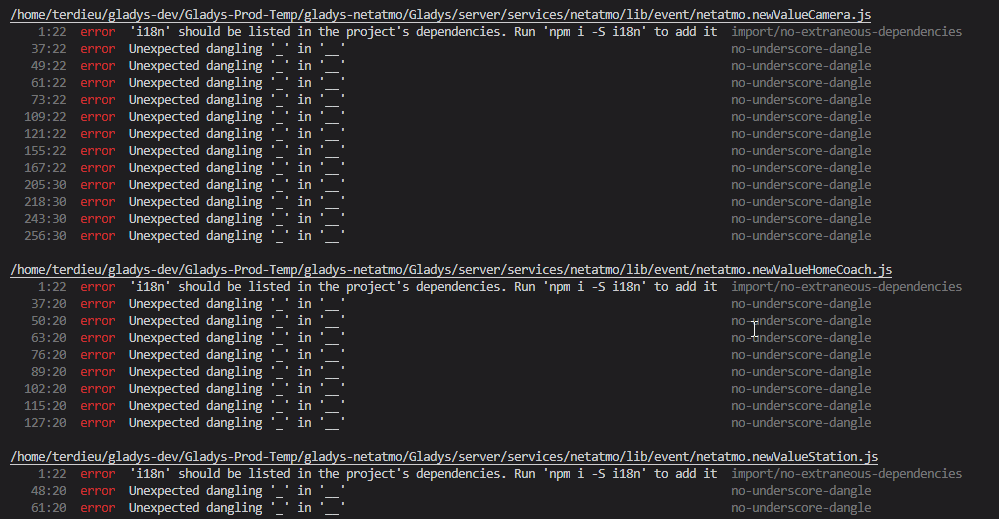
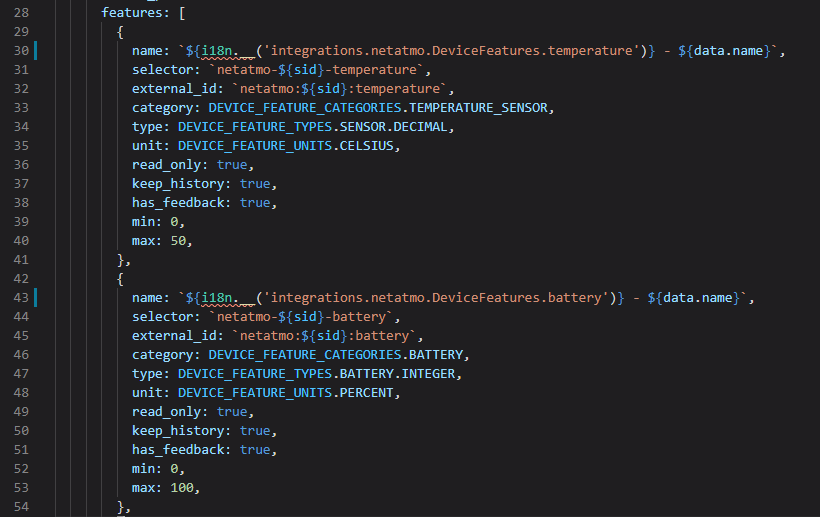
I have this error on ESLint. For the first line, I don’t understand because I installed i18n directly under
/server. I thought it would be propagated… Do you have any idea (it’s the first time I’ve installed a dependency…)?For the following lines, I understand that it’s just ESLINT that prohibits these characters, can we manually assign it new rules? Are we allowed to do that? And if so, could you point me in the right direction?

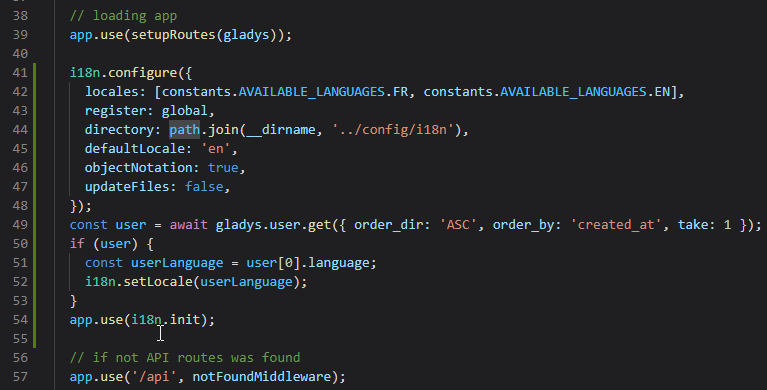
Second point: For the translation language, by default « EN », then I use the language of the first user created at Gladys startup. For the moment (I suspect we won’t do it this way in the long run), I use user.update and user.updateBySelector to update the language (just in case) of i18n. Newly created devices are then created in the new language.
To restart the debate, what do you think of the methodology? Of how it’s structured?
For the moment, I have done:
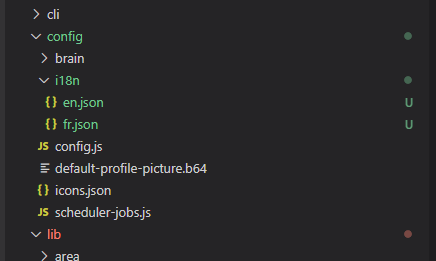
Config folder:
File /server/api/index.js:

Files user.updatexx:
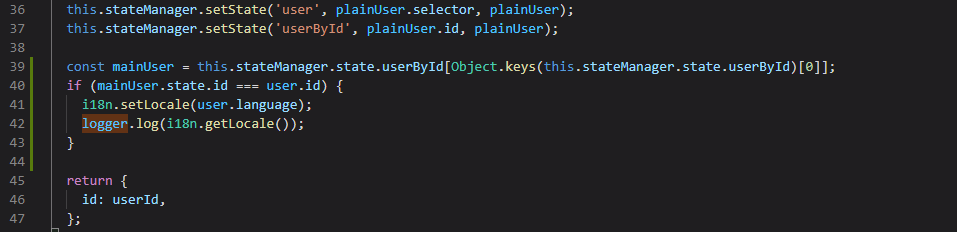
Example of use:

i18n Doc: i18n - npm
@pierre-gilles, any ideas?
@Terdious in my opinion, no need for a library for this, a JSON key/value file per language like we do in the front-end will work perfectly!
Don’t complicate things, the simpler the better 
By the way, in the case of an integration, I think it should be done directly in the integration, not in the core code.
If you have device names to translate, you create a folder with an en.json and fr.json file and that will do the job 
You require your files where you need them, and that’s it!
Thank you for your reply @pierre-gilles,
We agree that it is not the name of the device itself that we want to translate, generally these are already named in the API from which we retrieve the devices. For the first use case I saw, it is rather the features that are named by their category/type. All integrations name the features in the DB as « [name] - On/Off », « [name] - humidity », « [name] - Color temperature », « [name] - Power », etc. So for many of these translations, they are the same? What is the point of duplicating files for each integration?
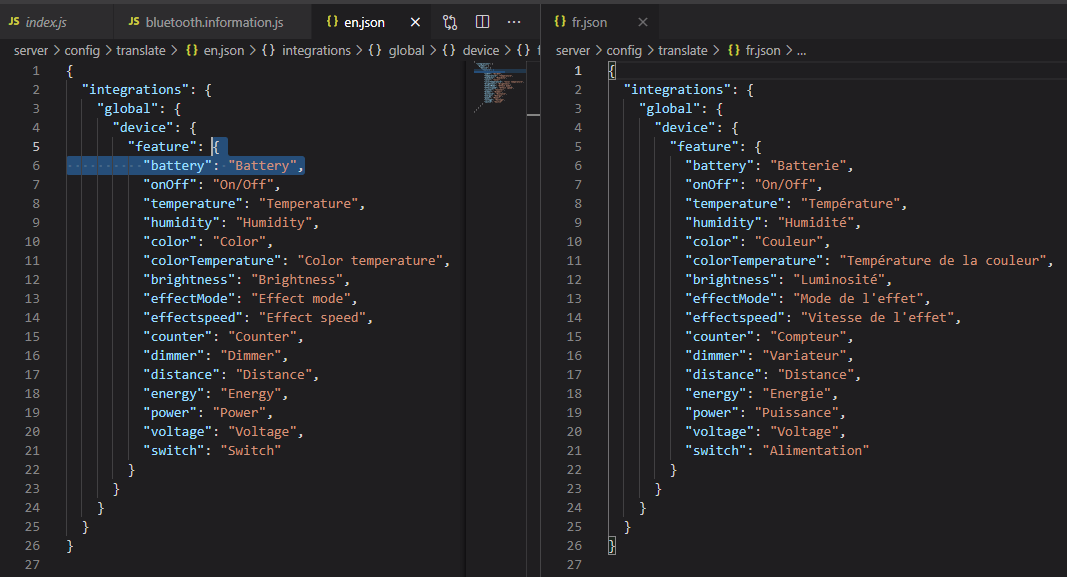
Exactly, I took the functionality and logic of the front-end with i18n… It took me 10 minutes to set up, it didn’t seem complicated at all and above all:
The day we add a language, do we have to go through all the files that call a translation again? It doesn’t bother me, but this time we remove the ease of development.
I agree with @Terdious on this one, we need to share feature translations.
None, indeed if it’s the same translations, we can use the front-end files in the back-end, or vice-versa. I didn’t know exactly your use case!
No no, the idea is just to have a translation object that you require as needed, and then if you add a language you don’t have to touch anything.
I was just talking about adding libraries, it’s not necessarily useful in the case of the backend, a simple JS object does the job, it’s key/value.
After that, I haven’t read your PR so I don’t know the extent of your development
Oki great!! Even better if we can reuse the front-end ones!! You’ll confirm later via the PR when you have time.
Ok but to test your idea, I tested the require by language file, but then it must not be that because in my test with my understanding of your words I call the 2 files by doing
const tradFr = require('../../../config/translate/fr.json')
const tradEn = require('../../../config/translate/en.json')
in each file that needs it. So in case of adding a language we would have been forced to go back to each file!! So where do you do your require in your idea? (Reply to me on github when you’ve had time to reread it ^^ we’ll talk about it at that time ^^)
You create a file i18n.js (example name, it can be anything), which contains:
const fr = require('./fr.json');
const en = require('./en.json');

module.exports = {
  en,
  fr
}
In all your files, you do:
const i18n = require('../../config/i18n/i18n.js');
And when you need a translation:
const myTitleExample = i18n[lang][key];
This is just an example from a forum post snippet; if you want something more complete, you can export a function in i18n to handle errors, etc.
Thank you very much,
I’m on it!^^