I think so, so that everyone doesn’t have to redevelop everything However, for very specific cases, the developer will have to code their own transformation function in one direction or the other.
So what color format would you see? I think we should have an integer format so we can store it and the color picker works, what do you think?
It might be a good idea to plan Gladys v4 natively with a front-end and a back-end
the front-end provides access to the box (buttons, information, etc.)
the back-end provides access to settings (adding peripherals, etc.)
with the possibility of themes on the front-end
so depending on the location, the terminal, you access the front-end with the desired theme (with a parameter defined on the back-end [user → terminal → template])
I am sharing with you a thought I had when seeing the « Light device State ». Shouldn’t we represent the change in color temperature? It’s true that not all bulbs support this, just like HSB does. So should the schema not represent only the ON/OFF states?
This diagram was a non-exhaustive example For the bulbs, we need to choose the format we are going to manage. For now, we are more focused on the Philips Hue approach. Later, I think we will see during the implementation with the different manufacturers if it works well or not, and how we resolve the different incompatibilities.
Today I worked on the entire scenario engine, with two goals:
Design a rich engine with all the functions we need (Trigger + multiple conditions with AND/OR + actions)
Design a very performant and resource-efficient engine
Tonight I just finished a minimal first version of the engine, and… it’s awesome!!
1/ I defined the different events, states, and conditions in a constants file. This is not an exhaustive list, but this first list allowed me to get started I will expand it as development progresses (for this, I need to write the UML state diagrams, I do this properly).
2/ All states are stored in an in-memory store for maximum read performance. States are persisted on disk but this persistence is only useful for visualization (curves), not for real-time querying in a scenario.
I therefore did a small performance simulation with my first engine.
I created a typical or even extreme use case:
A user with 300 scenarios (randomly generated, with random triggers)
5 conditions per trigger
1000 states to monitor
No asynchronous work. The objective of the benchmark is not to test the performance of a third-party, but just the engine itself, so here we evaluate only the performance of the condition evaluation, in short: how many the engine can process per second!
I’m not sure that’s useful, to capture sunrise it’s the state change (night → day) and vice versa for sunset. After that personally I don’t see what all the other properties can be used for, knowing that you can deduce it with the time in addition to the state
Regarding scenarios, I have a small suggestion. Would it be possible to have a setting that allows them to be activated and deactivated?
A case to illustrate the interest:
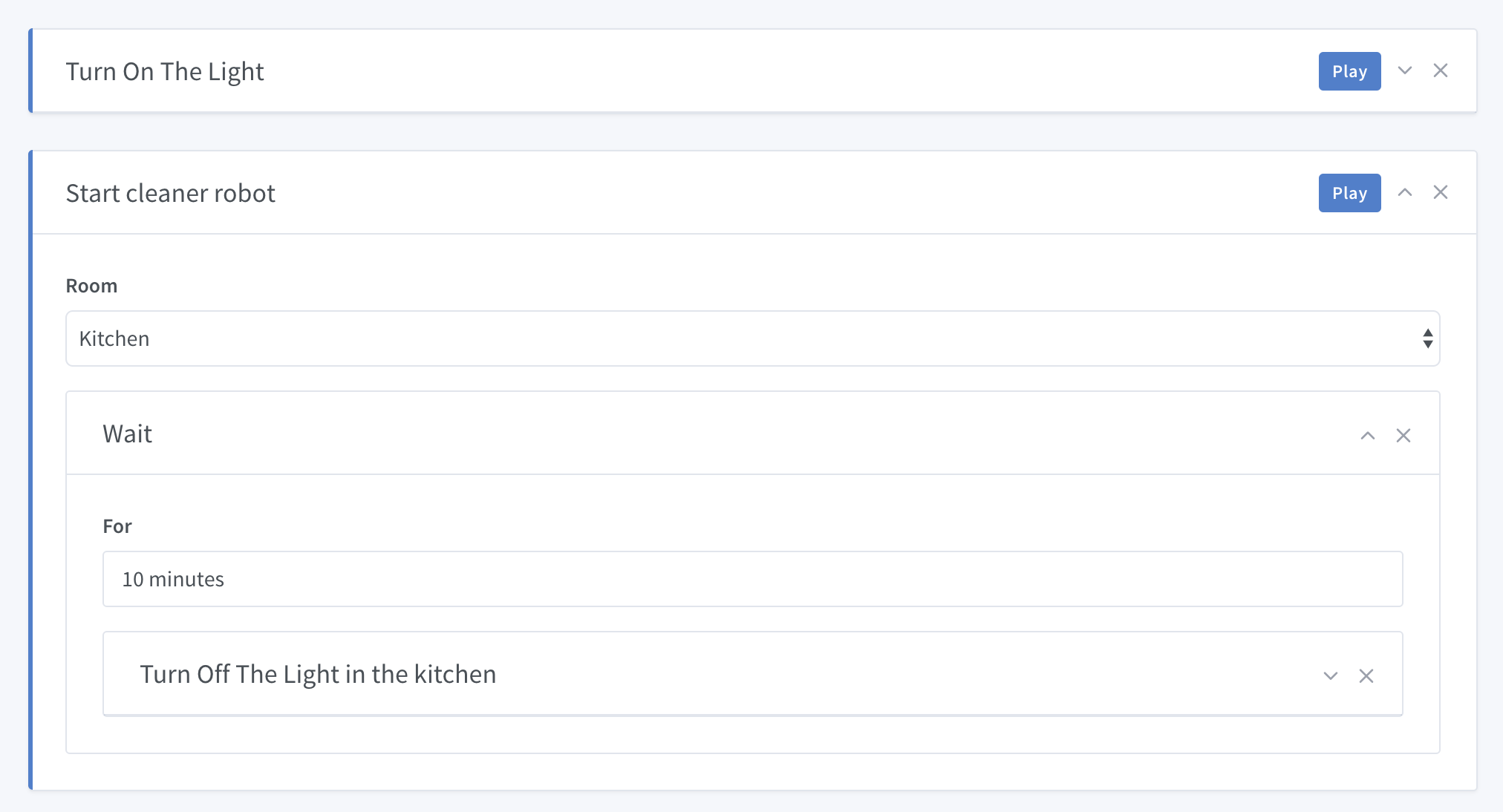
I have a motion detector. When it detects movement, it triggers a scenario that turns on the outdoor light for a duration of 15 seconds and then turns it off.
I can also turn the light on and off manually if I wish, with a switch.
If I manually turn on the light, because I know I’ll be there for a while (for example, I’m making trips to unload groceries from my car). When my detector sees me, the scenario will trigger and therefore turn off the light 15 seconds later, which is not necessarily what I want.
Therefore, it would be useful for the scenario to go to « deactivated » when I manually turn on the light.
This example may not be the most logical and may be solved in many other ways, I know. But I think there are other cases where this can be useful
Why not, but in my opinion, it would be an additional state, since for most use cases the real question in scenarios is « Is it night or day, » so we shouldn’t lose that information either!
I see the idea!
I think in your case, the solution is to put a condition in the scenario « AND the light is not already on, » it’s not logical to cancel a scenario for that!
I will think about the possibility of canceling a scenario in the actions, I’m not sure that’s what we want, I’m afraid it will introduce illogical behaviors that are just solvable by simple conditions (because turning on/off a scenario every time you turn on/off your light is very heavy!)
 However, for very specific cases, the developer will have to code their own transformation function in one direction or the other.
 , just to signify my very small contribution to the discussion
 front-end
 Top thanks