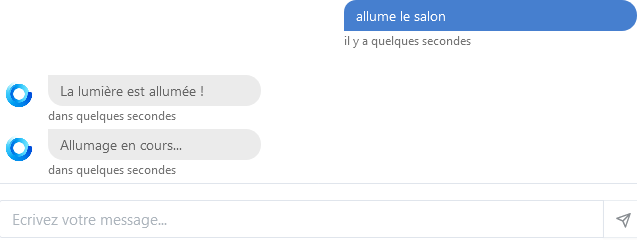
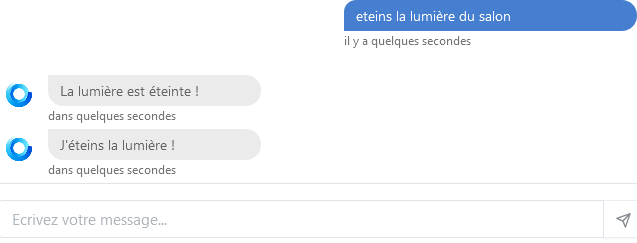
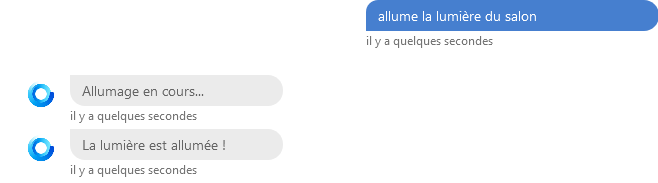
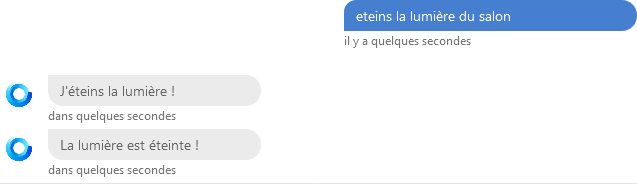
I configured a Tasmota outlet as a lamp and here’s the result:

Same behavior, then…
The switch via the ‹ room › box activates the lighting but not the discussion.
Thanks @GBoulvin and @Tlse-vins.
I will raise an issue on git tonight.
it’s with a lamp and the lamp topic
@cce66 amazing, I can’t replicate the behavior you describe by setting the Tasmota as a switch.
When the Tasmota is configured as a socket (i.e., a switch), the room switch does not control the Tasmota switch, whether manually by clicking or through conversation.
While waiting for the update on the Tasmota integration in Gladys, for those who need to use the Discussion commands, here is a very simple node-red program using the MQTT integration:
[
    {
        "id": "2e9c9b30.bdf8ac",
        "type": "mqtt in",
        "z": "d0c1f0e5.26d7b8",
        "name": "Gladys Command",
        "topic": "Gladys Topic for command (the one you see when a sensor is unchecked)",
        "qos": "2",
        "datatype": "auto",
        "broker": "fa8dd93e.13b448",
        "x": 190,
        "y": 360,
        "wires": [
            ["df515ca6.7da058"]
        ]
    },
    {
        "id": "38e43a52.633cd6",
        "type": "mqtt out",
        "z": "d0c1f0e5.26d7b8",
        "name": "Info-state",
        "topic": "Gladys Topic for data reading (the one you see when a sensor is checked)",
        "qos": "0",
        "retain": "true",
        "broker": "fa8dd93e.13b448",
        "x": 880,
        "y": 180,
        "wires": []
    },
    {
        "id": "98540e.f465fbf",
        "type": "mqtt in",
        "z": "d0c1f0e5.26d7b8",
        "name": "Tasmota Info",
        "topic": "stat/\\\"Tasmota-Topic\\\"/POWER",
        "qos": "2",
        "datatype": "auto",
        "broker": "fa8dd93e.13b448",
        "x": 190,
        "y": 180,
        "wires": [
            ["aaafe2e8.07091"]
        ]
    },
    {
        "id": "a376f6fa.8d35b8",
        "type": "mqtt out",
        "z": "d0c1f0e5.26d7b8",
        "name": "Tasmota Command",
        "topic": "cmnd/\\\"Tasmota-Topic\\\"/POWER",
        "qos": "2",
        "retain": "true",
        "broker": "fa8dd93e.13b448",
        "x": 920,
        "y": 360,
        "wires": []
    },
    {
        "id": "9ace81ff.53b4e",
        "type": "change",
        "z": "d0c1f0e5.26d7b8",
        "name": "on",
        "rules": [
            {
                "t": "set",
                "p": "payload",
                "pt": "msg",
                "to": "on",
                "tot": "str"
            }
        ],
        "action": "",
        "property": "",
        "from": "",
        "to": "",
        "reg": false,
        "x": 650,
        "y": 320,
        "wires": [
            ["a376f6fa.8d35b8"]
        ]
    },
    {
        "id": "7a465f73.317ca8",
        "type": "change",
        "z": "d0c1f0e5.26d7b8",
        "name": "off",
        "rules": [
            {
                "t": "set",
                "p": "payload",
                "pt": "msg",
                "to": "off",
                "tot": "str"
            }
        ],
        "action": "",
        "property": "",
        "from": "",
        "to": "",
        "reg": false,
        "x": 650,
        "y": 400,
        "wires": [
            ["a376f6fa.8d35b8"]
        ]
    },
    {
        "id": "df515ca6.7da058",
        "type": "switch",
        "z": "d0c1f0e5.26d7b8",
        "name": "Switch 0 and 1",
        "property": "payload",
        "propertyType": "msg",
        "rules": [
            {
                "t": "eq",
                "v": "1",
                "vt": "str"
            },
            {
                "t": "eq",
                "v": "0",
                "vt": "str"
            }
        ],
        "checkall": "true",
        "repair": false,
        "outputs": 2,
        "x": 430,
        "y": 360,
        "wires": [
            [
                ["9ace81ff.53b4e"]
            ],
            [
                ["7a465f73.317ca8"]
            ]
        ]
    },
    {
        "id": "aaafe2e8.07091",
        "type": "switch",
        "z": "d0c1f0e5.26d7b8",
        "name": "",
        "property": "payload",
        "propertyType": "msg",
        "rules": [
            {
                "t": "eq",
                "v": "ON",
                "vt": "str"
            },
            {
                "t": "eq",
                "v": "OFF",
                "vt": "str"
            }
        ],
        "checkall": "true",
        "repair": false,
        "outputs": 2,
        "x": 410,
        "y": 180,
        "wires": [
            [
                ["206d2801.8e5748"]
            ],
            [
                ["fe3ae5f4.a6d16"]
            ]
        ]
    },
    {
        "id": "206d2801.8e5748",
        "type": "change",
        "z": "d0c1f0e5.26d7b8",
        "name": "1",
        "rules": [
            {
                "t": "set",
                "p": "payload",
                "pt": "msg",
                "to": "1",
                "tot": "num"
            }
        ],
        "action": "",
        "property": "",
        "from": "",
        "to": "",
        "reg": false,
        "x": 650,
        "y": 140,
        "wires": [
            ["38e43a52.633cd6"]
        ]
    },
    {
        "id": "fe3ae5f4.a6d16",
        "type": "change",
        "z": "d0c1f0e5.26d7b8",
        "name": "0",
        "rules": [
            {
                "t": "set",
                "p": "payload",
                "pt": "msg",
                "to": "0",
                "tot": "num"
            }
        ],
        "action": "",
        "property": "",
        "from": "",
        "to": "",
        "reg": false,
        "x": 650,
        "y": 220,
        "wires": [
            ["38e43a52.633cd6"]
        ]
    },
    {
        "id": "fa8dd93e.13b448",
        "type": "mqtt-broker",
        "name": "",
        "broker": "",
        "port": "1883",
        "clientid": "",
        "usetls": false,
        "compatmode": false,
        "keepalive": "60",
        "cleansession": true,
        "birthTopic": "",
        "birthQos": "0",
        "birthPayload": "",
        "closeTopic": "",
        "closeQos": "0",
        "closePayload": "",
        "willTopic": "",
        "willQos": "0",
        "willPayload": ""
    }
]
Hello everyone,
In doubt, I write my message in this post about MQTT and Tasmota, because I had posted it in a resolved tutorial and I don’t know if the messages added to a resolved post appear on the forum. My problem looks strangely like what is said in this tutorial: [RESOLU] Problème de connexion mqtt avec sonoff.
After testing on the Xiaomi gateway, then RFlink and finally fixing the SSD installation problem, I reinstall my devices including 2 ESP8266, one server and one client. The client should connect to the Mosquitto broker (I use the one installed with Gladys), but it no longer succeeds. I tested with an external Mosquitto (on a Synology) and there, the ESP8266 connects well (although I don’t use a user or password).
I checked this:
Here is:
allow_anonymous false

connection_messages false

password_file /mosquitto/config/mosquitto.passwd

listener 1883
and I have the same /mosquitto/config/
I changed the password, no improvement, I put back the password that works, no improvement. I reinstalled the broker, still the same.
But I have another less annoying problem, but when I scan the network on the Tasmota integration, the devices are not discovered in Mqtt, but only in Http. My devices are Sonoff flashed with Tasmota. Previously they were well discovered in Mqtt, but now when I click on « Mqtt discovery » I don’t see them, on the other hand when I click on « Http discovery », they all appear. I think everything must be related? What do you think?
Would you have a solution to put everything back in order?
Thanks in advance
You can use an MQTT client on your computer to check if the Tasmota messages are passing through the « mosquitto Gladys » broker and on which Topic!
If you want to post them, I’ll take a look.
With mosquitto installed in Gladys, you have an MQTT client but everything is in command line (not very user-friendly but if you are comfortable with the terminal it’s the best).
Otherwise, you can install an MQTT client on your computer like MQTTX or HiveMQ or any other.
Once installed, you enter the broker coordinates, you subscribe to all topics and you wait for the publications.
This is not normal. Do you know how to connect via SSH to the PC (Raspberry?) where Gladys is installed?
Yes, I can do it
cool, go ahead and type:
docker ps
Here’s what it looks like:
pi@raspberrypi:~ $ docker ps
CONTAINER ID IMAGE COMMAND CREATED STATUS PORTS NAMES
b10db942ed4a nodered/node-red:latest « npm --no-update-not… » 5 hours ago Up 5 hours (healthy) node_red
20d907e3f909 containrrr/watchtower:latest « /watchtower --clean… » 5 days ago Up 30 hours 8080/tcp watchtower
431e1a957152 eclipse-mosquitto:2 « /docker-entrypoint.… » 2 weeks ago Up 23 hours eclipse-mosquitto
03839af72df9 gladysassistant/gladys:v4 « docker-entrypoint.s… » 2 weeks ago Up 30 hours gladys
pi@raspberrypi:~ $
ok, so mosquitto is indeed running.
Now, you would need to subscribe to the broker (sub). You need to find the commands, it’s less straightforward under docker!
I’m going to struggle here, I don’t know Docker.

I’m not sure if an MQTT client is installed under Docker.
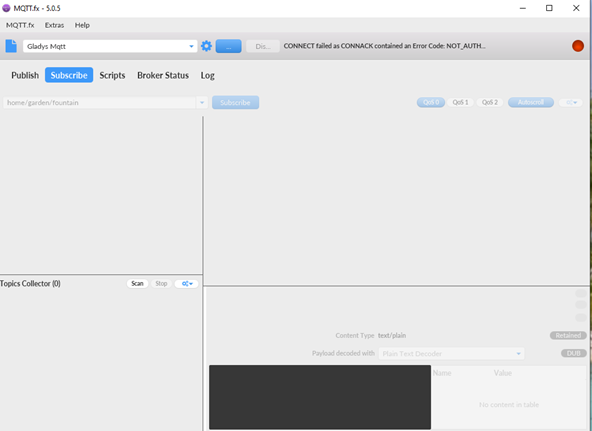
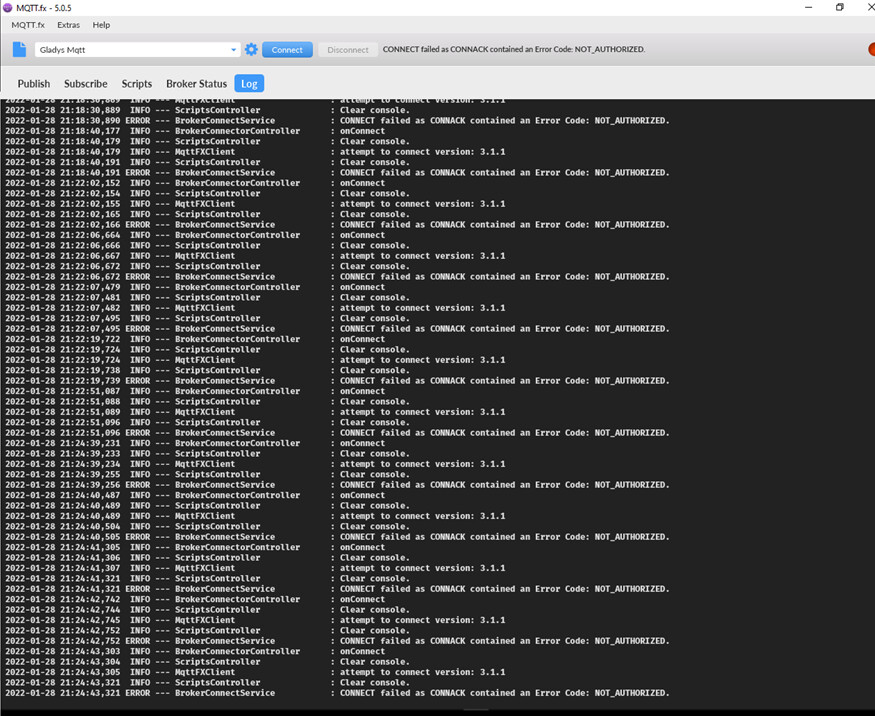
I suggest you try mqtt.fx again. Try before adding a user password to the Gladys broker. For me, you must first connect to the broker, it’s the entry point!
Do you want me to modify the User MDP of the broker in Gladys?
Yes, because you didn’t have one, did you? Also check the IP of the Gladys broker, it’s the same as the IP you use to connect via SSH.