Hello
This is my first real post on this forum, so please be gentle!!
A few months ago I installed Gladys on a Raspberry Pi 4 (8GB) under Docker with updates managed by Watchtower
I also monitor my containers with Portainer
I monitor my Pi 4 notably with Webmin
I decided to go further into home automation by starting to monitor temperatures and relays…
I just acquired a Sonoff TH Origin 20A (THR320) + temperature sensor
I hate having to go via the neighbor to go from my kitchen to the garage, so going through the eWeLink servers NO!! NIET!!
So step 1: flashing the Sonoff to Tasmota with esptool and Tasmota web:
ESP identification
backup
erase
flash
configure Tasmota
At this point I have Tasmota reporting into Gladys after enabling MQTT which created a new container under Docker…
However, and this is where I’m stuck: the THR320 is recognized as a relay but not the temperature (Grrrr)
Not knowing Gladys, MQTT and other Tasmota tools, I think I need to look in the logs, maybe confirm the Tasmota configuration of the THR320…
I am one of the Tasmota contributors and I am discovering Gladys Assistant
I saw in the documentation that Gladys supported discovery of Tasmota devices (discovery) but this seems outdated and there have been changes at Tasmota regarding the publishing of discovery MQTT messages.
Historically, Tasmota used the « Home Assistant » standard and published its Discovery messages on the topic homeassistant/..... This mode was notably enabled by using the configuration command Setoption19 1.
But in parallel the Tasmota team developed its own discovery standard which uses the topic tasmota/... in order to offer home automation software a solution independent of « Home Assistant ».
Over time, the Tasmota development team no longer had anyone to maintain the code associated with the « homeassistant » standard and it was decided to disable this code in new releases starting from 11.x
On their side, the Tasmota developers proceeded with the migration by creating a hatasmota plugin for Home Assistant.
In conclusion, if the integration of Tasmota in Gladys depends on the homeassistant standard, this mechanism should be considered obsolete.
Hello
On my side I tested with and without the SetOption19 option and with a reboot between each attempt…
Nothing changes, the temperature sensor is not detected…
Did you change the FullTopic config?
On which topic do you see the above message?
Alternatively paste here an excerpt of the Tasmota console log, notably with the STATE and SENSOR messages
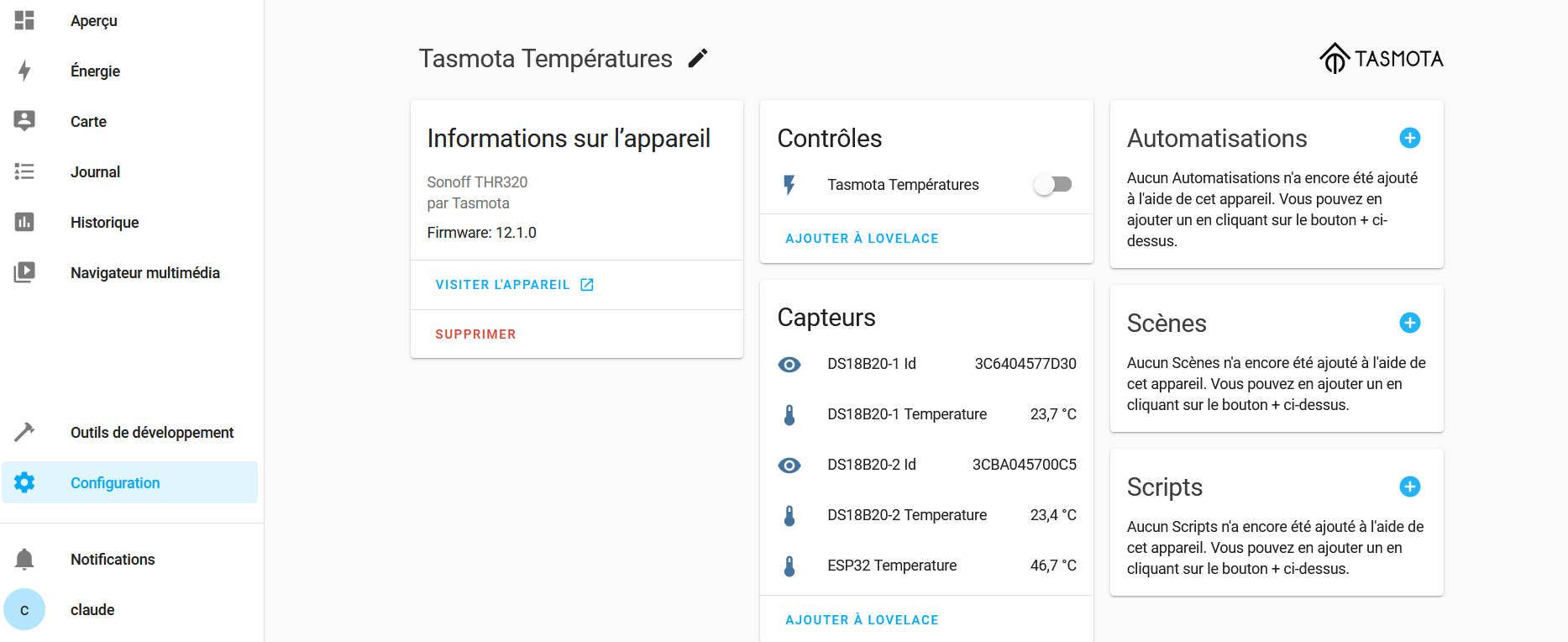
{« sn »:{« Time »:« 2022-08-24T17:59:31 »,« DS18B20 »:{« Id »:« 3C6404577D30 »,« Temperature »:23.4},« ESP32 »:{« Temperature »:46.7},« TempUnit »:« C »},« ver »:1}
Under tele/tasmota_BC276C/SENSOR
{« Time »:« 2022-08-24T19:09:29 »,« DS18B20 »:{« Id »:« 3C6404577D30 »,« Temperature »:23.5},« ESP32 »:{« Temperature »:46.1},« TempUnit »:« C »}
Gladys does not depend on the homeassistant standard
We want to avoid having to modify the firmware’s default configuration (except for debugging). However, if it is recommended to apply certain options, we will propose them via Gladys.
Indeed, device integration is done incrementally; not having the hardware to test, and not monitoring new integrations in Tasmota as they appear, we wait for the community to request them.
I looked at the ticket on GitHub, the hack is to add the prefix StatusSNS as a key on the last argument of the method.
Thanks to @Barbudor for taking part in the discussions around Tasmota; we welcome any best practices to apply that we may have misinterpreted.
Thanks @Titou43 for your feedback, we will integrate your device ASAP. We have the same request for the BL09XX.
Regarding the limitation on DHT11/AM2301 sensors (the worst possible on the market😁) why not just ignore the nom-du-chip key? Currently you filter but you don’t use the value of the nom-du-chip key. Why not go straight to \\\\..+\\. ?
The majority of Tasmota users use the DS18x20 for temperature (I’ve seen up to 20 DS18x20 on one Tasmota) or the BME280/HDC1080 for temperature+humidity.
When using more than one DS18x20 for example, the keys are "DS18B20-1":{...}, "DS18B20-2":{...}
Or even (via an option) DS18B20-XXXX using the last 4 digits of the


 )
)